1 Color recognition
1 Color recognition1.1 experimental goals1.2 experimental procedure1.3 experimental results1.4 experiment summary
1.1 experimental goals
This lesson focuses on the color recognition function, which frames items of the same color according to the LAB value of the color.
The reference code path for this experiment is :CanMV\05-AI\color_recognition.py
1.2 experimental procedure
The factory firmware of the module has integrated the AI vision algorithm module. If you have downloaded other firmware, please burn it back to the factory firmware before doing the experiment.
Import the relevant libraries and initialize the camera and LCD display.
ximport sensor, image, time, lcdlcd.init()sensor.reset()sensor.set_pixformat(sensor.RGB565)sensor.set_framesize(sensor.QVGA)sensor.skip_frames(time = 2000)sensor.set_auto_gain(False)sensor.set_auto_whitebal(False)clock = time.clock()
A 5050-sized white box is drawn in the camera screen, and the function is to prompt the user to put the color to be recognized into the box.
xxxxxxxxxxr = [(320//2)-(50//2), (240//2)-(50//2), 50, 50]for i in range(50):img = sensor.snapshot()img.draw_rectangle(r)lcd.display(img)
When the box turns white to green again, start learning the LAB value of the color, read the value multiple times, and take the average as the result of the learned LAB value.
xxxxxxxxxxprint("Learning thresholds...")threshold = [50, 50, 0, 0, 0, 0] # Middle L, A, B values.for i in range(50):img = sensor.snapshot()hist = img.get_histogram(roi=r)lo = hist.get_percentile(0.01) # Get the CDF of the histogram at the 1% range (ADJUST AS NECESSARY)!hi = hist.get_percentile(0.99) # Get the CDF of the histogram at the 99% range (ADJUST AS NECESSARY)!# Average in percentile values.threshold[0] = (threshold[0] + lo.l_value()) // 2threshold[1] = (threshold[1] + hi.l_value()) // 2threshold[2] = (threshold[2] + lo.a_value()) // 2threshold[3] = (threshold[3] + hi.a_value()) // 2threshold[4] = (threshold[4] + lo.b_value()) // 2threshold[5] = (threshold[5] + hi.b_value()) // 2for blob in img.find_blobs([threshold], pixels_threshold=100, area_threshold=100, merge=True, margin=10):img.draw_rectangle(blob.rect())img.draw_cross(blob.cx(), blob.cy())img.draw_rectangle(r, color=(0,255,0))lcd.display(img)
When the color learning is complete, create a new while loop, start to identify the colors in the camera picture, analyze whether the LAB value of the color learned in the previous step is consistent, and if so, box the corresponding color block.
xxxxxxxxxxprint("Thresholds learned...")print("Start Color Recognition...")while(True):clock.tick()img = sensor.snapshot()for blob in img.find_blobs([threshold], pixels_threshold=100, area_threshold=100, merge=True, margin=10):img.draw_rectangle(blob.rect())img.draw_cross(blob.cx(), blob.cy())lcd.display(img)print(clock.fps())
1.3 experimental results
Connect the K210 module to the computer through the microUSB data cable, CanMV IDE click the connect button, after the connection is completed click the Run button to run the routine code. You can also download the code as main.py and run it in the K210 module.
Wait for the system initialization to complete, the LCD displays the camera screen, and there is a white box in the middle of the screen, please put the color to be recognized in the white box, the white box lasts about 3 seconds.
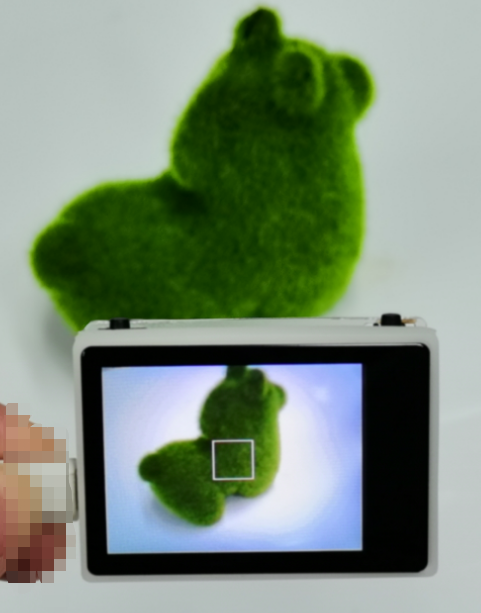
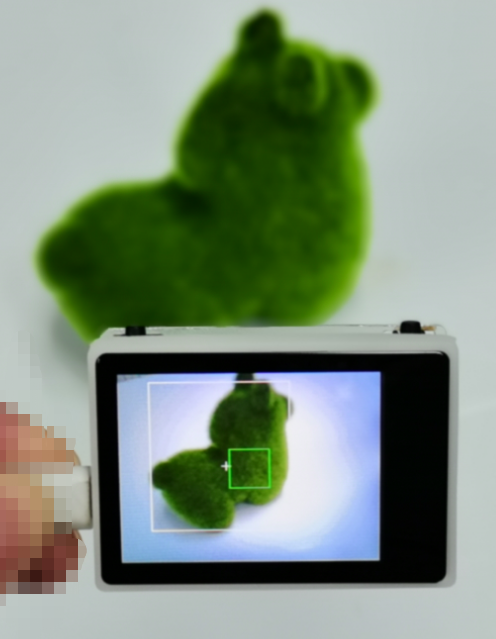
When the white box changes to a green box, the system starts to learn the color LAB value in the green box, and other white boxes will appear as a preview effect, and after about 5 seconds, the green box disappears, indicating that the learning is complete.
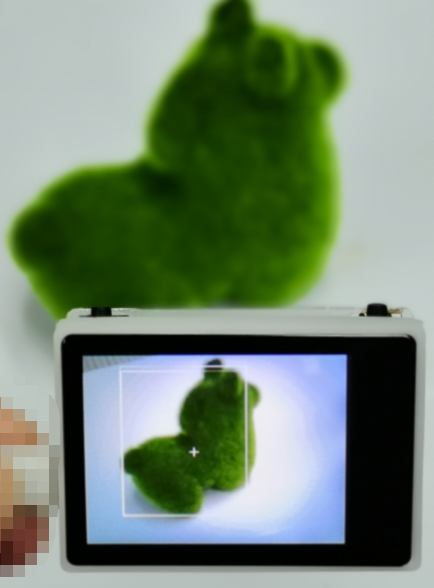
At this point, the camera is oriented towards the color to be recognized, and the system will automatically frame the recognized color.
1.4 experiment summary
The function of color recognition is mainly to analyze the LAB value of the color, first put the color to be identified in the box, and then the system will be based on the LAB value of the color read in the box, and then compare with the LAB value of the color collected by the camera as an analysis, if it meets the requirements, draw a box to indicate that the color is recognized. Due to the error in the recognition color, it is best to identify when the recognition color and the background color are far apart, and if the background color is close to the recognized color, the chance of misidentification will increase.