4、color reaction
4、color reaction4.1、Experiment Description4.2、Experimental goal4.3、Experimental operation4.4、Experimental effect4.5、Experiment summary
4.1、Experiment Description
Note: This experiment is an expansion experiment and needs to be used with other external devices. The car chassis and ROS expansion board used here are not part of the K210 development board kit, so the effect of this experiment is for reference only. If there is no corresponding device, it cannot be used. Use this example code directly.
The ROS expansion board needs to flash the firmware in advance: ROS-CAR.hex
Since the voltage of the motor used this time is 8.4V, the battery of the ROS expansion board cannot be inserted into a 12.6V battery, and an 8.4V battery must be inserted.
The connecting wire of the trolley motor is shown in the figure below:
The motor Motor 1 is connected to the left front wheel, the motor Motor 2 is connected to the left rear wheel, the motor Motor 3 is connected to the right front wheel, and the motor Motor 4 is connected to the right rear wheel.

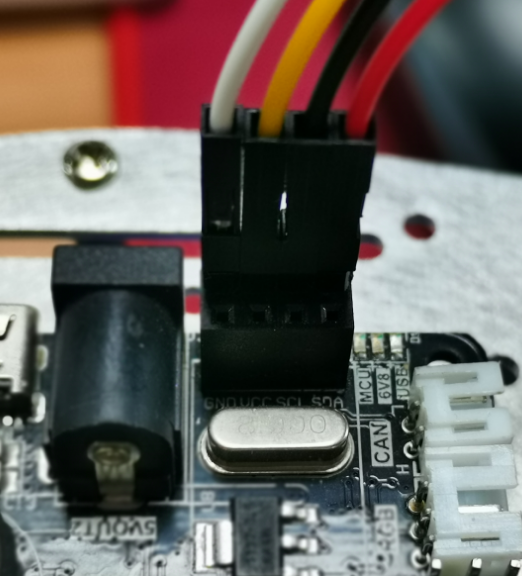
The line sequence of the connection between the K210 development board and the ROS expansion board is shown in the figure below:
The white wire is connected to GND, the yellow wire is connected to VCC, the black wire is connected to SCL, and the red wire is connected to SDA.
It should be noted here that the logo in the diagram is the I2C line sequence logo, but the K210 uses serial port communication. Since the burned ROS-CAR.hex file has changed this interface to a serial port signal, the actual ROS expansion board The corresponding relationship of the interface is: SCL is actually TX, and SDA is actually RX.
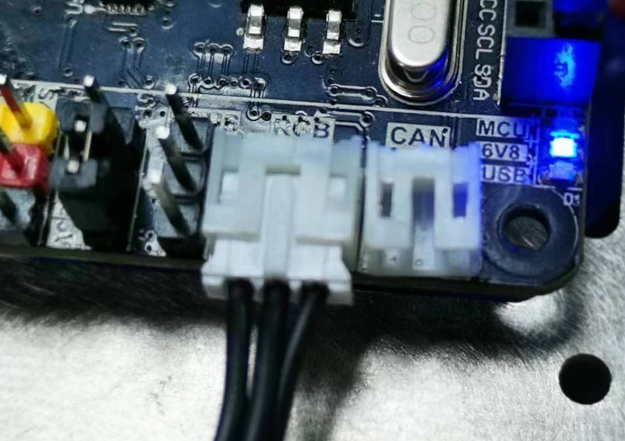
Insert the RGB light bar into the RGB light interface of the ROS expansion board.
4.2、Experimental goal
This lesson mainly learns the function of K210 development board and car chassis for visual line inspection.
The reference code path for this experiment is:06-export\color_rgb.py
4.3、Experimental operation
ROS expansion board flash firmware: ROS-CAR.hex
Connect the baseboard motor to the ROS expansion board, connect the left front motor according to M1, connect the left rear motor with M2, connect the right front motor with M3, and connect the right rear motor with M4.
Please download the trolley driver library and PID control library in the 06-export\library directory to the root directory of the memory card in advance.
Open CanMV IDE and open the color_rgb.py code.
Connect the K210 development board to the ROS expansion board through a 4PIN cable.
Put the car into the white background, move the K210 development board bracket to an appropriate angle, and turn on the switch of the car.
Please uncomment
learning_color, then re-run the program in CanMV IDE, put the color to be recognized into the box for learning, and after the learning is completed, theserial terminaland the display at the bottom of the IDE will display the recognized color Color value, replace the recognized color value with the corresponding color value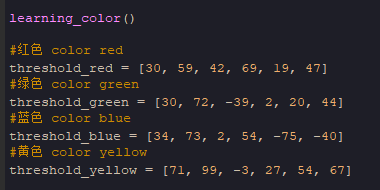
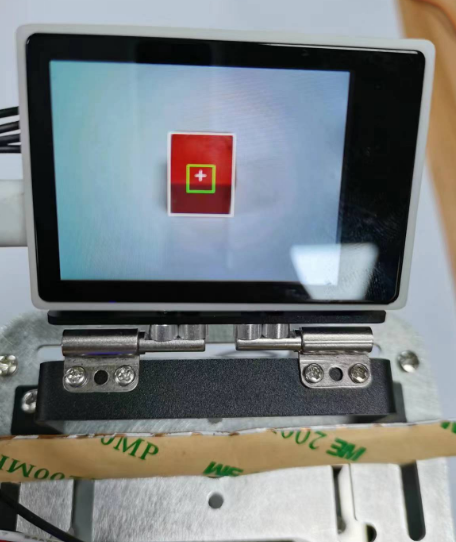
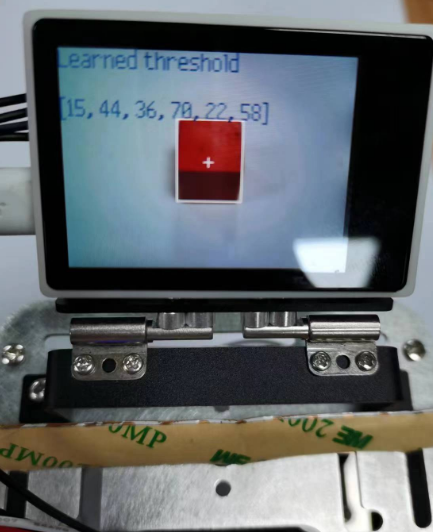
Run the program four times in sequence, and update the values of threshold_red, threshold_green, threshold_blue, and threshold_yellow in sequence. After the color learning is completed, comment out the
learning_colorfunction again.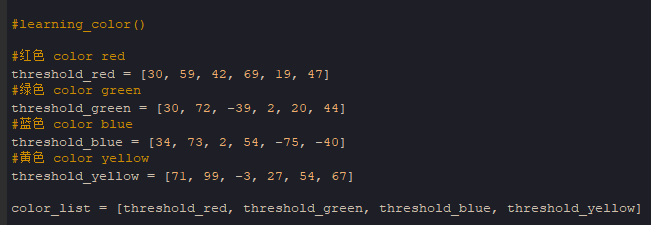
Finally, download the program into the K210 development board and run it.
4.4、Experimental effect
After the system initialization is complete, please put a red, green, blue or yellow color block in front of the camera, and the car will automatically light up the corresponding color according to the color of the currently placed color block. If there are multiple color blocks placed , then the RGB light of the car will show the special effect of a marquee
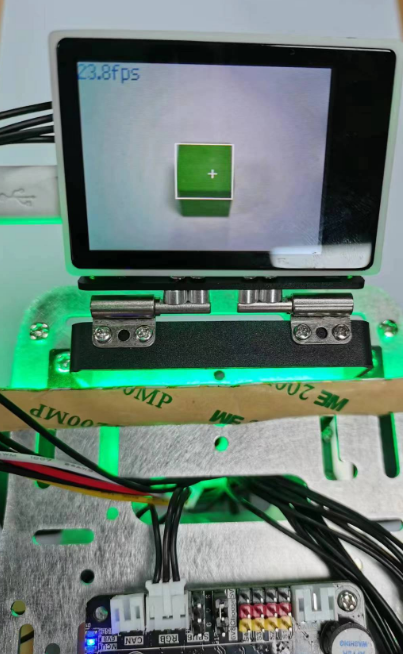
In order to show clearly, the light bar is placed on the top. In actual application, please place the light bar according to the characteristics of the car.
4.5、Experiment summary
Due to the difference in light and product color in each place, the recognized color may be inaccurate. You need to re-learn the color value according to your own color block in order to recognize more accurately.