10.ROS2 service communication client
1. Introduction to service communication
Service communication is a communication model based on request and response. Between the two communicating parties, the client sends request data to the server, and the server responds to the client.
The client/server model is as follows: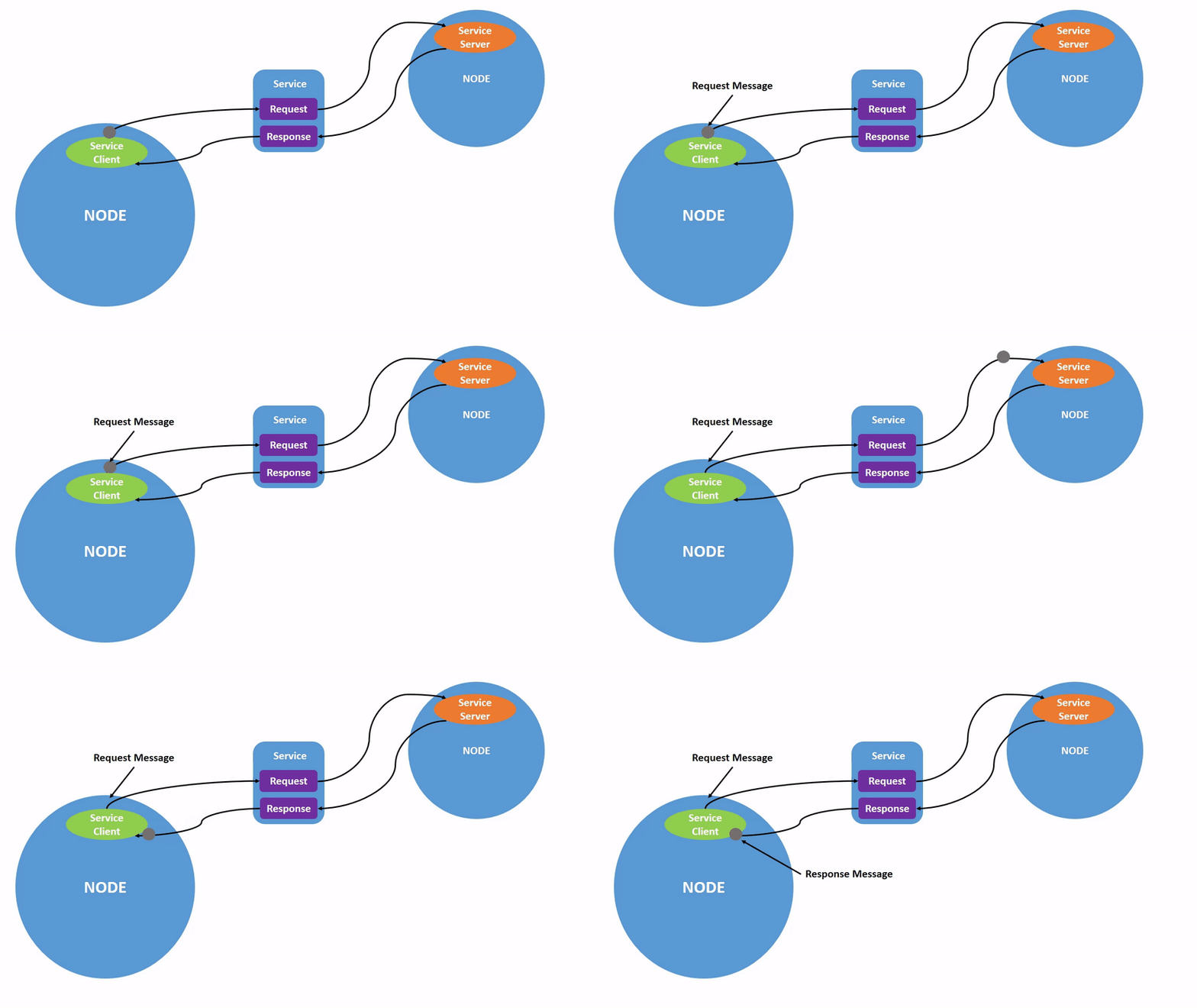
From the perspective of the service implementation mechanism, this form of question-and-answer is called the client/server model, or CS model for short.When the client needs certain data, it sends request information for a specific service. After the server receives the request, it will process it and feedback the response information.
This communication mechanism is also very common in life, such as the various web pages we often browse. At this time, your computer browser is the client.Send a request to the website server through the domain name or various operations. After receiving it, the server returns the page data that needs to be displayed.
This case is located in the factory docker container. The source code location is:
/root/yahboomcar_ros2_ws/yahboomcar_ws/src/pkg_service
2. Client implementation
Create a new file [client_demo.py] in the same directory as [server_demo.py]
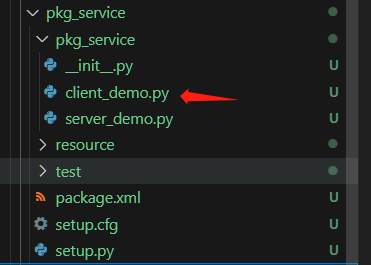
Next edit [client_demo.py] to implement client functions and add the following code:
x#Import related librariesimport rclpyfrom rclpy.node import Nodefrom example_interfaces.srv import AddTwoInts
class Service_Client(Node): def __init__(self,name): super().__init__(name) #To create a client, use the create_client function. The parameters passed in are the data type of the service data and the topic name of the service. self.client = self.create_client(AddTwoInts,'/add_two_ints') # Loop waiting for the server to start successfully while not self.client.wait_for_service(timeout_sec=1.0): print("service not available, waiting again...") # Create data objects for service requests self.request = AddTwoInts.Request() def send_request(self): self.request.a = 10 self.request.b = 90 #send service request self.future = self.client.call_async(self.request) def main(): rclpy.init() #Node initialization service_client = Service_Client("client_node") #Create object service_client.send_request() #send service request while rclpy.ok(): rclpy.spin_once(service_client) #Determine whether data processing is completed if service_client.future.done(): try: #Get service feedback information and print it response = service_client.future.result() print("service_client.request.a = ",service_client.request.a) print("service_client.request.b = ",service_client.request.b) print("Result = ",response.sum) except Exception as e: service_client.get_logger().info('Service call failed %r' % (e,)) break service_client.destroy_node() rclpy.shutdown()
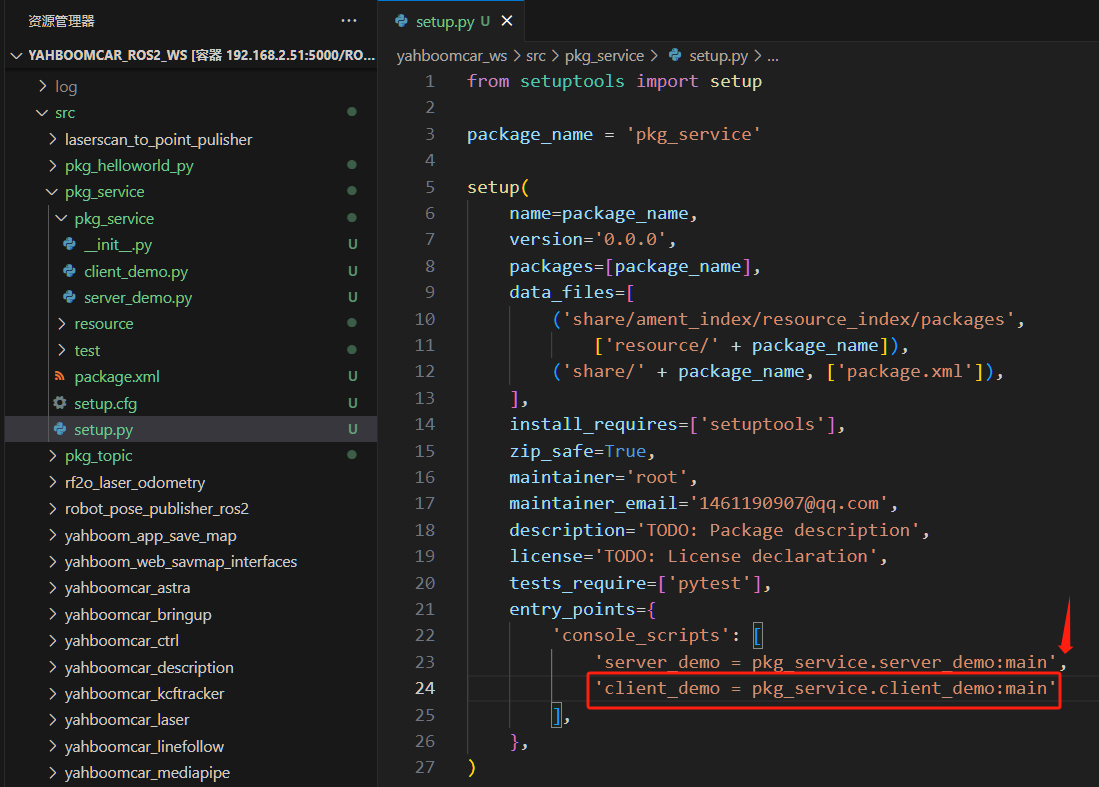
3. Edit configuration file
4. Compile workspace
xxxxxxxxxxcd ~/yahboomcar_ros2_ws/yahboomcar_wscolcon build --packages-select pkg_servicesource install/setup.bash
5. Run program
The sub-terminal execution is as follows:
xxxxxxxxxx#Start server noderos2 run pkg_service server_demo#Start client noderos2 run pkg_service client_demo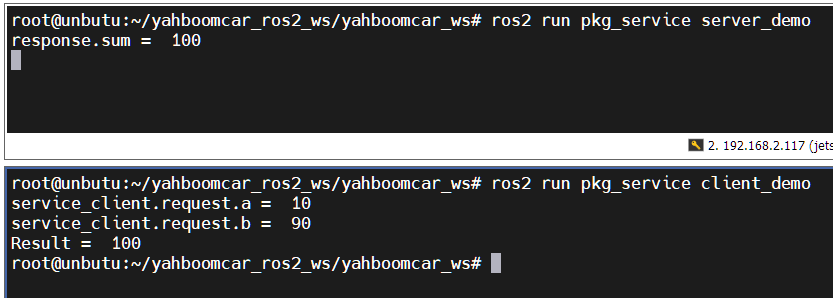
Run the server first, then run the client. The client provides a=10, b=90. The server performs the sum and the result is 100. The result is printed on both terminals.