23.ROS2 launch xml.yaml implementation
Continuing from the previous section, this section will explain how to use xml and yaml to write launch files.
1. xml implementation
1.1. Create a new launch file
Create a new file [complex_launch.xml] in the same directory as complex_launch.py and add the following content:
Note: This case will display the little turtle window. Before starting the program, please make sure that the docker GUI display is turned on, otherwise the little turtle window cannot be displayed
x<launch>
<!-- args that can be set from the command line or a default will be used --> <arg name="background_r" default="0"/> <arg name="background_g" default="255"/> <arg name="background_b" default="0"/> <arg name="chatter_ns" default="my/chatter/ns"/> <!-- include another launch file --> <include file="$(find-pkg-share demo_nodes_cpp)/launch/topics/talker_listener.launch.py"/> <!-- include another launch file in the chatter_ns namespace--> <group> <!-- push-ros-namespace to set namespace of included nodes --> <push-ros-namespace namespace="$(var chatter_ns)"/> <include file="$(find-pkg-share demo_nodes_cpp)/launch/topics/talker_listener.launch.py"/> </group> <!-- start a turtlesim_node in the turtlesim1 namespace --> <node pkg="turtlesim" exec="turtlesim_node" name="sim" namespace="turtlesim1"/> <!-- start another turtlesim_node in the turtlesim2 namespace and use args to set parameters --> <node pkg="turtlesim" exec="turtlesim_node" name="sim" namespace="turtlesim2"> <param name="background_r" value="$(var background_r)"/> <param name="background_g" value="$(var background_g)"/> <param name="background_b" value="$(var background_b)"/> </node> <!-- perform remap so both turtles listen to the same command topic --> <node pkg="turtlesim" exec="mimic" name="mimic"> <remap from="/input/pose" to="/turtlesim1/turtle1/pose"/> <remap from="/output/cmd_vel" to="/turtlesim2/turtle1/cmd_vel"/> </node> </launch>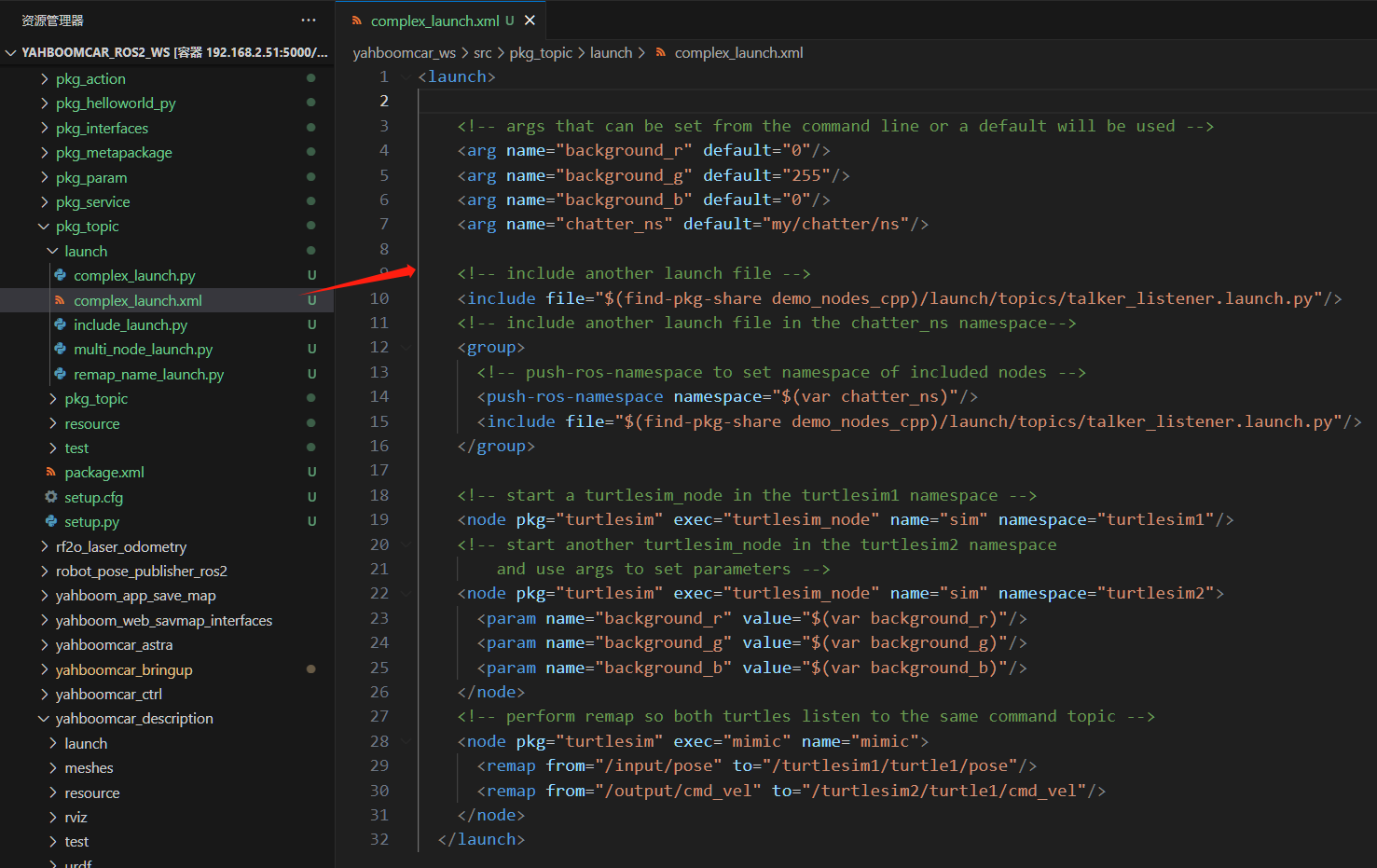
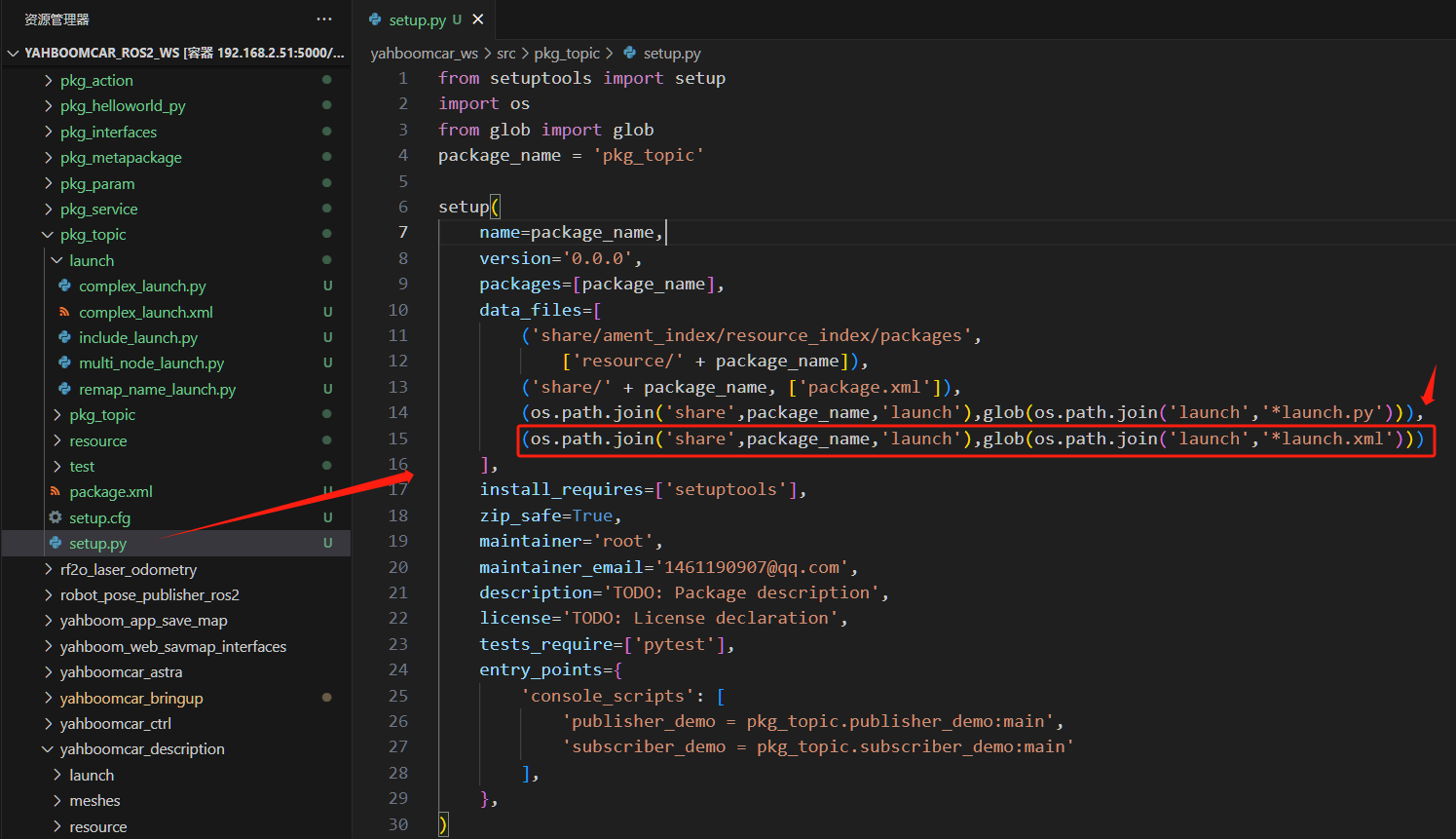
1.2. xml configuration
1.3. Compile workspace
xxxxxxxxxxcd ~/yahboomcar_ros2_ws/yahboomcar_wscolcon build --packages-select pkg_topicsource install/setup.bash
1.4. Run the program
Terminal input:
xxxxxxxxxxros2 launch pkg_topic complex_launch.xml
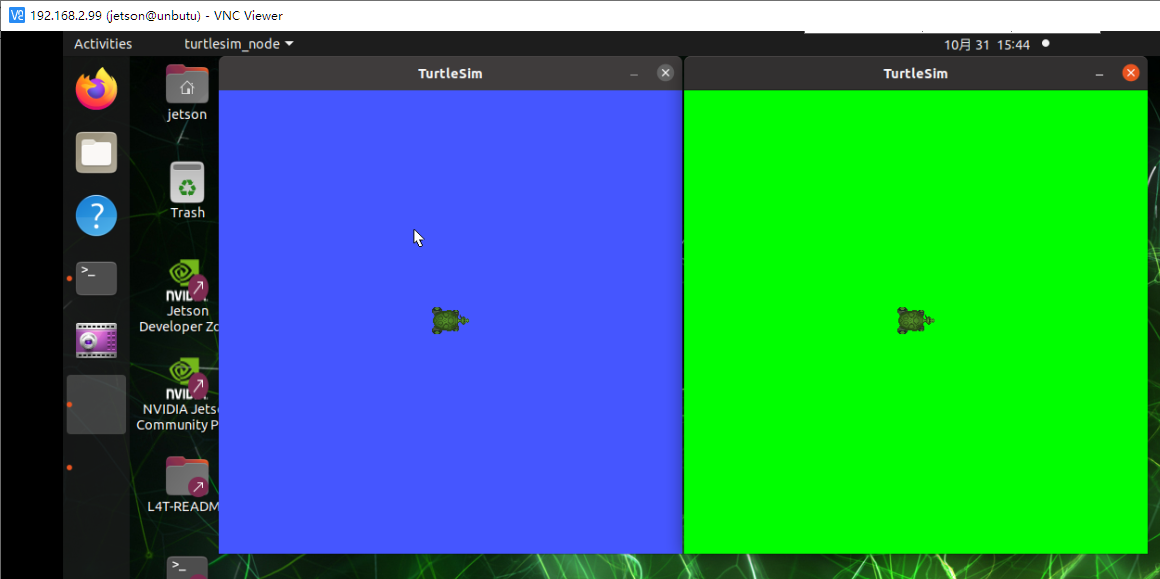
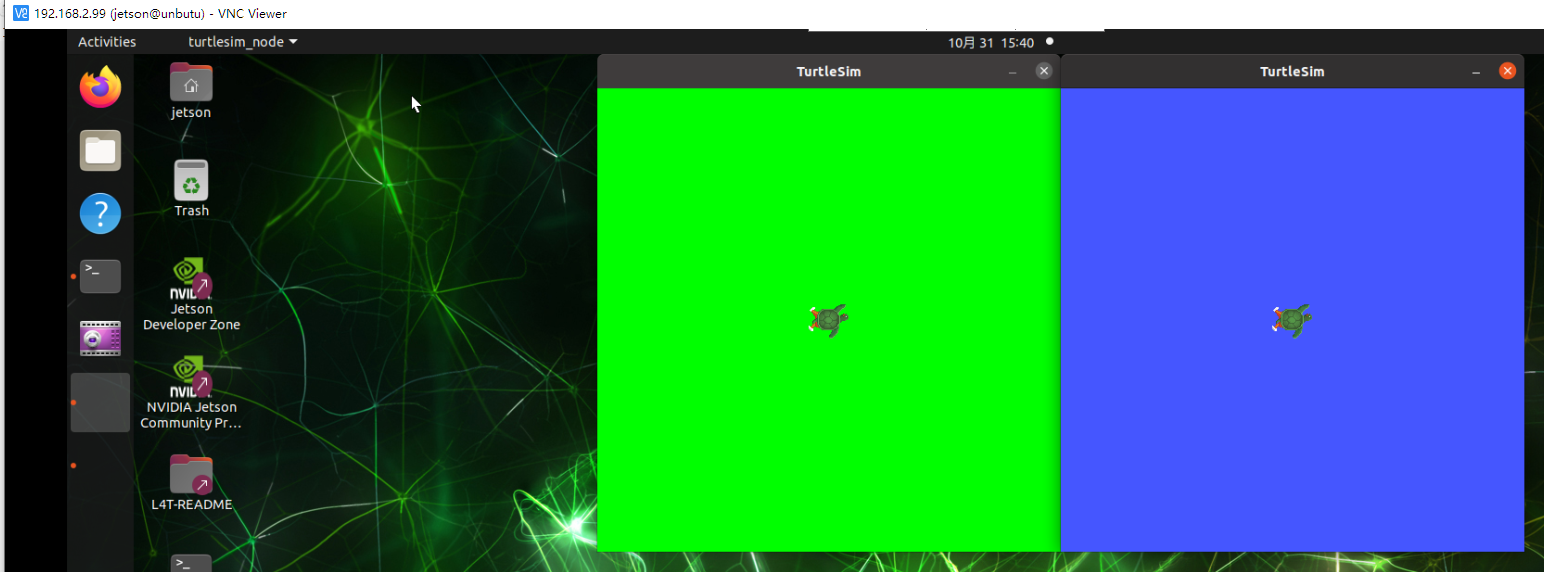
Two little turtles will be displayed on the host's vnc
2. Yaml implementation
2.1. Create a new launch file
Create a new file [complex_launch.yaml] in the same directory as complex_launch.py and add the following content:
Note: This case will display the little turtle window. Before starting the program, please make sure that the docker GUI display is turned on, otherwise the little turtle window cannot be displayed
xxxxxxxxxxlaunch:
# args that can be set from the command line or a default will be used- arg:    name: "background_r"    default: "0"- arg:    name: "background_g"    default: "255"- arg:    name: "background_b"    default: "0"- arg:    name: "chatter_ns"    default: "my/chatter/ns"

# include another launch file- include:    file: "$(find-pkg-share demo_nodes_cpp)/launch/topics/talker_listener.launch.py"
# include another launch file in the chatter_ns namespace- group:    - push-ros-namespace:        namespace: "$(var chatter_ns)"    - include:        file: "$(find-pkg-share demo_nodes_cpp)/launch/topics/talker_listener.launch.py"
# start a turtlesim_node in the turtlesim1 namespace- node:    pkg: "turtlesim"    exec: "turtlesim_node"    name: "sim"    namespace: "turtlesim1"
# start another turtlesim_node in the turtlesim2 namespace and use args to set parameters- node:    pkg: "turtlesim"    exec: "turtlesim_node"    name: "sim"    namespace: "turtlesim2"    param:    -      name: "background_r"      value: "$(var background_r)"    -      name: "background_g"      value: "$(var background_g)"    -      name: "background_b"      value: "$(var background_b)"
# perform remap so both turtles listen to the same command topic- node:    pkg: "turtlesim"    exec: "mimic"    name: "mimic"    remap:    -        from: "/input/pose"        to: "/turtlesim1/turtle1/pose"    -        from: "/output/cmd_vel"        to: "/turtlesim2/turtle1/cmd_vel"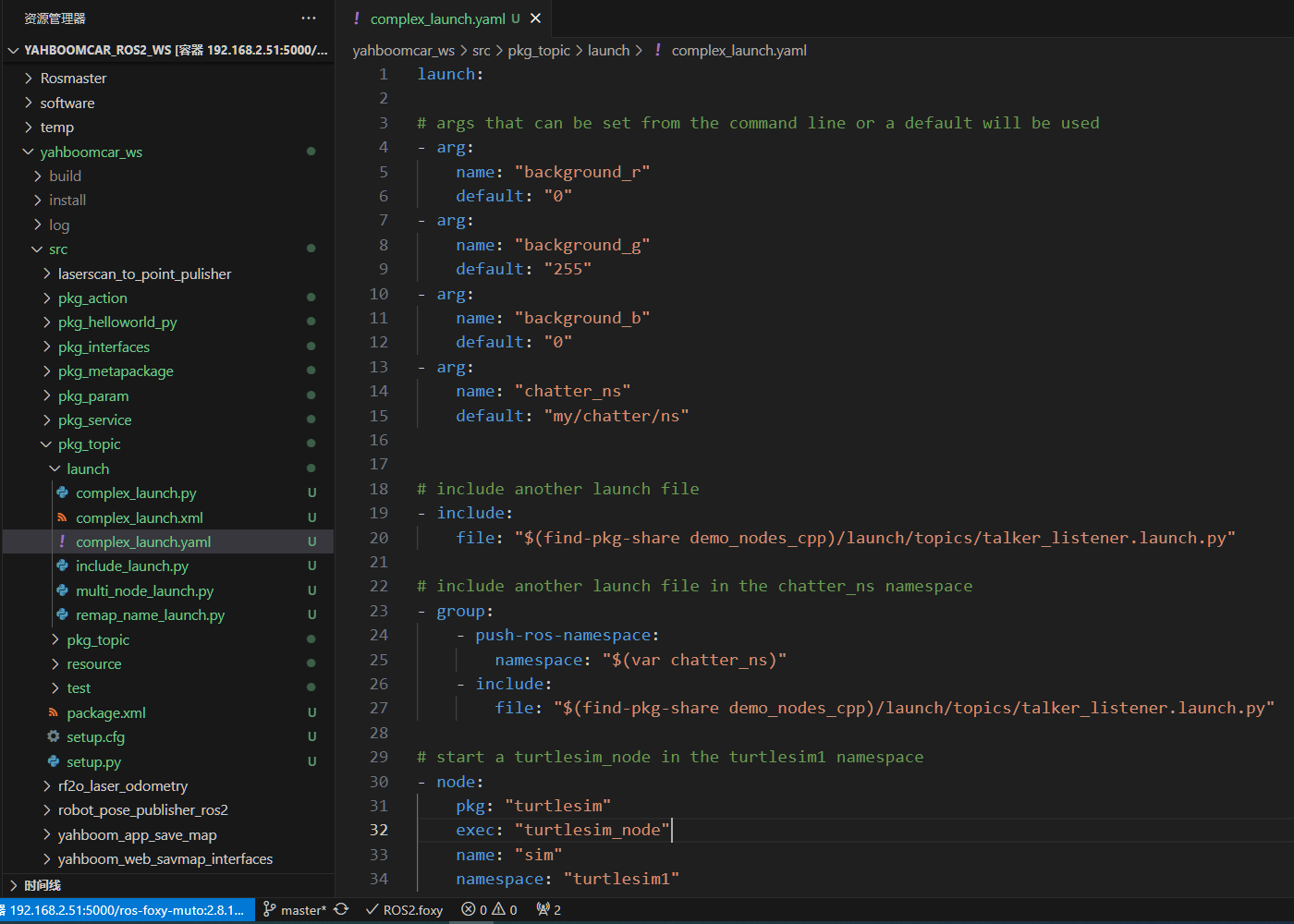
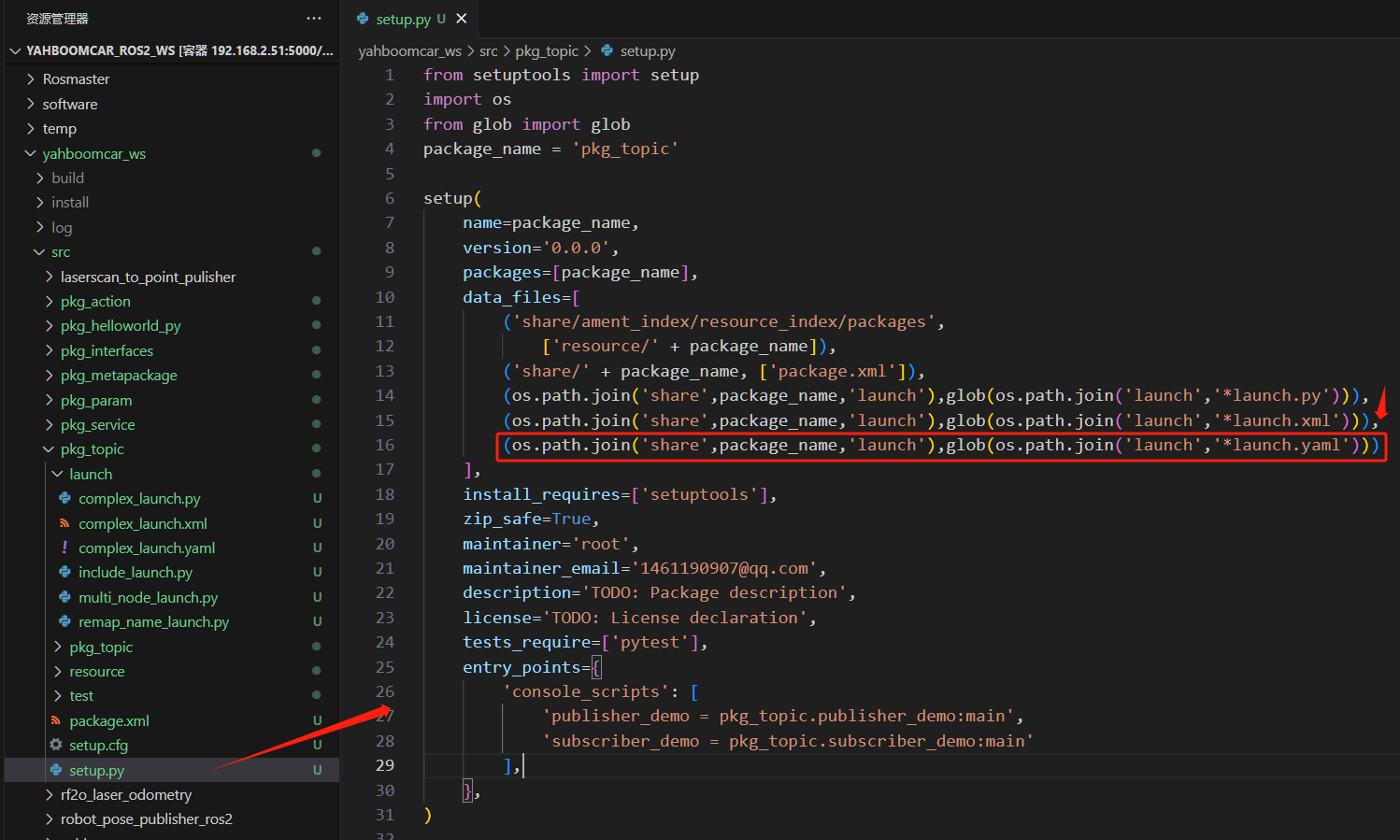
2.2. xml configuration
2.3. Compile workspace
xxxxxxxxxxcd ~/yahboomcar_ros2_ws/yahboomcar_wscolcon build --packages-select pkg_topicsource install/setup.bash
2.4. Run the program
Terminal input:
xxxxxxxxxxros2 launch pkg_topic complex_launch.yaml
Two little turtles will be displayed on the host's vnc