3. OpenCV image writing
3. OpenCV image writing3.1 Function method: cv2.imwrite('new_img_name', img)3.2. Actual effect display
3.1 Function method: cv2.imwrite('new_img_name', img)
Parameter meaning:
The first parameter is the saved file name
The second parameter is the saved image
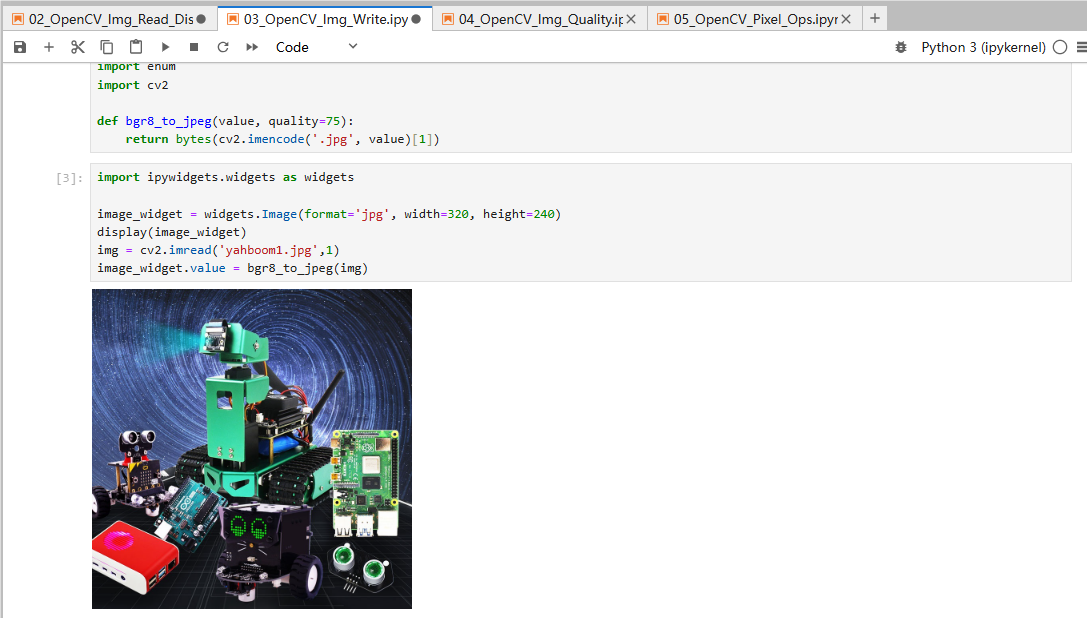
3.2. Actual effect display
Code path:
/home/pi/DOGZILLA_Lite_class/4.Open Source CV/A.introduction/Introduction_to_OpenCV/03_OpenCV_Img_Write.ipynb
ximport cv2# 1 Read the file 2 Parse the package format 3 Decode the data 4 Load the dataimg = cv2.imread('yahboom.jpg', 1)# cv2.imshow('image', img) #This needs to be executed in the Raspberry Pi graphical interface command line, and an image window will be displayedcv2.imwrite('yahboom1.jpg', img) # 1 name 2 dataxxxxxxxxxx#bgr8 to jpeg formatimport enumimport cv2def bgr8_to_jpeg(value, quality=75):return bytes(cv2.imencode('.jpg', value)[1])xxxxxxxxxximport ipywidgets.widgets as widgetsimage_widget = widgets.Image(format='jpg', width=320, height=240)display(image_widget)img = cv2.imread('yahboom1.jpg',1)image_widget.value = bgr8_to_jpeg(img)