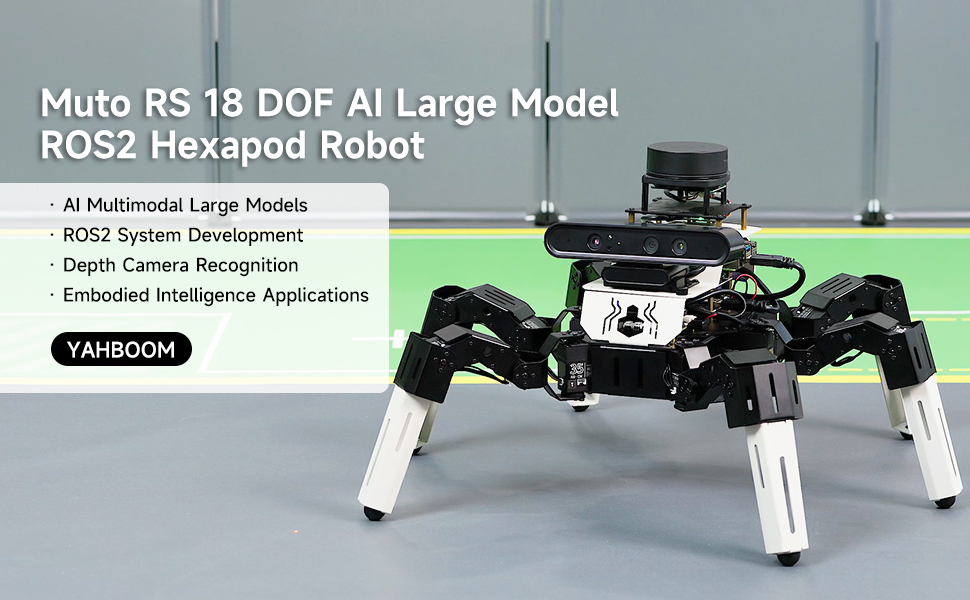
01.Introduction to Muto Robot
02.Assembly and write system
03.Remote control course
04.Remote login operation
05.AI Large Model Basics
06.AI Large Model Development
07.AI Large Model (Text Version)
- 0.MutoRS Model Setup & Details
- 1.Semantic Understanding, Instruction Following
- 2.Multimodal Visual Understanding
- 3.Multimodal Visual Understanding + Depth Camera Distance Q&A
- 4.Multimodal Visual Understanding + Visual Line Following
- 5.Multimodal Visual Understanding + Visual Following
- 6.Multimodal Visual Understanding + SLAM Navigation
- 7.Multimodal Visual Understanding + SLAM Navigation + Visual Line Following
- 8.Intention Estimation + Multimodal Visual Understanding + SLAM Navigation + Visual Functions
08.AI Large Model (Voice Version)
- 0.MutoRS Model Setup & Details
- 1.Semantic Understanding, Instruction Following
- 2.Multimodal Visual Understanding
- 3.Multimodal Visual Understanding + Depth Camera Distance Q&A
- 4.Multimodal Visual Understanding + Visual Line Following
- 5.Multimodal Visual Understanding + Visual Following
- 6.Multimodal Visual Understanding + SLAM Navigation
- 7.Multimodal Visual Understanding + SLAM Navigation + Visual Line Following
- 8.Intention Estimation + Multimodal Visual Understanding + SLAM Navigation + Visual Functions
09.AI Large Model (Fun Applications)
10.Robot basic course
11.Voice control course
12.AI vision course
13.Mediapipe course
14.Depth camera course
15.Lidar course
16.Road network navigation
17.Multi-machine control course
18.Robot chassis control
19.Raspberry Pi course
20.OpenCV course
- 1)Introduction to Open Source CV
- 2)Image reading and display
- 3)Picture writing
- 4)Image Quality
- 5)Pixel operations
- 6)Image zoom
- 7)Picture cut
- 8)Picture pan
- 9)Picture mirroring
- 10)Affine transformation
- 11)Picture rotation
- 12)perspective transformation
- 13)Grayscale processing
- 14)Binary image
- 15)Edge green detection
- 16)Line segment drawing
- 17)Rectangular circle drawing
- 18)Text and picture drawing
21.Docker course
22.ROS2 basic course
- 1) Introduction to ROS2
- 2)ROS2 install Humble
- 3)ROS2 development environment
- 4)ROS2 workspace
- 5)ROS2 function package
- 6)ROS2 node
- 7)ROS2 topic communication
- 8)ROS2 service communication
- 9)ROS2 action communication
- 10)ROS2 custom interface message
- 11)ROS2 parameter service case
- 12)ROS2 meta-function package
- 13)ROS2 distributed communication
- 14)ROS2 DDS
- 15)ROS2 time related API
- 16)ROS2 common command tools
- 17)ROS2 rviz2 use
- 18)ROS2 rqt toolbox
- 19)ROS2 Launch startup file configuration
- 20)ROS2 recording and playback tool
- 21)ROS2 URDF model
- 22)ROS2 Gazebo simulation platform
- 23)ROS2 TF2 coordinate transformation
23.Linux basic course
- 1)Introduction to Linux system
- 2)Ubuntu file system
- 3)Ubuntu common commands
- 4)Ubuntu common editors
- 5)Ubuntu software operation commands
- 6)Virtual machine installation
- 7)SSH remote control
- 8)VNC remote control
- 9)Driver library and communication
- 10)Static IP and hotspot mode
- 11)Bind device ID
- 12)Capacity expansion and resource allocation
- 13)Back up system image
- 14)Update system software sources
- 15)Set root user password
- 16)sudo free password
- 17)Connect to WiFi network
- 18)View system version
- 19)Customized service management
- 20.Back up system image
24.Mainboard Large Model Course
- 0. AI large model image description
- 1. Deployment of large AI model environments
- 2. Installation of large model dialogue platform
- 3. Meta AI Llama 3.2 model
- 4. Alibaba Cloud Qwen3 Model
- 5. Microsoft Phi-4-mini model
- 6. DeepSeek DeepSeek-R1 model
- 7. Alibaba Cloud Qwen2.5vl Visual Multimodal Large Model
- 8. Google Gemma3 Visual Multimodal Large Model
- 9. Llava Visual Multimodal Large Model
- 10. MiniCPM-V Visual Multimodal Large Model
- 11. Multimodal Visual Understanding Applications
- 12. Multimodal Text-Based Image Application
- 13. Multimodal Video Analysis Application
- 14. Multimodal visual positioning applications
- 15. Multimodal table scanning application
- 16. Multimodal Autonomous Agent Application
- 0. Voice Interaction Hardware Connection (Must Read)
- 1. Offline speech-to-text (ASR)
- 2. Offline Text-to-Speech (TTS)
- 3. AI large model voice interaction
- 4. Multimodal visual understanding and voice interaction
- 5. Multimodal Text-Based Image Application
- 6. Multimodal Video Analysis Application
- 7. Multimodal visual positioning applications
- 8. Multimodal table scanning application
- 9. Multimodal Autonomous Agent Applications
- 10. AI large model offline voice assistant
- 1.OpenRouter Large Model API Aggregation Platform
- 2. Multimodal Visual Understanding Applications
- 3. Multimodal visual positioning applications
- 4. Multimodal table scanning application
- 5. Multimodal Autonomous Agent Applications
- 0. Voice Interaction Hardware Connection (Must Read)
- 1. Online speech-to-text (ASR)
- 2. Online Text-to-Speech (TTS)
- 3. AI large model voice interaction
- 4. Multimodal visual and voice interaction
- 5. Multimodal visual positioning applications
- 6. Multimodal table scanning application
- 7. Multimodal Autonomous Agent Applications
- 8. AI large model online voice assistant
Offline large model (Text Interaction)
Offline large model (Voice Interaction)
Online large model (text interaction)
Online large model (voice interaction)
Download