1、Preparation
1、Install SDK
Extract the YDLidar-SDK.rar file in the folder to get a file YDLidar-SDK. Copy the file to your own file directory.
Take the installation in the/home directory as an example, and then enter it in sequence.
cd YDLidar-SDKmkdir buildcd buildcmake ..makesudo make install2、Compile ROS function package
ROS1
Extract the ydlidar in the folder_ ros_ Driver.rar file, get a file ydlidar_ ros_ Driver, copy the function package to the src directory of the created workspace, open the terminal in the workspace, and enter the following command.
For ROS1:
xxxxxxxxxx catkin_make -DCATKIN_WHITELIST_PACKAGES=ydlidar_ros_driverROS2
Extract the ydlidar in the folder_ ros2_ Driver.rar file, get a file ydlidar_ ros2_ Driver, copy the function package to the src directory of the created workspace, open the terminal in the workspace, and enter the following command.
For ROS2:
xxxxxxxxxxcolcon build --symlink-install3、Create a serial port alias
In order to prevent identification errors when multiple USB devices are connected. We create a module serial port alias.
xxxxxxxxxxsudo chmod 0777 ~/catkin_ws/src/ydlidar_ros_driver/startup/*sudo sh ~/catkin_ws/src/ydlidar_ros_driver/startup/initenv.sh
~/catkin_ ws/src/ydlidar_ ros_ The driver is the location where the function package is installed, which needs to be modified according to the actual situation. Note: After completing the previous operation, please re-insert the module . Input the following command to check whether the recognition is created successfully,
xxxxxxxxxxll /dev/ydlidar
If the following screen appears, it means success.

Note: This is not necessarily ttyUSB0, but the serial number assigned by the system identification
4、Run code
Enter the following command.
ROS1
xxxxxxxxxxroslaunch ydlidar_ros_driver SDM15.launchAfter successful operation, the terminal displays as follows.
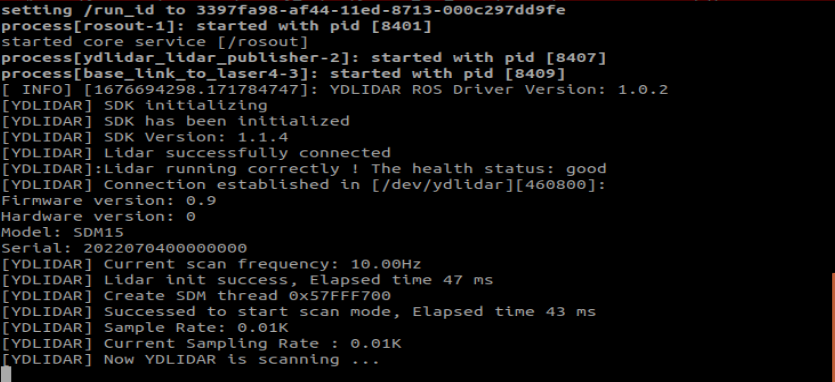
Enter the following command to view the specific data.
xxxxxxxxxxrostopic echo /scan
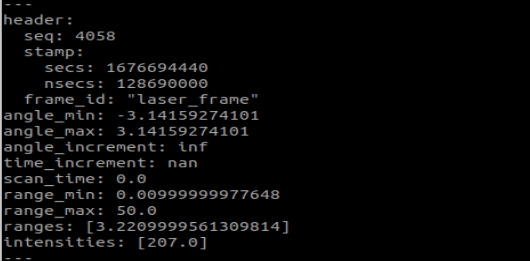
The data in ranges is the actual measured distance, in meters.
ROS2
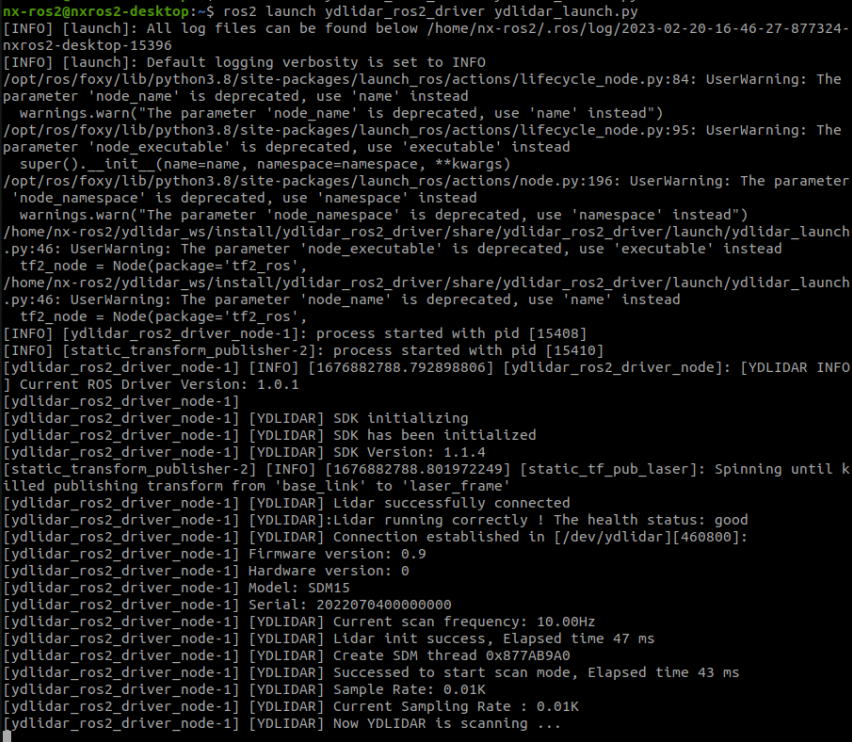
xxxxxxxxxxros2 launch ydlidar_ros2_driver ydlidar_launch.py
After successful operation, the terminal displays as follows.
Enter the following command to view the specific data.
xxxxxxxxxxros2 topic echo /scan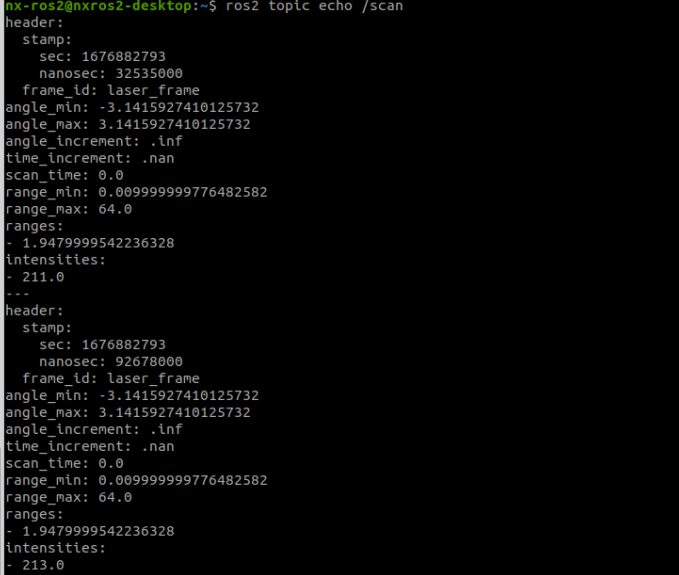
The data in ranges is the actual measured distance, in meters.