8. Navigation and avoidance
8. Navigation and avoidance8.1. Description of program functionality8.2 Introduction to Navigation28.3. Program reference paths8.4. Program Startup8.4.1. Start the VM8.4.2. Start chassis and radar-related nodes8.4.3. Launch navigation nodes8.4.4. Single Point Navigation8.4.5. Multi-point navigation8.5. Node Resolution8.5.1. Show the computational graph8.5.2. Navigation Node Details8.5.3. TF transformation8.6 Navigation2 details8.6.1. amcl8.6.2. costmaps and layers8.6.3. planner_server8.6.4. controller_server8.6.5. recoveries_server8.6.6. waypoint following8.6.7. bt_navigator
8.1. Description of program functionality
After starting the program on the virtual machine side and the car side, rviz will be opened to display the map, and the single point and multi-point navigation of the car can be realized by setting the target point.
8.2 Introduction to Navigation2
Navigation2 documentation:https://navigation.ros.org/index.html
Navigation2 github:https://github.com/ros-planning/navigation2
Navigation2 corresponding papers :https://arxiv.org/pdf/2003.00368.pdf
teb_local_planner:https://github.com/rst-tu-dortmund/teb_local_planner/tree/foxy-devel
Plugin provided by Navigation2:https://navigation.ros.org/plugins/index.html#plugins
Navigation2 Overall architecture diagram
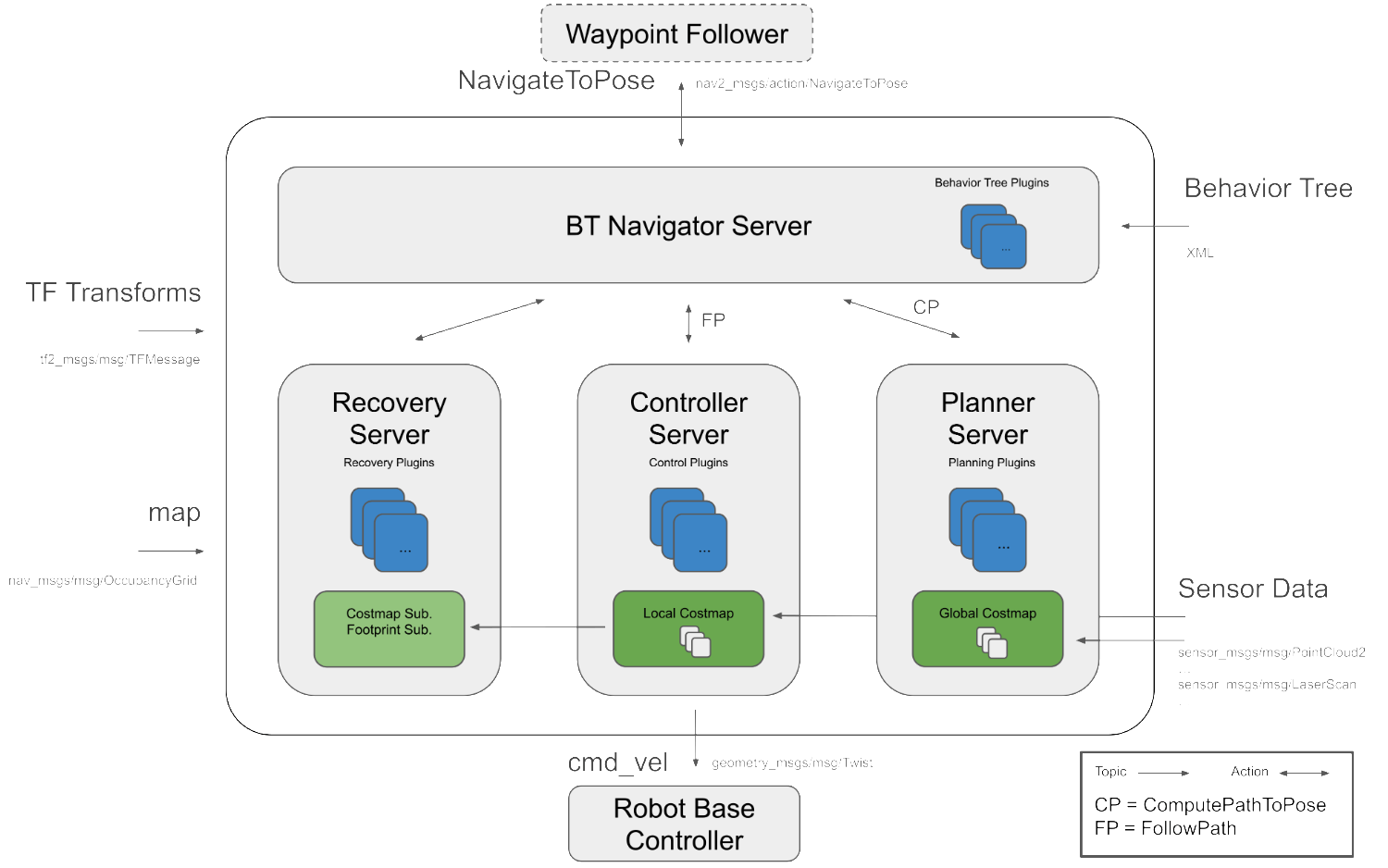
Navigation2 has the following tools:
- Tools for loading, serving and storing maps (Map Server)
- A tool for locating robots on a map (AMCL)
- A path planning tool for moving from point A to Point B without avoiding obstacles (Nav2 Planner)
- A tool to control the robot during path following (Nav2 Controller)
- A tool that converts sensor data into a cost map representation in the robot world (Nav2 Costmap 2D)
- A tool for building complex robot behavior using behavior trees (Nav2 BT Navigator)
- Tool for calculating recovery behavior in case of failure (Nav2 Recoveries)
- Tools to follow sequential waypoints (Nav2 Waypoint Follower)
- Tools and watchdog to manage the server Lifecycle (Nav2 Lifecycle Manager)
- Plugins that enable custom algorithms and behaviors (Nav2 Core)
Navigation 2 (Nav 2) is A navigation framework that comes with ROS 2 and is designed to enable mobile robots to move from point A to point B in a safe way. As a result, Nav 2 can perform activities such as dynamic path planning, calculating motor speed, avoiding obstacles, and restoring structures.
Nav 2 uses Behavior Trees (BTS) to call the modular server to complete an action. Actions can be path calculation, control efforts, recovery, or other navigation-related actions. These actions are independent nodes that communicate with the behavior tree (BT) through the action server.
8.3. Program reference paths
After SSH connection car, the location of the function source code is located at,
xxxxxxxxxx/userdata/yahboomcar_ws/src/yahboomcar_nav/launch/map_gmapping_launch.py
Virtual machine side visual source code is located,
xxxxxxxxxx/home/yahboom/dev_ws/src/yahboomcar_rviz/launch/yahboomcar_nav_launch.py
8.4. Program Startup
8.4.1. Start the VM
In the virtual machine terminal, enter,,
xxxxxxxxxxros2 launch yahboomcar_rviz yahboomcar_nav_launch.py
At this time, the map will not be displayed inside the screen, and the topic of each node on the left does not need to be red, because the navigation node has not been started.
8.4.2. Start chassis and radar-related nodes
After SSH connects to the car, terminal input,
xxxxxxxxxxros2 launch yahboomcar_nav laser_bringup_launch.py
8.4.3. Launch navigation nodes
[Note that we must start the node that shows the map in step 1 and then start the navigation node, this is because the navigation2 terminal map topic is only published once, if you start the navigation node first, and then start the rviz display, you may not subscribe to the only published map topic, resulting in no map display]
- There are two navigation algorithms: DWB and TEB
- Navigation can be divided into single point navigation and multi-point navigation, which are described below.
After SSH connects to the car, terminal input,
xxxxxxxxxx#teb控制器#teb controllerros2 launch yahboomcar_nav navigation_teb_launch.py#dwb控制器#dwb controllerros2 launch yahboomcar_nav navigation_dwb_launch.py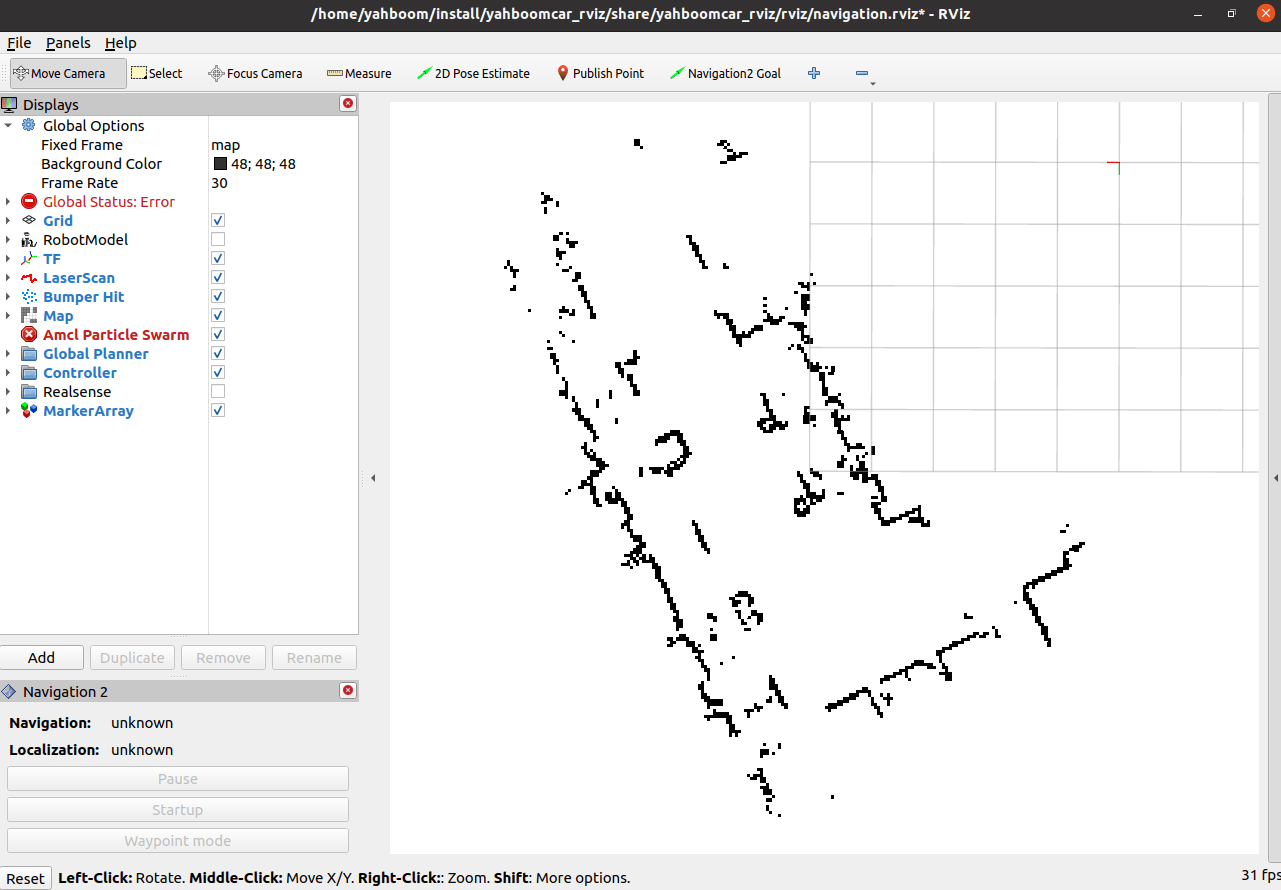
Map appears in rviz.
Click [2D Pose Estimate] on rviz, and then compare the posture of the car to mark an initial posture on the map;

The display after marking is as follows:
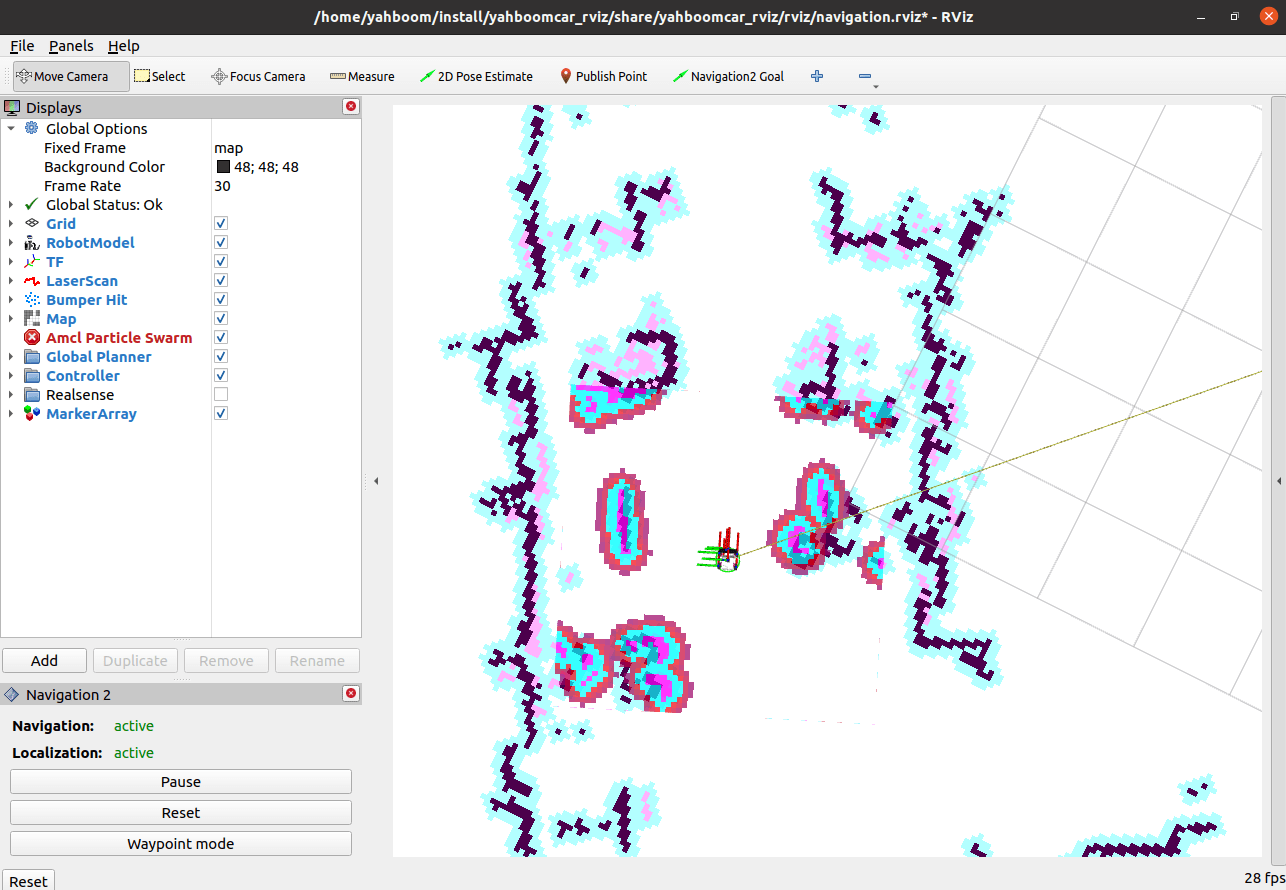
By comparing the coincidence of the radar scanning point and the obstacle, the initial pose of the car can be set several times until the radar scanning point and the obstacle roughly coincide.
8.4.4. Single Point Navigation
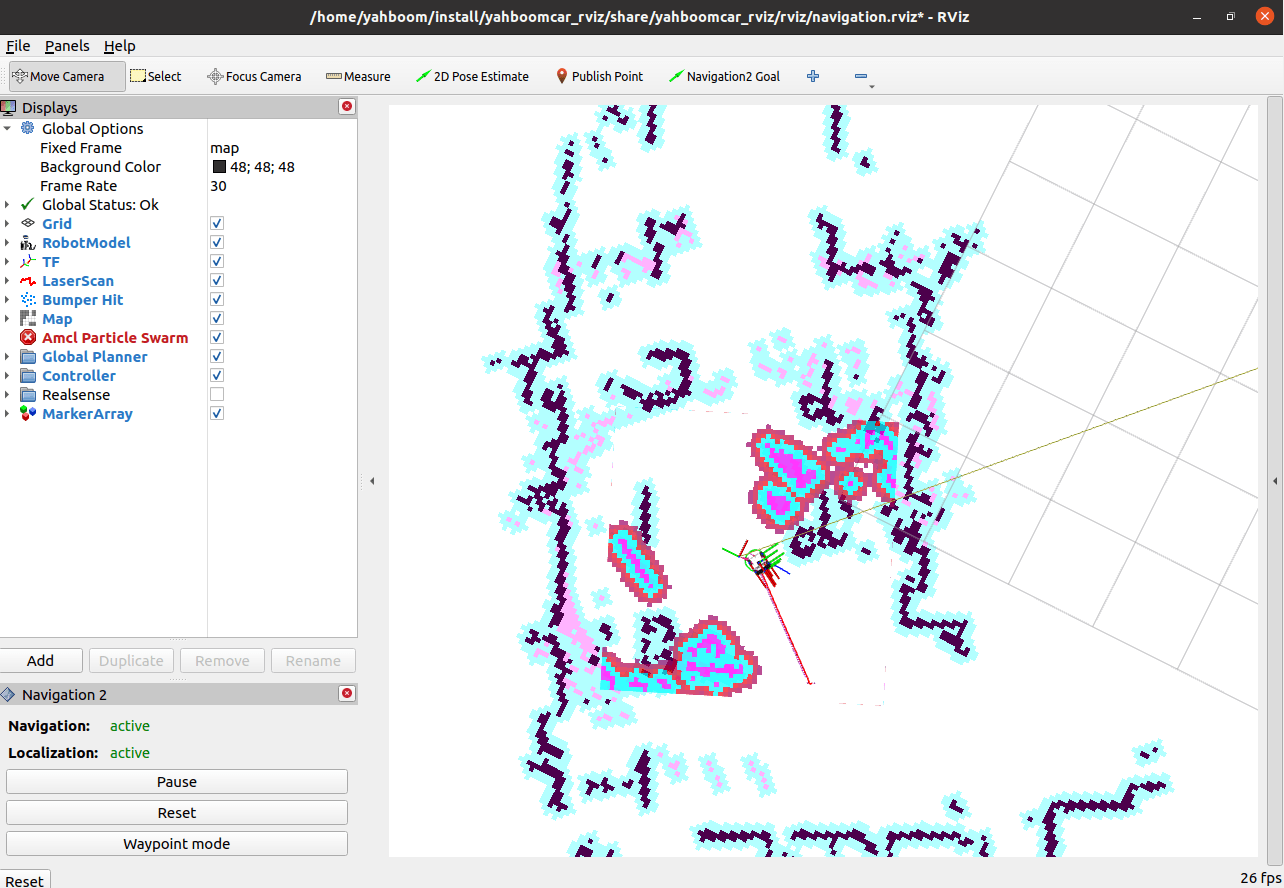
After the initial Pose is set, you can click [2D Goal Pose] to set a navigation target point, and the car will start single point navigation;

8.4.5. Multi-point navigation
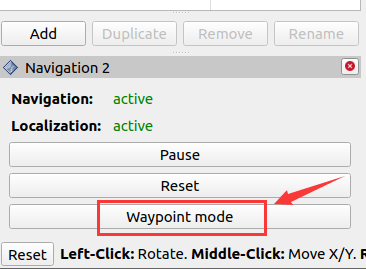
- After the initial pose is set, click on the lower left corner [Waypoint mode], and then click on [Navigation2 Goal] on rviz, you can win a target point on the map, click on [Navigation2 Goal] again, you can win the second target point on the map, and the cycle goes on. You can mark multiple target points at once;
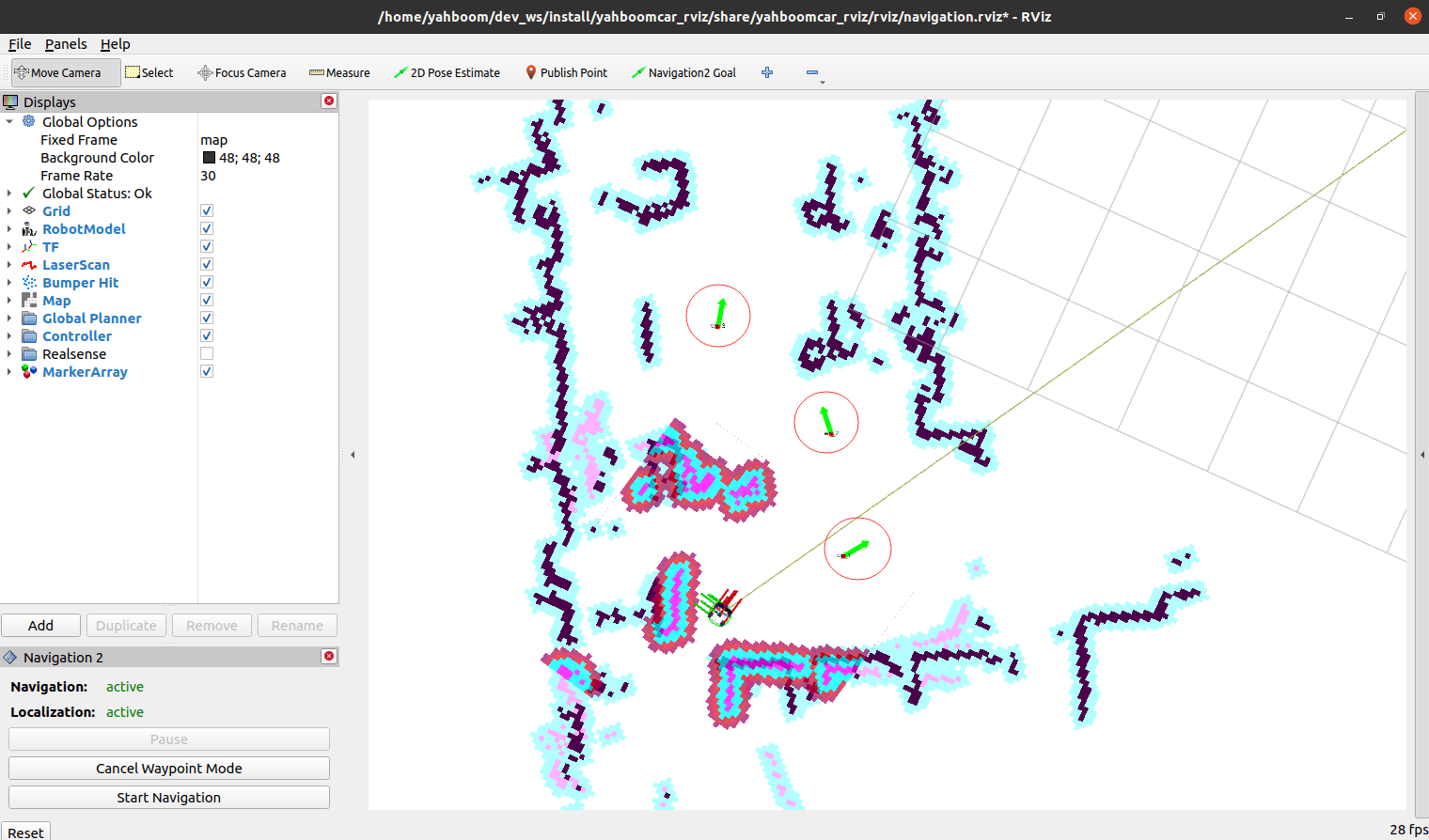
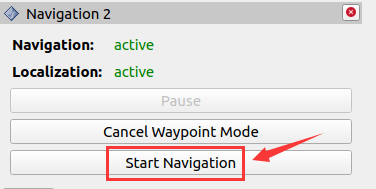
- After marking multiple target points, click [Start Navigation] to start multi-point navigation;
- After multi-point navigation is completed, the car will stay in the pose of the last target point.
An error message "send_goal failed" may be displayed during the navigation.
This is due to navigation2 itself in the ros-foxy version, which has been fixed in subsequent ros2 versions.
For complete parameter configuration, see:
xxxxxxxxxx/userdata/yahboomcar_ws/src/yahboomcar_nav/params/dwb_nav_params.yaml/userdata/yahboomcar_ws/src/yahboomcar_nav/params/teb_nav_params.yaml
8.5. Node Resolution
8.5.1. Show the computational graph
Virtual machine terminal input,
xxxxxxxxxxros2 run rqt_graph rqt_graph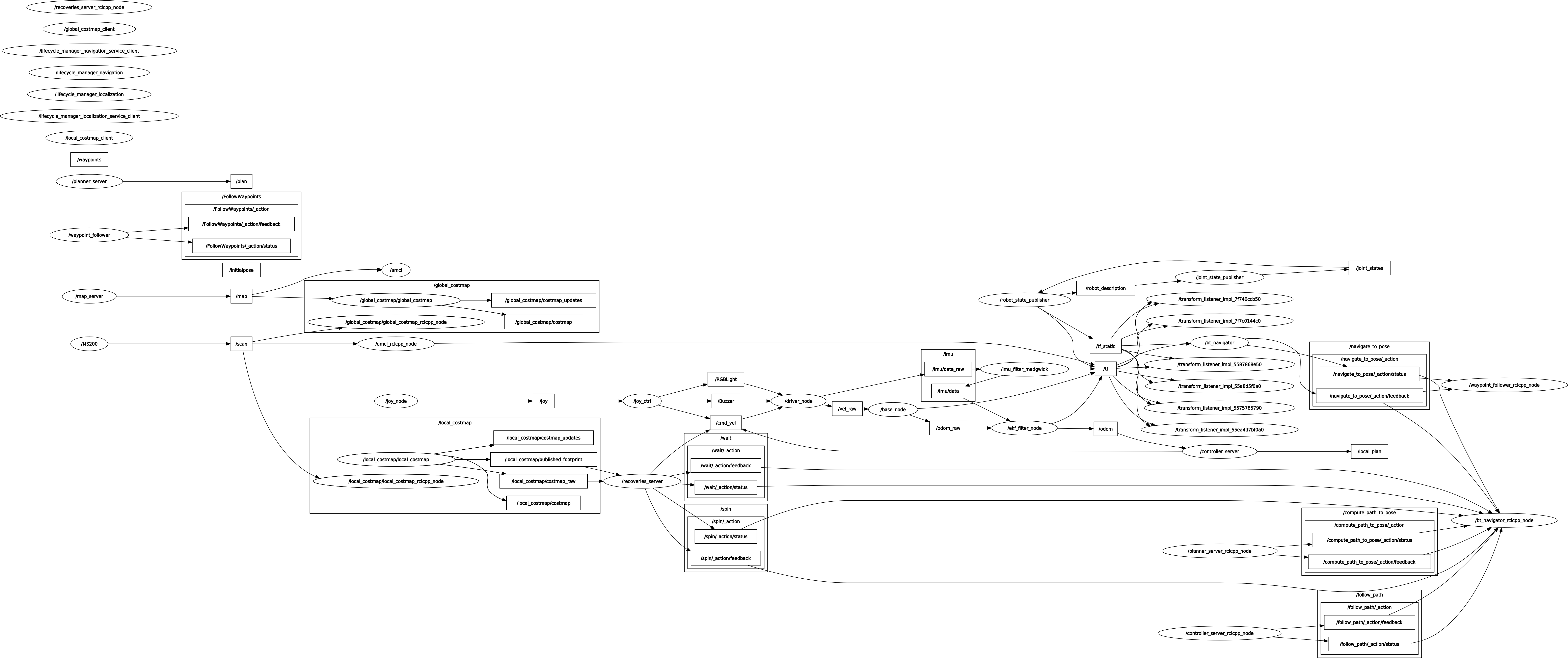
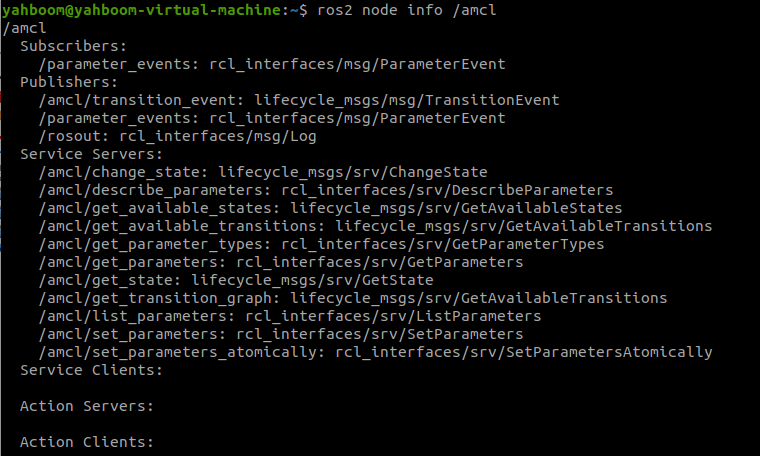
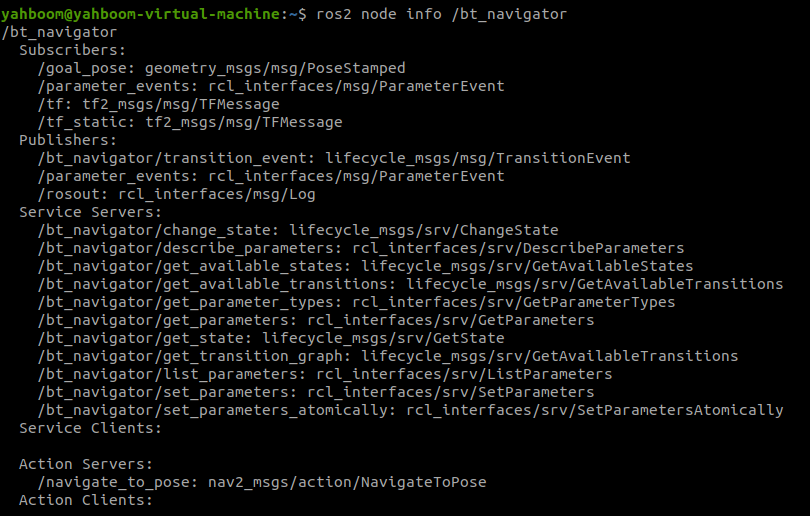
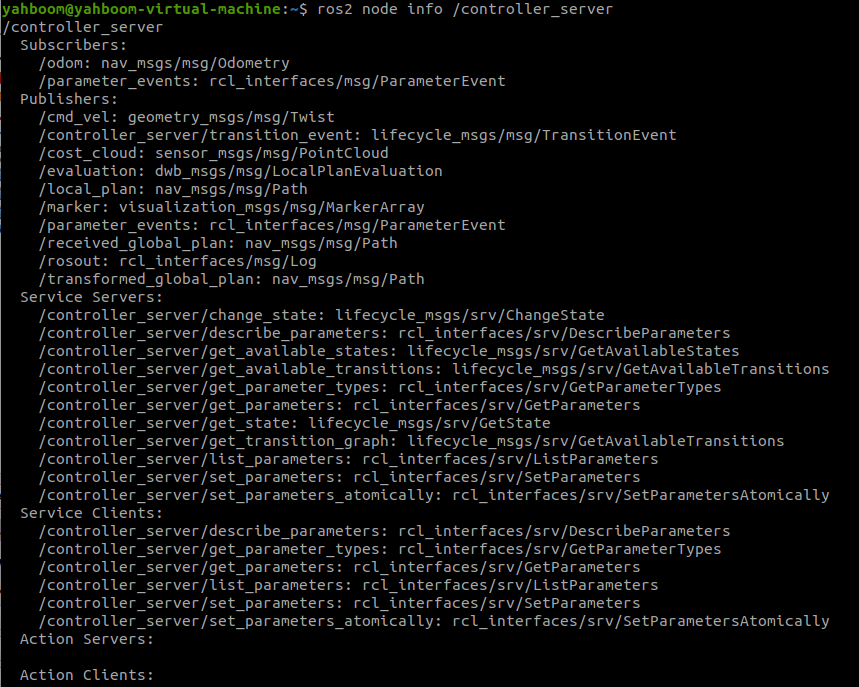
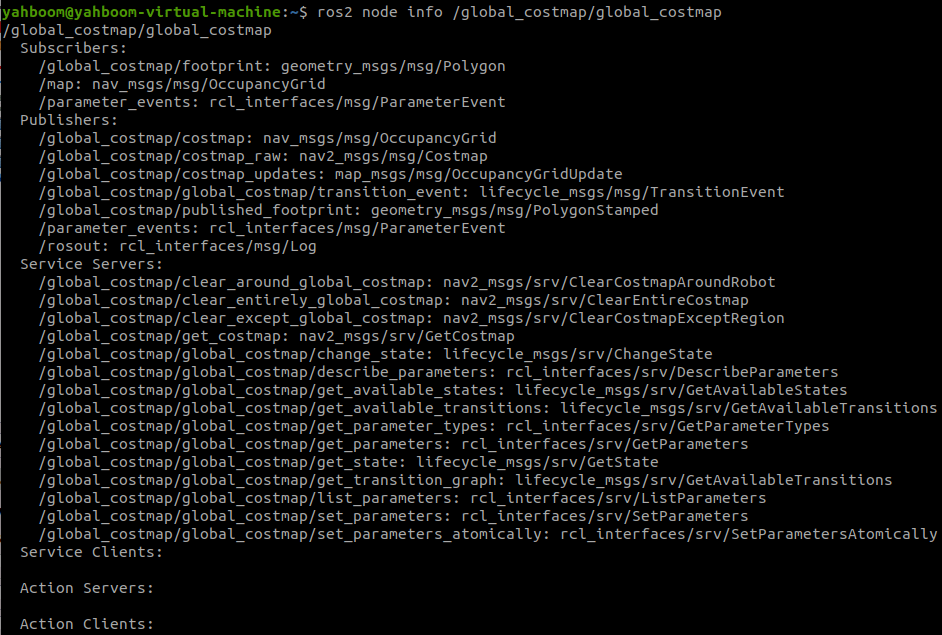
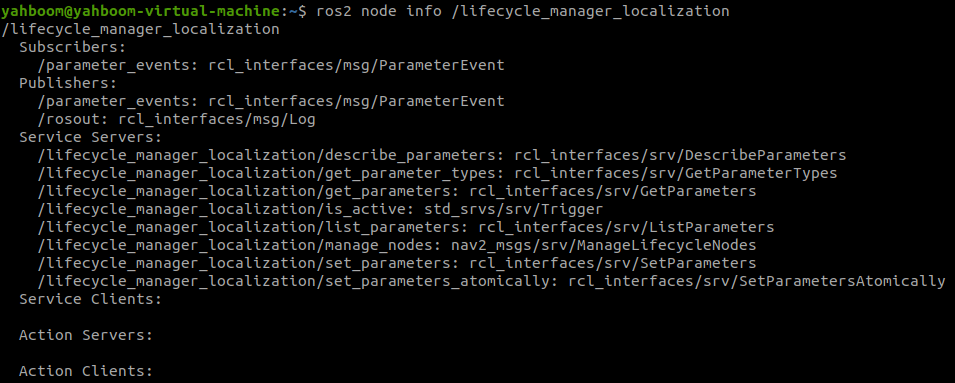
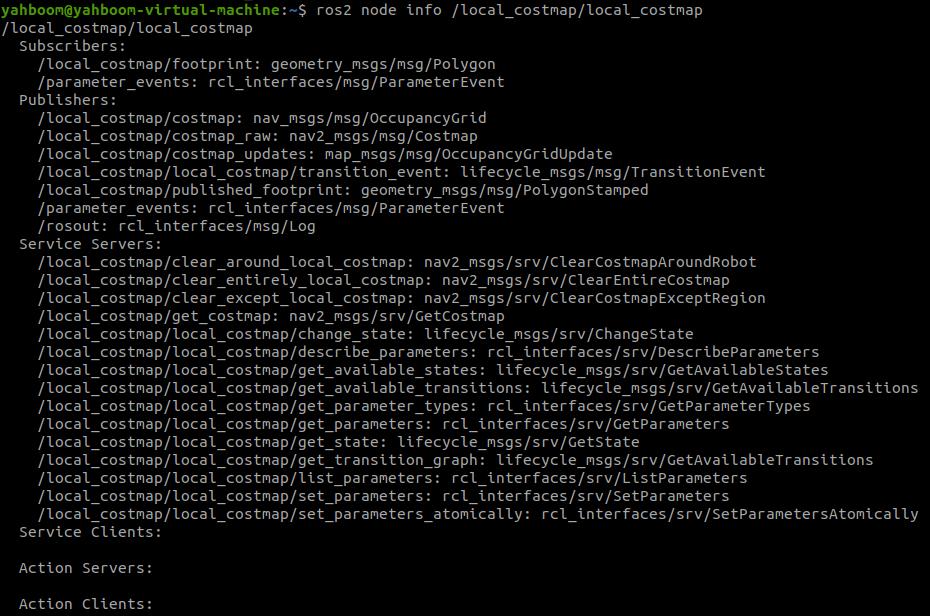
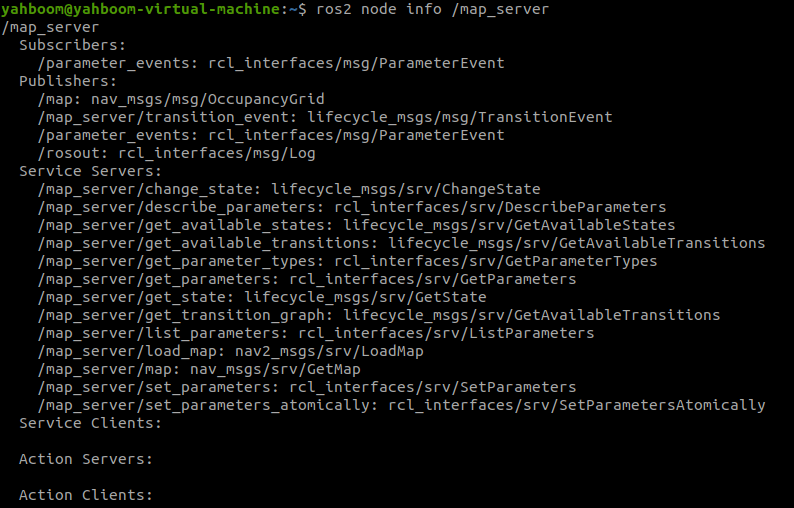
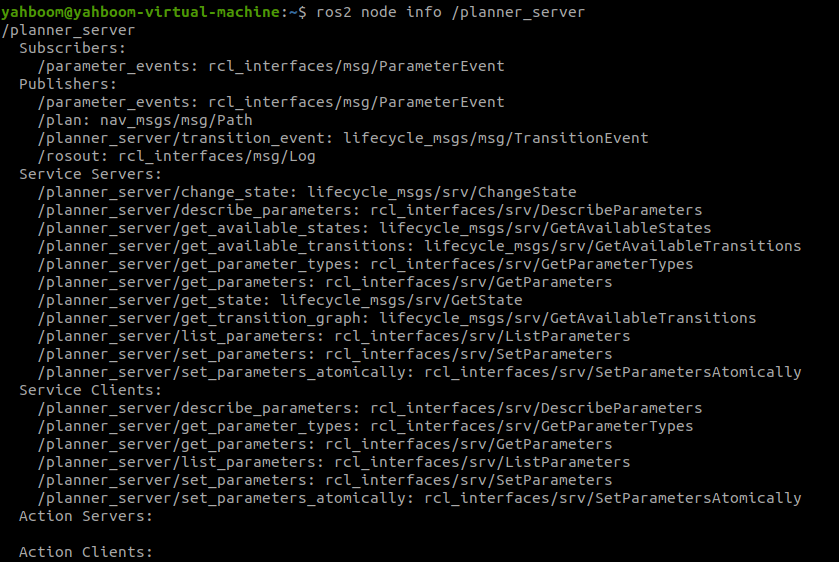
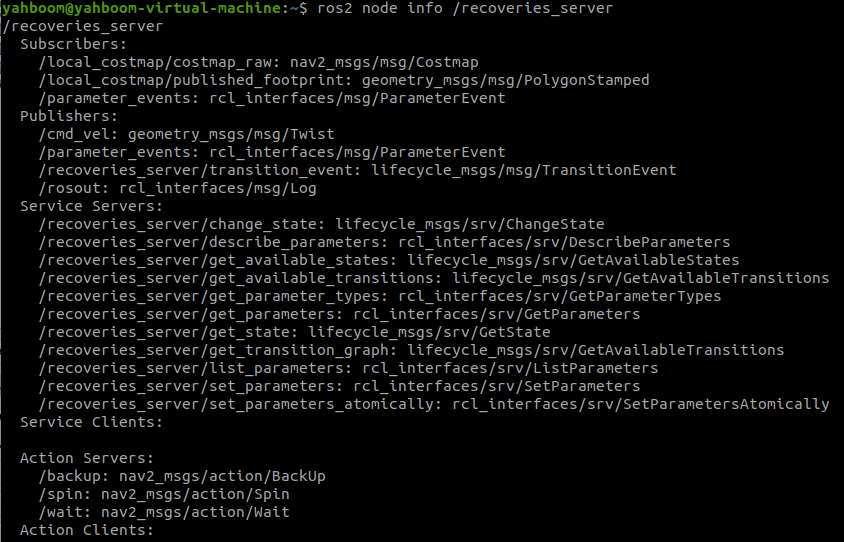
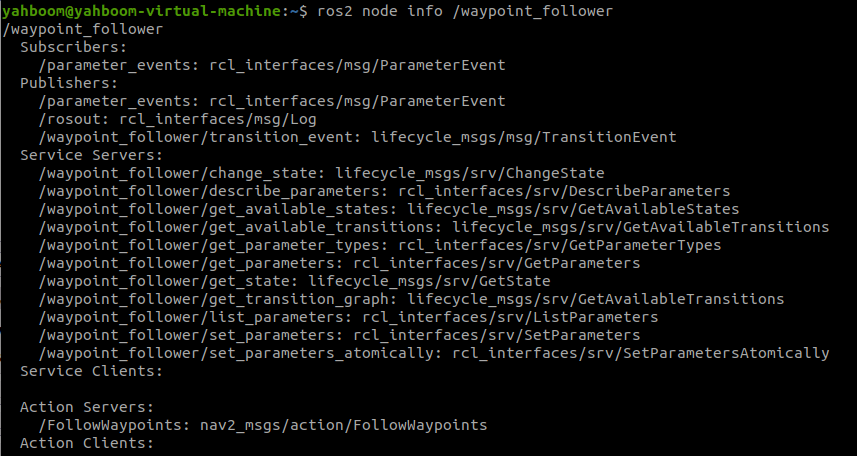
8.5.2. Navigation Node Details
/amcl
/bt_navigator
/controller_server
/global_costmap
/lifecycle_manager_localization
/local_costmap/local_costmap
/map_server
/planner_server
/recoveries_server
/waypoint_follower
8.5.3. TF transformation
Run in a virtual machine terminal,
xxxxxxxxxx#保存tf树# Save tf treeros2 run tf2_tools view_frames.py#查看tf树# View tf treeevince frames.pdf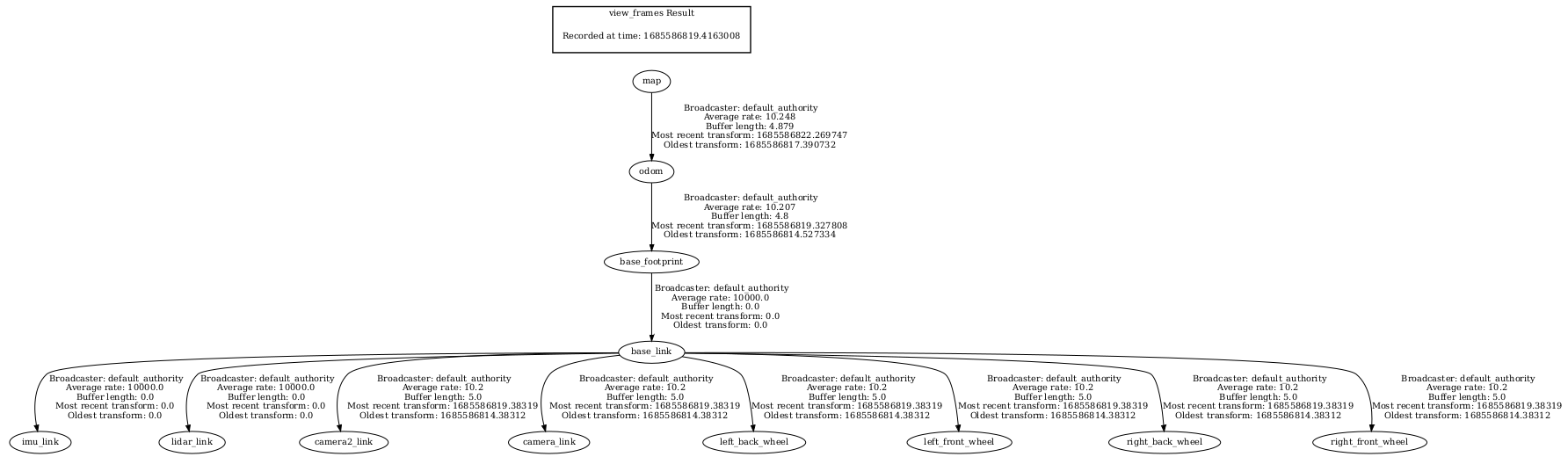
8.6 Navigation2 details
- Comparison of navigation frameworks in ROS 1 and ROS 2
In Nav 2, move_base is split into components. Unlike a single state machine (ROS1), Nav 2 utilizes the low-latency, reliable communication of the action server and ROS 2 to separate the mind. The behavior tree is used to orchestrate and organize these tasks, which allows Nav 2 to have highly configurable navigation behavior through the behavior tree xml file without having to program the tasks.
nav2_bt_navigator replaces move_base at the top level and uses an Action interface to complete navigation tasks for a tree-based action model. Implement a more complex state machine with bittorrent and add recovery behavior as additional Action Servers. These behavior trees are configurable xml.
The path planning, recovery, and controller servers are also action servers that the BT navigator can call for calculations. All three servers can host many plug-ins for many algorithms, and each plug-in can individually invoke a specific behavior from the navigation behavior tree. The default plugins provided are ported from ROS 1, namely DWB, NavFn and similar recovery behaviors such as rotating and clearing costmaps, plus a new recovery mechanism that waits for a fixed time has been added. These servers are called from the BT Navigator through their action servers to calculate results or complete tasks. The state is maintained by the BT Navigator behavior tree. All of these changes cause these nodes to be replaced at start/run time by any algorithm that implements the same interface.
Port pack:
- amcl: Migrate to nav2_amcl
- map_server: Migrate to nav2_map_server
- nav2_planner: replaces global_planner and manages N planner plug-ins
- nav2_controlle: replaces local_planner and manages N controller plug-ins
- Navfn: Migrate to nav2_navfn_planner
- DWB: replaces DWA and ports it to the nav2_dwb_controller meta package in ROS 2
- nav_core: Migrate to nav2_core and update the interface
- costmap_2d: Migrate to nav2_costmap_2d
New pack:
- Nav2_bt_navigator: replaces the move_base state machine
- nav2_lifecycle_manager: handles the lifecycle of the server program
- nav2_waypoint_follower: Complex tasks can be executed through many path points
- nav2_system_tests: A set of basic tutorials for integration testing and simulation of CI
- nav2_rviz_plugins: An rviz plugin that controls the Navigation2 server, commands, cancellations, and navigation
- nav2_experimental: experimental (and incomplete) work of a deep reinforcement learning controller
- navigation2_behavior_trees: A wrapper that invokes the ROS action server's behavior tree library
8.6.1. amcl
adaptive Monte Carlo localization (amcl) is a probabilistic positioning system for two-dimensional mobile robots. In fact, it is an upgraded version of the Monte Carlo positioning method, using an adaptive KLD method to update the particles, using particle filters to track the robot's posture against a known map. As currently implemented, the node is only suitable for laser scanning and laser mapping. It can be extended to process other sensor data. The amcl receives laser-based map, laser scan, and transform information, and outputs pose estimates. At startup, amcl initializes its particle filter according to the parameters provided. Note that due to the default Settings, if no parameters are set, the initial filter state will be a medium sized particle cloud centered on (0,0,0).
Monte Carlo
- Monte Carlo method, also known as statistical simulation method, statistical test method is an idea or method. It is a numerical simulation method that takes probabilistic phenomena as the research object. It is a method of calculating unknown characteristic quantity by obtaining statistical value according to sampling survey method.
- Example: A rectangle with an irregular shape inside, how to calculate the area of the irregular shape? It's hard to calculate. But we can approximate. Take a bunch of beans, spread them evenly over the rectangle, and then count the number of beans in the irregular shape and the number of beans in the rest of the area. The rectangular area is known, so the area of the irregular shape is estimated. In the case of robot positioning, it is possible that it is in any position on the map, and in this case, how can we express the confidence of a location? We also use particles, and where there are more particles, there is a higher probability of the robot being there.
The greatest advantage of the Monte Carlo method
- The error of the method is independent of the dimension of the problem.
- The problem of statistical nature can be solved directly.
- It is not necessary to discretize the problem of continuity Disadvantages of Monte Carlo method
- For deterministic problems need to be transformed into stochastic problems.
- Errors are probabilistic errors.
- Usually requires more calculation steps N.
Particle filter
- The number of particles represents the likelihood of something. Change the distribution of particles by some kind of evaluation (evaluation of the likelihood of this thing). For example, in the robot positioning, A certain particle A, I think the probability of this particle in this coordinate (for example, this coordinate belongs to the previously mentioned "this thing") is high, then I give him a high score. The next time you rearrange the position of all the particles, arrange more of them near this position. After several rounds of this, the particles are concentrated in the most likely location.
Adaptive Monte Carlo
- Solved the robot abduction problem, which would redistribute particles across the globe if it found that the average score of particles suddenly decreased (meaning that the correct particles were discarded in one iteration).
- Solves the problem of fixed particle number, because sometimes when the robot positioning is almost obtained, such as these particles are concentrated in one piece, it is not necessary to maintain so many particles, at this time the particle number can be reduced.
8.6.2. costmaps and layers
The current environmental representation is a cost map. A cost map is a regular 2D cell grid that contains cells from unknown, idle, occupied, or inflated costs. This cost map is then sought to calculate the global plan or sampled to calculate the local control effort. Various cost map layers are implemented as pluginlib plugins to buffer information into the cost map. This includes information from LIDAR, RADAR, sonar, depth sensors, image sensors, and more. It is best to process the sensor data before it is entered into the layer local graph, but this is up to the developer. A cost map layer can be created using a camera or depth sensor to detect and track obstacles in the scene to avoid collisions. In addition, layers can be created to change the underlying cost graph based on some rules or heuristic algorithms. Finally, they can be used to buffer real-time data into 2D or 3D worlds for the binarization of obstacles.
8.6.3. planner_server
The task of the planner is to calculate the path based on a specific objective function. Depending on the chosen nomenclature and algorithm, a path is also called a route. Here are two typical examples, one is to calculate a path plan to a target location (such as from the current location to a target pose) or to cover complete coverage (such as a path plan that covers all free space). The planner has access to cached data from global environment representations and sensors. The planner can have the following functions:
- Calculate the shortest path
- Calculate the full overlay path
- Calculate paths along sparse or predefined routes
The general task of the planner in Nav2 is to calculate an efficient and possibly optimal path from the current position to the target pose.
Algorithmic plugins in the planning server use environmental information captured by different sensors to search the robot's path. Some of these algorithms obtain the path by searching the environmental grid, while others extend the possible states of the robot by considering the feasibility of the path.
As mentioned earlier, the planning server uses plug-ins that work on the grid space, such as NavFn Planner, Smac Planner 2D, and Theta Star Planner. NavFn planner is A navigation function planner using Dijkstra or A algorithm. Smac 2D planner implements 2D A algorithms with adjacent nodes connected with 4 or 8, with a smoother and multi-resolution feature. The Theta Star planner (Smooth path planning at any Angle in A continuous environment, Theta is a variant of A that propagates information along the edge of the graph, but does not limit the path to the edge of the graph (looking for paths at "any Angle") is implemented using line-of-sight algorithms by creating non-discrete directional path segments. Common planners are as follows:

8.6.4. controller_server
The controller, also known as the local planner in ROS 1, follows a global computation path or completes a local task. The controller has access to the local environment representation and attempts to calculate a viable path for the reference path to follow. Many controllers project the robot forward into space and calculate a locally feasible path with each update iteration. The controller has the following functions:
- Follow a path Follow a path
- Use the detector to dock with the charging pile in the mileage coordinate system
- Board an elevator
- Interface with a tool Interface with a tool
In Nav2, the controller's general task is to compute an effective control effort to follow the global planning path. However, there are many controller classes and local planner classes. The goal of the Nav2 project is that all controller algorithms can be used as plug-ins in this server for general research and industry tasks.
Common Controller plug-ins are DWA Controller and TEB Controller
1. DWA Controller
The idea of DWA algorithm is to sample different possible speeds, then simulate different trajectories, evaluate the distance to the target point, distance to obstacles, time, etc., select the trajectory with the best score, and issue speed instructions to control the car's progress. The speed sampling simulated by DWA algorithm is not randomly selected, but has a range. The speed is limited by the maximum and minimum speed of the car, and the acceleration is affected by the performance of the car motor. In addition, in order to ensure safety, the distance of obstacles will also affect the value of the speed.
The movement distance of differential car and wheat-wheel car is short in adjacent moments, so the movement trajectory between adjacent two points can be regarded as a straight line, and the movement trajectory of other models can be regarded as an arc.
Three evaluation functions:
- heading(v, w) : azimuth evaluation function, the Angle difference between the car and the target. The smaller the Angle difference, the higher the score
-dist (v, w) : indicates the distance between the car and the nearest obstacle. The farther the distance, the higher the score
- velocity(v, w) : indicates the velocity corresponding to the trajectory. The higher the velocity, the higher the score
Physical meaning: make the car towards the target point, avoid obstacles, and drive fast
2. TEB Controller
The idea of the TEB algorithm is to treat the path connecting the starting point and the end point as a rubber band that can deform, and then treat the external constraints as external forces to deform the path.
- Follow path + Obstacle Avoidance: Constraints have two main goals, follow consistent global path planning and obstacle avoidance. Both objective functions are very similar. Following the path applies external force to pull the local path towards the global path, and the obstacle avoidance constraint applies force to make the local path away from the obstacle
- Speed/acceleration constraint: Speed and acceleration should be within a certain range
- Kinematic constraint: smooth trajectory composed of several arcs, only linear and angular speed are controlled, Ackermann structure has a minimum turning radius, Wheel-wheel/omnidirectional/differential is 0
- Fastest path constraint: The objective function causes the robot to obtain the fastest path where the pose points are evenly separated in time, rather than the traditional shortest path in space
TEB can be formulated as a multi-objective optimization problem, where most of the objectives are local and only related to a small set of parameters because they depend on only a few continuous robot states. After determining the position of N control points, the open source framework g2o (General Graph Optimization) is used to optimize the path. In the car scenario, all pose points, time intervals, obstacles, etc. are described as points, and constraints are described as edges. The minimum distance from the obstacle connects the obstacle to the pose point, and the speed constraint connects the two adjacent pose points with their time difference. In general, the local trajectory generated by TEB is composed of a series of discrete poses with time information. The goal of g2o algorithm optimization is that the trajectory composed of these discrete poses can finally achieve the goals of shortest time, shortest distance and far away from obstacles, and at the same time limit the speed and acceleration so that the trajectory can meet the robot dynamics. :
8.6.5. recoveries_server
Recovery behaviors are the backbone of fault-tolerant systems. The goal of the restorer is to deal with unknown conditions or failure conditions of the system and deal with these conditions autonomously. Examples include failures in perceptual systems that cause environmental representations to be filled with false obstacles. This triggers a clear cost map recovery to allow the robot to move. Another example is when a robot gets stuck due to a dynamic obstacle or poor control. When allowed, going backwards or rotating in place allows the robot to move from the stuck position into a free space where it can successfully navigate. Finally, in the case of a complete failure, recovery can be implemented to get the operator's attention for help. This can be done via email, SMS, Slack, Matrix, etc.
8.6.6. waypoint following
Waypoint following is one of the basic functions of navigation system. It tells the system how to use the navigation program to reach multiple destinations.
The nav2_waypoint_follower package contains a waypoint tracker that has a plugin interface for a task-specific executor (executors). This is useful if you need to have the robot go to position and perform specific tasks like taking a picture, picking up a box, or waiting for user input. This is a good demo application to show you how to use Nav2 in a sample application.
However, the package can be used for more than just sample applications. There are two schools of thought about robot team managers/schedulers: Dumb robots + intelligent centralized schedulers ; Intelligent Robot + dumb centralized scheduler .
In the first thought, the nav2_waypoint_follower package is sufficient to create a product-grade robotic solution. Since the autonomous system/scheduler takes into account factors such as the robot's posture, battery level, current task, etc., when assigning tasks, the application on the robot only needs to care about the task at hand, and not other complex factors to complete the task required by the system. In this case, the request sent to the waypoint follower should be treated as a unit of work (e.g., a pick in the warehouse, a security patrol cycle, an aisle, etc.) to perform the task and then returned to the scheduler for the next task or request to charge. In this school of thought, waypoint following applications are just one step on top of the navigation software stack and below system autonomy applications.
In the second thought, the nav2_waypoint_follower package is a nice example application/proof of concept, but does require waypoint tracking/autonomous systems on robots to take on more tasks to develop robust solutions. In this case, Behavior_Tree should use the nav2_behavior_tree package to create a custom application-level behavior tree to use the navigation to complete the task. This can include subtrees, such as checking the state of charge in a task to return to the docking dock, or processing more than 1 unit of work in a more complex task. Soon, there will be a nav2_bt_waypoint_follower (name to be adjusted), which will allow users to create this application more easily. In this school of thought, waypoint following applications are more closely associated with autonomous systems, or in many cases, the autonomous systems themselves.
These two schools of thought do not simply say who is better than who, and who is better largely depends on what tasks the robot is doing, what type of environment it is in, and what cloud resources are available. Often, for a given business case, this distinction is clear.
8.6.7. bt_navigator
BT Navigator (Behavior Tree Navigator) module implements the NavigateToPose task interface. It is a behavior tree-based navigation implementation designed to allow flexibility in navigation tasks and provide a way to easily specify complex robot behaviors, including recovery.
Planer Server, Controller Server, and Recovery Server implement their respective functions, namely global path planning, local path planning, and recovery operations. But their functions are independent and do not interfere with each other. To achieve a complete navigation function requires the cooperation of each module. BT Navigator Server is the person who assembled the Lego bricks.