14.Set root user password
Input following command:
xxxxxxxxxxsudo passwd root
After executing this command, the system will prompt you to enter the root password twice. Just enter the password you want to set, and then execute
sudo passwd --unlock root
After executing this command, the system will prompt you to enter the root password twice. Just enter the password you want to set, and then execute
xsu
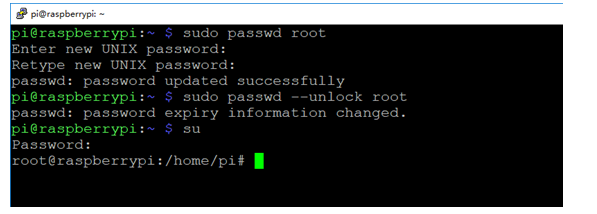
The root user is successfully unlocked.