11.ROS2 action communication server
1. Introduction to action communication
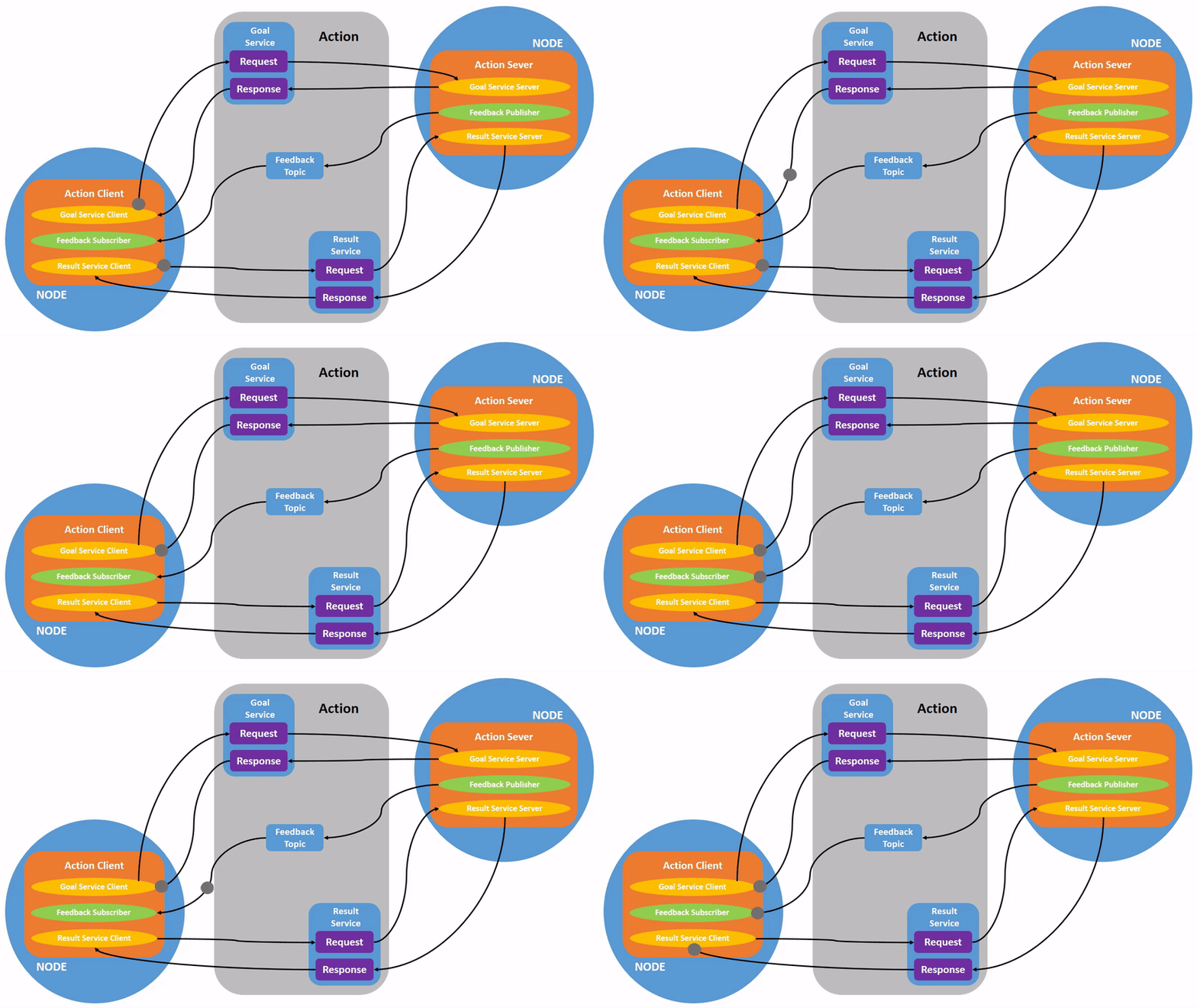
Action communication is a communication model with continuous feedback. Between the communicating parties, the client sends request data to the server, and the server responds to the client.However, during the process from the server receiving the request to generating the final response, it will send continuous feedback information to the client.
Action Communication client/server model is as follows:
2. Case introduction
The action client submits an integer data N, the action server receives the request data and accumulates all integers between 1 and N, and returns the final result to the action client.And each time it is accumulated, the current operation progress is calculated and fed back to the action client.
This case is located in the factory docker container. The source code location is:
/root/yahboomcar_ros2_ws/yahboomcar_ws/src/pkg_interfaces/root/yahboomcar_ros2_ws/yahboomcar_ws/src/pkg_action
3. Create a new function package
3.1. Create action communication interface function package
- Action communication requires creating an action communication interface first, and then creating an action communication interface.
xxxxxxxxxxcd ~/yahboomcar_ros2_ws/yahboomcar_ws/srcros2 pkg create --build-type ament_cmake pkg_interfaces
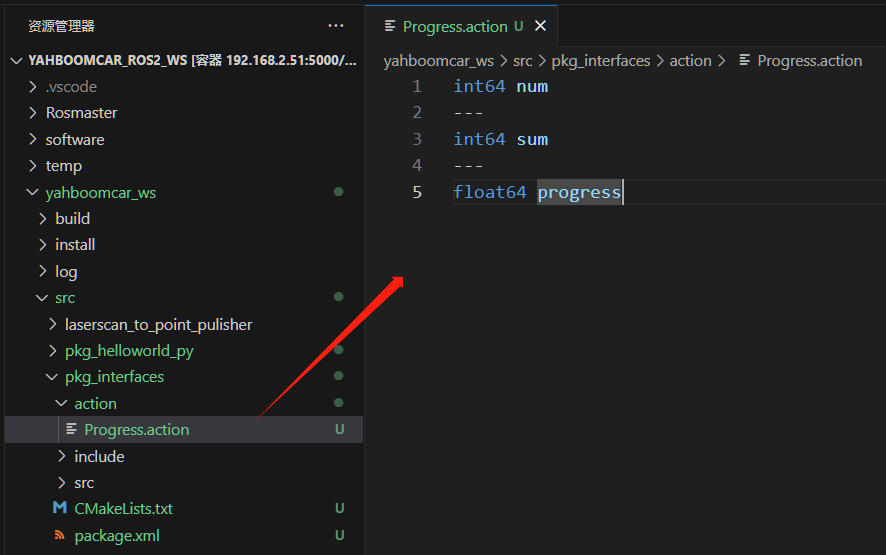
- Then create an action folder under the pkg_interfaces function package, and create a new [Progress.action] file in the action folder. The file content is as follows:
xxxxxxxxxxint64 num---int64 sum---float64 progress
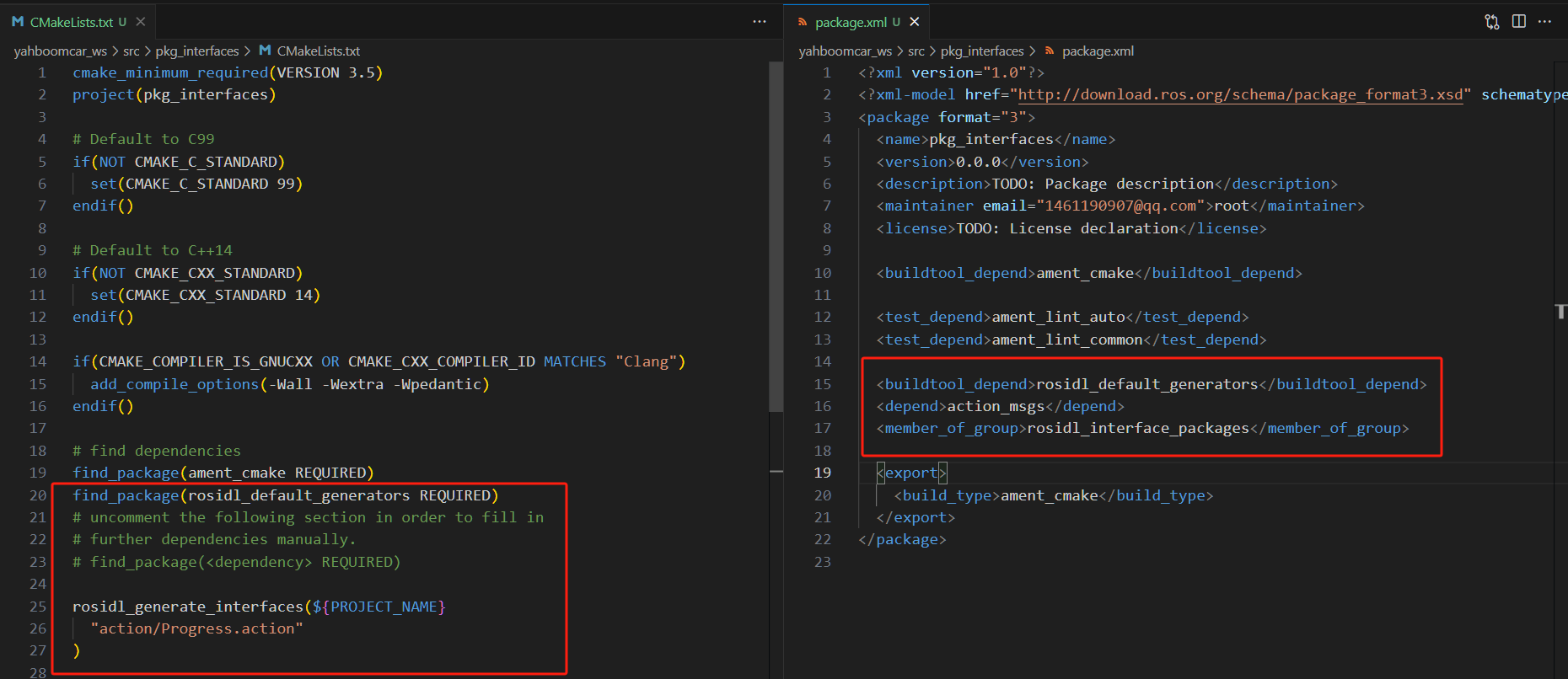
- Some dependency packages need to be added to package.xml. The specific contents are as follows:
xxxxxxxxxx<buildtool_depend>rosidl_default_generators</buildtool_depend><depend>action_msgs</depend><member_of_group>rosidl_interface_packages</member_of_group>
- Add the following configuration to CMakeLists.txt:
xfind_package(rosidl_default_generators REQUIRED)rosidl_generate_interfaces(${PROJECT_NAME}"action/Progress.action")
- Compile function package:
xxxxxxxxxxcd ~/yahboomcar_ros2_ws/yahboomcar_ws/srccolcon build --packages-select pkg_interfaces- After the compilation is completed, the C++ and Python files corresponding to the
Progress.actionfile will be generated in the install directory under the workspace. We can also enter the workspace under the terminal and check the file definition and whether the compilation is normal through the following commands:
xxxxxxxxxxsource install/setup.bashros2 interface show pkg_interfaces/action/ProgressUnder normal circumstances, the terminal will output content consistent with the Progress.action file
3.2. Create action communication function package
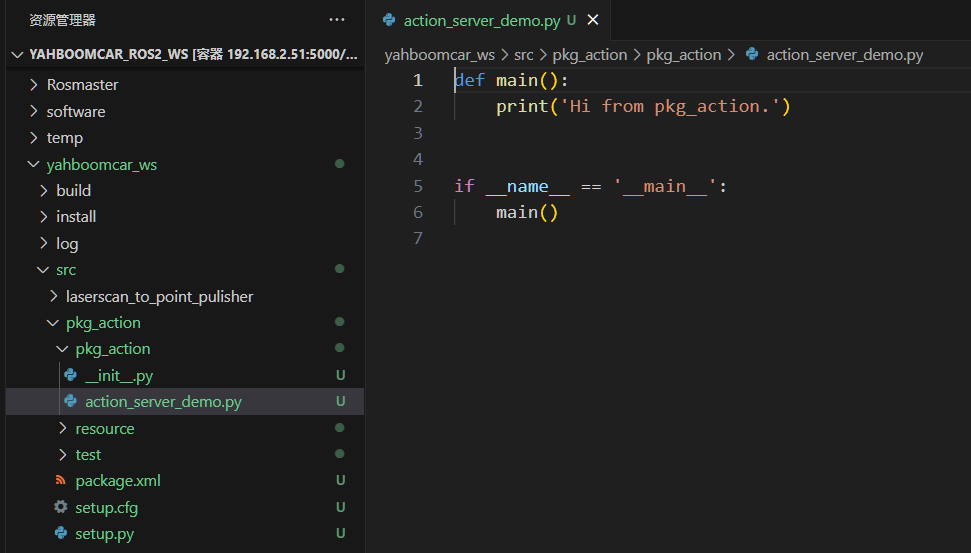
xxxxxxxxxxcd ~/yahboomcar_ros2_ws/yahboomcar_ws/srcros2 pkg create pkg_action --build-type ament_python --dependencies rclpy pkg_interfaces --node-name action_server_demoAfter executing the above command, the pkg_action function package will be created, and an action_server_demo node will be created, and the relevant configuration files have been configured.
4. Server-side implementation
Next edit [action_server_demo.py] to implement the server-side functions and add the following code:
xxxxxxxxxximport timeimport rclpyfrom rclpy.action import ActionServerfrom rclpy.node import Node
from pkg_interfaces.action import Progress

class Action_Server(Node):
    def __init__(self):        super().__init__('progress_action_server')        # Create action server        self._action_server = ActionServer(            self,            Progress,            'get_sum',            self.execute_callback)        self.get_logger().info('Action service has been started!')
    def execute_callback(self, goal_handle):        self.get_logger().info('Start executing the task....')

        # Generate continuous feedback;        feedback_msg = Progress.Feedback()
        sum = 0        for i in range(1, goal_handle.request.num + 1):            sum += i            feedback_msg.progress = i / goal_handle.request.num            self.get_logger().info('continuous feedback: %.2f' % feedback_msg.progress)            goal_handle.publish_feedback(feedback_msg)            time.sleep(1)
        # Generate final response.        goal_handle.succeed()        result = Progress.Result()        result.sum = sum        self.get_logger().info('Task completed!')
        return result

def main(args=None):
    rclpy.init(args=args)    # Call the spin function and pass in the node object    Progress_action_server = Action_Server()    rclpy.spin(Progress_action_server)    Progress_action_server.destroy_node()     # Release resources    rclpy.shutdown()
5. Edit configuration file
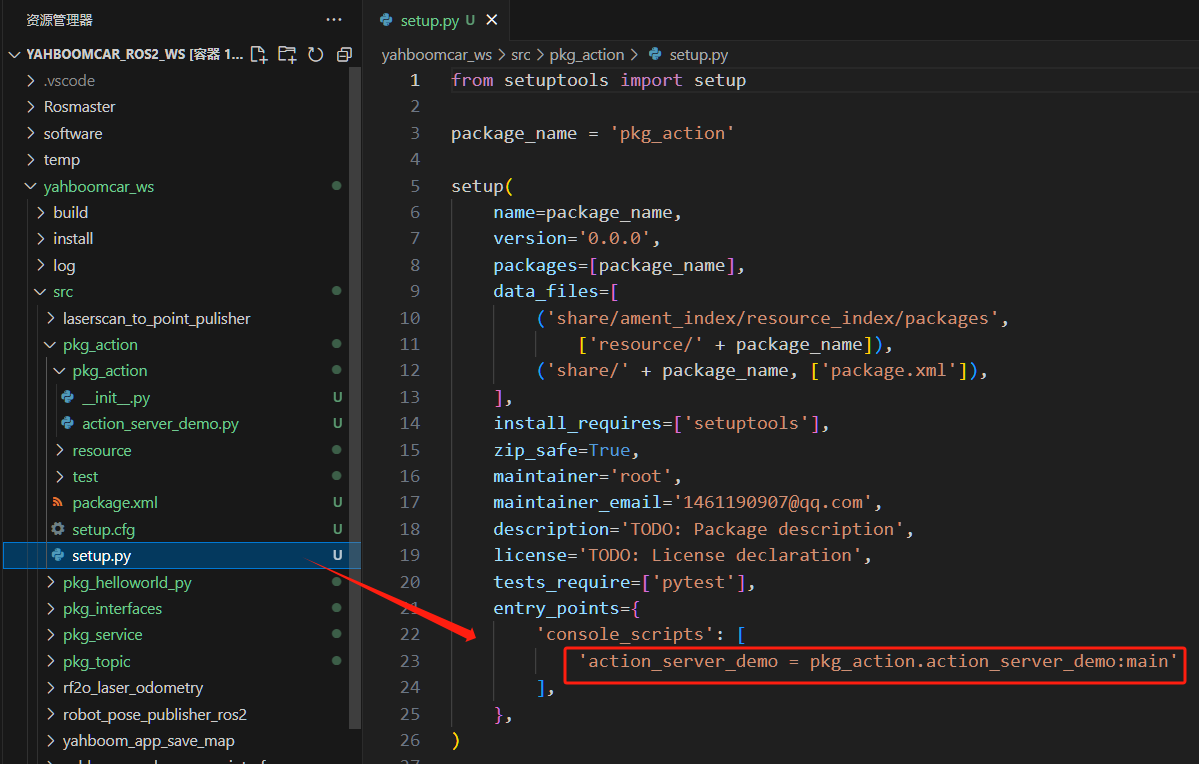
6. Compile workspace
xxxxxxxxxxcd ~/yahboomcar_ros2_ws/yahboomcar_wscolcon build --packages-select pkg_actionsource install/setup.bash
7. Run program
Open a terminal:
xxxxxxxxxxros2 run pkg_action action_server_demo

Enter in another terminal:
xxxxxxxxxxros2 action list

/get_sum is the action we need to call. Call it through the following command and enter it in the terminal:
xxxxxxxxxxros2 action send_goal /get_sum pkg_interfaces/action/Progress num:\ 10\
Here we find the sum from 1 to 10:
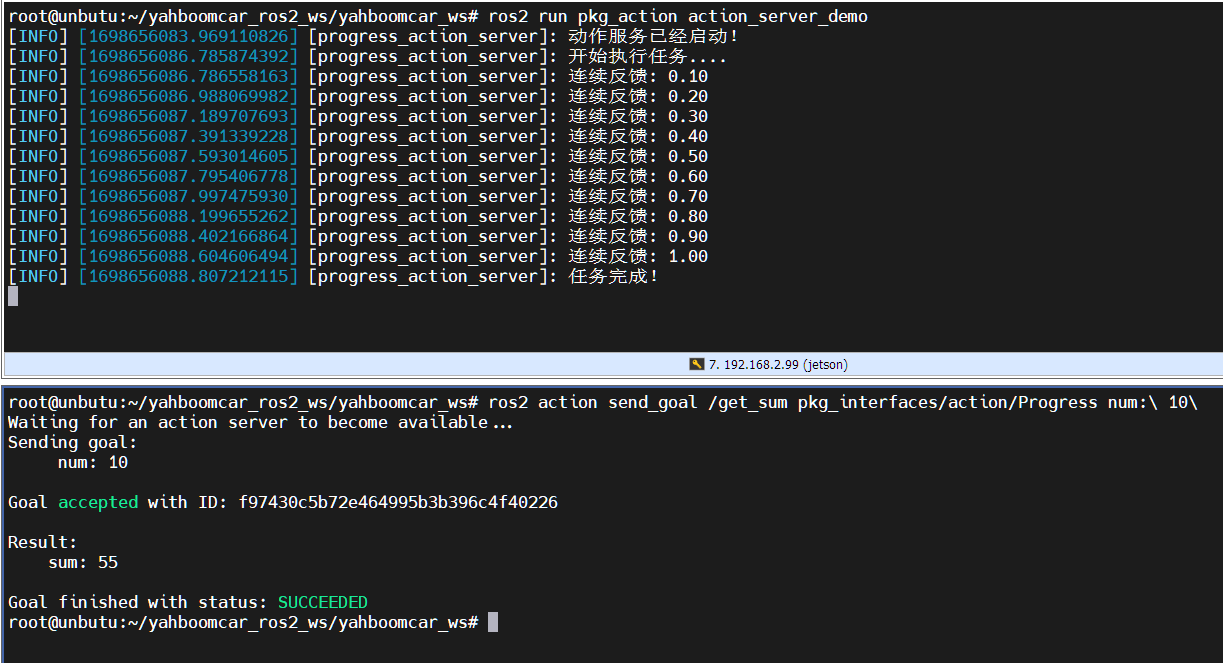
The top of the picture above is the server, and the bottom is the client. You can see that during the calculation of the sum of 1 to 10, the server has been feeding back the progress of the calculation. Finally, it shows that the task is completed, and the client has also received feedback that the sum is 55.