LLaVA-Phi3
LLaVA-Phi3Model sizePerformancePull LLaVA-Phi3Use LLaVA-Phi3Run LLaVA-Phi3Have a conversationEnd the conversationReferences
Demo Environment
Development board: Jetson Orin series motherboard
SSD: 128G
Tutorial application scope: Whether the motherboard can run is related to the available memory of the system. The user's own environment and the programs running in the background may cause the model to fail to run
| Motherboard model | Ollama | Open WebUI |
|---|---|---|
| Jetson Orin NX 16GB | √ | √ |
| Jetson Orin NX 8GB | √ | √ |
| Jetson Orin Nano 8GB | √ | √ |
| Jetson Orin Nano 4GB | √ | √ |
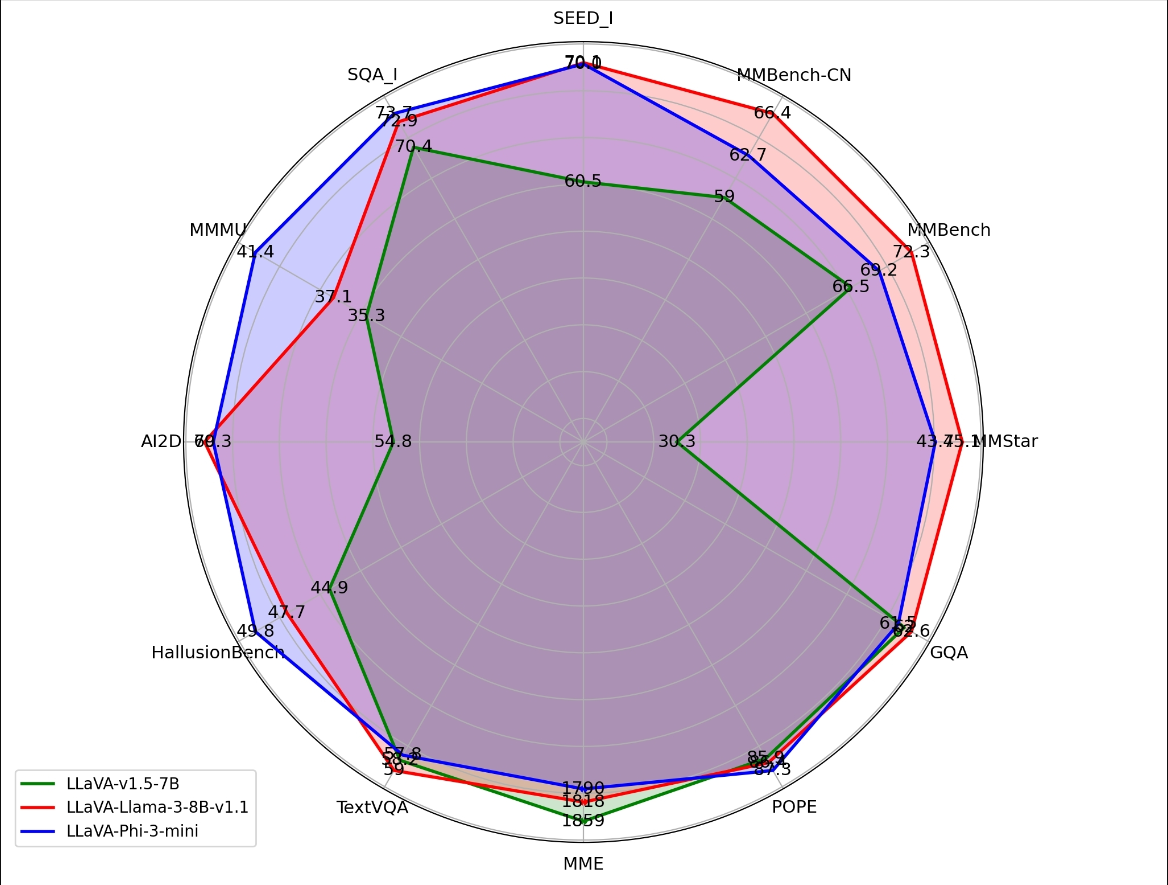
LLaVA-Phi3 is a LLaVA model fine-tuned from Phi 3 Mini 4k.
xxxxxxxxxxLLaVA (Large-scale Language and Vision Assistant) is a multimodal model that aims to achieve general vision and language understanding by combining visual encoders and large-scale language models.
Model size
| Model | Parameters |
|---|---|
| LLaVA-Phi3 | 3.8B |
Performance
Pull LLaVA-Phi3
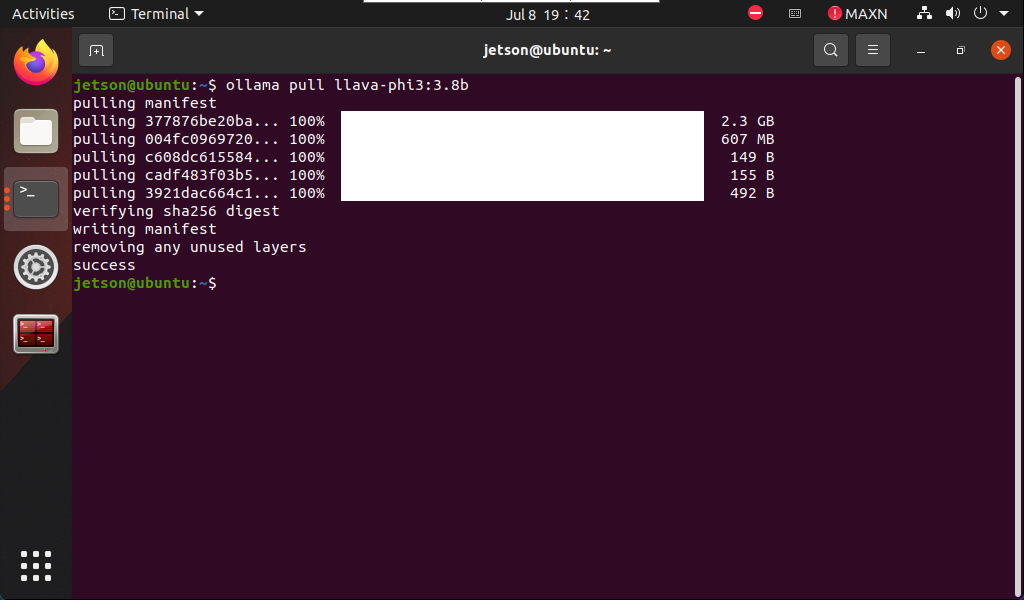
Using the pull command will automatically pull the model from the Ollama model library:
xxxxxxxxxxollama pull llava-phi3:3.8b
Use LLaVA-Phi3
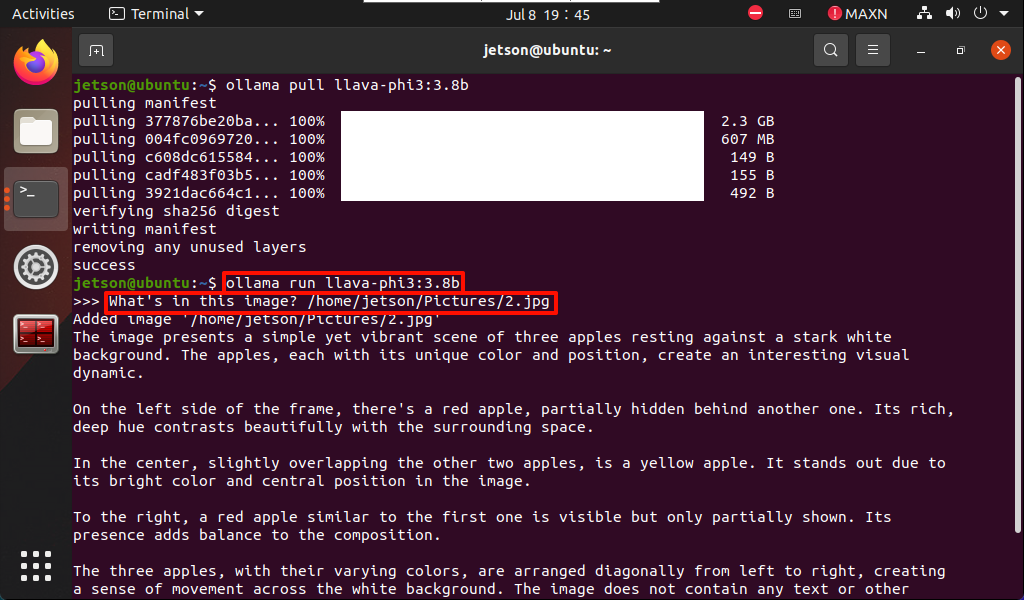
Use LLaVA-Phi3 to identify local image content.
Run LLaVA-Phi3
If the system does not have a running model, the system will automatically pull the LLaVA-Phi3 3.8B model and run it:
xxxxxxxxxxollama run llava-phi3:3.8b
Have a conversation
xxxxxxxxxxWhat's in this image? /home/jetson/Pictures/2.jpg
The time to reply to the question depends on the hardware configuration, so be patient!
xxxxxxxxxxIf the image does not have a corresponding image, you can download the image yourself (the resolution should not be too large), and put the image path after the question!
End the conversation
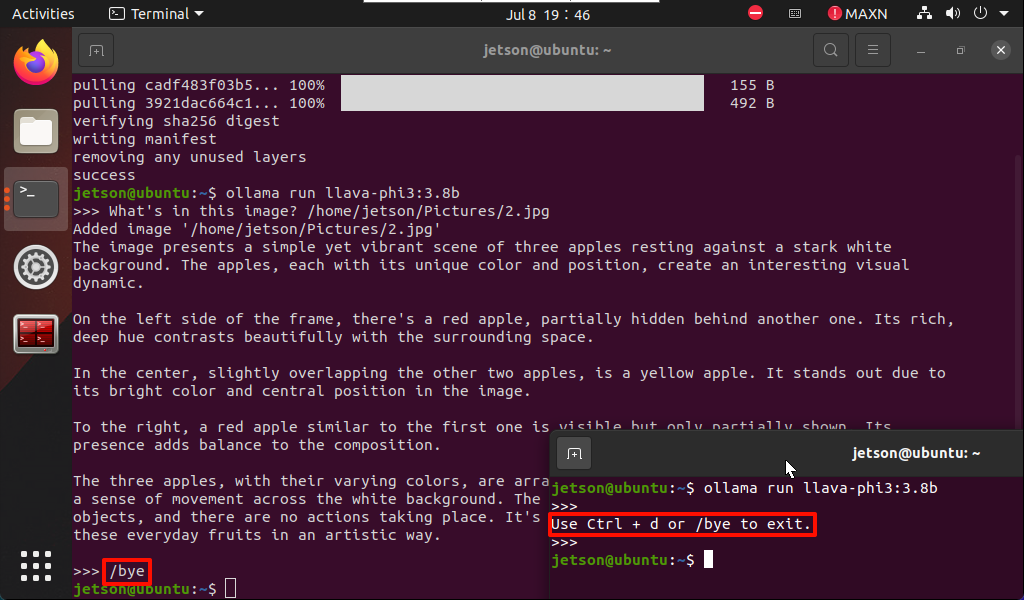
Use the Ctrl+d shortcut key or /bye to end the conversation!
References
Ollama
Official website: https://ollama.com/
GitHub: https://github.com/ollama/ollama
LLaVA-Phi3
GitHub: https://github.com/InternLM/xtuner/tree/main
Ollama corresponding model: https://ollama.com/library/llava-phi3