microROS control board configuration parameters
- The Micro ROS control board has been programmed with factory firmware before leaving the factory. If the firmware of other routines has been burned, please re-burn the factory firmware and then turn on the power switch to power the control board.
- The configuration script (config_robot.py) has been provided in the root directory of the Raspberry Pi. The parameters have been configured at the factory and generally do not need to be reconfigured.
- The Raspberry Pi configuration connection agent needs to recognize the serial port device, so the serial port wiring of the Raspberry Pi to the microROS control board needs to be connected as shown below
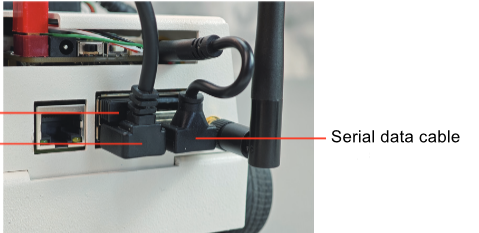
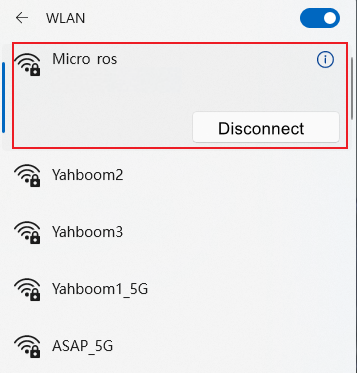
- Turn on the switch and successfully start the Raspberry Pi. You can connect to the hotspot we provide and use vnc to remotely log in to the desktop.
Note: If you want to switch to your own wifi/hotspot later, you can check the "Section 4 Network Configuration" tutorial of "Chapter 12 Basic Configuration of Raspberry Pi"
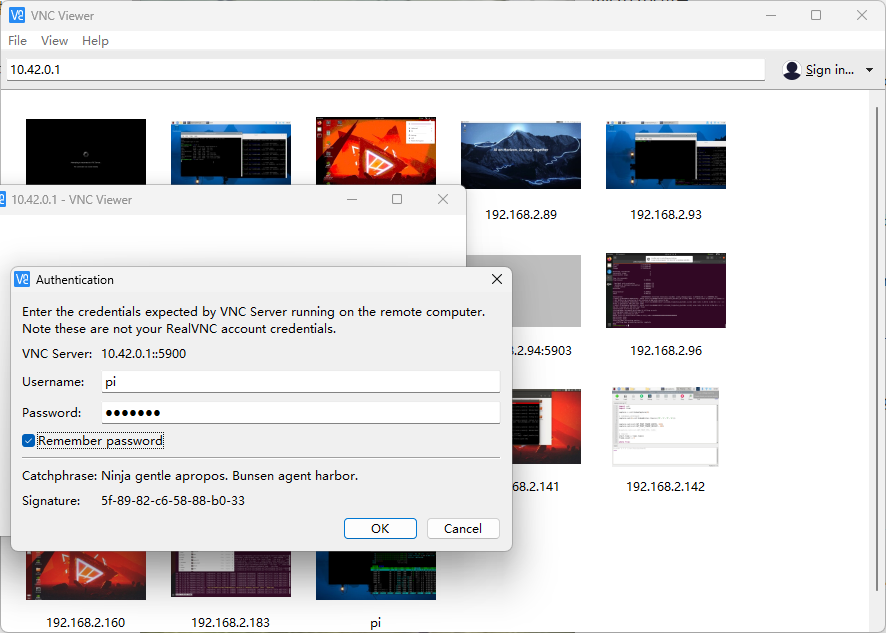
Open the vnc software and enter the IP. The factory default IP is 10.42.0.1. The following interface will appear. Enter the account: pi and password: yahboom to successfully log in to the Raspberry Pi.
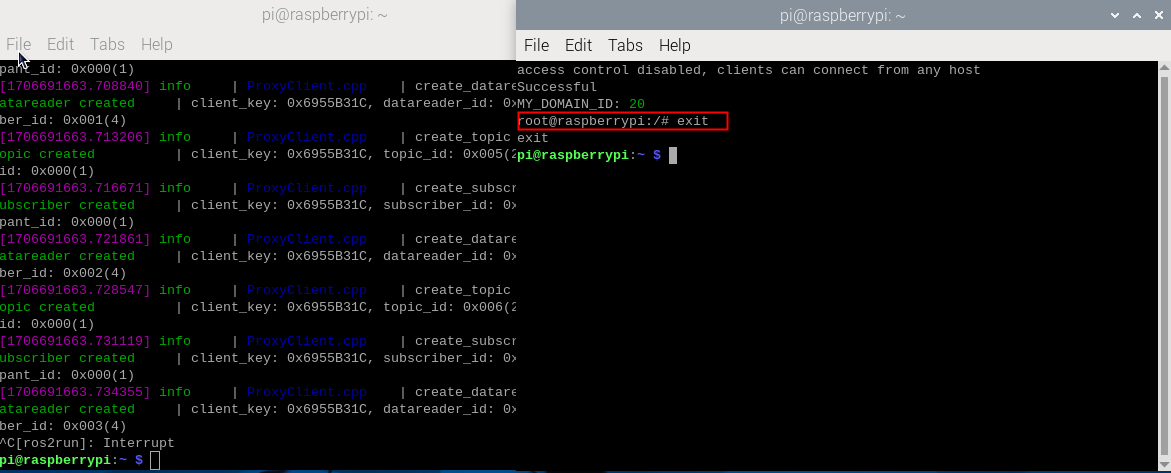
After successfully displaying the interface, you will see two terminals, one is the self-starting connection agent interface, and the other is the self-starting docker interface. These two aspects will be introduced in detail later.
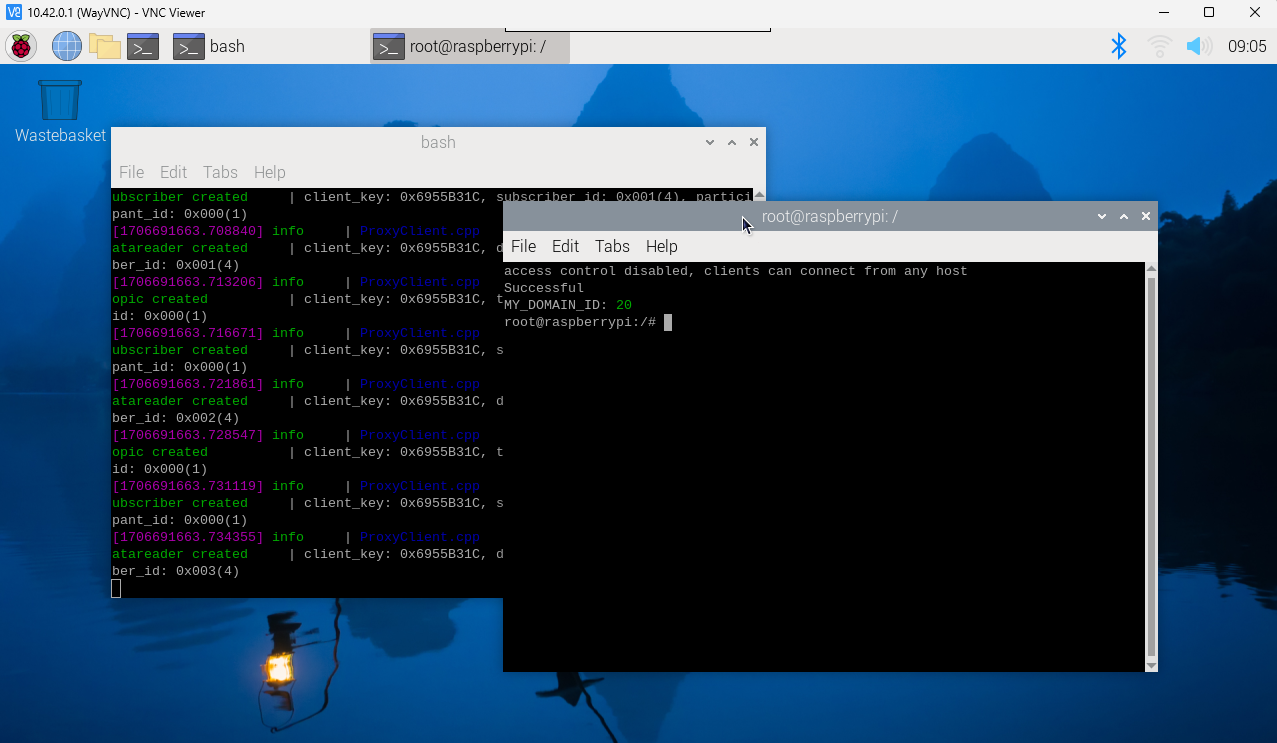
Enter exit in the docker terminal to exit docker. And use ctrl+c to exit the connection agent terminal. After exiting, start configuring the parameters (the parameters have been configured at the factory, you can modify them after you are familiar with them)
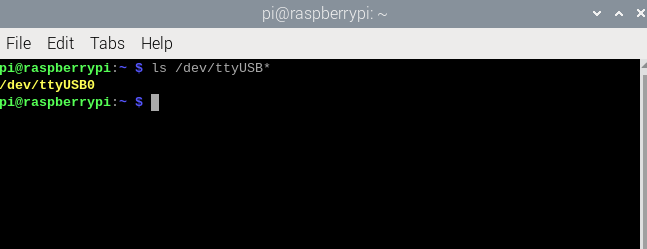
- Next is the configuration parameters. Enter ls /dev/ttyUSB* to check whether the device is recognized.
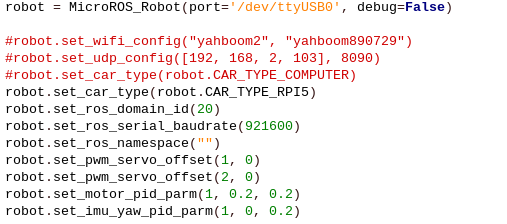
- Modify the config_robot.py parameters according to the serial port startup mode (in the root directory of the py file path). You need to modify the car type to robot.CAR_TYPE_RPI5. The id defaults to 20 and generally does not need to be modified. Other parameters remain default (respectively represent the steering gear). initial angle and motor pid), save and exit after modification.
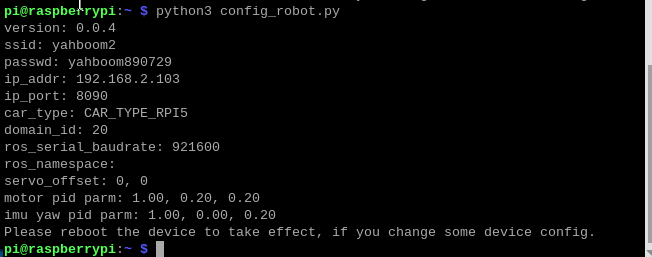
- First, briefly press the reset button on the microROS control board. It will be in the configuration state within 5 seconds of booting (the MCU indicator light flashes once every 300 milliseconds). Then run the following command to configure the robot. At this time, check whether the returned data is consistent with your own settings. If it is consistent, the setting is successful.
python3 config_robot.py
- Press the reset button of the robot to reload the configuration.