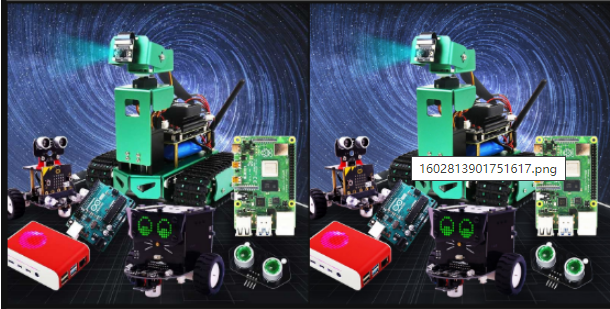
4.Open Source CV image quality
The code was run on jupyterlab
- Compression method
cv2.imwrite('yahboomTest.jpg', img, [cv2.IMWRITE_JPEG_QUALITY, 50])
cv2.CV_IMWRITE_JPEG_QUALITY: Set the image quality of the image format to .jpeg or .jpg, the value is 0---100 (the larger the value, the higher the quality), the default is 95
cv2.CV_IMWRITE_WEBP_QUALITY: Set the image format to .webp format image quality, the value is 0--100
cv2.CV_IMWRITE_PNG_COMPRESSION: Set the compression ratio of .png format, the value is 0--9 (the larger the value, the greater the compression ratio), the default is 3
ximport cv2img = cv2.imread('yahboom.jpg',1)cv2.imwrite('yahboomTest.jpg', img, [cv2.IMWRITE_JPEG_QUALITY, 50])#1M 100k 10k 0-100 Lossy compression
xxxxxxxxxx# 1 lossless 2 transparency attributeimport cv2img = cv2.imread('yahboom.jpg',1)cv2.imwrite('yahboomTest.png', img, [cv2.IMWRITE_PNG_COMPRESSION,0])# jpg 0 compression ratio higher 0-100 png 0 compression ratio lower 0-9
xxxxxxxxxx#bgr8 to jpeg formatimport enumimport cv2def bgr8_to_jpeg(value, quality=75):return bytes(cv2.imencode('.jpg', value)[1])
xxxxxxxxxximport ipywidgets.widgets as widgetsimage_widget1 = widgets.Image(format='jpg', )image_widget2 = widgets.Image(format='jpg', )# create a horizontal box container to place the image widget next to each otherimage_container = widgets.HBox([image_widget1, image_widget2])# display the container in this cell's outputdisplay(image_container)img1 = cv2.imread('yahboomTest.jpg',1)img2 = cv2.imread('yahboomTest.png',1)image_widget1.value = bgr8_to_jpeg(img1)image_widget2.value = bgr8_to_jpeg(img2)