I2C communication
I2C communication1. GPIO pin diagram2. I2C test2.1. Installation dependencies2.2. I2C device2.2.1. Query I2C bus2.2.2. Query I2C device2.3. Run the program3. Experimental results
1. GPIO pin diagram
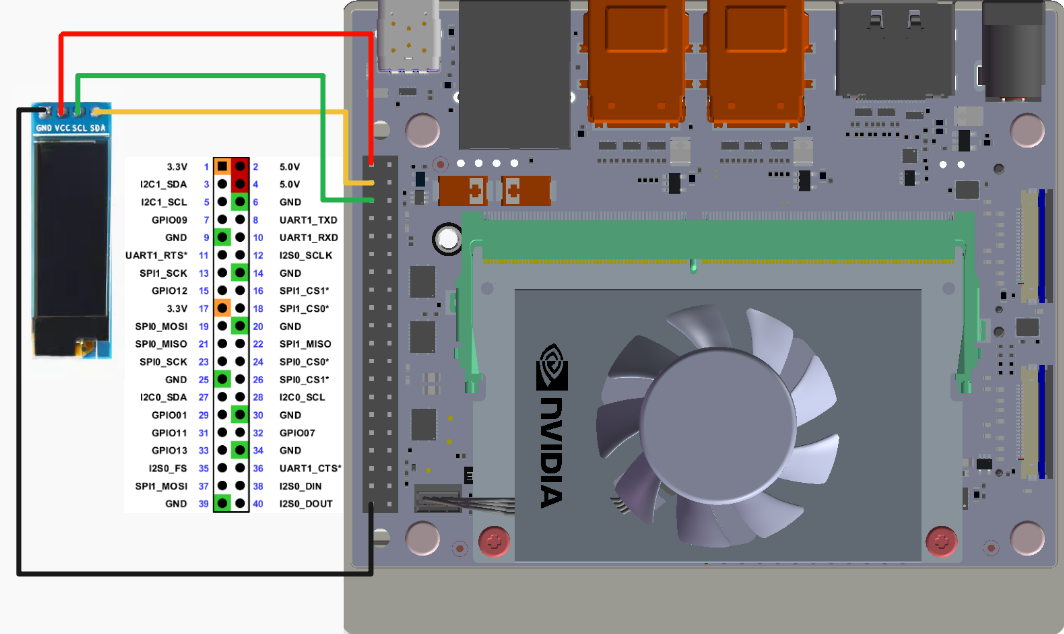
Use 0.91-inch OLED to test the I2C communication function and connect according to the following wiring:
Note: Do not connect incorrectly or cause pin short circuits. Mistakes may cause damage to the motherboard hardware!
2. I2C test
2.1. Installation dependencies
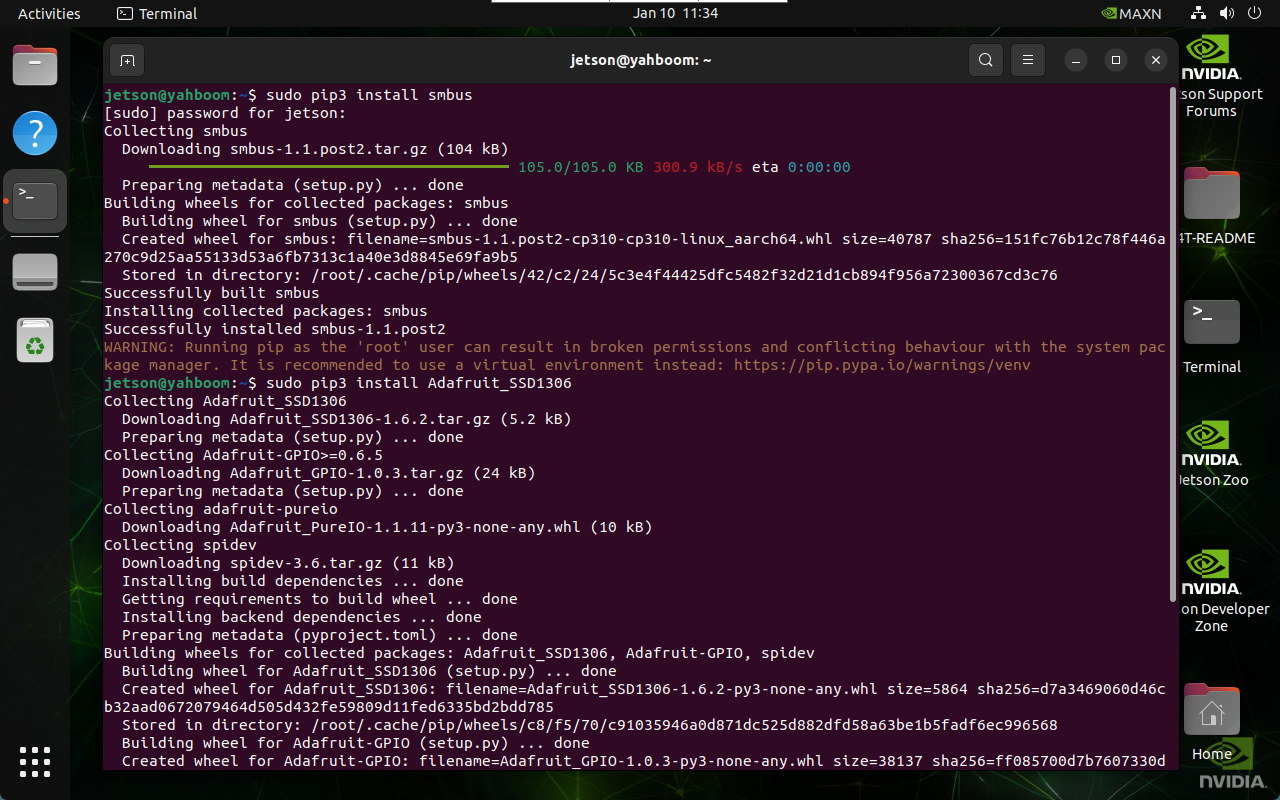
sudo pip3 install smbussudo pip3 install Adafruit_SSD1306
2.2. I2C device
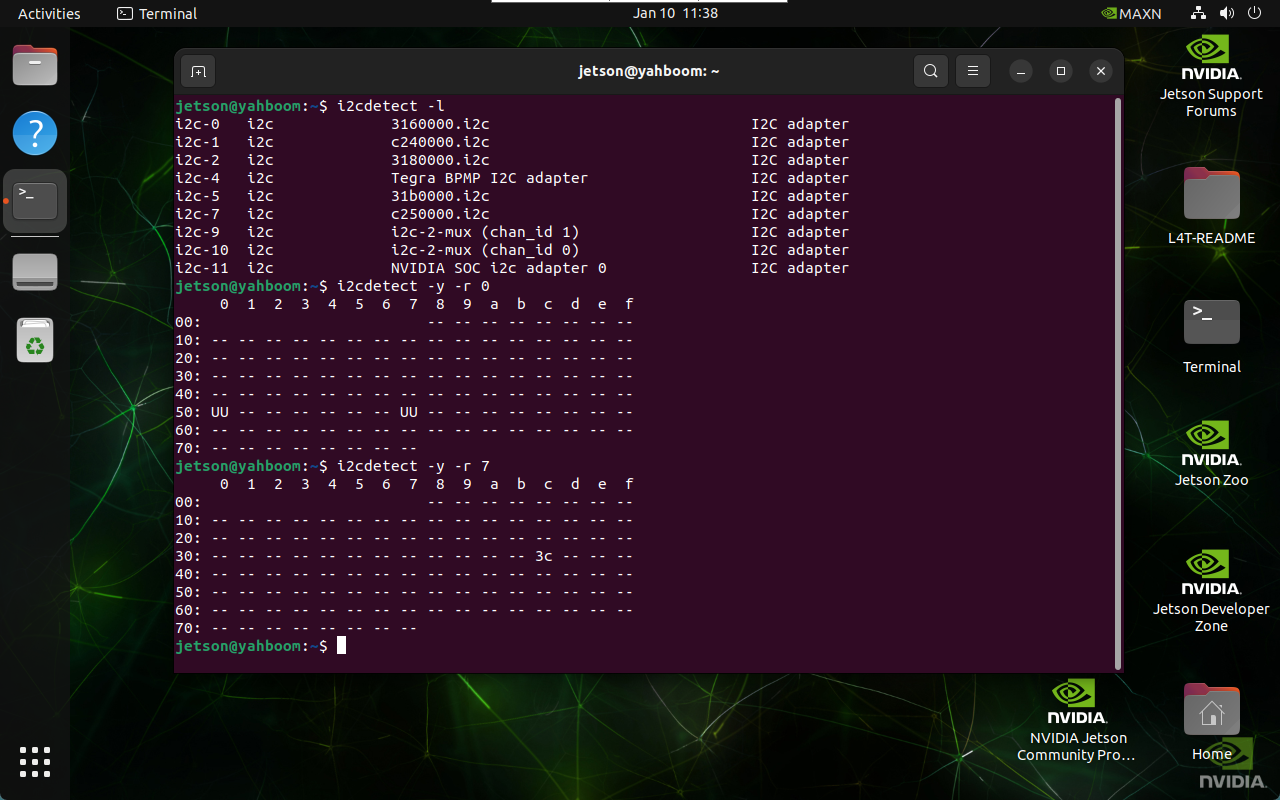
During normal development, we need to find the device bus and device address where the I2C device is mounted.
2.2.1. Query I2C bus
Enter the following command in the terminal to list all busses of the device:
xxxxxxxxxxi2cdetect -l
2.2.2. Query I2C device
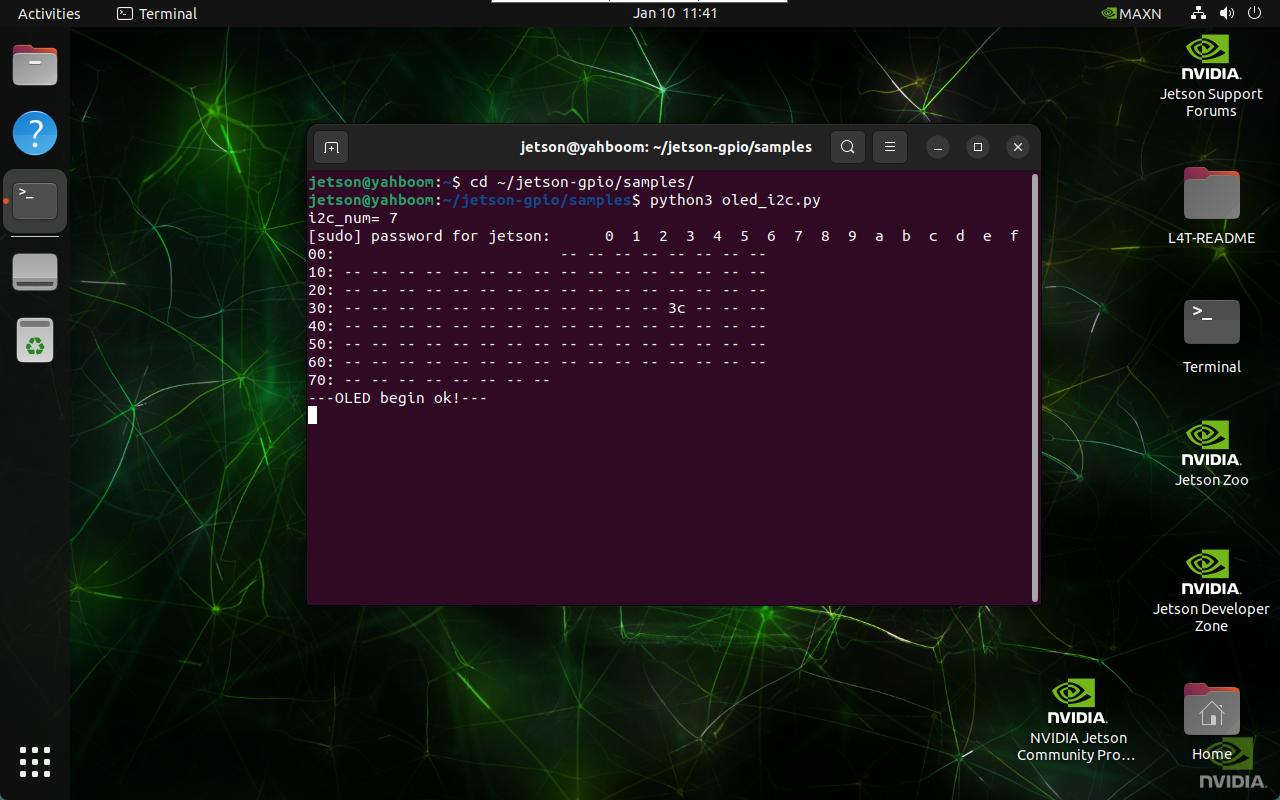
Enter the following command in the terminal to list I2C devices under the specified bus: The I2C address corresponding to oled is 0x3c
xxxxxxxxxxi2cdetect -y -r *
2.3. Run the program
oled_i2c.py is not included in the jetson-gpio library:
xxxxxxxxxxcd ~/jetson-gpio/samples/
xxxxxxxxxxpython3 oled_i2c.py
3. Experimental results
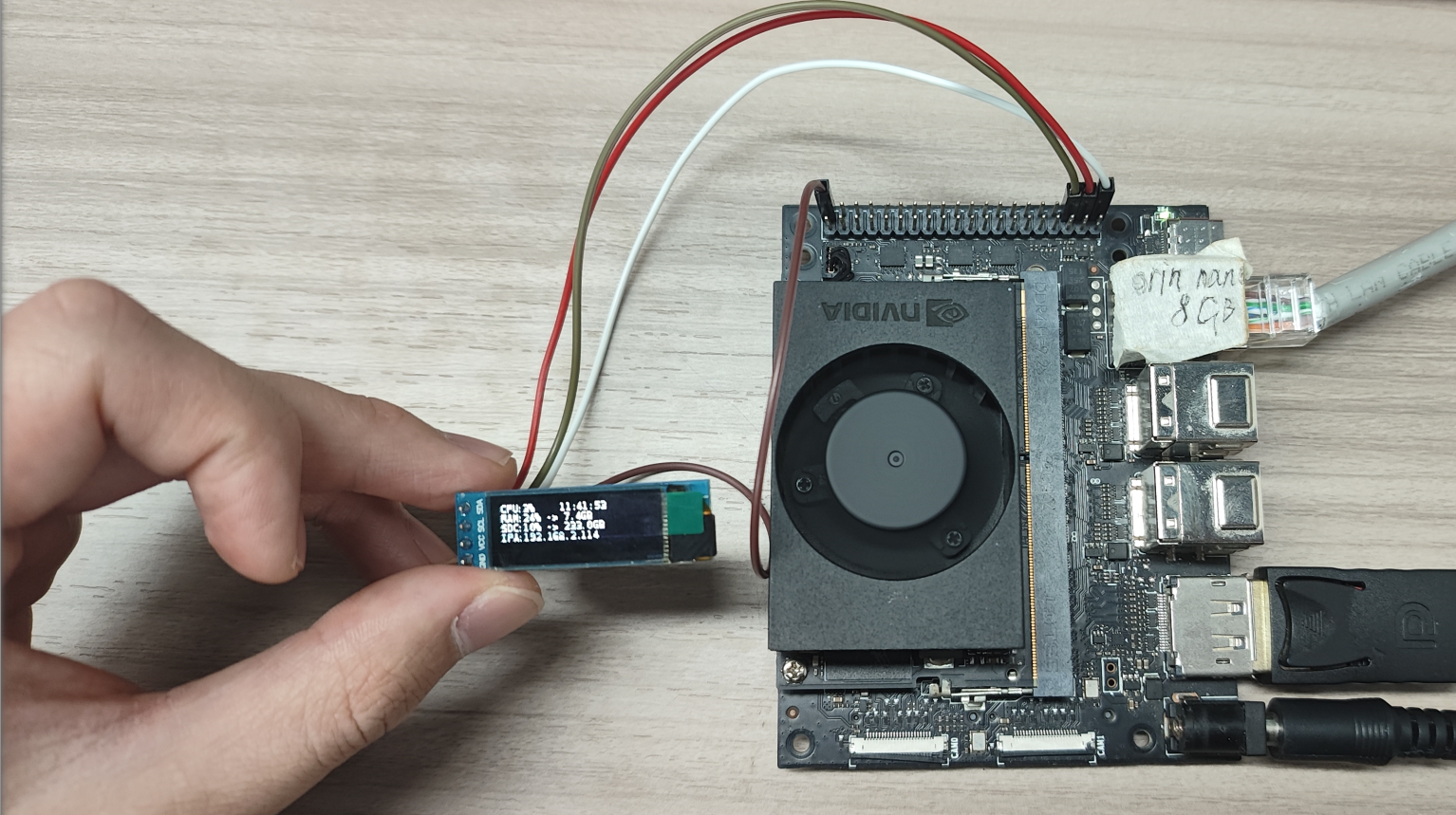
After starting the program, OLED will display system information such as system CPU usage, system time, and memory usage: