Customized protocol entry creation
1. Voice chip firmware creation
1.1 Notes
The module has already been burned with the voice recognition function firmware when it leaves the factory. The factory firmware is also provided in the data attachment. If you need to remake the firmware, you can follow the steps below to make the firmware.
1.2 Firmware creation
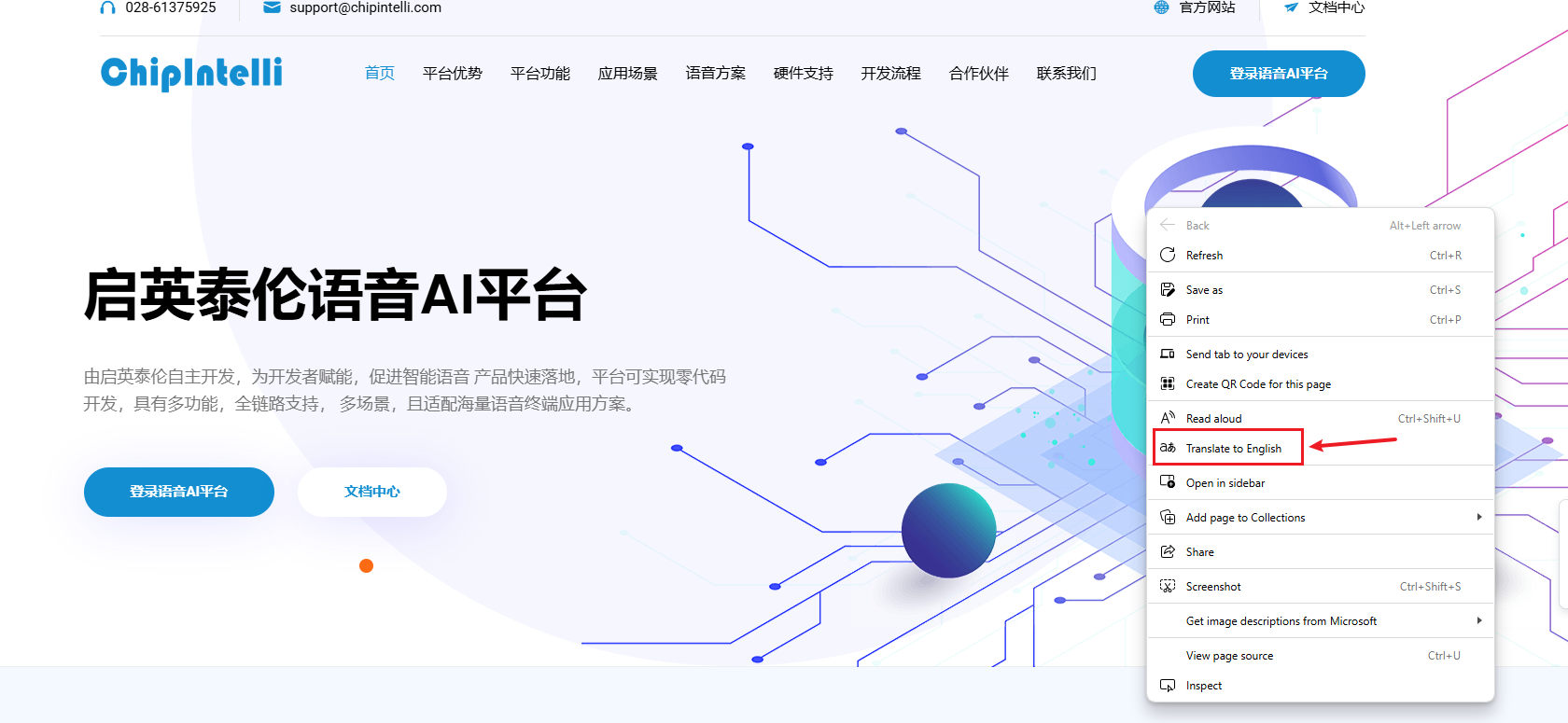
First, you need to open the link "ChipInelli Voice AI Platform" and enter the official firmware production website
Translate this page into English
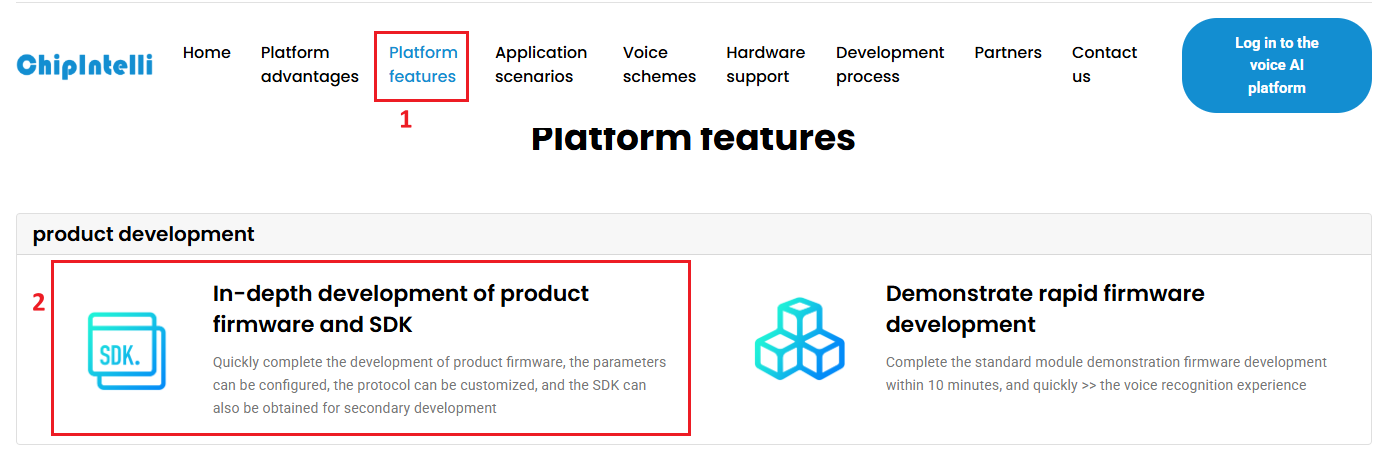
Click "Platform Features" in the menu bar, and then click "In-depth development of product firmware and SDK" under the Product Development column
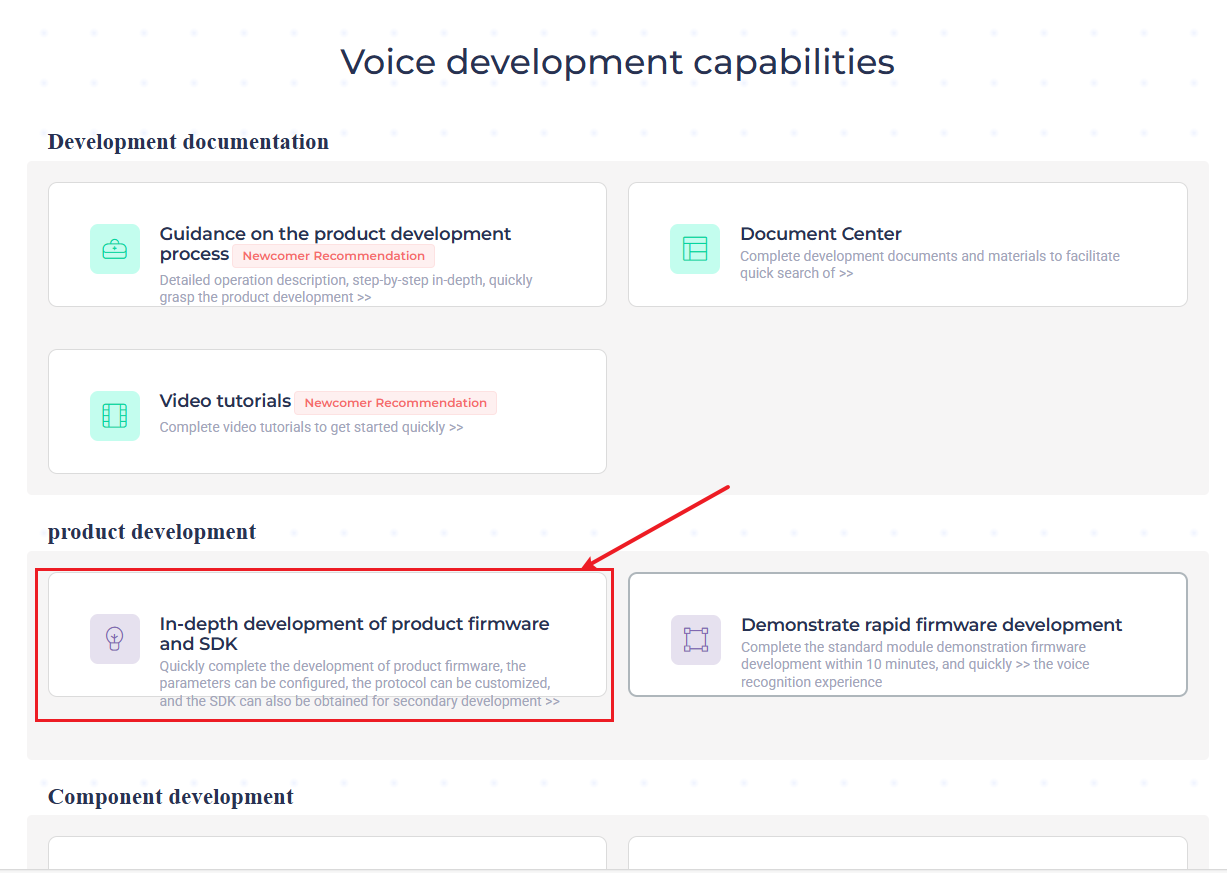
- At this time, you will be prompted to log in. Here you need to use your own information to register a platform account. The tutorial here has already been registered in advance. After logging in, click “In-depth development of product firmware and SDK” again
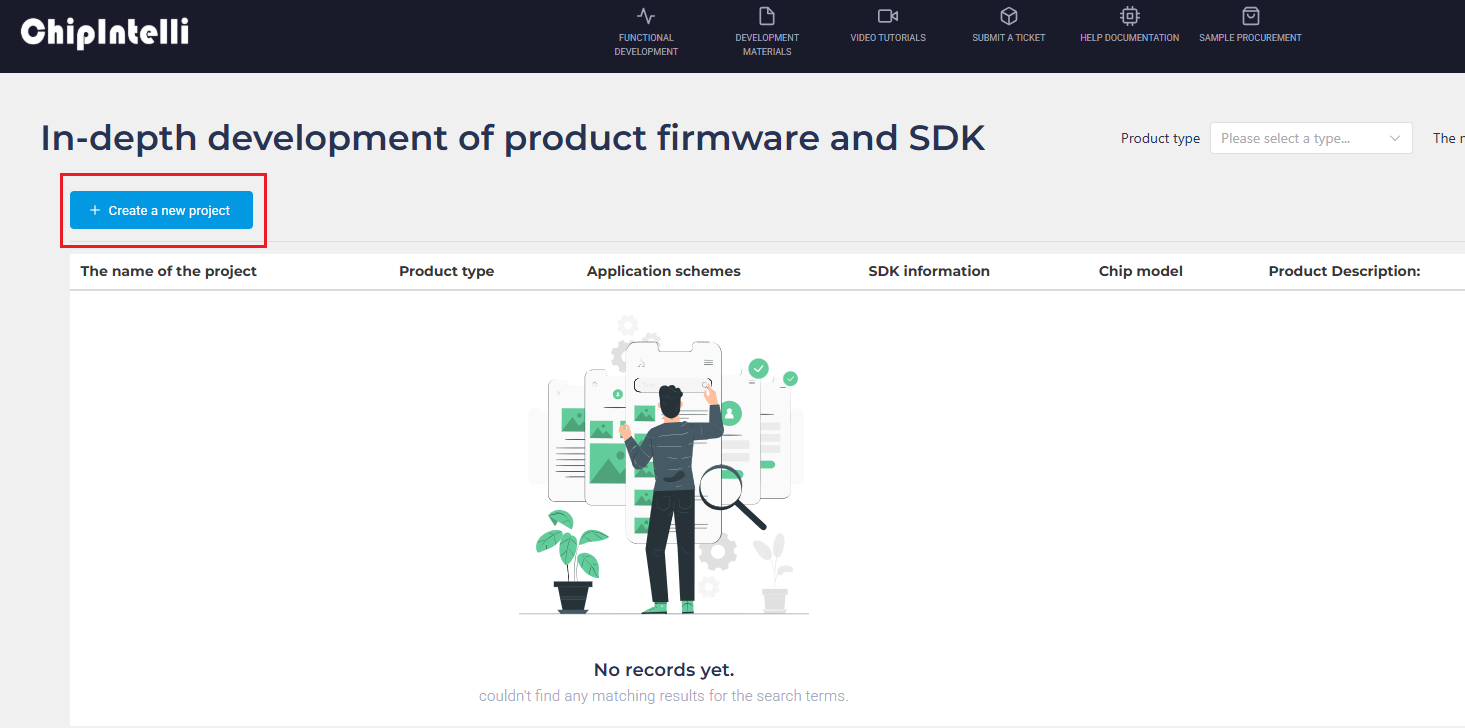
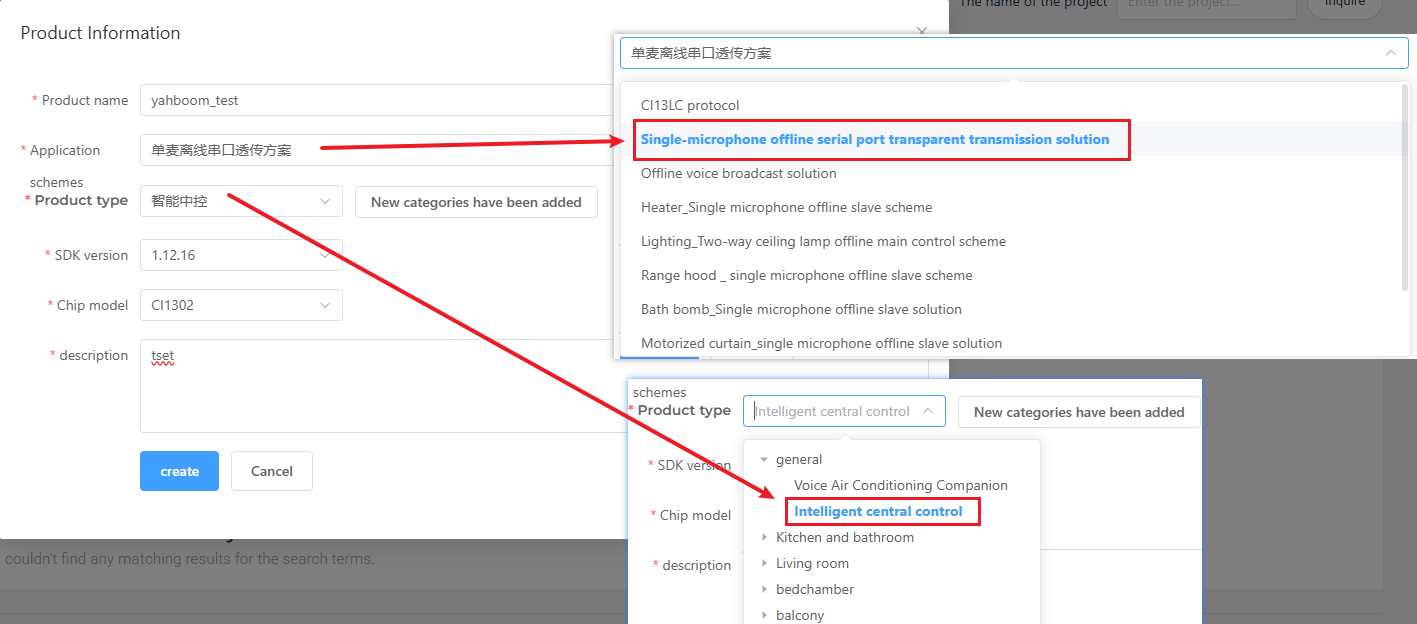
- After the page jumps, click New Project on the left and create a new product as shown below. The product name and description can be customized. The rest of the information needs to be selected according to the content in the red box. The product model needs to be selected as "General->Intelligent central control". After completion, click Create
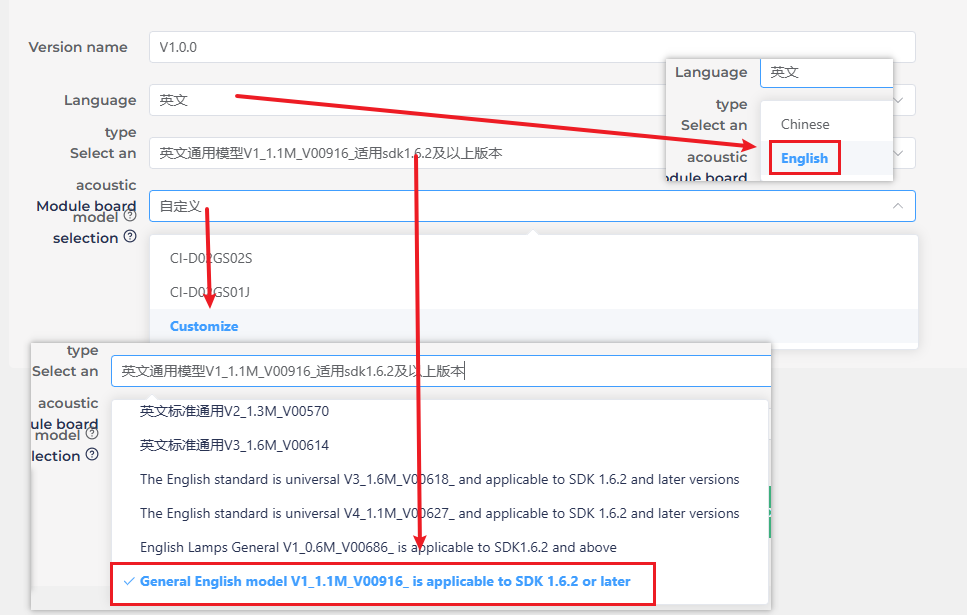
- Next, you need to fill in the basic information of the project. We need to recognize English, so select "English" as the language type. If you need to recognize Chinese, you can also make corresponding changes. For other information, select as shown below. Click Continue when you are done.
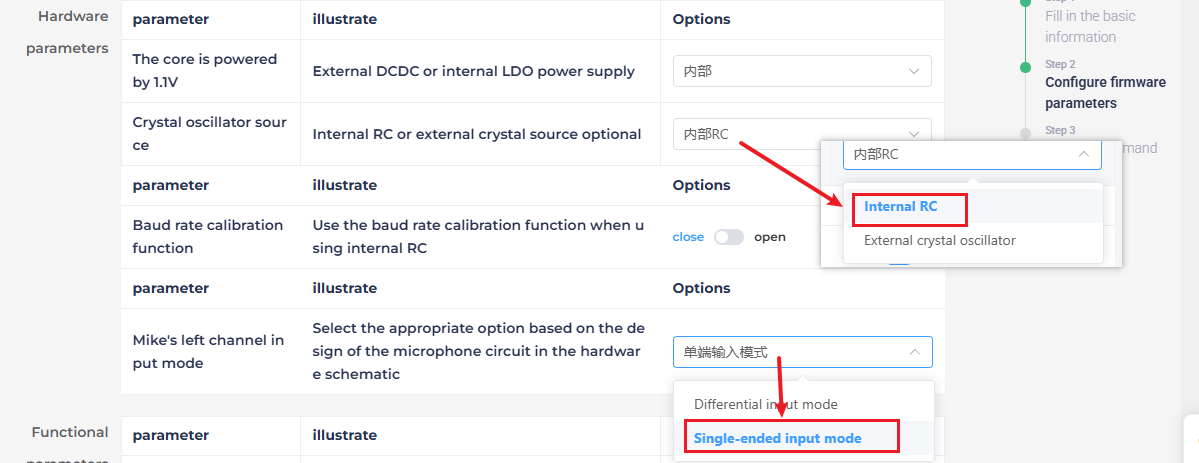
- In the hardware parameters, you need to select the crystal source as "internal RC".
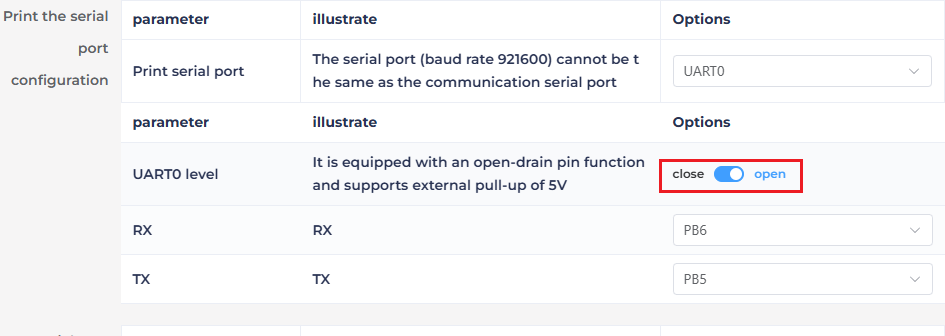
- In the print serial port configuration, configure the UART0 level as open drain function, supporting external pull-up 5V.
- Modify the communication serial port configuration, set the baud rate to 115200, and configure the UART1 level to open drain function, support external pull-up 5V, and click "Continue" to enter the next step after the configuration is completed.
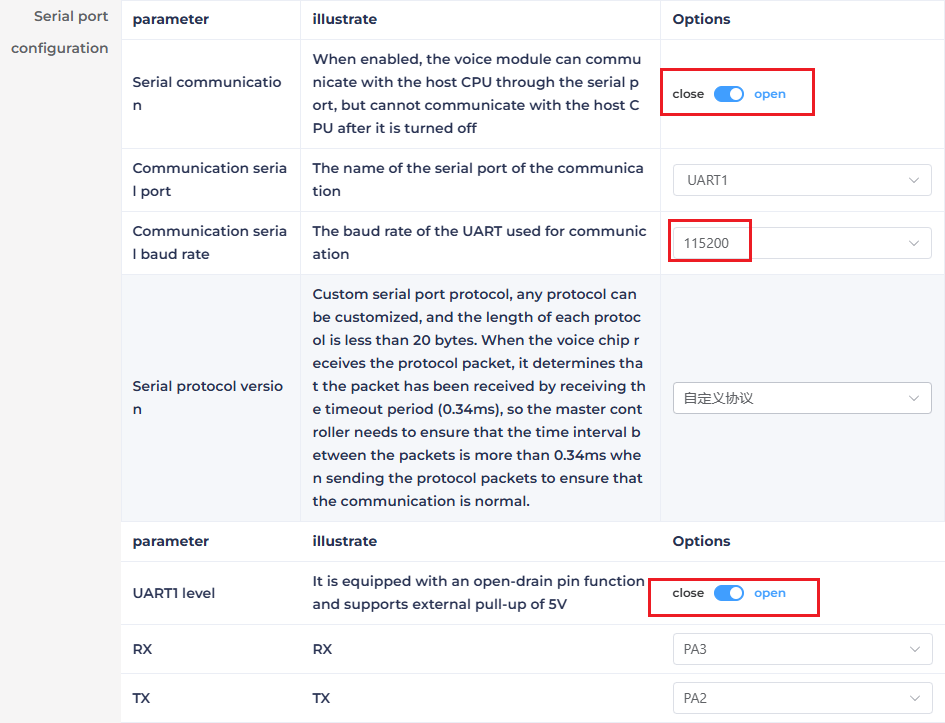
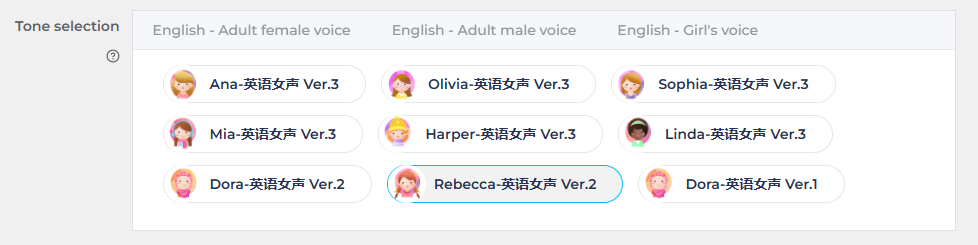
- Next, enter the edit command word function. First, you need to select the sound to be played.
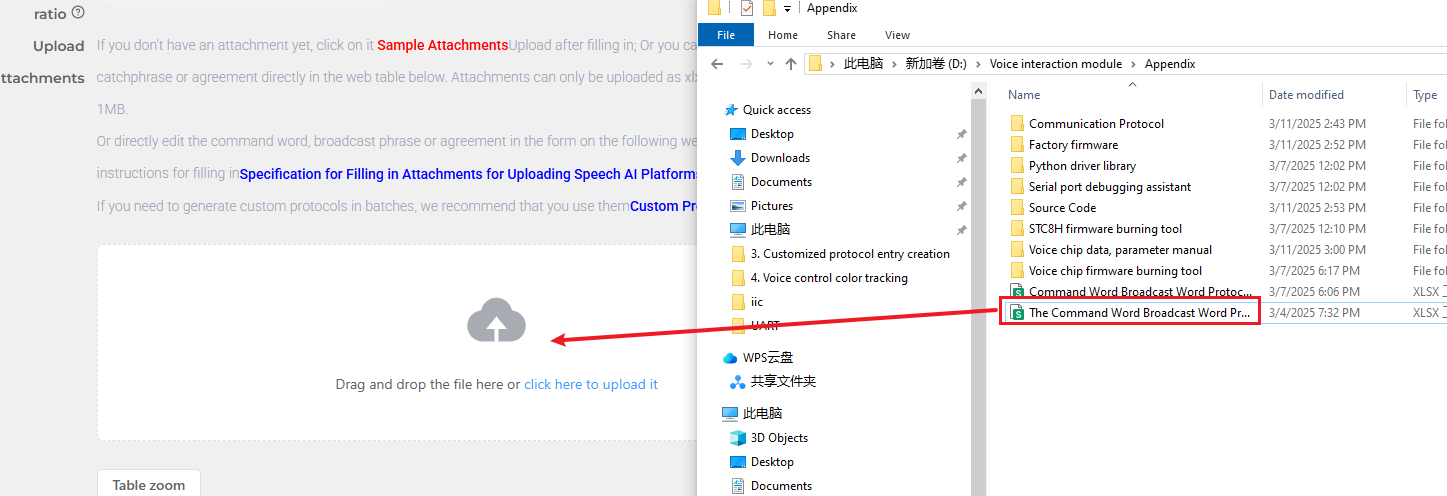
- Then we upload the command word attachment, find the "Command Word Broadcast Word Protocol List V3_EN" table in the same path as this document, and drag it directly into the web page to upload.
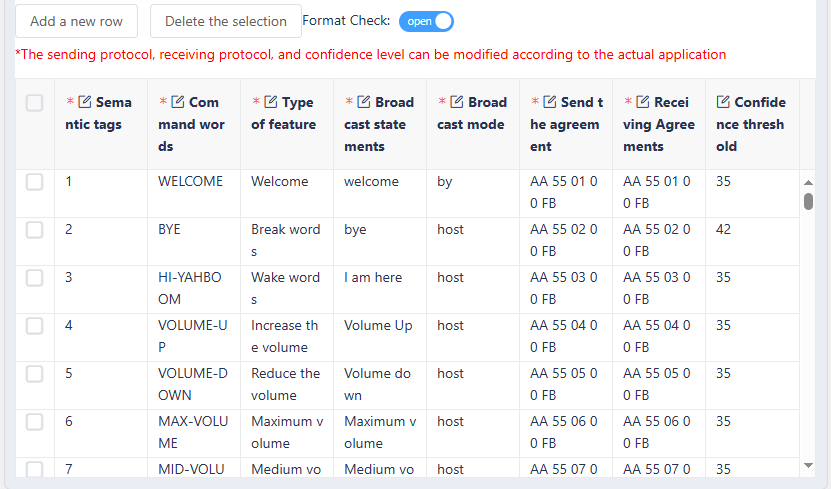
- After uploading the file, you can see our command word data in the table below.
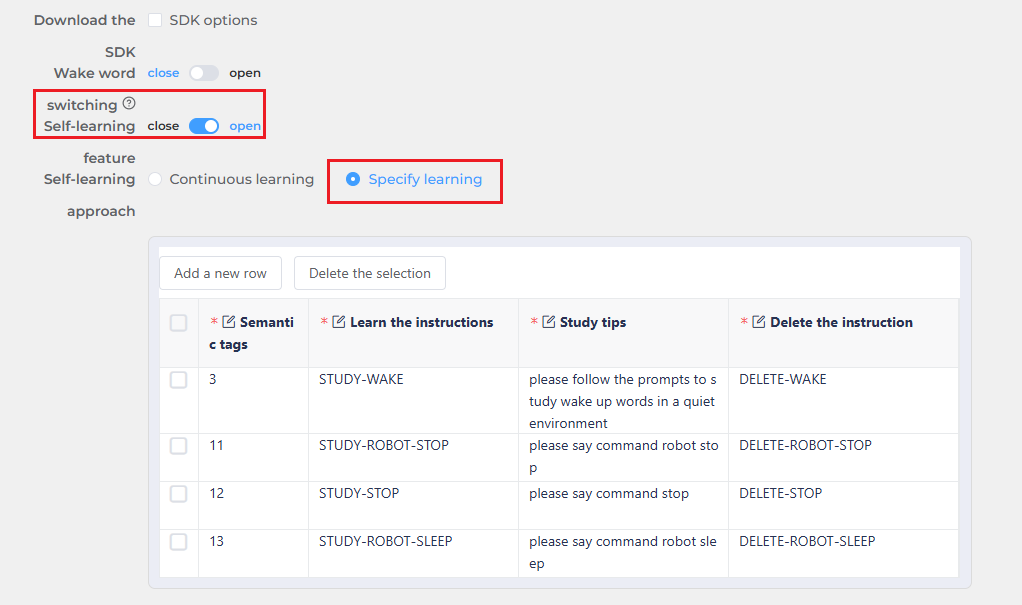
- Turn on the self-learning function and select designated learning. At this time, the system will automatically generate 4 self-learning instructions, and we will not modify them here.
- After submitting, wait for a few minutes to complete the firmware production. After completion, click Download Firmware to obtain the produced firmware.

- For the steps of burning firmware, please refer to 《2. Firmware burning》
2. Modify functional terms
- Open the Command Word Broadcast Word Protocol List V3_EN file in the attachment
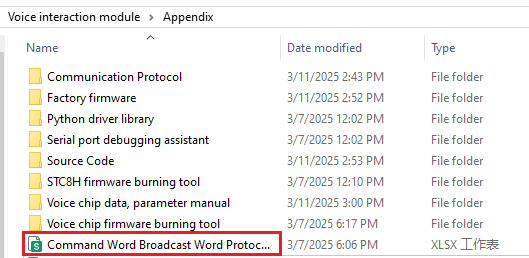
- Find the functional terms in the table, that is, the first 10 items in the table. It should be noted that the first 10 functional terms here are fixed terms and cannot be added, but can only be modified.

- Here we take the modification of the wake-up word announcement as an example, and change the original announcement of "Hi Yahboom" after recognizing "I am here" to "Yahboom is here".

- After the repair is completed, save it, and then follow the steps in "1.2 Firmware creation" to import the table into the website. If you have already made the firmware once, you can click the "inherit" button in the previous project to save the parameter configuration steps

- After remaking the firmware, you also need to burn the firmware into the voice interaction module, so that you can modify the functional terms.
3. Add command terms
- Open the Command Word Broadcast Word Protocol List V3_EN file in the attachment
- At the bottom of the table, add a new command term. Here, we take the command word "Don't come over" as an example.

- Here you need to select the function type as "Command word(命令词)", and the broadcast mode needs to be set to "active(主)", so that it can actively broadcast "ok" after recognizing "Do not come over"

- Let's take a look at the sending protocol. The first and second bits in the data are the data frame header and do not need to be modified. When we select the function type as command word, then according to the sending protocol, the third bit of data must be "00", which is to distinguish whether the command is "Command word(命令词)" or "Broadcast words(播报语)".

- The 4th bit is the data ID of the command word, which is a hexadecimal data. Because the ID of the previous command word is "8A", we need to set this bit to "8B". In special cases, the data ID can be the same, for example, when the results returned by two command words need to be consistent.

- The 5th bit in the protocol is fixed to "FB" and does not need to be modified. In the table, the sending protocol and the receiving protocol need to be consistent.

- After repairing, save it and then follow the steps in "1.2 Firmware creation" to import the table into the website. If you have already made the firmware once, you can click the "inherit" button in the previous project to save the parameter configuration steps

- After remaking the firmware, you also need to burn the firmware into the voice interaction module, so that you can realize the function of adding new command entries.
4. Add new broadcast words
- Open the Command Word Broadcast Word Protocol List V3_EN file in the attachment
- At the bottom of the table, add a new command entry. Here, we take the example of adding a new broadcast word "It's night".

- Here, you need to select the function type as "Broadcast words(播报语)", and the broadcast mode needs to be set to "passive(被)".

- Let's take a look at the sending protocol. The first and second bits in the data are the data frame header and do not need to be modified. When we select the function type as broadcast words, then according to the sending protocol, the third bit of data must be "FF", which is to distinguish the command as "Broadcast words(播报语)".

- The fourth bit of data is the data ID of the command word, which is a hexadecimal data. Because the ID of the previous broadcast word is "8A", we need to set this bit to "8C".
- The fifth bit in the protocol is fixed to "FB", which also does not need to be modified. In the table, the sending protocol and the receiving protocol need to be consistent.
- After the repair is completed, save it, and then follow the steps in "1.2 Firmware creation" to import the table into the website. If the firmware has been produced once, you can click the "inherit" button in the previous project, which can save the parameter configuration step

- After reproducing the firmware, you also need to burn the firmware into the voice interaction module, so that the function of adding new command entries can be realized.