MSPM0G3507 serial communication
Note: The voice interaction module needs to be burned with factory firmware. If the voice chip has not been flashed with firmware after receiving it, it does not need to be burned
1. Experimental preparation
- MSPM0G3507
- Voice interaction module
- Dupont line
2. Wiring diagram
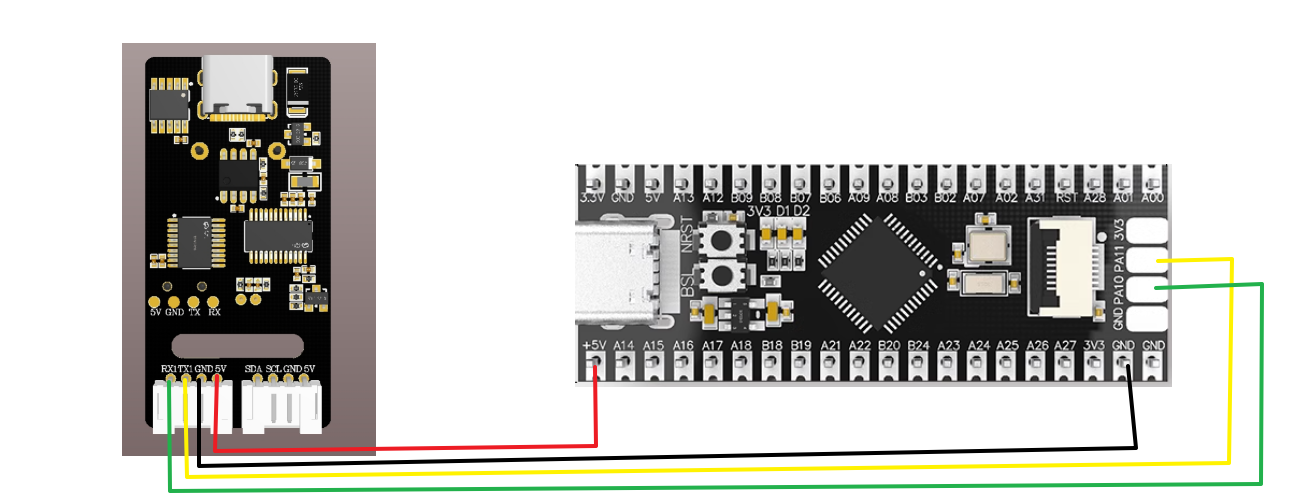
| mspm0g350 | Voice interaction module |
|---|---|
| PA0 | RX |
| PA1 | TX |
| GND | GND |
| 5V | 5V |
3. Program download
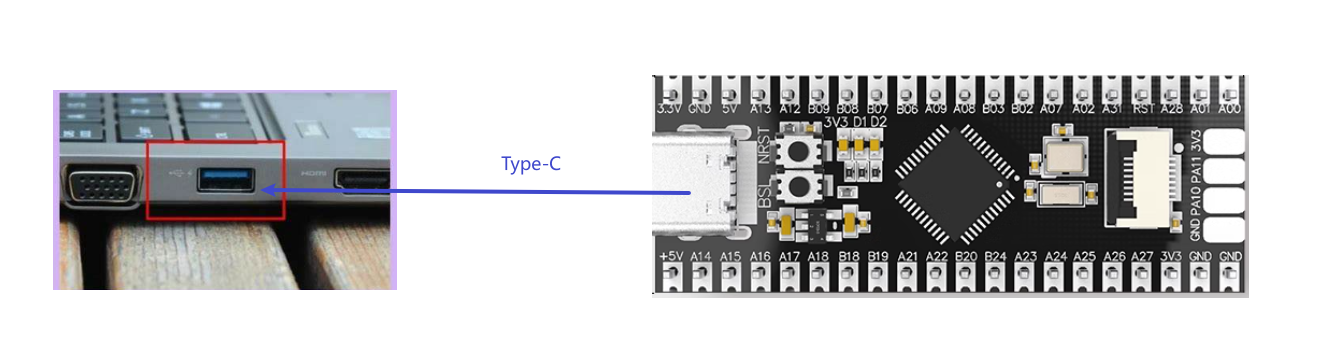
- Connect mspm0g350 to the computer using a download cable
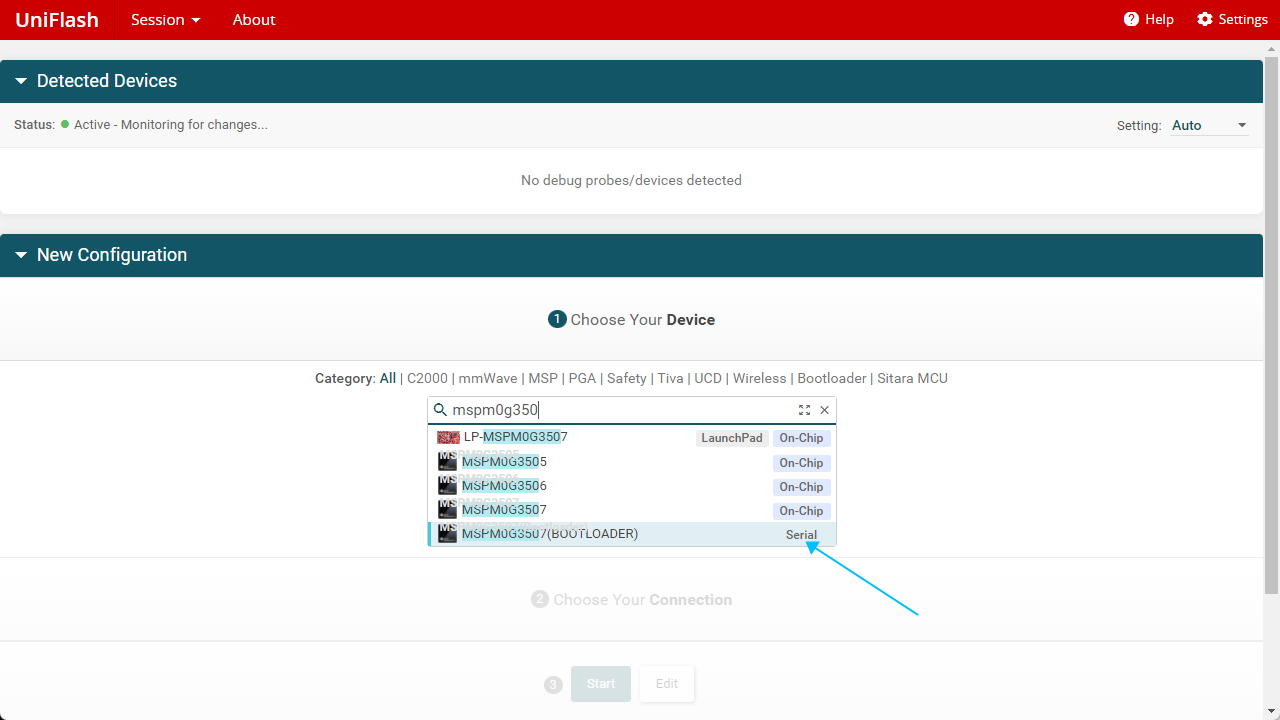
- Open the burning software UniFlash 8.8.1.exe, select the corresponding model mspm0g350, and then click start
-
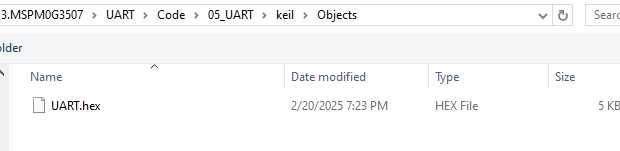
- Open the attachment and select the hex file in the Objects folder under the mspm0g350 source code in your own computer environment.
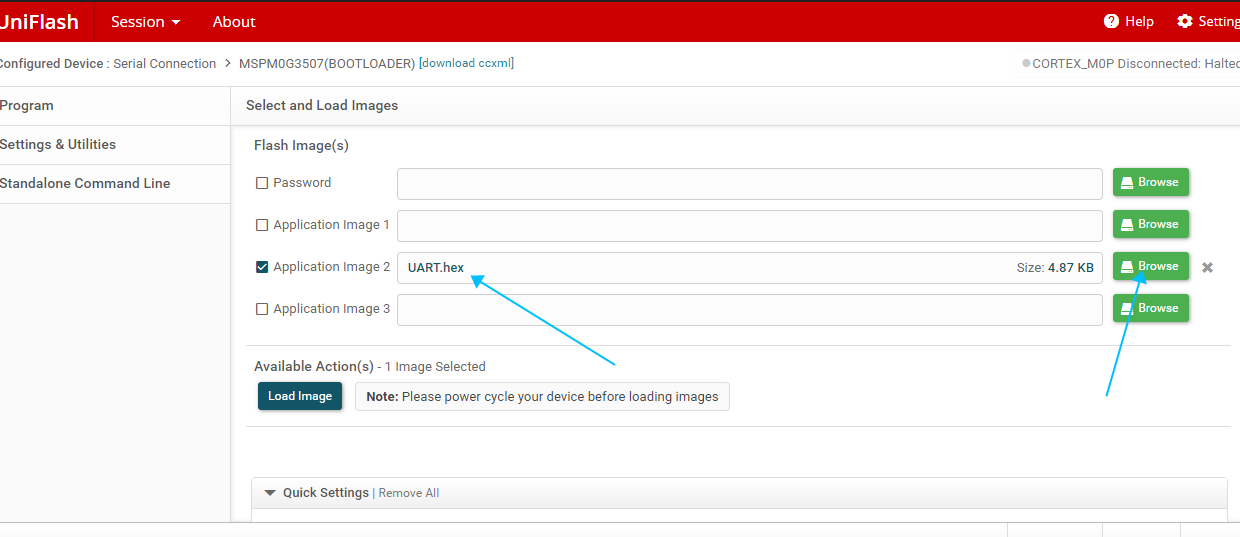
- Click Browse
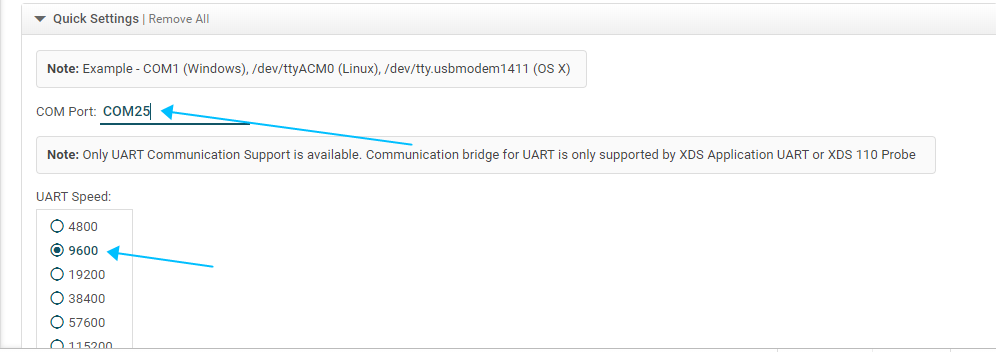
- Pull down to see the corresponding port number, and select the baud rate you set, here is 9600.
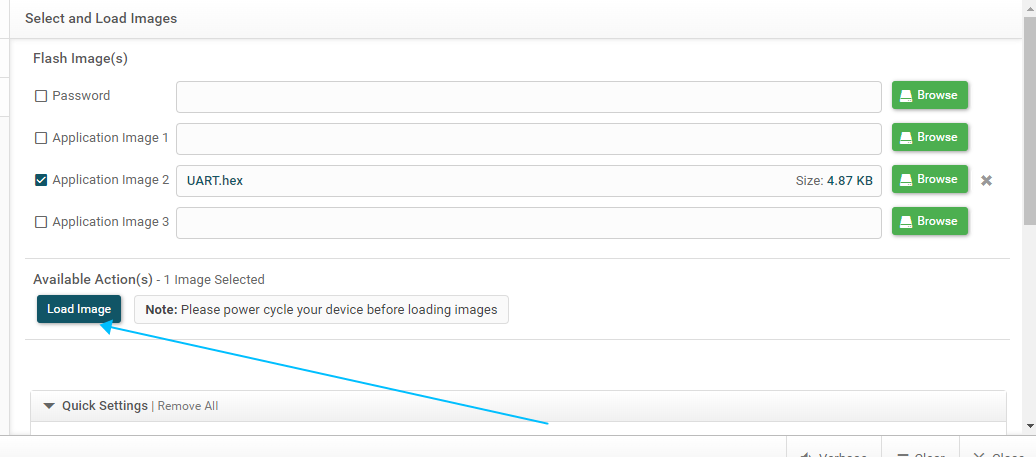
- Long press the BSL button, then short press the RST button for one second, release both buttons, and then click Load Image can burn the firmware
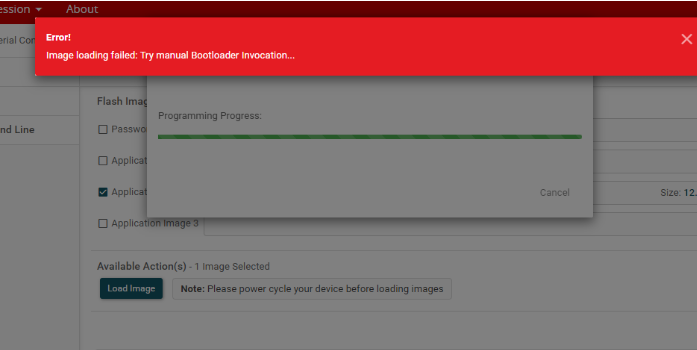
- The following picture appears, indicating that the program is written normally, and you don’t need to pay attention to the warning
- Hearing the voice module broadcast "I am ready", it means that the program is successfully written.
4.Achievement effect
- You can select the broadcast content by modifying the code in the program as shown below
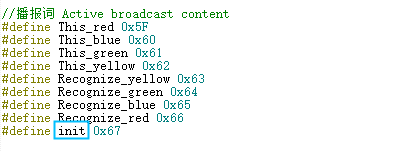
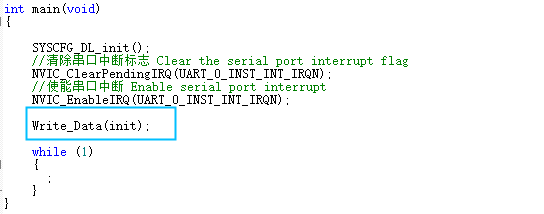
- The broadcast content can be viewed according to the Command Word Broadcast Word Protocol List V3_EN file provided in the attachment.
The first and second bytes AA FF represent the frame header of the protocol, the third byte FF represents the broadcast function, and the fourth is the ID of the broadcast content. Here you can see "I am ready" is hexadecimal 67, so the program sends 0x67 to register 0x03 to broadcast the corresponding content. The fifth byte is the end frame.

- Open the serial port debugging assistant provided in the attachment, select the corresponding port, and the baud rate is 115200, and the reception is set to hexadecimal reception
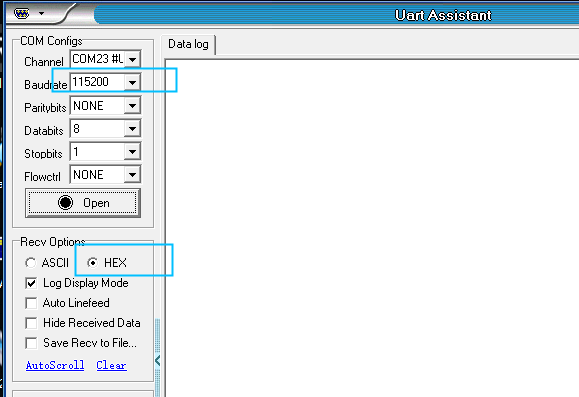
- Open the serial port, say the wake-up word to wake up, and say "close light". The debugging assistant will reply to receive 0A
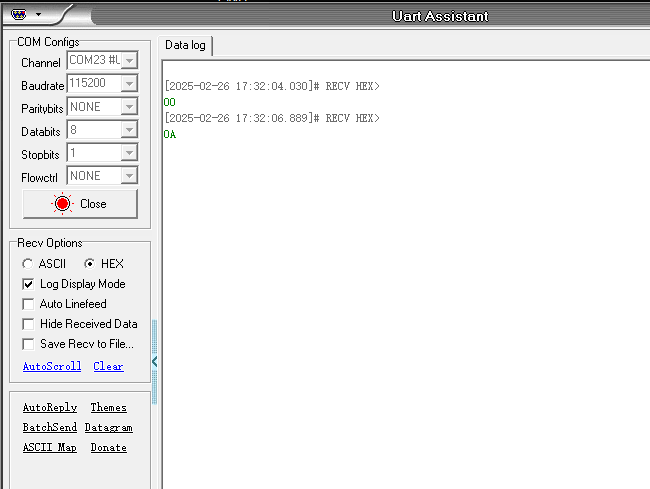
- At this time, you can open the attached Command Word Broadcast Word Protocol List V3_EN file to view the "Turn off the light" protocol

The first and second bytes AA FF represent the frame header of the protocol, the third byte represents the ID of the ten function words of the chip, and the fourth is the command word ID. Here you can see "close light" is hexadecimal 0A. The fifth byte is the end frame.
- For other command words, the serial port debugging assistant will also print the corresponding command word ID, you can try it yourself