Model conversion
Model conversion1. Raspberry Pi 5 YOLO11 (benchmark)2. Model conversion2.1, CLI: pt → onnx, pt → ncnn2.2、Python:pt → onnx → ncnn4. Model predictionCLI usageReferences
1. Raspberry Pi 5 YOLO11 (benchmark)
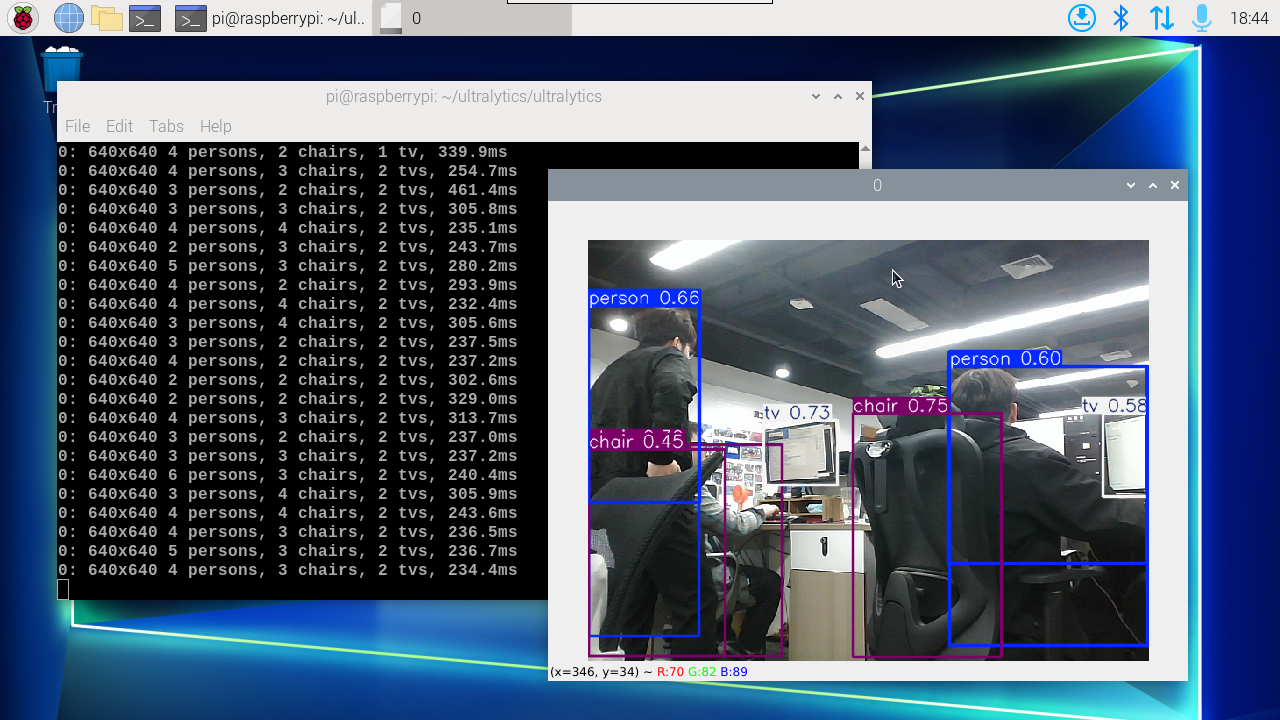
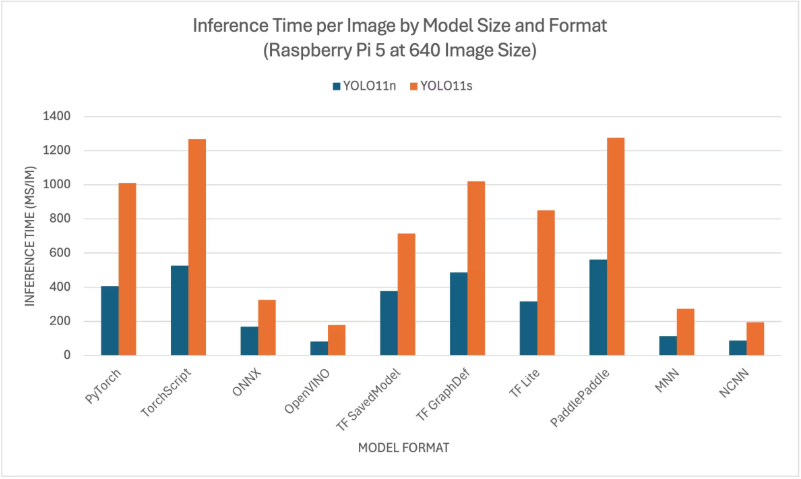
YOLO11 benchmark data comes from the Ultralytics team, which tests models in multiple different formats (data is for reference only)
Officially, only YOLO11n and YOLO11s models were benchmarked, because other models are too large to run on Raspberry Pis and cannot provide good performance.
2. Model conversion
According to the test parameters of different formats provided by the Ultralytics team, we can find that the inference performance is best when using TensorRT!
When using the export mode of YOLO11 for the first time, some dependencies will be automatically installed. Just wait for it to be completed automatically!
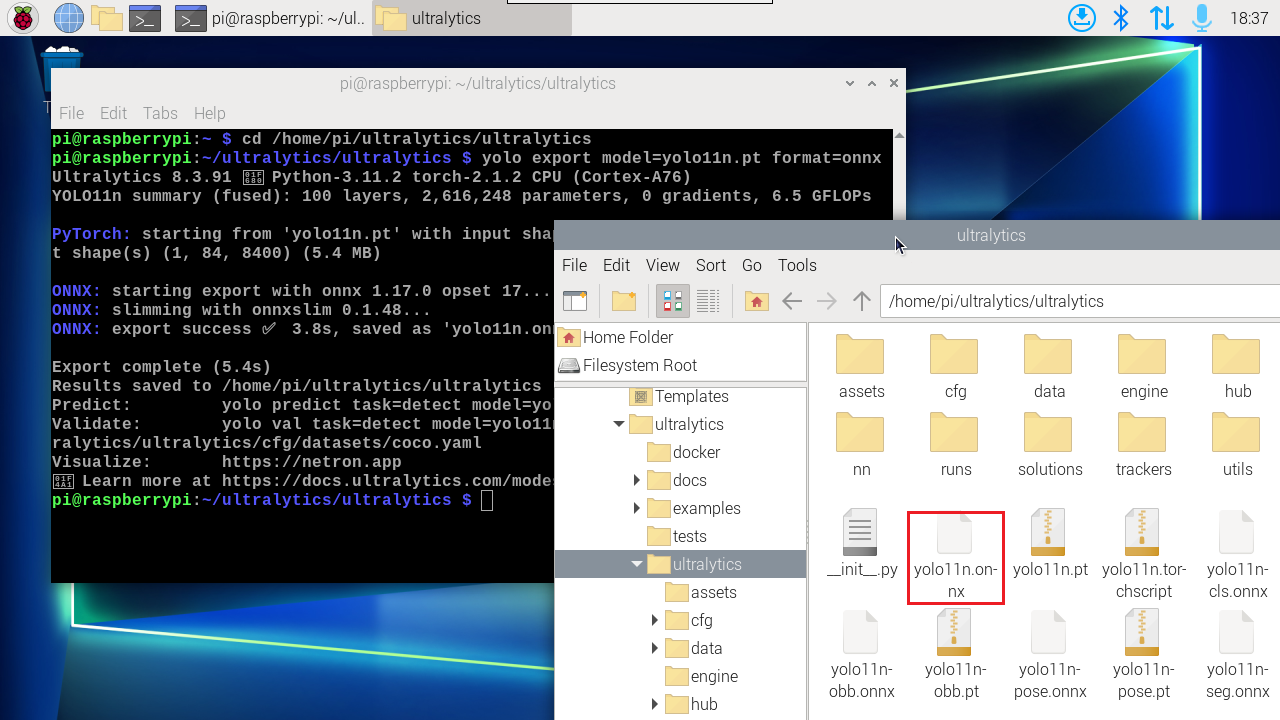
2.1, CLI: pt → onnx, pt → ncnn
Convert PyTorch format models to onnx and ncnn
xxxxxxxxxxcd /home/pi/ultralytics/ultralytics
xyolo export model=yolo11n.pt format=onnx# yolo export model=yolo11n-seg.pt format=onnx# yolo export model=yolo11n-pose.pt format=onnx# yolo export model=yolo11n-cls.pt format=onnx# yolo export model=yolo11n-obb.pt format=onnxyolo export model=yolo11n.pt format=ncnn# yolo export model=yolo11n-seg.pt format=ncnn# yolo export model=yolo11n-pose.pt format=ncnn# yolo export model=yolo11n-cls.pt format=ncnn# yolo export model=yolo11n-obb.pt format=ncnn

2.2、Python:pt → onnx → ncnn
Convert the PyTorch model to TensorRT: The conversion process will automatically generate an ONNX model
xxxxxxxxxxcd /home/pi/ultralytics/ultralytics/yahboom_demo
xxxxxxxxxxpython3 model_pt_onnx_ncnn.py
xxxxxxxxxxfrom ultralytics import YOLO# Load a YOLO11n PyTorch modelmodel = YOLO("/home/pi/ultralytics/ultralytics/yolo11n.pt")# model = YOLO("/home/pi/ultralytics/ultralytics/yolo11n-seg.pt")# model = YOLO("/home/pi/ultralytics/ultralytics/yolo11n-pose.pt")# model = YOLO("/home/pi/ultralytics/ultralytics/yolo11n-cls.pt")# model = YOLO("/home/pi/ultralytics/ultralytics/yolo11n-obb.pt")# Export the model to ONNX formatmodel.export(format="onnx") # This will create 'yolo11n.onnx' in the same directory# Export the model to NCNN formatmodel.export(format="ncnn") # creates 'yolo11n_ncnn_model'Note: The converted model file is located in the converted model file location

4. Model prediction
CLI usage
CLI currently only supports calling USB cameras. CSI camera users can directly modify the previous python code to call onnx and ncnn models!
xxxxxxxxxxcd /home/pi/ultralytics/ultralytics
xxxxxxxxxxyolo predict model=yolo11n.onnx source=0 save=False show
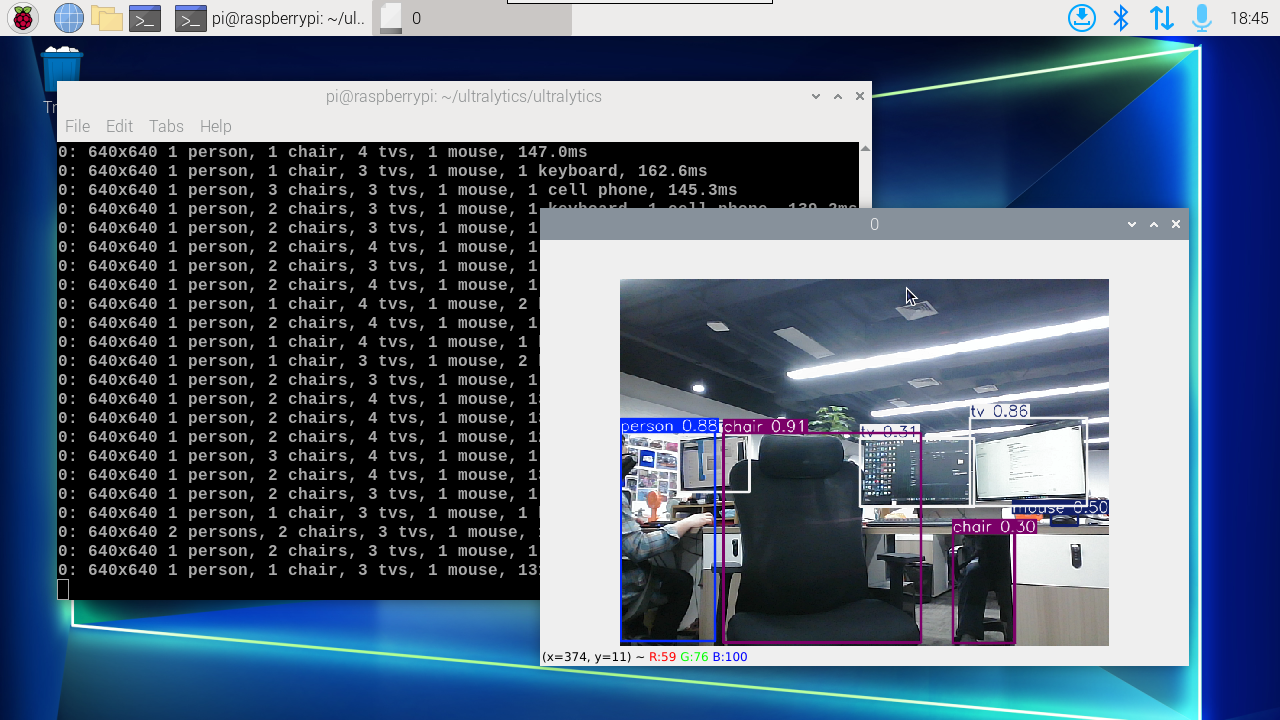
xxxxxxxxxxyolo predict model=yolo11n_ncnn_model source=0 save=False show