Instance Segmentation
Instance Segmentation1. Model Introduction2. Start2.1. Enter docker2.2. Instance segmentation: imageEffect preview2.3, Instance segmentation: videoEffect preview2.4, Instance Segmentation: Real-time DetectionEffect PreviewReferences
Use Python to demonstrate the effect of Ultralytics: Instance Segmentation in image, video, and real-time detection.
1. Model Introduction
Instance segmentation goes a step further than object detection. It involves identifying individual objects in an image and segmenting them from the rest of the image.
The output of the instance segmentation model is a set of masks or outlines that outline each object in the image, as well as the class label and confidence score of each object. Instance segmentation is very useful when you need to know not only the location of objects in the image, but also their specific shapes.
2. Start
2.1. Enter docker
Run YOLOv11's docker script
xxxxxxxxxxsh ~/yolov11_dcoker.sh
2.2. Instance segmentation: image
Use yolo11n-seg.pt to predict the pictures that come with the ultralytics project.
Enter the code folder:
xxxxxxxxxxcd /ultralytics/ultralytics/yahboom_demo
Run the code:
xxxxxxxxxxpython3 02.segmentation_image.py
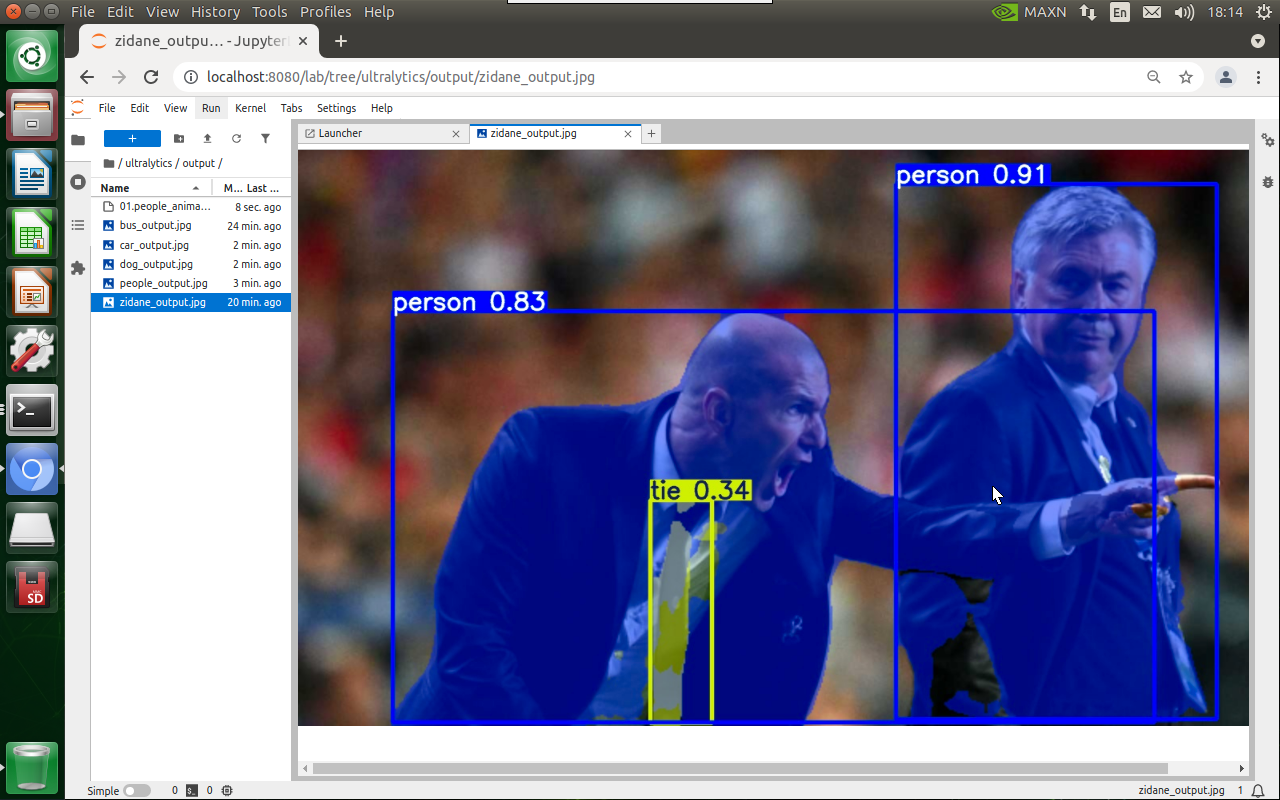
Effect preview
Yolo recognizes the output image location: /ultralytics/ultralytics/output/
1. View using jupyter lab
Open another terminal to enter the docker container and use jupyter lab to view the image
xxxxxxxxxxdocker ps -a

xxxxxxxxxxdocker exec -it be79bf10e970 /bin/bash #Container ID needs to be modified according to the actual one you findcd /ultralyticsjupyter lab --allow-root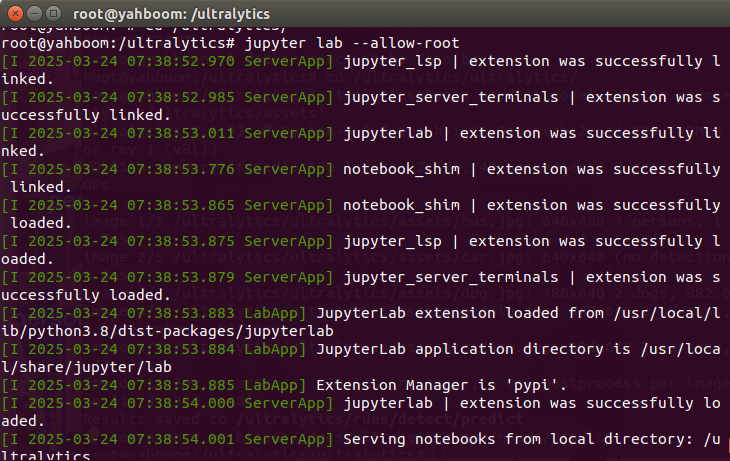
Access directly through http://localhost:8080/ in the system browser:
xxxxxxxxxxhttp://localhost:8080/
2. Copy the file to the host machine for viewing
Enter the following command in the host terminal
xxxxxxxxxxdocker cp be79bf10e970:/ultralytics/ultralytics/output/ /home/jetson/ultralytics/ultralytics/ #Container ID needs to be modified according to the actual one you find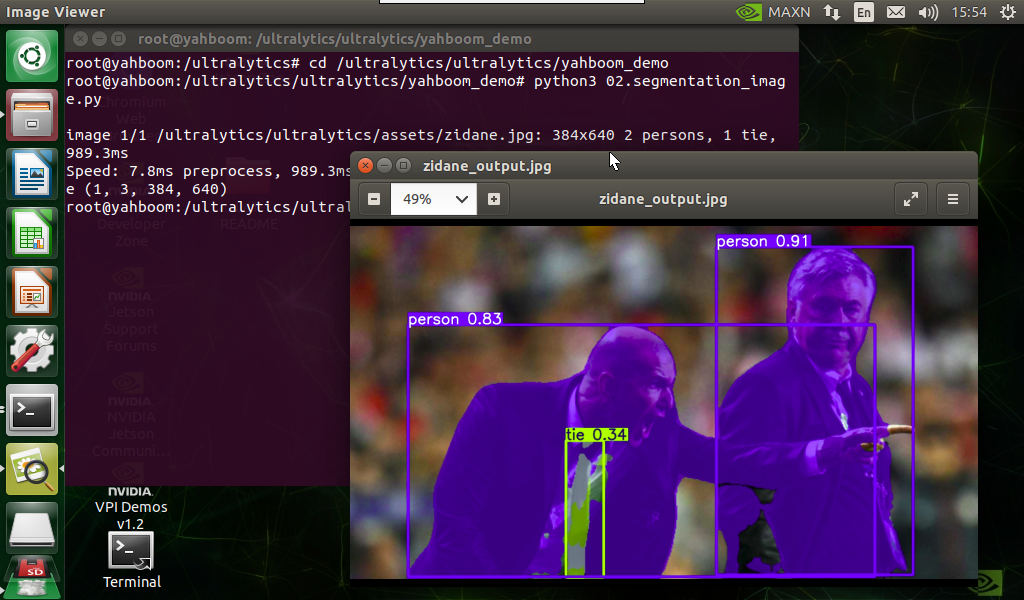
Sample code:
xxxxxxxxxxfrom ultralytics import YOLO# Load a modelmodel = YOLO("/ultralytics/ultralytics/yolo11n-seg.pt")# Run batched inference on a list of imagesresults = model("/ultralytics/ultralytics/assets/zidane.jpg") # return a list of Results objects# Process results listfor result in results: # boxes = result.boxes # Boxes object for bounding box outputs masks = result.masks # Masks object for segmentation masks outputs # keypoints = result.keypoints # Keypoints object for pose outputs # probs = result.probs # Probs object for classification outputs # obb = result.obb # Oriented boxes object for OBB outputs result.show() # display to screen result.save(filename="/ultralytics/ultralytics/output/zidane_output.jpg") # save to disk2.3, Instance segmentation: video
Use yolo11n-seg.pt to predict videos under the ultralytics project (not the videos that come with ultralytics).
Enter the code folder:
xxxxxxxxxxcd /ultralytics/ultralytics/yahboom_demo
Run the code:
xxxxxxxxxxpython3 02.segmentation_video.py
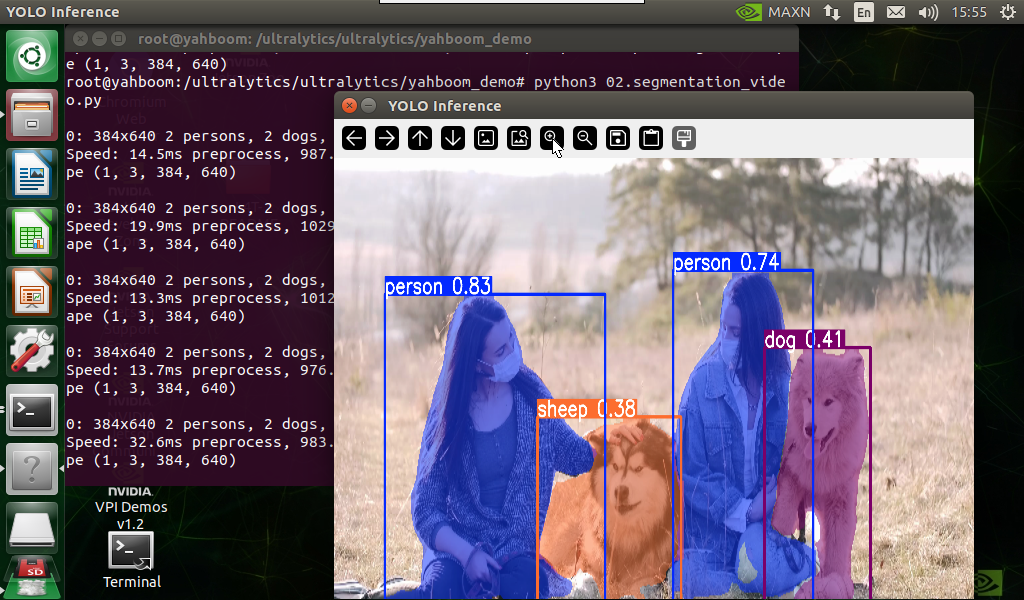
Effect preview
Video location of yolo recognition output: /ultralytics/ultralytics/output/
The output video will be displayed in real time during the code running process. If you want to view the video later, you can refer to the above [2. Copy the file to the host machine for viewing] tutorial operation.
Sample code:
xxxxxxxxxximport cv2from ultralytics import YOLO# Load the YOLO modelmodel = YOLO("/ultralytics/ultralytics/yolo11n-seg.pt")# Open the video filevideo_path = "/ultralytics/ultralytics/videos/people_animals.mp4"cap = cv2.VideoCapture(video_path)# Get the video frame size and frame rateframe_width = int(cap.get(cv2.CAP_PROP_FRAME_WIDTH))frame_height = int(cap.get(cv2.CAP_PROP_FRAME_HEIGHT))fps = int(cap.get(cv2.CAP_PROP_FPS))# Define the codec and create a VideoWriter object to output the processed videooutput_path = "/ultralytics/ultralytics/output/02.people_animals_output.mp4"fourcc = cv2.VideoWriter_fourcc(*'mp4v') # You can use 'XVID' or 'mp4v' depending on your platformout = cv2.VideoWriter(output_path, fourcc, fps, (frame_width, frame_height))# Loop through the video frameswhile cap.isOpened(): # Read a frame from the video success, frame = cap.read() if success: # Run YOLO inference on the frame results = model(frame) # Visualize the results on the frame annotated_frame = results[0].plot() # Write the annotated frame to the output video file out.write(annotated_frame) # Display the annotated frame cv2.imshow("YOLO Inference", cv2.resize(annotated_frame, (640, 480))) # Break the loop if 'q' is pressed if cv2.waitKey(1) & 0xFF == ord("q"): break else: # Break the loop if the end of the video is reached break# Release the video capture and writer objects, and close the display windowcap.release()out.release()cv2.destroyAllWindows()2.4, Instance Segmentation: Real-time Detection
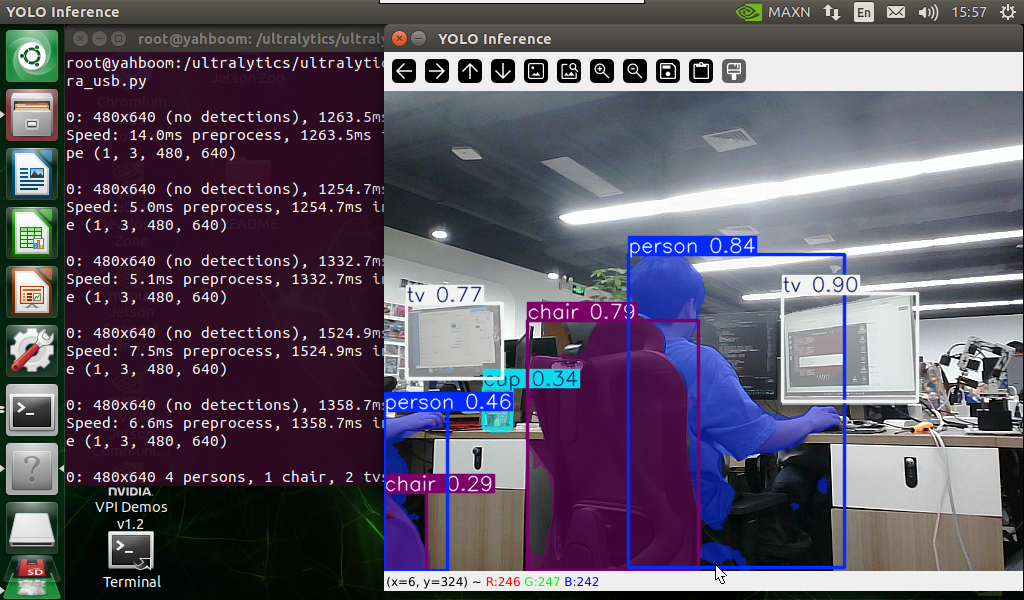
Use yolo11n-seg.pt to predict the USB camera screen.
Enter the code folder:
xxxxxxxxxxcd /ultralytics/ultralytics/yahboom_demo
Run the code: Click the preview screen, press the q key to terminate the program!
xxxxxxxxxxpython3 02.segmentation_camera_usb.py
Effect Preview
Yolo recognizes the output video location: /ultralytics/ultralytics/output/
The camera screen will be displayed in real time during the code running. If you want to view the video later, you can refer to the above [2. Copy the file to the host machine for viewing] tutorial operation.
Sample code:
xxxxxxxxxximport cv2from ultralytics import YOLO# Load the YOLO modelmodel = YOLO("/ultralytics/ultralytics/yolo11n-seg.pt")# Open the cammeracap = cv2.VideoCapture(0)# Get the video frame size and frame rateframe_width = int(cap.get(cv2.CAP_PROP_FRAME_WIDTH))frame_height = int(cap.get(cv2.CAP_PROP_FRAME_HEIGHT))fps = int(cap.get(cv2.CAP_PROP_FPS))# Define the codec and create a VideoWriter object to output the processed videooutput_path = "/ultralytics/ultralytics/output/02.segmentation_camera_usb.mp4"fourcc = cv2.VideoWriter_fourcc(*'mp4v') # You can use 'XVID' or 'mp4v' depending on your platformout = cv2.VideoWriter(output_path, fourcc, fps, (frame_width, frame_height))# Loop through the video frameswhile cap.isOpened(): # Read a frame from the video success, frame = cap.read() if success: # Run YOLO inference on the frame results = model(frame) # Visualize the results on the frame annotated_frame = results[0].plot() # Write the annotated frame to the output video file out.write(annotated_frame) # Display the annotated frame cv2.imshow("YOLO Inference", cv2.resize(annotated_frame, (640, 480))) # Break the loop if 'q' is pressed if cv2.waitKey(1) & 0xFF == ord("q"): break else: # Break the loop if the end of the video is reached break# Release the video capture and writer objects, and close the display windowcap.release()out.release()cv2.destroyAllWindows()