Robot arm Calibration
 | This operation has been performed before the default robot is delivered. You do not need to repeat the operation. Incorrect use of this function may cause damage to the robot. If your robot works without abnormal conditions, please do not use it. Thank you for your cooperation. |
|---|
Before performing a zero calibration, allow the machine to return to zero and check for any deviation in the zero attitude. If there is, then perform zero calibration; if not, zero calibration is not required. You can use pythonAPI to make the joints reach the zero position:
send_angles(degrees, speed), where degrees is a floating-point list with [0,0,0,0,0,0] representing the zero position of the six joints, and speed is the speed at which the joints are moving, which takes the values of 0 to 100.

Calibrating the robot arm is the precondition for precise control of the robot arm, and setting joint zero and initializing the potential of the motor are basic jobs for subsequent advanced development.
Different types of equipment have different operating methods. They have the approximate steps below:
Burn the latest version of atomMain for Atom, and the minirobot for M5Stack-basic.
Choose the Calibration function (It is unnecessary to burn Basic for micro-CPU devices)
move all joints of the robot arm to their zero positions (align them with the scale line of zero positions)
Press the calibration button and get started with robot arm calibration
press the test button to test the zero positions
press the exit button to exit this function
In this chapter, we will teach you how to calibrate the robot arm and to test and verify the joints.
Calibration Demonstration
1 Applicable Robotic Arms
myCobot 320 M5
2 Steps to Operate the Arm
Step1:
Please confirm that you are aware of the product safety instructions and ensure that the device has been connected with cables as described in Chapter 4.
Turn on the power switch and ensure that the emergency stop switch is connected and not pressed.
Confirm that the Atom LED light board at the robot's end-effector is illuminated and that the robot's joints have torque output, making the joints unable to rotate.
Step 2: Press OK Select Calibration.
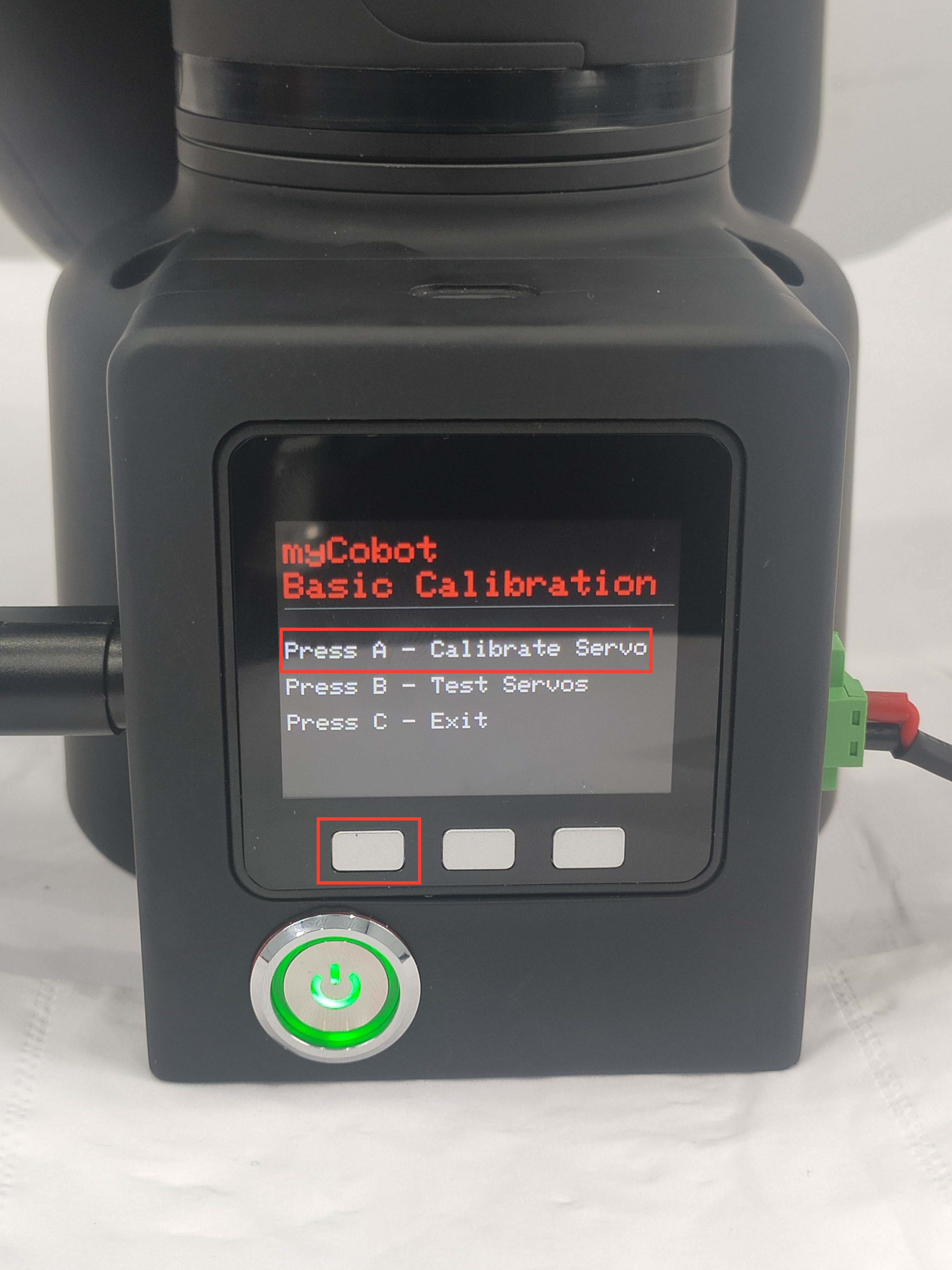
Step 2: Press A to start robot arm calibration.
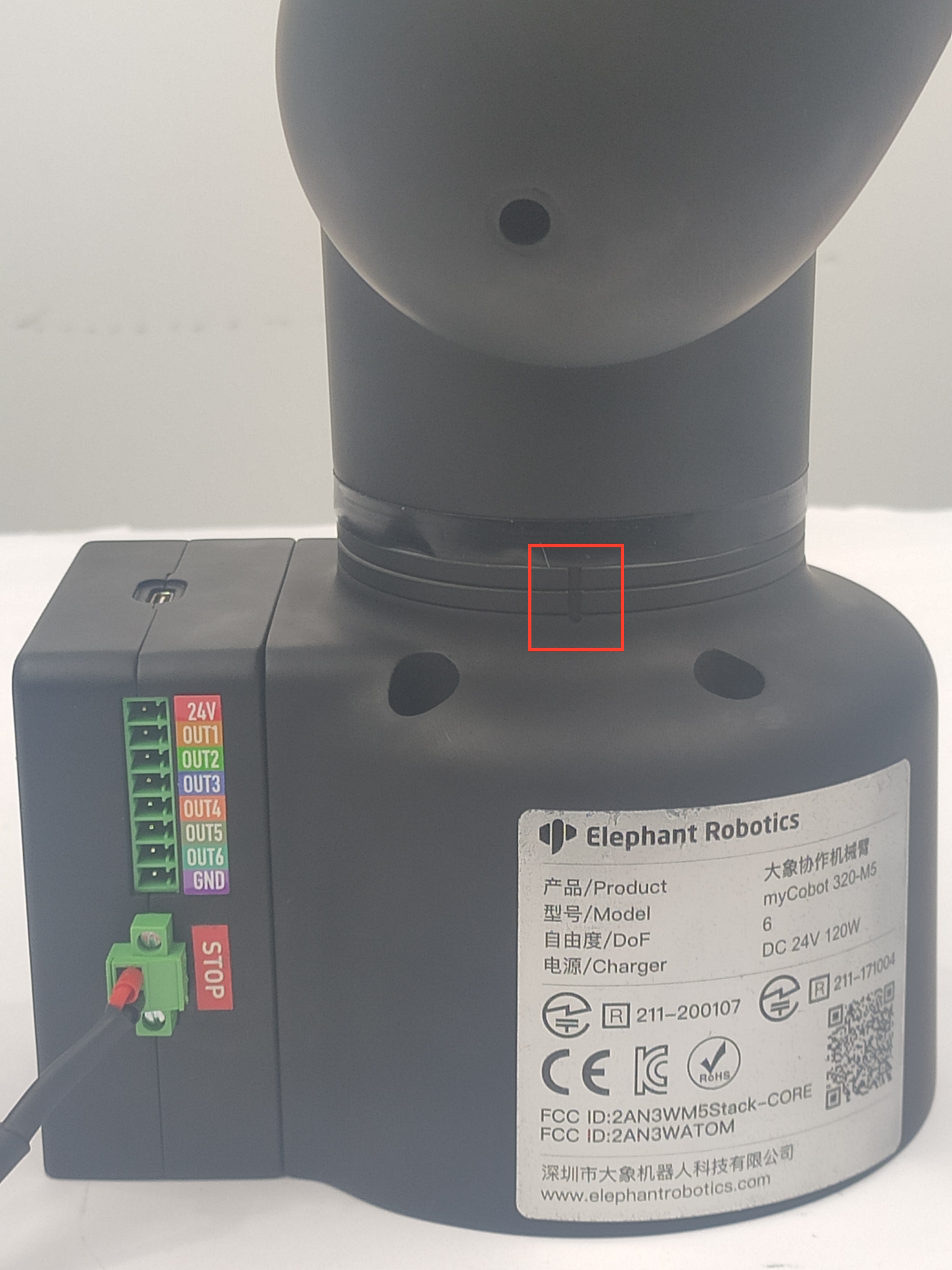
Step 3: Align each joint with zero-position line in sequence.
Step 4: After finishing calibrating all joints, a signal Already Calibrate all !! emerges on the screen.

Calibration results
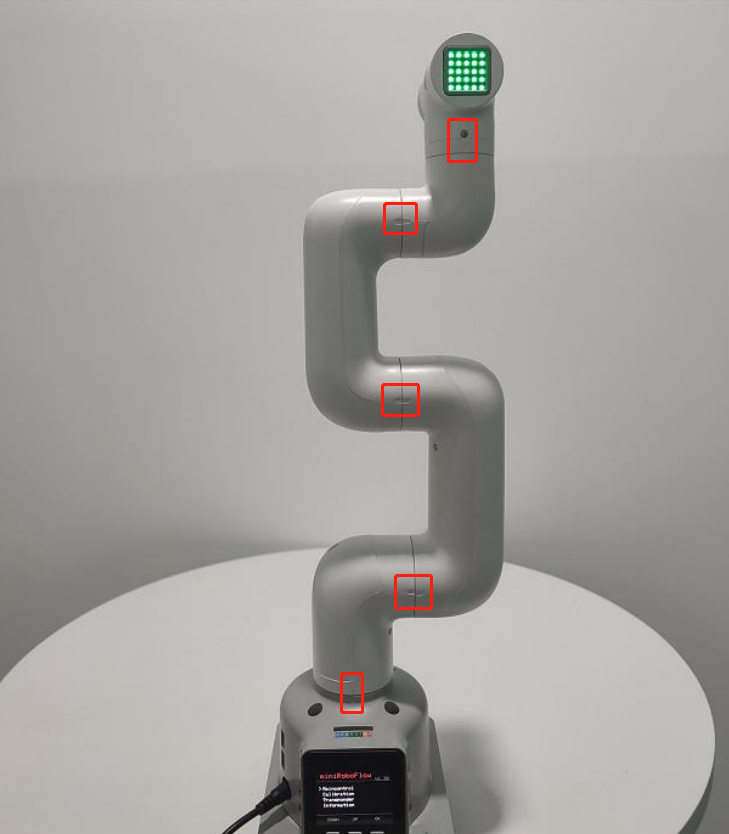
Step 5: Press EXIT to stop calibration and then press B to test the zero positions of all joints.
The joints will rotate positively and negatively by 15-30 degrees and return to the zero position.
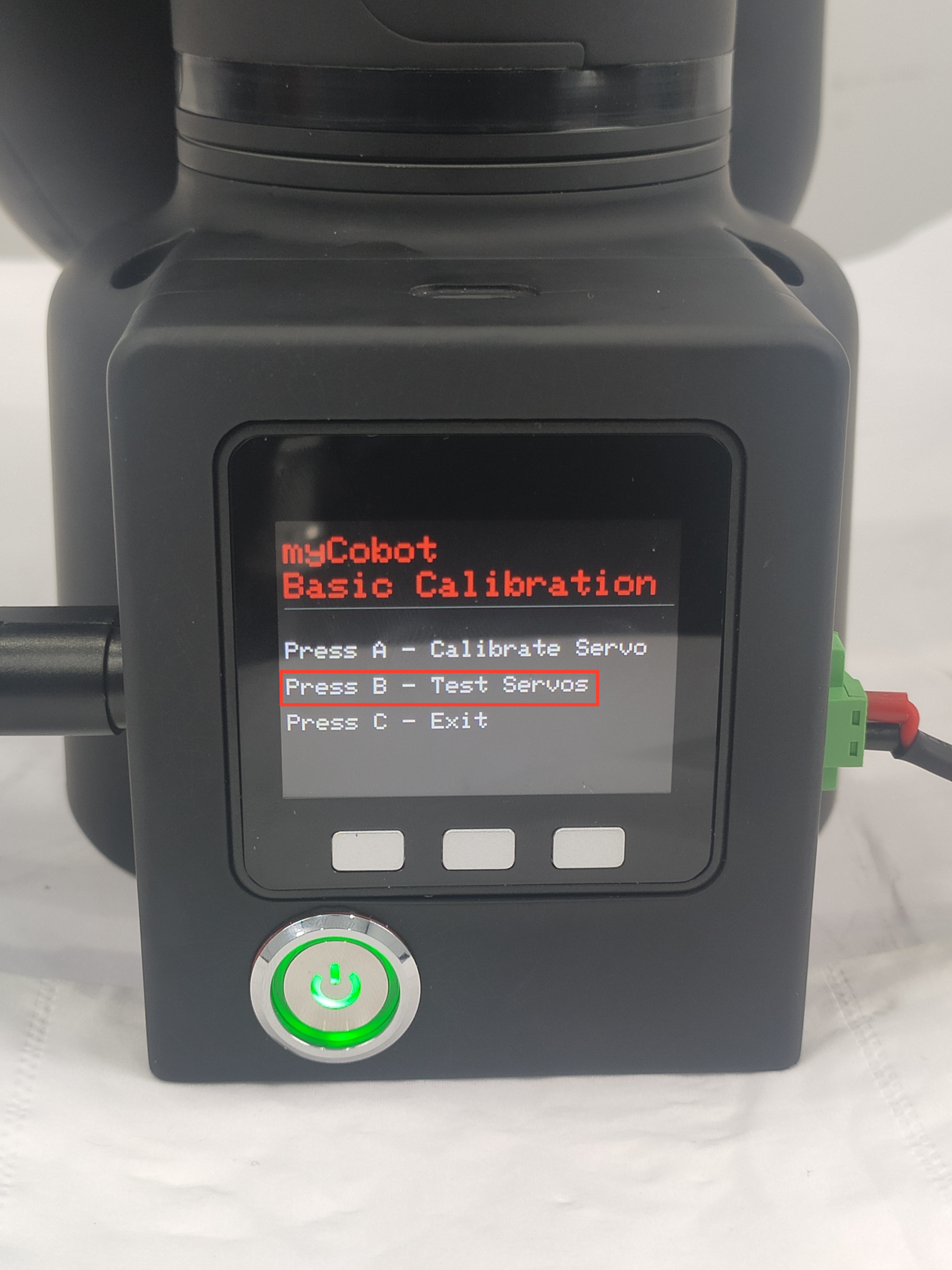
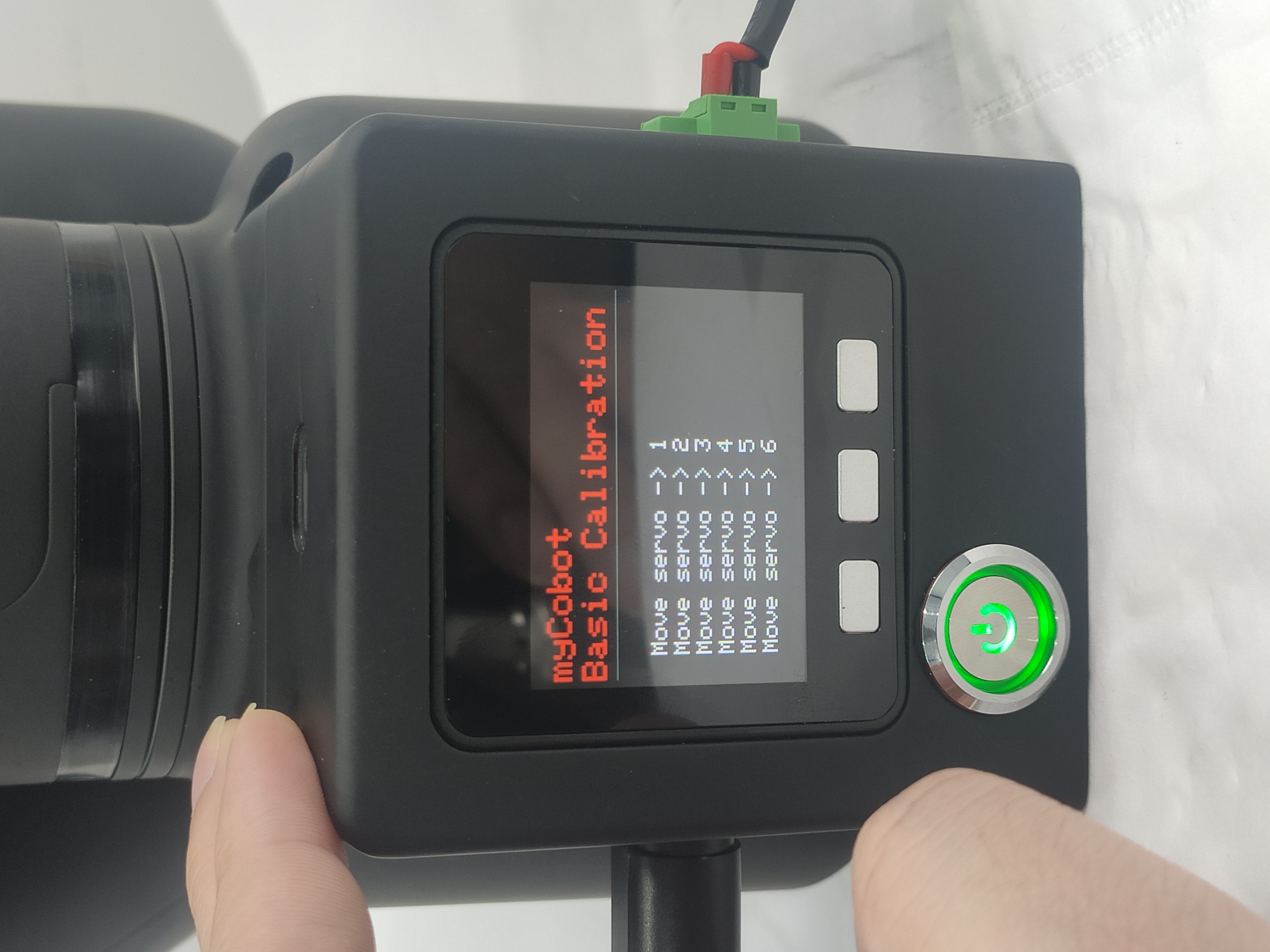
Step 6: Press C to exit this function. Calibration completes.
