Install programming environment: CanMV IDE for K230
Obtain information
Use a browser to open the Yahboom K230 tutorial website: K230 Vision Module
You can find the corresponding tools in the download area in the lower left corner of the webpage.
Install CanMV IDE for K230
Open the [0. Development Board Information] directory and find the installer named canmv-ide-for-k230_v4.0.7.exe
Double-click to open
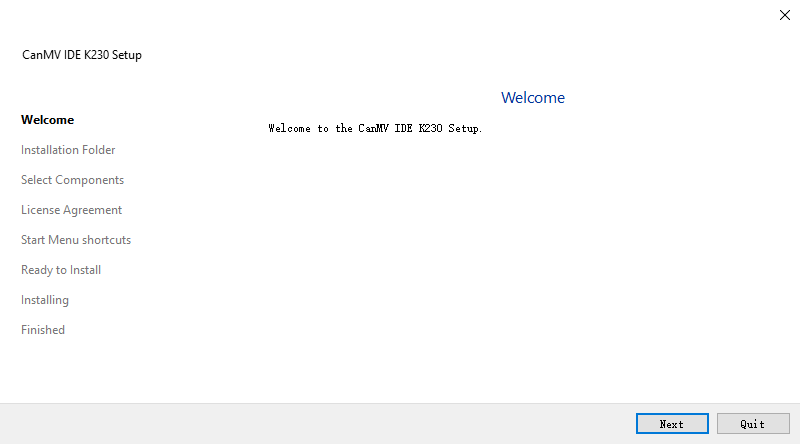
Click 【Next】
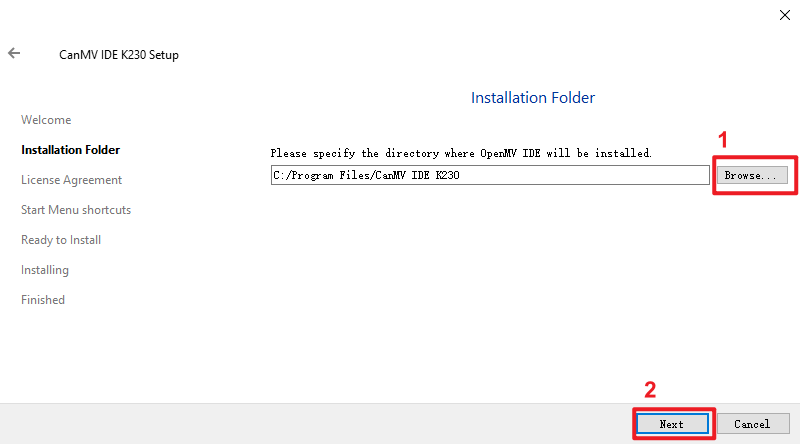
Click Browse to select the installation directory. To reduce the possibility of abnormalities, please select a path that does not contain Chinese characters
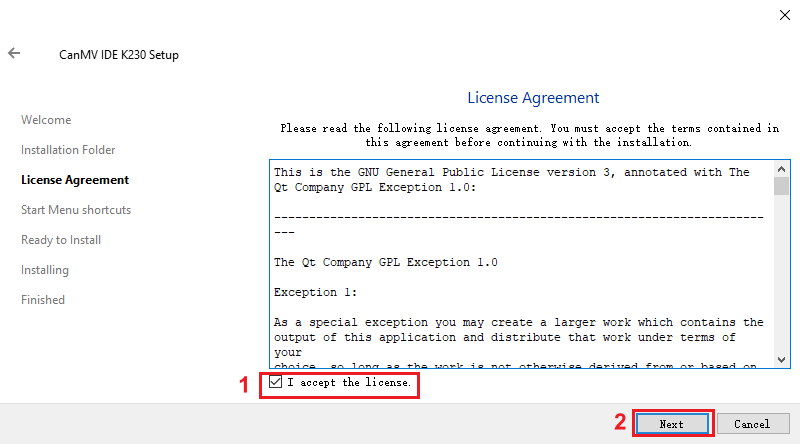
Check "I accept the license" and click Next
Click 【Next】 and 【Install】 is enough
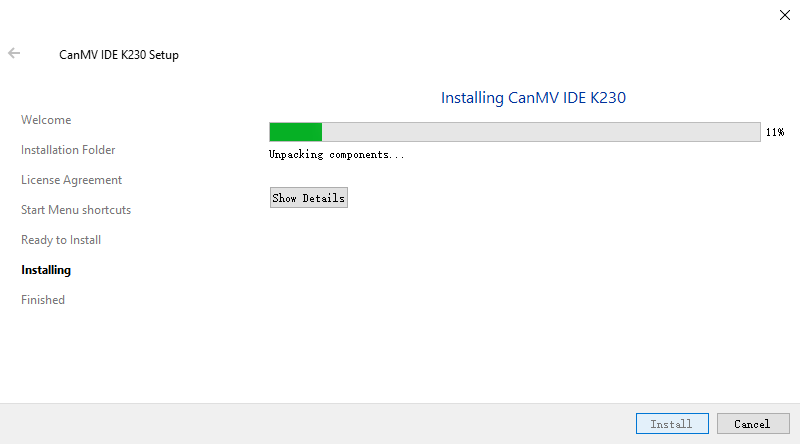
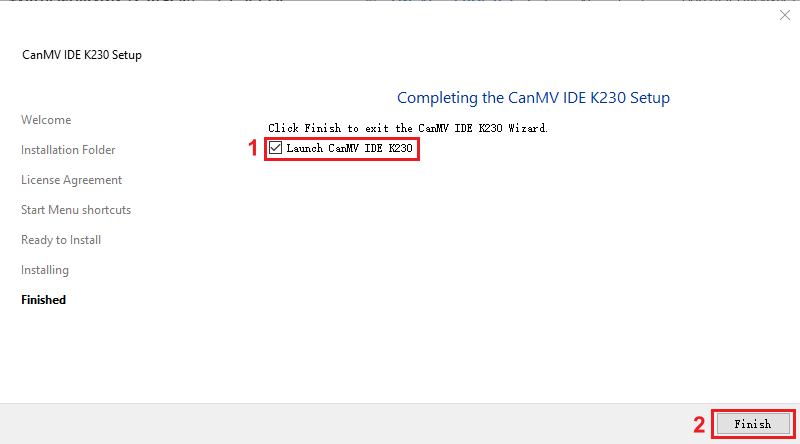
After the installation is complete, CanMV IDE will automatically start
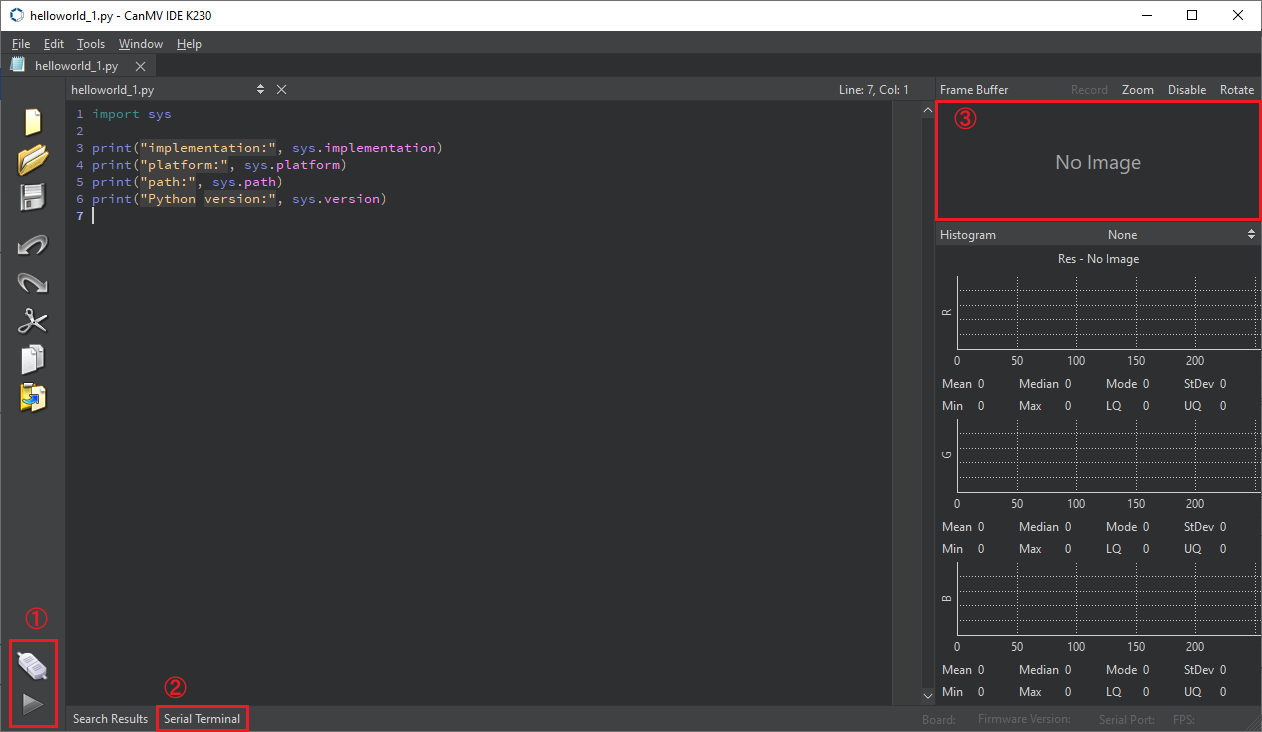
Among them
① Area is used to control [Connect/Disconnect K230] / [Start Program] / [Terminate Program]
② Area is a serial terminal button. Clicking this button will open the serial terminal that comes with CanMV. The output of our exceptions/errors/print() methods in the code will be displayed here
③ Area is a frame buffer, which can be understood as a virtual K230 screen, which can help us to conveniently view and debug the image output of K230 without a screen.
Why does the program not stop when you click [Terminate Program] sometimes?
Answer: When you click the terminate button, an IDE Interrupt Exception will actually be triggered, and the program will generally terminate automatically. However, if the code involves multithreading, or the code has blocking/exception capture and other behaviors, the program may not be able to end completely. At this time, you can long press the reset (RST) key and wait for K230 to disconnect from the host computer (computer)
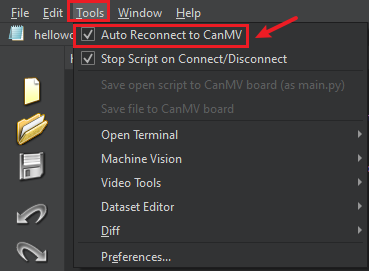
How to enable (/cancel) automatic connection to CanMV IDE when K230 is plugged into the computer?
Turn on/off the toolbar [Tools]-》[Automatically reconnect to CanMV]