OCR Character Recognition
Routine Experiment Effect
Based on the OCR detection in the previous section, let's implement a simple recognition function
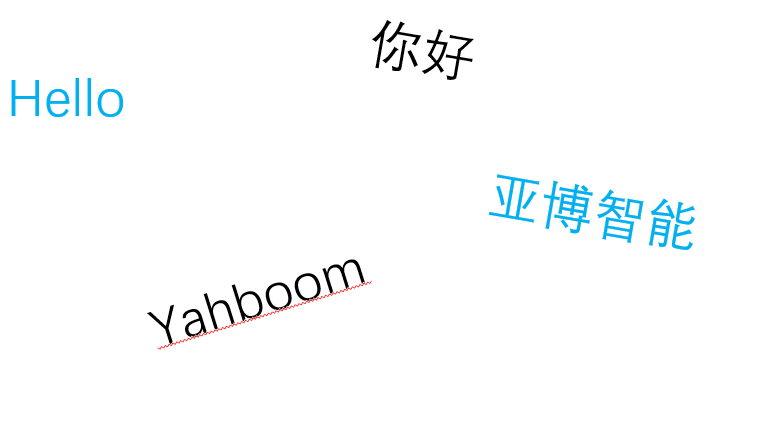
Run the example code in this section and point it to the image we prepared in the previous section:
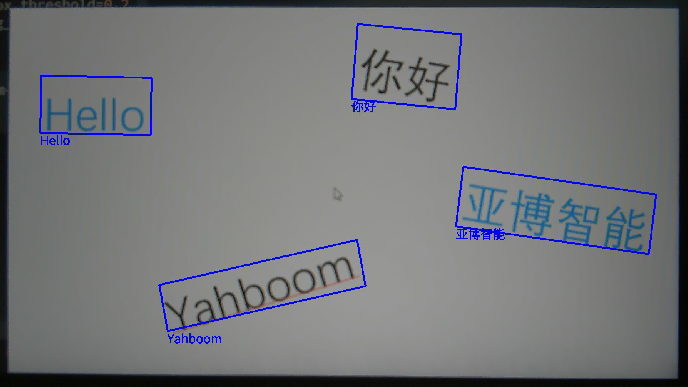
The results of K230 recognition are as follows (supports Chinese and English):
Code Explanation
Let's take a look at how the code is implemented. First, let's take a look at the overall code structure
Code structure
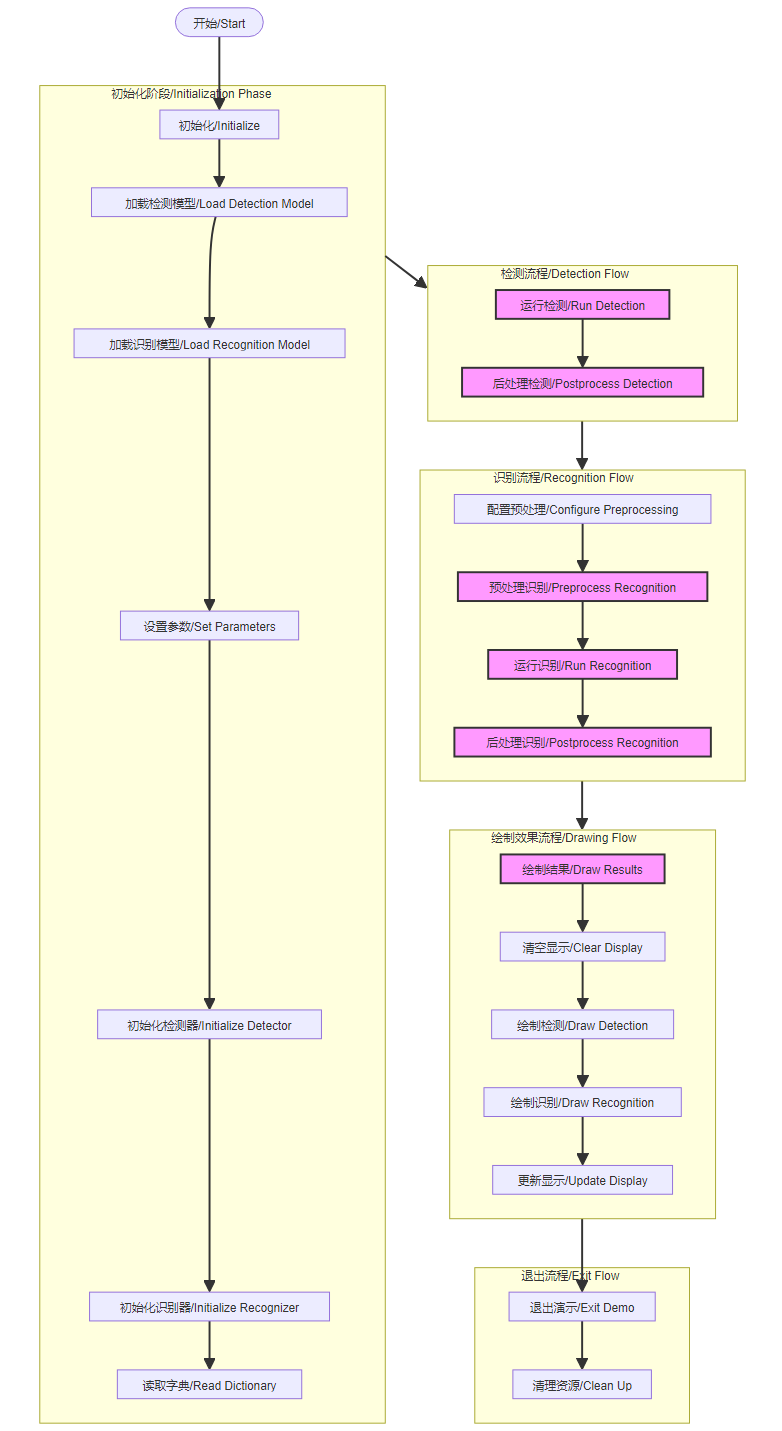
Initialization Phase:
- Load detection model
- Load recognition model
- Set various parameters/Set parameters
- Initialize detector
- Initialize recognizer
- Read dictionary
Detection Flow:
- Run detection
- Postprocess detection
Recognition Flow:
- Configure preprocessing
- Preprocess recognition input
- Run recognition model
- Postprocess recognition output
Drawing Flow:
- Clear display
- Draw detection
- Draw recognition
- Update display
Exit Flow:
- Exit demo
- Clean up
The flow chart is as follows:
Part of the code
For the complete code, please refer to the file [Source Code/09.Scene/02.ocr_rec.py]
xxxxxxxxxx # run函数,执行推理 # Run function for inference def run(self, input_np): # 先进行OCR检测 / First perform OCR detection det_res = self.ocr_det.run(input_np) boxes = [] ocr_res = [] for det in det_res: # 对得到的每个检测框执行OCR识别 / Perform OCR recognition on each detected box self.ocr_rec.config_preprocess(input_image_size=[det[0].shape[2], det[0].shape[1]], input_np=det[0]) ocr_str = self.ocr_rec.run(det[0]) ocr_res.append(ocr_str) boxes.append(det[1]) # 执行垃圾回收,减少内存占用 / Perform garbage collection to reduce memory usage gc.collect() return boxes, ocr_res # 绘制OCR检测识别效果 # Draw OCR detection and recognition results def draw_result(self, pl, det_res, rec_res): # 清除叠加层 / Clear overlay layer pl.osd_img.clear() if det_res: # 循环绘制所有检测到的框 / Loop through all detected boxes for j in range(len(det_res)): # 将原图的坐标点转换成显示的坐标点,循环绘制四条直线,得到一个矩形框 # Convert coordinates from original image to display coordinates # Draw four lines to form a rectangle for i in range(4): # 坐标转换 / Coordinate conversion x1 = det_res[j][(i * 2)] / self.rgb888p_size[0] * self.display_size[0] y1 = det_res[j][(i * 2 + 1)] / self.rgb888p_size[1] * self.display_size[1] x2 = det_res[j][((i + 1) * 2) % 8] / self.rgb888p_size[0] * self.display_size[0] y2 = det_res[j][((i + 1) * 2 + 1) % 8] / self.rgb888p_size[1] * self.display_size[1] # 绘制线段 / Draw line segment pl.osd_img.draw_line((int(x1), int(y1), int(x2), int(y2)), color=(255, 0, 0, 255), thickness=5) # 在框上方绘制识别文本 / Draw recognized text above the box pl.osd_img.draw_string_advanced(int(x1), int(y1), 32, rec_res[j], color=(0, 0, 255))