1.OpenRouter large model API aggregation platform
1.OpenRouter large model API aggregation platformConcept Introduction1.1 What is "OpenRouter"?2. Practical Operations2.1 Obtaining API Credentials2.2 Graphical Process2.3 Configuration File Modifications
Concept Introduction
1.1 What is "OpenRouter"?
OpenRouter is a large model API aggregation platform. You can think of it as a "universal remote control for large models." Typically, if you want to use OpenAI's GPT-4, Anthropic's Claude-3, and Google's Gemini, you need to register accounts on each platform, obtain three sets of API keys, and write three different sets of calling code for each of their different API formats.
OpenRouter solves this problem. It provides a unified API interface (compatible with OpenAI's API format). With just one OpenRouter API key, you can access all of these models, as well as hundreds of other open and closed-source models, through this single entry point.
The core advantages of integrating OpenRouter into largemodel projects are:
- Ultimate flexibility: You can seamlessly switch between any model, such as GPT, Claude, or Llama, by simply changing a model name in the configuration file, without changing any code.
- Cost-Effectiveness: OpenRouter provides clear pricing for each model, allowing you to easily compare and select the most cost-effective model for your specific task.
- Explore Cutting-Edge Models: Many new and excellent open source models are included in OpenRouter as soon as possible, allowing developers to quickly try them out.
In the largemodel project, configure the llm_platform parameter to openrouter to enable this powerful aggregation platform.
2. Practical Operations
2.1 Obtaining API Credentials
- Register for OpenRouter: Visit OpenRouter.ai and register an account using Google or email. If the connection fails, search for the "OpenRouter" platform yourself.
- Top Up: OpenRouter uses a prepaid payment model. You must first top up a small amount (e.g., $5) on the "Credits" page to start using it. Alternatively, you can directly use the free models, but there are rate limits.
- Create an API Key: On the "Keys" page, click "Create Key" to generate a new API key. Copy and save it immediately.
2.2 Graphical Process
- First visit the following website. If the connection fails, search for the "OpenRouter" platform and then search for keywords related to large models.
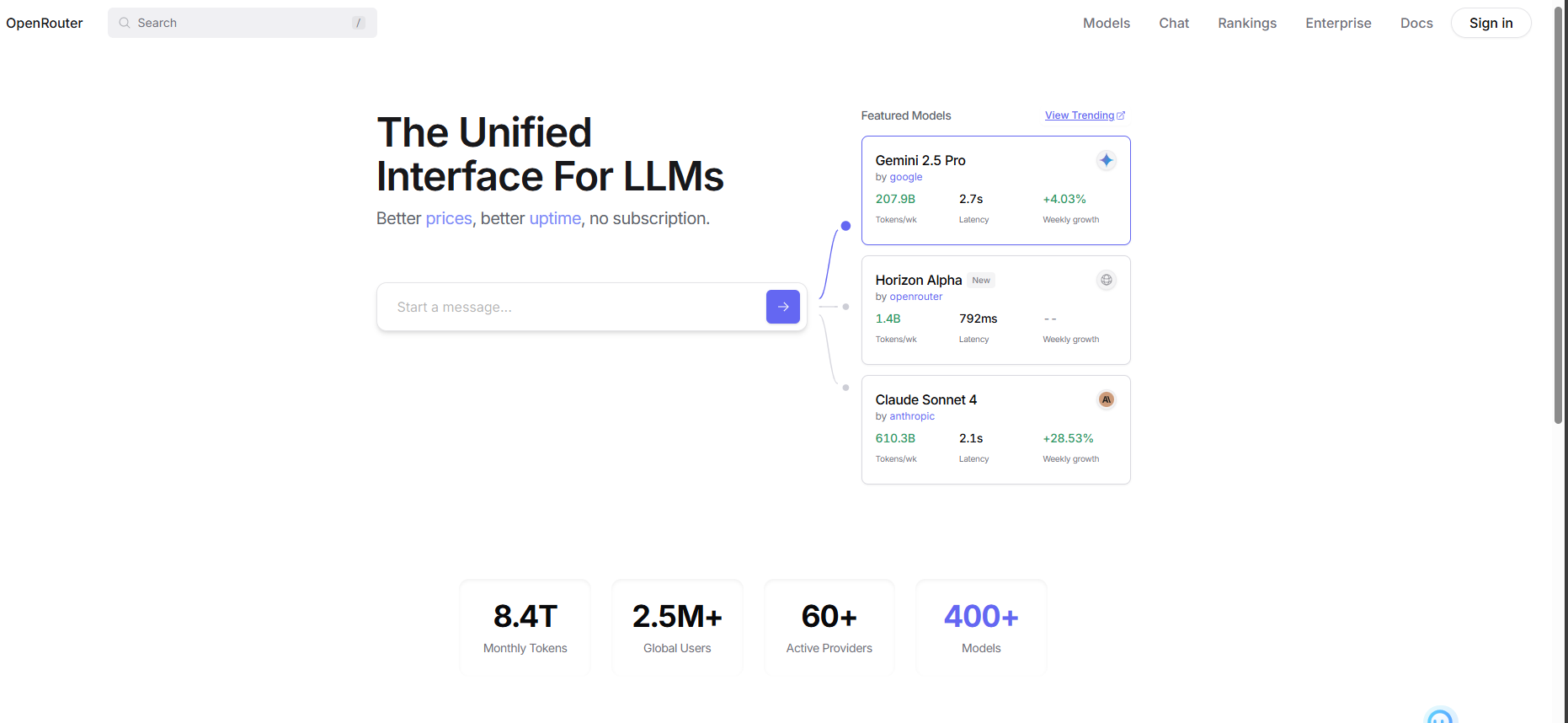
- Register and log in to your account.
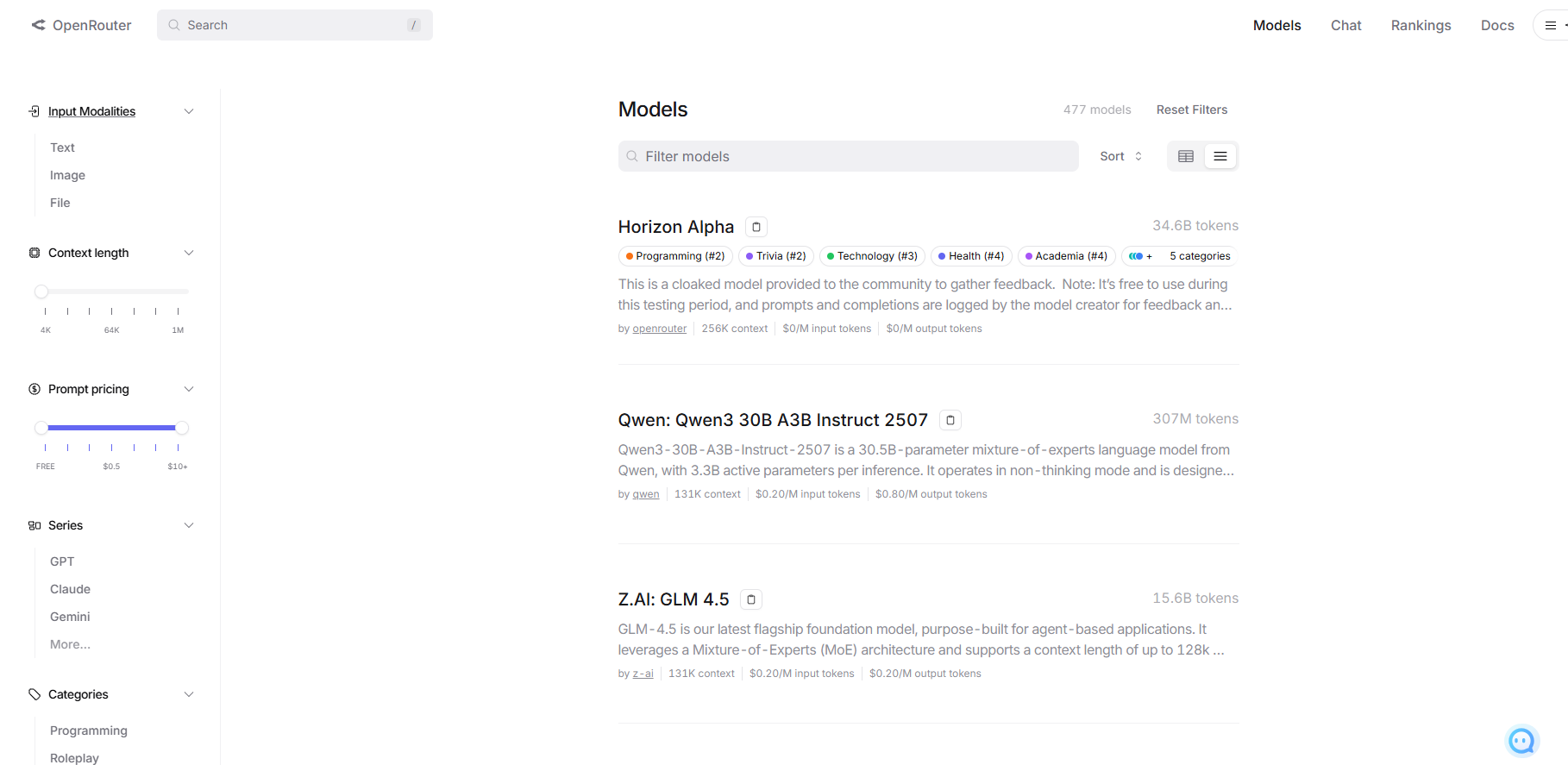
- After registering your account, click to enter the Model Plaza.
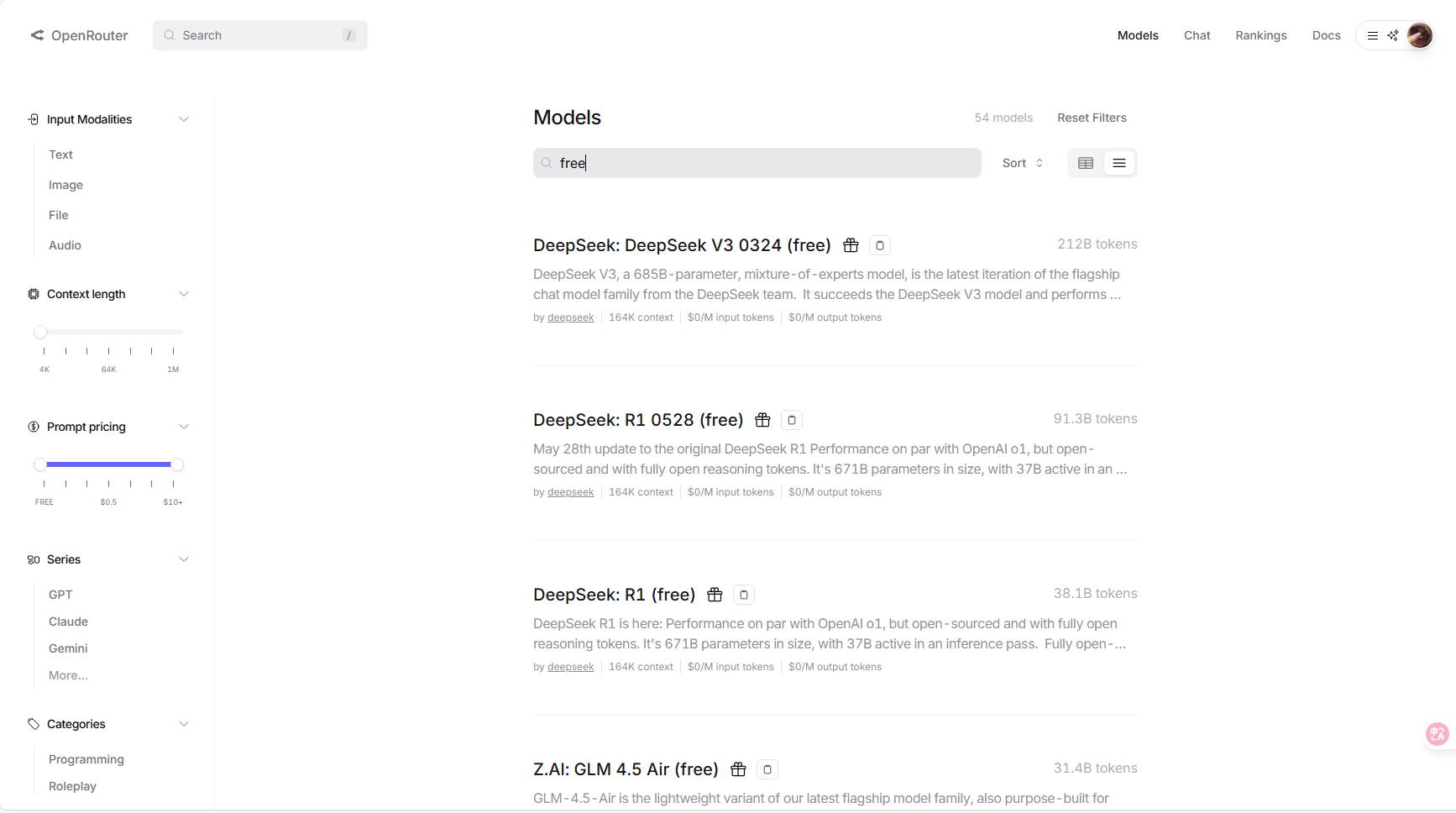
- Type "free" in the search bar to find models that can be used for free.
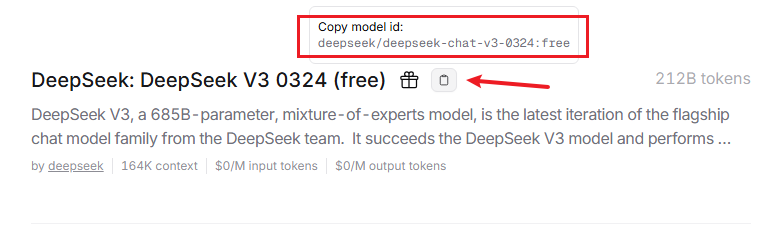
- Hover your mouse over the clipboard icon next to the model to see the name you'll use when calling the model. Click to copy it.
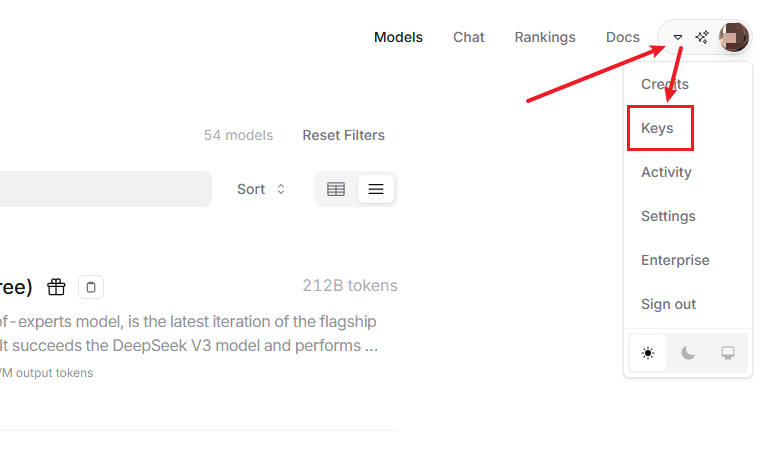
- Hover your mouse over the profile picture in the upper-right corner. It will expand. Click Keys to create a key.
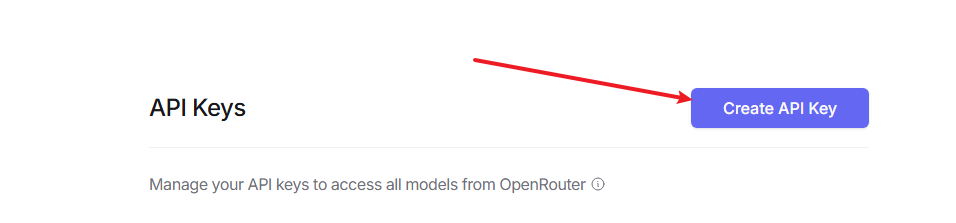
- Click Apply for an API key.
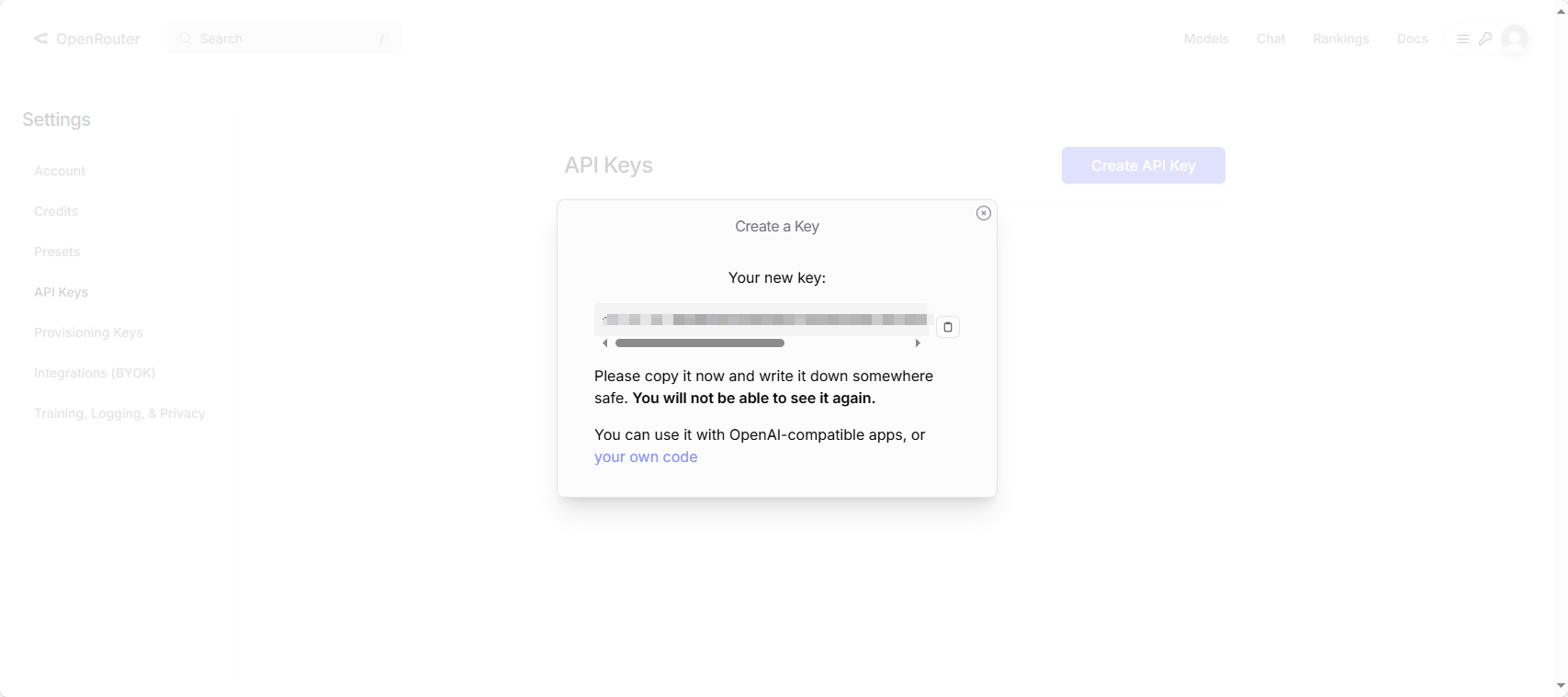
- After applying, you will receive an API key.
2.3 Configuration File Modifications
- Open
large_model_interface.yaml:
vim ~/yahboom_ws/src/largemodel/config/large_model_interface.yamlIn openrouter_api_key, replace sk-xxxxxxxxxx with the API key you copied earlier.
openrouter_model is used to configure the large model for communication.
xxxxxxxxxx# OpenRouter Platform Configurationopenrouter_api_key: "sk-xxxxxxxxxxxxxxxxxxx"openrouter_model: "moonshotai/kimi-k2:free" # Model to use, for example, "google/gemini-pro-vision"- Open
yahboom.yaml:
xxxxxxxxxxvim ~/yahboom_ws/src/largemodel/config/yahboom.yaml- Switch the platform: Change the
llm_platformparameter toopenrouter.
xxxxxxxxxxllm_platform'openrouter'After switching the platform parameters, return to the workspace and compile again for the changes to take effect.