Qwen2.5VL
Qwen2.5VL1. Model Scale2. Performance3. Using Qwen2.5VL3.1 Running Qwen2.5VL3.2 Having a Conversation3.3 Vision Capabilities3.4 Ending the Conversation3.5 Chinese ConversationReferences
Note: Due to performance limitations, the RDK X5 4GB version can only run the small parameter version.
Qwen2.5-VL is the new flagship vision-language model of Qwen, and a significant leap compared to the previous Qwen2-VL.
1. Model Scale
| Model | Size |
|---|---|
| qwen2.5vl:3b | 3.2GB |
| qwen2.5vl:7b | 6.0GB |
2. Performance
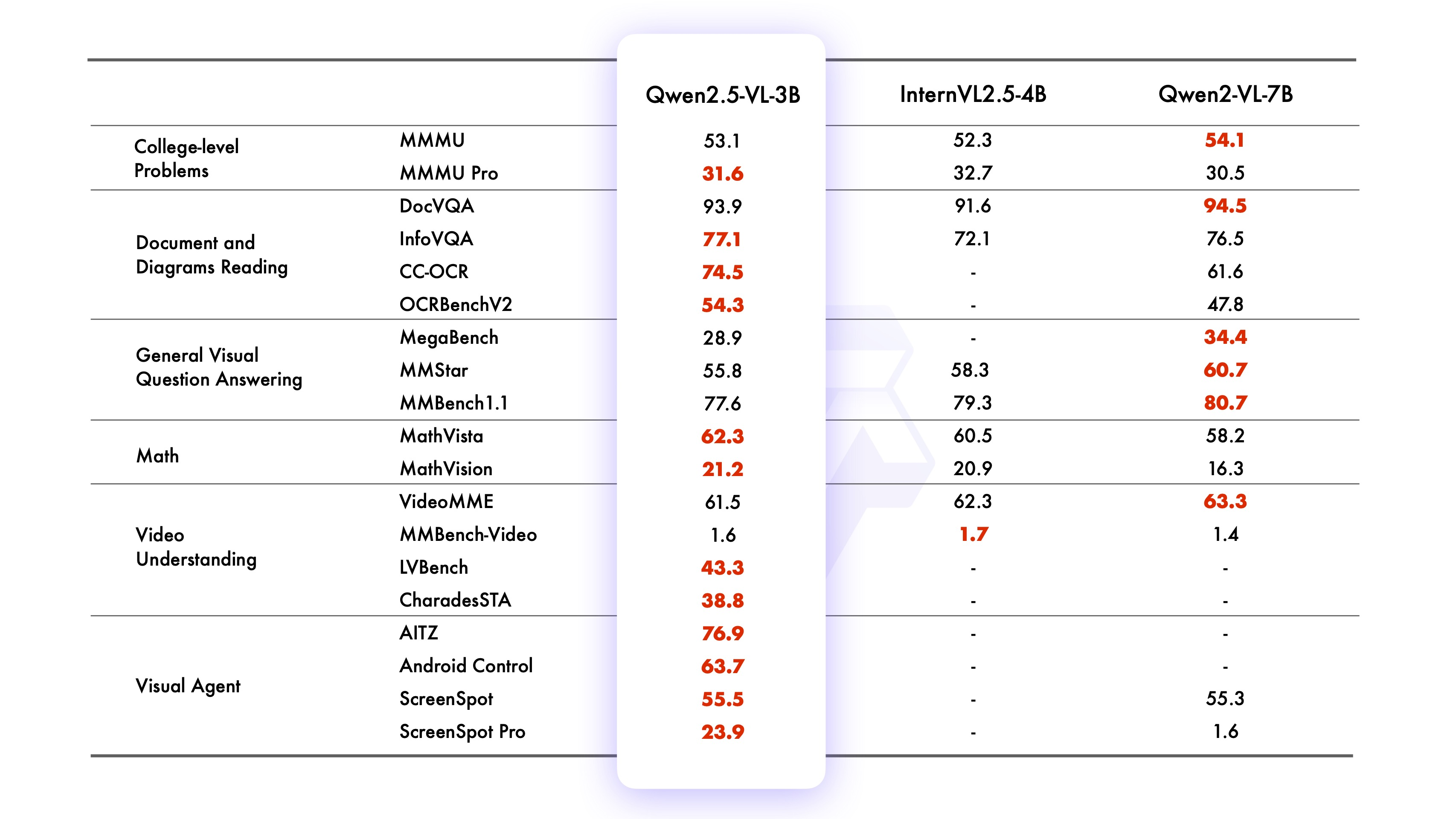
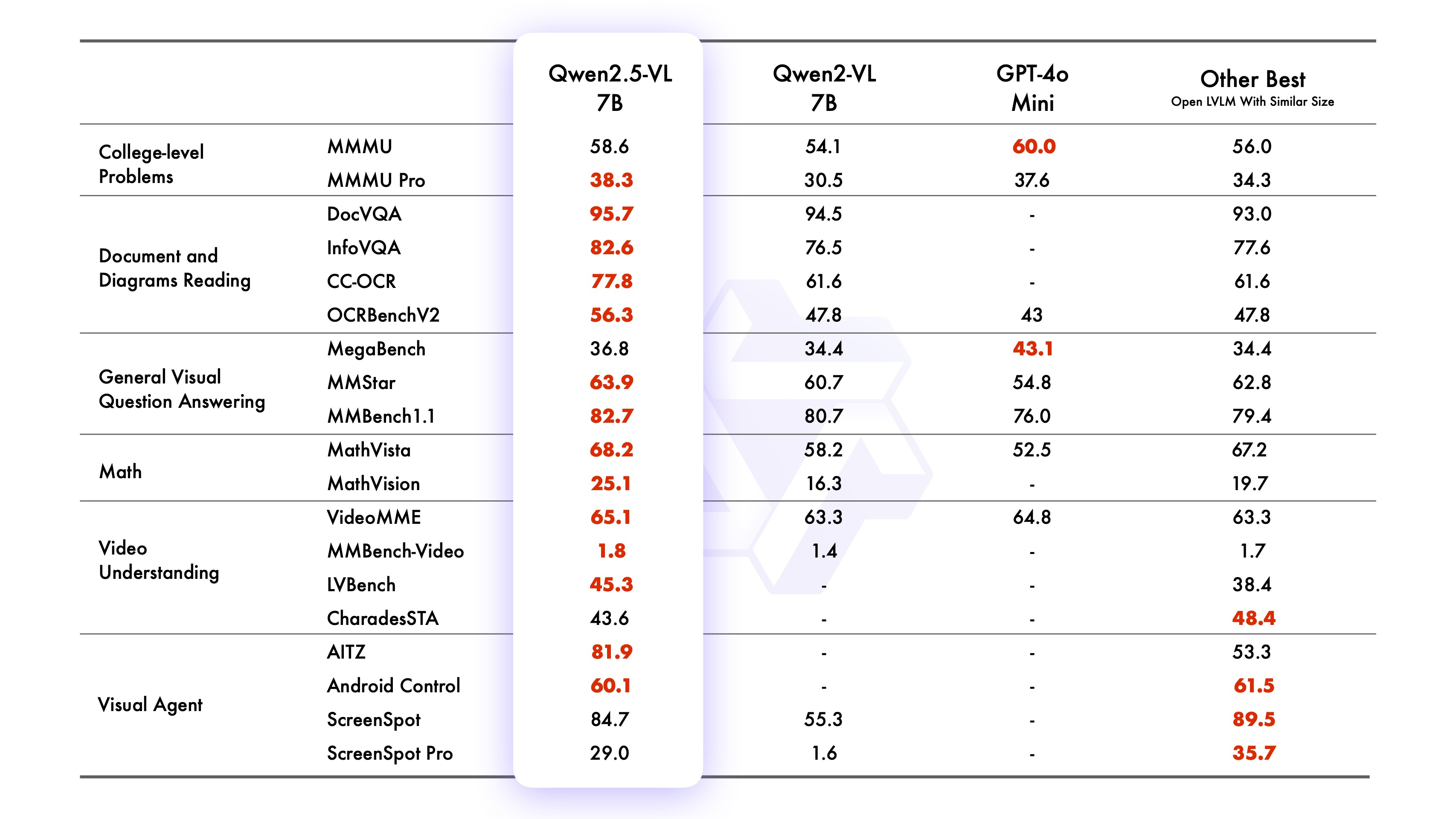
3. Using Qwen2.5VL
3.1 Running Qwen2.5VL
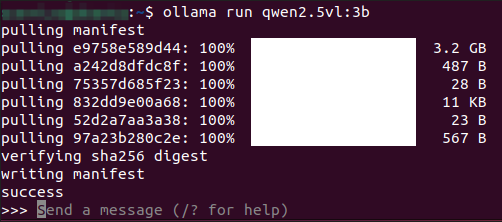
Use the run command to start the model. If you have not downloaded this model before, it will be automatically pulled from the Ollama model library:
ollama run qwen2.5vl:3b
3.2 Having a Conversation
xxxxxxxxxxPlease tell me how many hours there are in a day
The response time depends on the hardware configuration, please be patient!

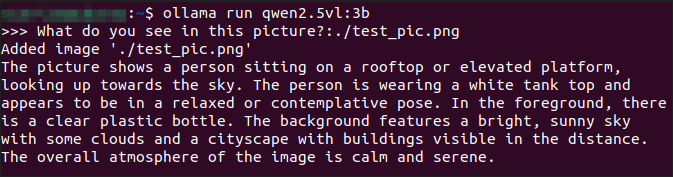
3.3 Vision Capabilities

xxxxxxxxxxWhat do you see in this picture? :./test_pic.png#In a conversation, use ": + the path to the image" to enable the model's vision capabilities and have it analyze the information in the picture.
3.4 Ending the Conversation
Use the Ctrl+d shortcut or /bye to end the conversation!
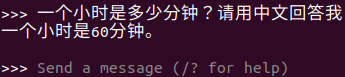
3.5 Chinese Conversation
If you don't have a Chinese input method, you can refer to the tutorial on switching Chinese input methods.
Chinese conversation:
References
Ollama
Official Website: https://ollama.com/
GitHub: https://github.com/ollama/ollama
Qwen2.5VL
GitHub: https://github.com/QwenLM/Qwen2.5-VL
Ollama Corresponding Model: https://ollama.com/library/qwen2.5vl