CM5 Version Notes
CM5 Version Notes1. Python Runtime Environment Prerequisites2. Voice-Related Functions (Please enter the key first)System Users3. Lag Issues4. CM4 and CM5 Version Differences5. Fan Speed Control
1. Python Runtime Environment Prerequisites
The following commands are only required when accessing the remote robot dog through a desktop-less tool like PuTTY. Other desktop-based tools, such as VNC, do not require the following commands. (JuterLab programs do not require any operation; simply enter the JuterLab interface and run the program.) All Python-related programs must be run within a Python virtual environment.
Run the following command to enter the virtual environment (if the terminal is opened remotely via VNC, it will enter the virtual environment by default).
source ~/.bashrcIf the following image appears, it indicates that the terminal has entered the virtual environment.
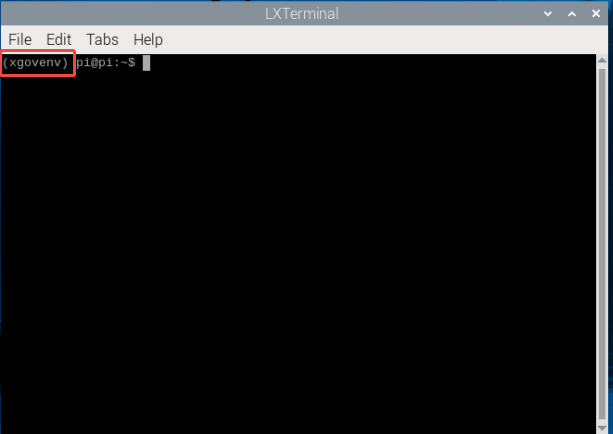
Then execute Python-related commands, such as:
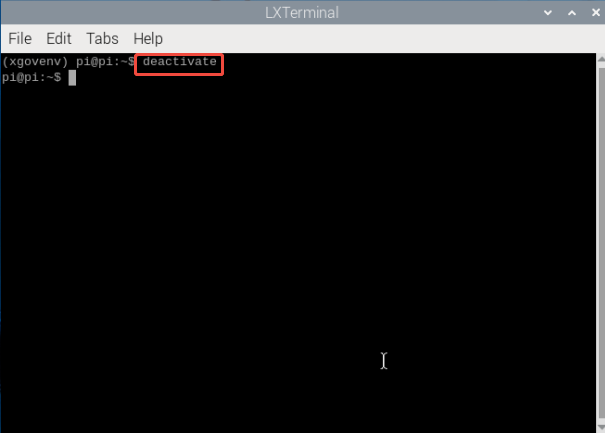
xxxxxxxxxxpython3 xxx.pyTo exit the virtual environment, use the following command (usually no action is required).
xxxxxxxxxxdeactivateThe following image shows exiting the virtual environment.
Recommendation: When installing third-party Python libraries, install them within the virtual environment. This will reduce unnecessary errors.
2. Voice-Related Functions (Please enter the key first)
- When waking up via voice, the heat dissipation structure may affect wake-up recognition.
- If waking up via voice is difficult, you can press the button on the upper left of the screen to perform a manual wake-up.
- When recording sound, you should also speak in standard Mandarin as loudly as possible.
- If voice wake-up is difficult, run the following command in a relatively quiet environment where your dog frequently uses the device to re-record the fan noise in the current environment.
xxxxxxxxxxcd ~/RaspberryPi-CM5arecord -r 16000 -f cd -d 8 fannoise.wav #Wait 8 seconds for the recording timeThis will allow the wake-up noise reduction algorithm to filter out the fan noise, resulting in a more sensitive wake-up effect.
System Users
This system has the root user and the pi user. The password for both users is: yahboom. Both users can log in via VNC, but SSH login is only available through the pi user.
3. Lag Issues
When the robot's battery level drops below 25, running a single case without terminating the main program will cause terminal lag and prevent the program from closing.
Solution: Power off and restart the robot, then terminate the main program, and finally run the corresponding single case
4. CM4 and CM5 Version Differences
Appearance
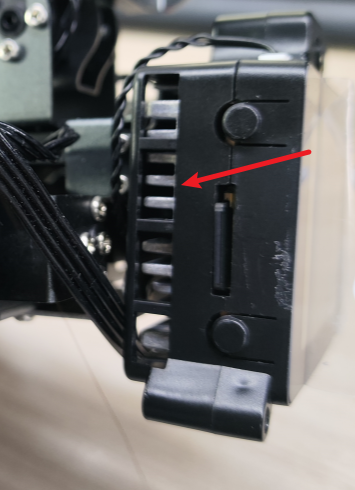
Observing the hardware screen, there is a noticeable fan noise when powering on, indicating that it is the CM5 version of Dogzilla Lite. Furthermore, the CM5 version has a cutout on one side of the screen, as shown in the image below:
Module
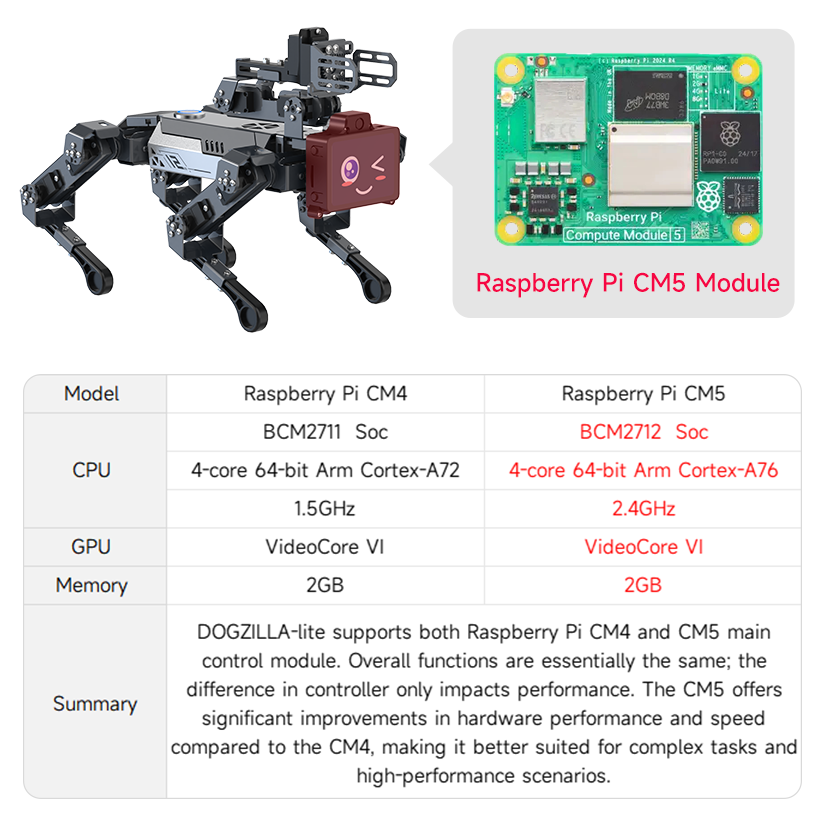
System image
CM4 Version: DOGZILLA_LITE_xx.img
CM5 Version: DOGZILLA_LITE_CM5xx.img
Features
CM4 Version: The homepage has 47 sample functions.
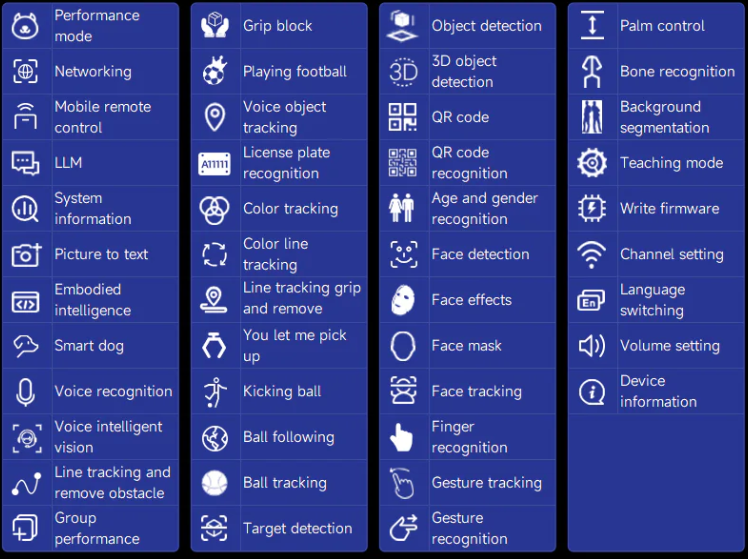
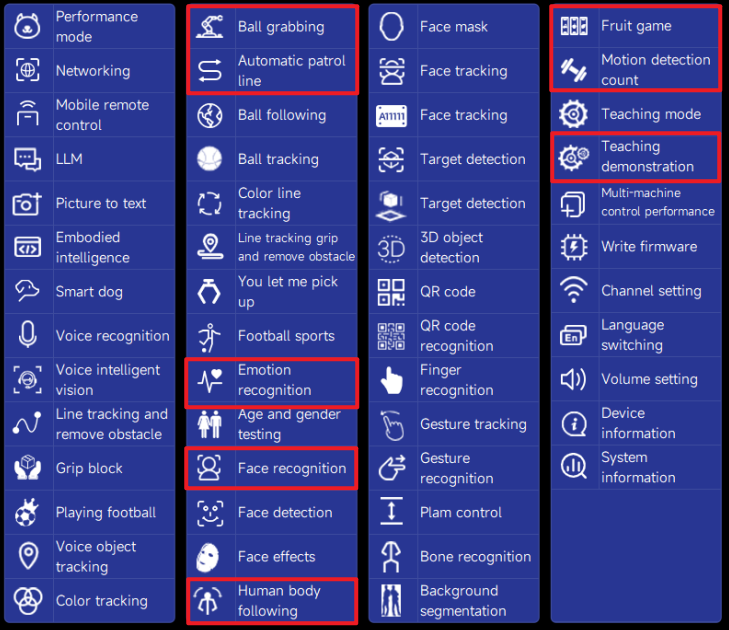
CM5 Version: The homepage has 56 sample functions. Compared to CM4, the following features have been added: Teaching , Face Recognition, Emotion Recognition, Motion Detection, Body Following, Automatic Line Patrol, Ball Grabbing, Fruit Slot Machine, Fitness Assistant, and Handle Control
5. Fan Speed Control
The default system fan is always on. If you need to adjust the fan speed based on temperature, you can modify it as follows:
- Run in the terminal
xxxxxxxxxxsudo nano /boot/firmware/config.txtFind the interface shown in the image:
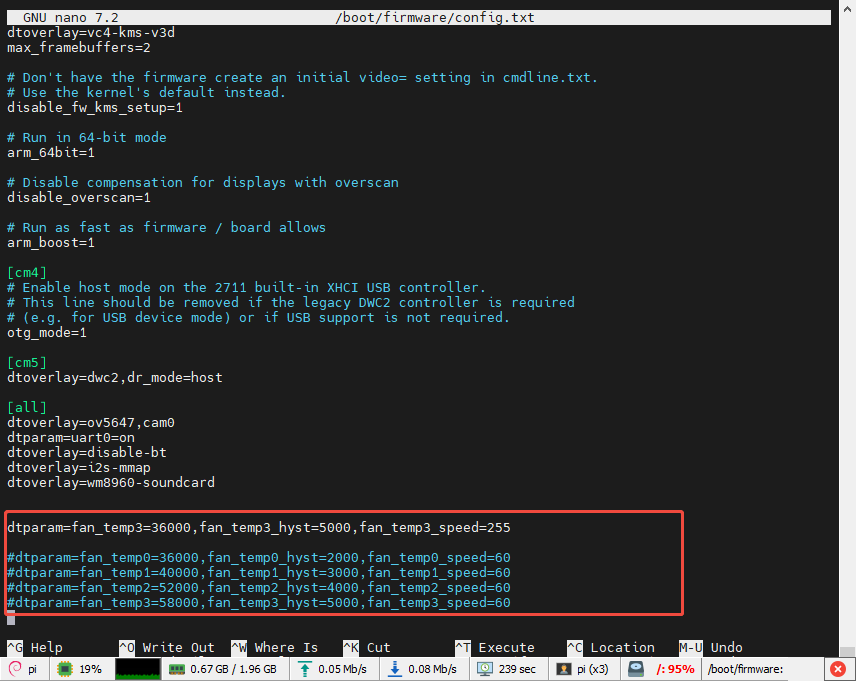

Configure the fan according to your needs. The meaning of each parameter is as follows:
#fan_temp0/1/2/3 represents the temperature (360000 represents 36℃)
#fan_temp0/1/2/3_speed represents the corresponding fan speed (maximum value 255)
#fan_temp0/1/2/3_hyst represents the hysteresis temperature