MiniCPM-V
MiniCPM-V1. Model Size2. Performance3. Using MiniCPM-V3.1 Running MiniCPM-V3.2 Starting a Conversation3.3 Visual Function3.4 Ending the Conversation3.5 Chinese DialogueReferences
Note: Due to performance limitations, the Raspberry Pi 5 models with 1GB, 2GB, and 4GB of memory cannot run this model. Please refer to online large model cases.
1. Model Size
| Model | Size |
|---|---|
| minicpm-v:8b | 5.5GB |
2. Performance
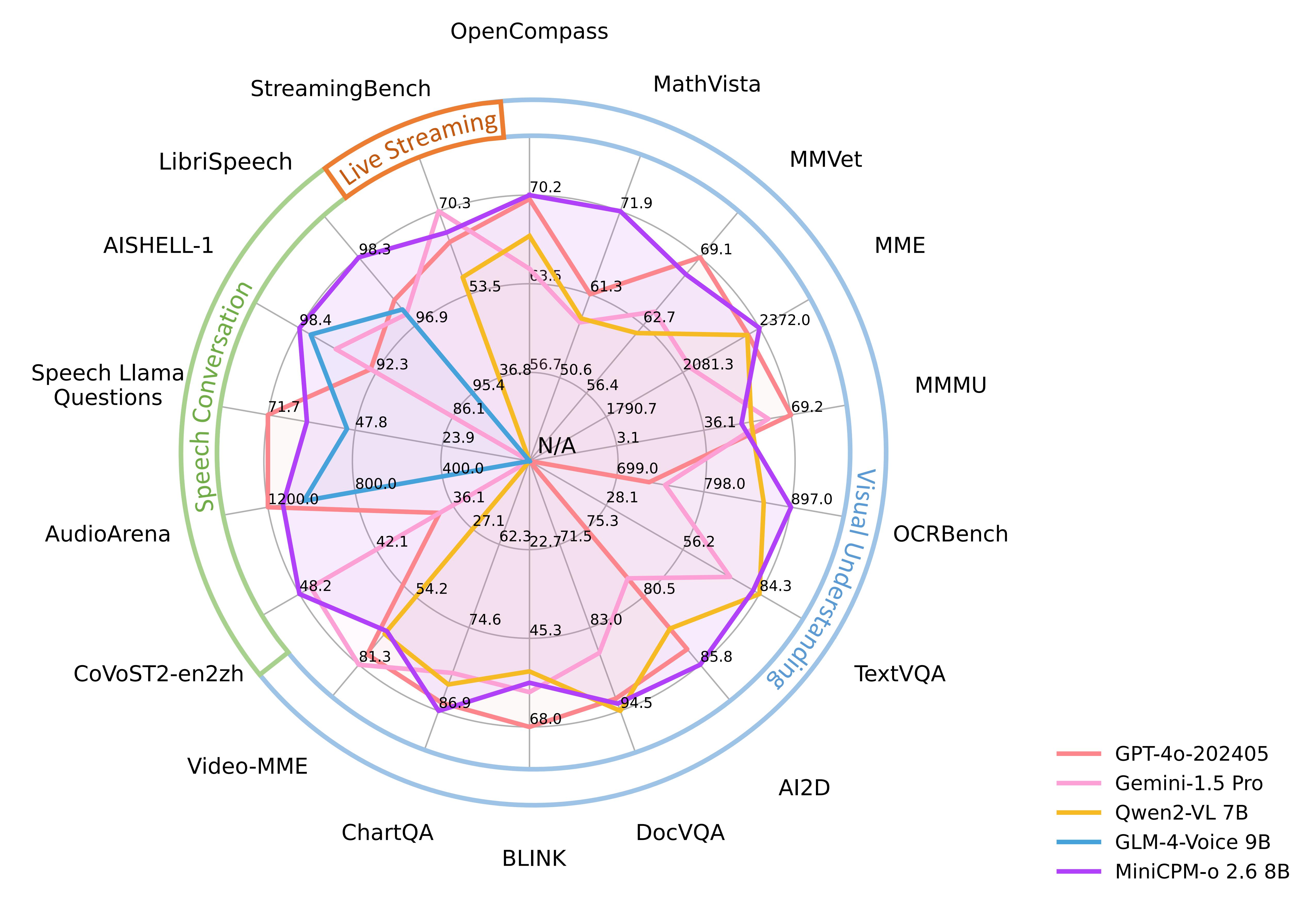
3. Using MiniCPM-V
3.1 Running MiniCPM-V
If the system does not have a running model, the system will automatically pull the TinyLlama 1.1B model and run it:
ollama run minicpm-v:8b
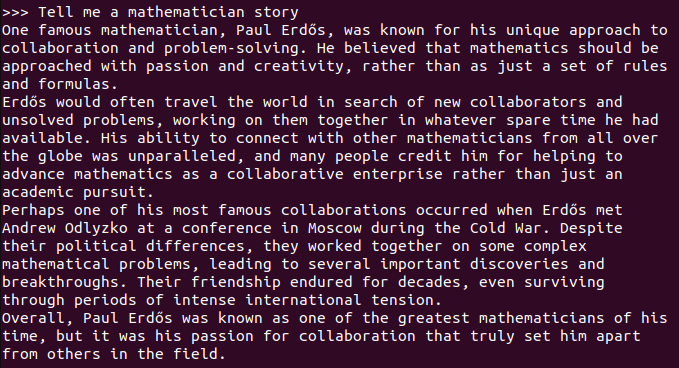
3.2 Starting a Conversation
xxxxxxxxxxTell me a mathematician story
Response time depends on hardware configuration, so please be patient!
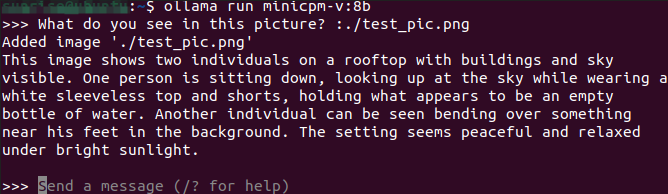
3.3 Visual Function

xxxxxxxxxxWhat do you see in this picture? :./test_pic.png#Using ": + the image path" in the conversation allows the model to use its visual function and interpret the information in the image.
3.4 Ending the Conversation
Use the Ctrl+d shortcut or /bye to end the conversation!
3.5 Chinese Dialogue
If you don't have a Chinese input method, please refer to the Chinese input method switching tutorial.
Chinese Dialogue:

References
Ollama
Official website:https://ollama.com/
GitHub:https://github.com/ollama/ollama
MiniCPM-V
GitHub:https://github.com/OpenBMB/MiniCPM-o
Ollama corresponding model:https://ollama.com/library/minicpm-v