slam-toolbox Mapping
slam-toolbox Mapping1. Course Content2. slam-toolbox Introduction2.1 Core Technical Principles2.1.1 Frontend Processing (Laser Scan Matching)2.1.2 Backend Optimization (Graph Optimization)3. Start the Agent4. Run the Example4.1 Synchronous Mapping Mode4.2 Save the Grid Map4.3 Asynchronous Mapping Mode4.4 Difference Between Synchronous and Asynchronous Mapping Modes5. Node Analysis5.1 Display Node Computation Graph5.2 TF Transformation6. Configuration Parameters
1. Course Content
Basic: Run the sample program to build and save a grid map using the slam-toolbox mapping algorithm.
Advanced: Understand the configuration parameters of slam-toolbox.
[!TIP]
The ROSMASTER-M3 has a built-in shortcut command for SLAM mapping. Simply enter
slamin the terminal to start SLAM mapping. The shortcut command uses the synchronous mapping mode of slam_toolbox by default.
2. slam-toolbox Introduction
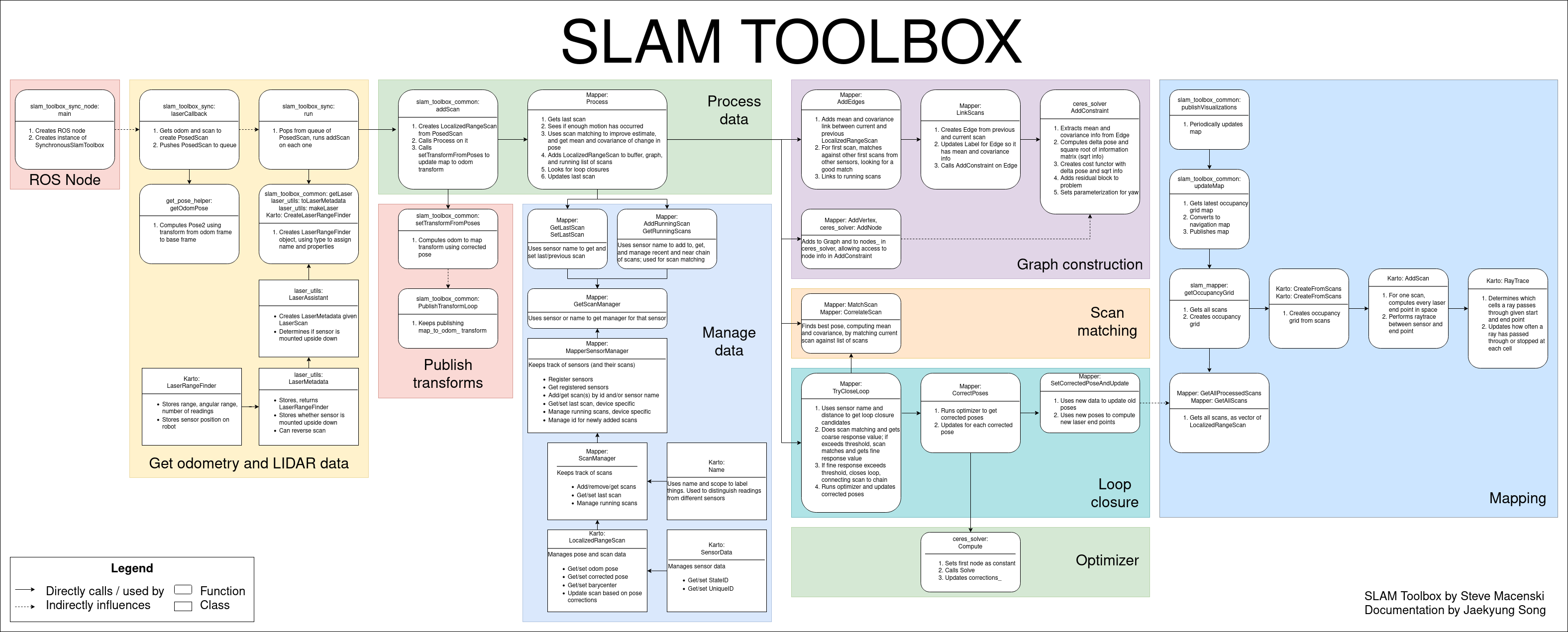
s-toolbox is an open-source 2D SLAM (Simultaneous Localization and Mapping) algorithm package based on ROS, primarily used for mapping and localization of mobile robots in unknown environments. It is based on a Graph Optimization framework, combining data from sensors like 2D LiDAR and IMU to build a 2D grid map of the environment and update the robot's pose in real-time.
2.1 Core Technical Principles
2.1.1 Frontend Processing (Laser Scan Matching)
- GICP Algorithm: Estimates the robot's relative pose change by iteratively calculating the optimal match between the current laser scan and the map. Compared to traditional ICP, GICP introduces a probabilistic model, making it more robust to outliers.
- Motion Compensation: Uses IMU data to compensate for laser scan distortion during the robot's movement, improving matching accuracy in dynamic environments.
2.1.2 Backend Optimization (Graph Optimization)
- Pose Graph Construction: Constructs a graph structure with the robot's pose nodes and the relative pose constraints obtained from scan matching.
- Global Optimization: Uses a non-linear optimization algorithm (like Ceres Solver) to optimize the pose graph, eliminating accumulated errors and achieving global map consistency.
3. Start the Agent
Note: If it is already running, you do not need to start it again.
Enter the command in the vehicle's terminal:
start_agent
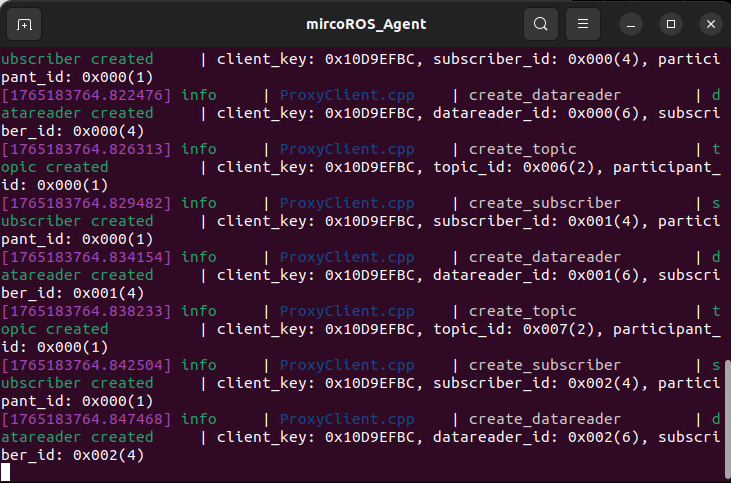
The terminal will print the following information, indicating a successful connection:
4. Run the Example
4.1 Synchronous Mapping Mode
- Launch the mapping command in the vehicle's terminal:
For Raspberry Pi 5 users, if the ROS container is not started, you need to start it first,
xxxxxxxxxxbringup_m3
Open a terminal inside the container,
xxxxxxxxxxexec_m3
(ORIN board)
xxxxxxxxxxros2 launch m3_bringup slam_toolbox.launch.py
(RDK & PI5 boards) Run in separate steps, with visualization launched on the accompanying virtual machine Rosmaster-M3-Ubuntu22.04,
xxxxxxxxxx# On the virtual machinerviz2 -d /home/yahboom/yahboomM3_ws/user_ws/src/m3_bringup/rviz/slam_toolbox_rviz.rviz# On the host machineros2 launch m3_bringup slam_toolbox.launch.py gui:=False[!NOTE]
By default, the synchronous mapping mode of slam_toolbox is used.
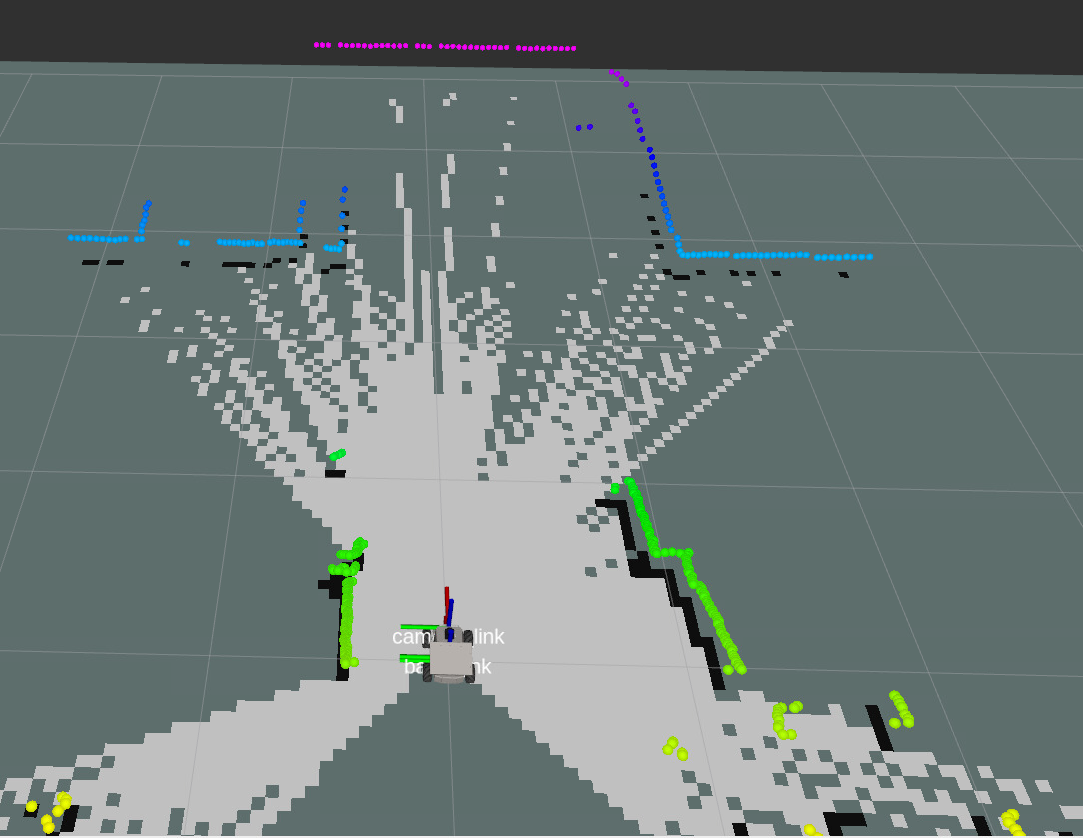
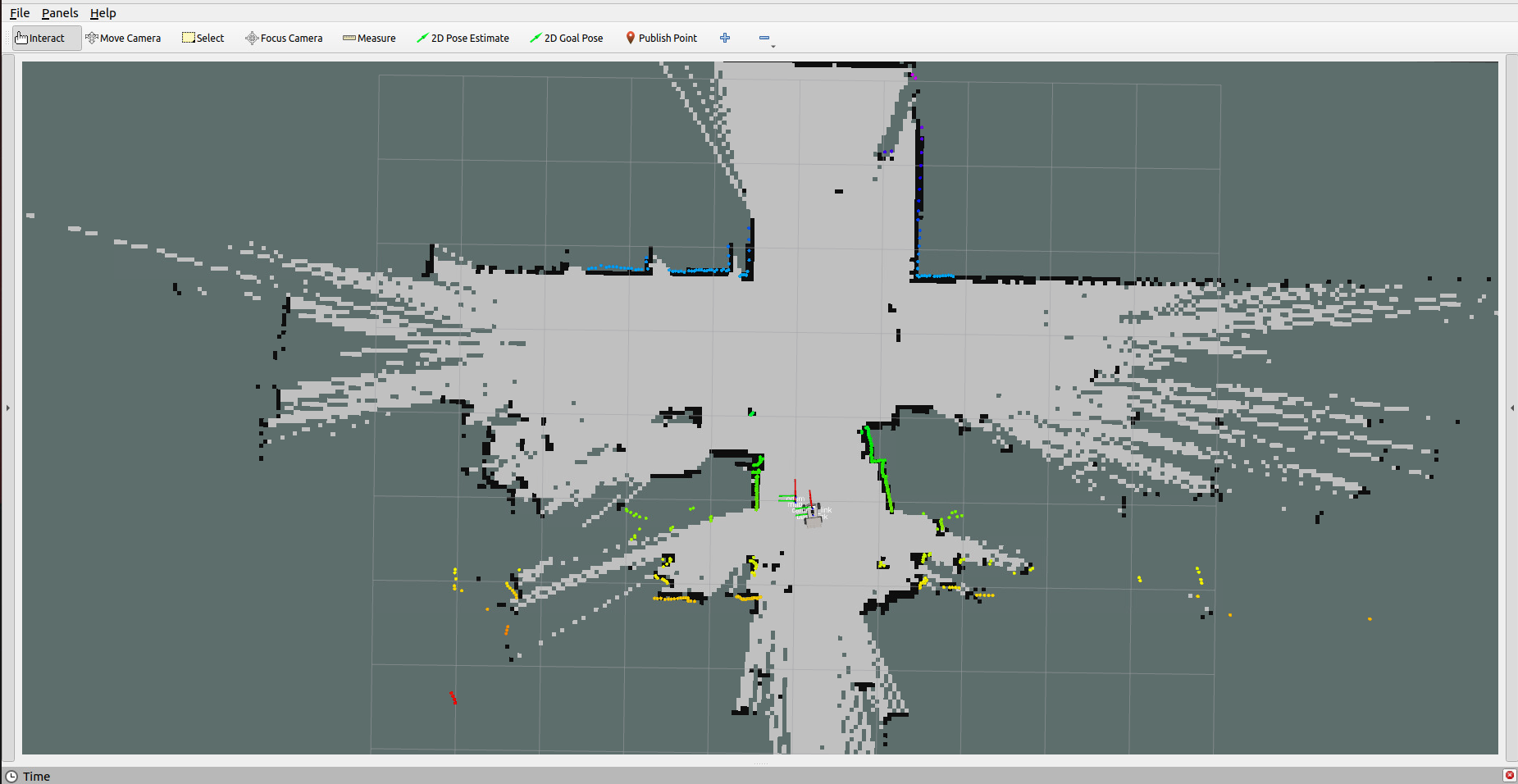
- To control the vehicle's movement, you can use either keyboard or joystick control. Here, we use keyboard control as an example:
xxxxxxxxxxkeyboard_control
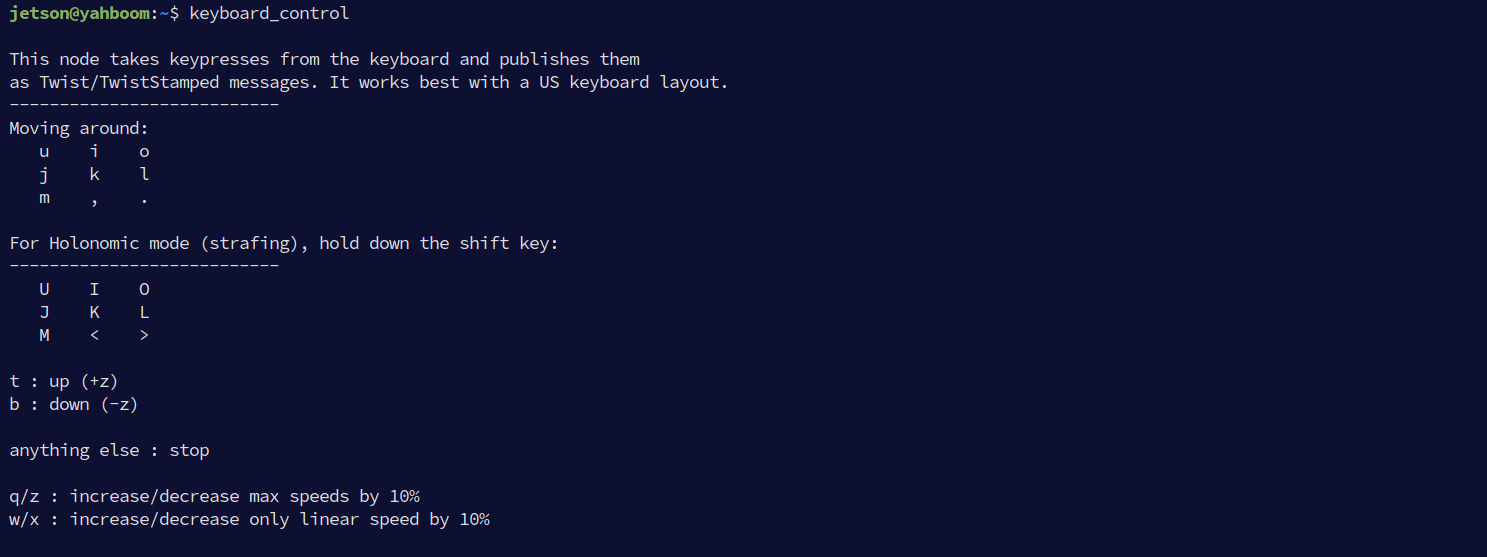
Click on the terminal window with the mouse and press z to reduce the speed appropriately.
- Press
I,<,J,Lto control the car to move forward, backward, turn left, and turn right, respectively, to complete the mapping slowly.
4.2 Save the Grid Map
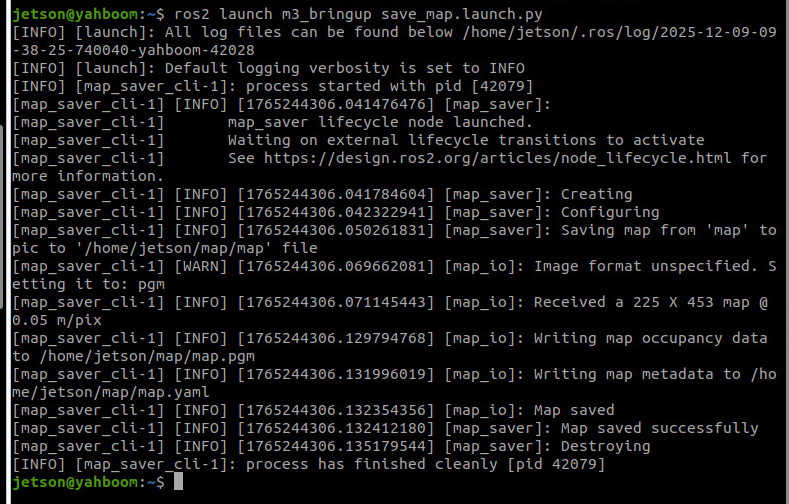
- Run the following command in the terminal to save the map:
xxxxxxxxxxros2 launch m3_bringup save_map.launch.py
[!TIP]
Optional Parameters:
map_name: Specifies the name of the saved map, with the default value beingmap.For example, to save a map named
test.yaml, add the parameter:ros2 launch m3_bringup save_map.launch.py map_name:=test
The terminal prompt Map saved successfully indicates that the map was saved successfully.
4.3 Asynchronous Mapping Mode
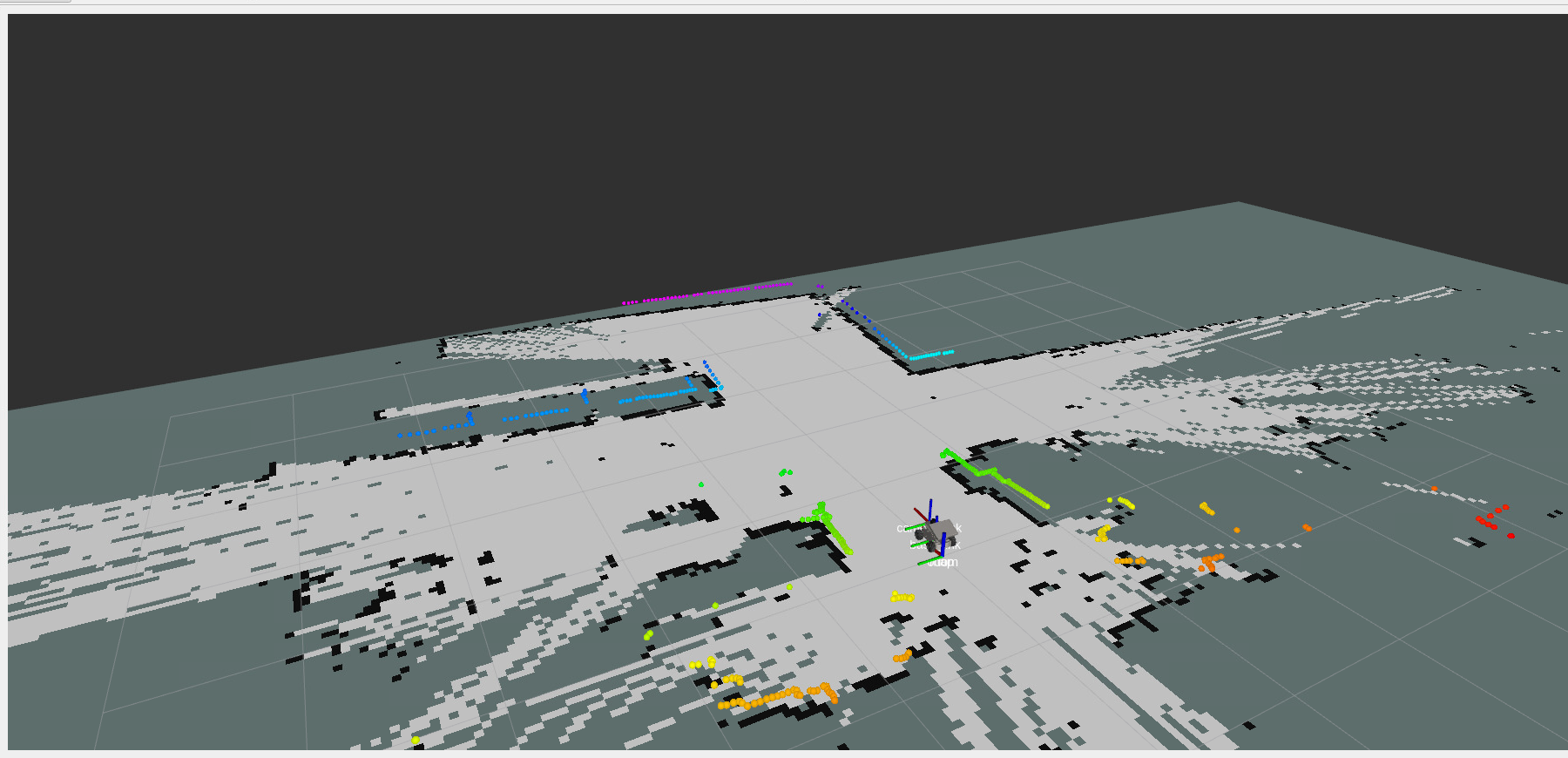
xxxxxxxxxxros2 launch m3_bringup slam_toolbox.launch.py slam_mode:=async[!NOTE]
- The mapping command here is the same as for synchronous mapping. The mapping mode is determined by the
slam_modelaunch parameter.- The mapping operation process is the same for both asynchronous and synchronous mapping.
4.4 Difference Between Synchronous and Asynchronous Mapping Modes
Synchronous Mode:
- Suitable for scenarios with strict data processing order requirements, ensuring that scan data is processed in the order it is received.
- Suitable for medium-sized environments.
- Better for scenarios with high mapping accuracy requirements where some latency is acceptable.
Asynchronous Mode:
- Suitable for large-scale environments or scenarios with high real-time requirements, avoiding delays caused by queue accumulation.
- Performs better when mapping in larger spaces.
- Suitable for scenarios where the robot moves quickly and needs to respond rapidly to new scan data.
5. Node Analysis
5.1 Display Node Computation Graph
xxxxxxxxxxros2 run rqt_graph rqt_graph

- As can be seen from the figure above, the
slam_toolboxmapping node receives/scanLidar data and/odomodometry data to build the map.
5.2 TF Transformation
xxxxxxxxxxros2 run rqt_tf_tree rqt_tf_tree 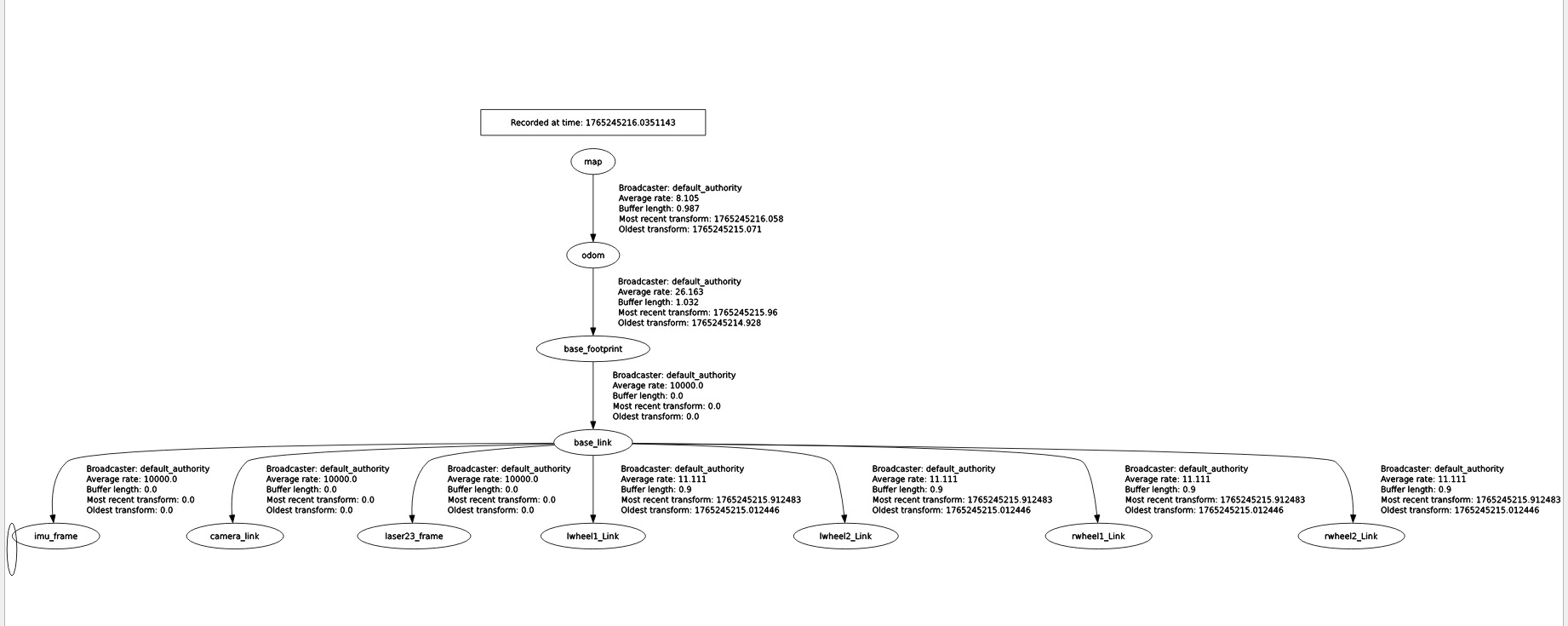
- The
slam_toolboxprovides the TF transformation between themapandodomcoordinate frames.
6. Configuration Parameters
- Synchronous mapping mode parameter file path:
xxxxxxxxxx~/yahboomM3_ws/user_ws/src/m3_bringup/config/slam_toolbox_config/mapper_params_online_sync.yaml
- See the comments for the meaning of the parameters.
xsync_slam_toolbox ros__parameters # Plugin parameters (optimization) solver_pluginsolver_pluginsCeresSolver # Optimization solver plugin, using Ceres Solver ceres_linear_solverSPARSE_NORMAL_CHOLESKY # Ceres linear solver type, sparse normal Cholesky decomposition ceres_preconditionerSCHUR_JACOBI # Ceres preconditioner type, Schur-Jacobi preconditioner ceres_trust_strategyLEVENBERG_MARQUARDT # Ceres trust-region strategy, Levenberg-Marquardt method ceres_dogleg_typeTRADITIONAL_DOGLEG # Ceres dogleg type, traditional dogleg (only effective when trust-region strategy is DOGLEG) ceres_loss_functionNone # Ceres loss function, none (uses default squared loss) # ROS parameters odom_frameodom # Odometry coordinate frame name map_framemap # Map coordinate frame name base_framebase_footprint # Robot base coordinate frame name scan_topic/scan # Lidar scan data topic (absolute path) use_map_savertrue # Whether to enable the map saver service and subscribe to the map topic modemapping # Operating mode, mapping or localization # Map loading related parameters (if enabled, will load a map from the specified file and continue mapping) map_file_name"" # Pose graph file name to load (empty means do not load) # map_start_pose: [0.0, 0.0, 0.0] # Starting pose [x, y, yaw] when loading a map (mutually exclusive with map_start_at_dock, this parameter has priority) map_start_at_docktrue # Whether to start loading from the first node (dock position) of the map debug_loggingfalse # Whether to enable debug logging output throttle_scans1 # Number of scans to throttle in synchronous mode (process 1 frame every n frames) transform_publish_period0.02 # Publication period of the map-to-odometry transform (in seconds), 0 means do not publish map_update_interval5.0 # Update interval for the 2D occupancy grid map (in seconds, for visualization or other applications) resolution0.05 # Resolution of the 2D occupancy grid map (meters/pixel) min_laser_range0.05 # Minimum effective laser range for grid map generation (meters) max_laser_range12.0 # Maximum effective laser range for grid map generation (meters) minimum_time_interval0.5 # Minimum time interval between processing two scan frames in synchronous mode (seconds) transform_timeout0.2 # Timeout for TF coordinate transform lookup (seconds) tf_buffer_duration30. # Buffer duration for TF messages (seconds) stack_size_to_use40000000 # Program stack size (bytes), for serialization/deserialization of large maps enable_interactive_modetrue # Whether to enable interactive mode (retains laser scan cache for RVIZ interaction, increases memory usage) # General parameters use_scan_matchingtrue # Whether to use scan matching use_scan_barycentertrue # Whether to use the scan barycenter (improves matching stability) minimum_travel_distance0.5 # Minimum distance the robot must move before processing a new scan (meters) minimum_travel_heading0.5 # Minimum angle the robot must turn before processing a new scan (radians) scan_buffer_size10 # Scan data buffer size (stores the last n scans) scan_buffer_maximum_scan_distance10.0 # Maximum distance of laser points in the scan buffer (meters, points beyond this are filtered) link_match_minimum_response_fine0.1 # Minimum response value for link matching in fine matching (for constraints between adjacent nodes) link_scan_maximum_distance1.5 # Maximum distance between adjacent scans (meters, for building links between nodes) loop_search_maximum_distance3.0 # Maximum search distance for loop closure detection (meters) do_loop_closingtrue # Whether to enable loop closure detection loop_match_minimum_chain_size10 # Minimum node chain length required for loop closure detection (avoids mismatches from short chains) loop_match_maximum_variance_coarse3.0 # Maximum variance threshold for coarse matching (for filtering candidate loop closures) loop_match_minimum_response_coarse0.35 # Minimum response value for loop closures in coarse matching loop_match_minimum_response_fine0.45 # Minimum response value for loop closures in fine matching # Correlation Parameters - Scan Matching Parameters correlation_search_space_dimension0.5 # Search space size for scan matching (meters, search for optimal match within this range) correlation_search_space_resolution0.01 # Resolution of the scan matching search space (meters, affects matching accuracy and speed) correlation_search_space_smear_deviation0.1 # Smear deviation of laser points in scan matching (meters, increases robustness) # Correlation Parameters - Loop Closure Parameters loop_search_space_dimension8.0 # Search space size for loop closure detection (meters) loop_search_space_resolution0.05 # Resolution of the loop closure search space (meters) loop_search_space_smear_deviation0.03 # Smear deviation of laser points in loop closure detection (meters) # Scan Matcher Parameters distance_variance_penalty0.5 # Distance variance penalty coefficient (affects the weight of distance error in matching) angle_variance_penalty1.0 # Angle variance penalty coefficient (affects the weight of angle error in matching) fine_search_angle_offset0.00349 # Angle offset for fine search (radians, approx. 0.2 degrees) coarse_search_angle_offset0.349 # Angle offset for coarse search (radians, approx. 20 degrees) coarse_angle_resolution0.0349 # Angle resolution for coarse search (radians, approx. 2 degrees) minimum_angle_penalty0.9 # Minimum angle penalty coefficient (filters matches with large angle deviations) minimum_distance_penalty0.5 # Minimum distance penalty coefficient (filters matches with large distance deviations) use_response_expansiontrue # Whether to use response expansion (improves matching stability) min_pass_through2 # Minimum number of points to pass through in scan matching (filters invalid matches) occupancy_threshold0.1 # Occupancy grid threshold (for determining if a grid cell is occupied)
- Asynchronous mapping mode parameter file path:
xxxxxxxxxx~/yahboomM3_ws/user_ws/src/m3_bringup/config/slam_toolbox_config/mapper_params_online_async.yaml
- The parameter meanings are the same as for synchronous mapping.
xxxxxxxxxxasync_slam_toolbox ros__parameters # Plugin params solver_pluginsolver_pluginsCeresSolver ceres_linear_solverSPARSE_NORMAL_CHOLESKY ceres_preconditionerSCHUR_JACOBI ceres_trust_strategyLEVENBERG_MARQUARDT ceres_dogleg_typeTRADITIONAL_DOGLEG ceres_loss_functionNone # ROS Parameters odom_frameodom map_framemap base_framebase_footprint scan_topic/scan use_map_savertrue modemapping #localization # if you'd like to immediately start continuing a map at a given pose # or at the dock, but they are mutually exclusive, if pose is given # will use pose map_file_name"" # map_start_pose: [0.0, 0.0, 0.0] #map_start_at_dock: true debug_loggingfalse throttle_scans1 transform_publish_period0.02 #if 0 never publishes odometry map_update_interval5.0 resolution0.05 min_laser_range0.05 #for rastering images max_laser_range12.0 #for rastering images minimum_time_interval0.5 transform_timeout0.2 tf_buffer_duration30. stack_size_to_use40000000 #// program needs a larger stack size to serialize large maps enable_interactive_modetrue # General Parameters use_scan_matchingtrue use_scan_barycentertrue minimum_travel_distance0.5 minimum_travel_heading0.5 scan_buffer_size10 scan_buffer_maximum_scan_distance10.0 link_match_minimum_response_fine0.1 link_scan_maximum_distance1.5 loop_search_maximum_distance3.0 do_loop_closingtrue loop_match_minimum_chain_size10 loop_match_maximum_variance_coarse3.0 loop_match_minimum_response_coarse0.35 loop_match_minimum_response_fine0.45 # Correlation Parameters - Correlation Parameters correlation_search_space_dimension0.5 correlation_search_space_resolution0.01 correlation_search_space_smear_deviation0.1 # Correlation Parameters - Loop Closure Parameters loop_search_space_dimension8.0 loop_search_space_resolution0.05 loop_search_space_smear_deviation0.03 # Scan Matcher Parameters distance_variance_penalty0.5 angle_variance_penalty1.0 fine_search_angle_offset0.00349 coarse_search_angle_offset0.349 coarse_angle_resolution0.0349 minimum_angle_penalty0.9 minimum_distance_penalty0.5 use_response_expansiontrue min_pass_through2 occupancy_threshold0.1