4. OpenClaw TUI Interaction
TUI (Text User Interface) is OpenClaw's "command line chat window". When you can't easily open the web console on Jetson, or you're connected via SSH remotely, you can use TUI to complete most daily interactions in the terminal: conversations, model switching, status checking, session management, skill invocation, etc.
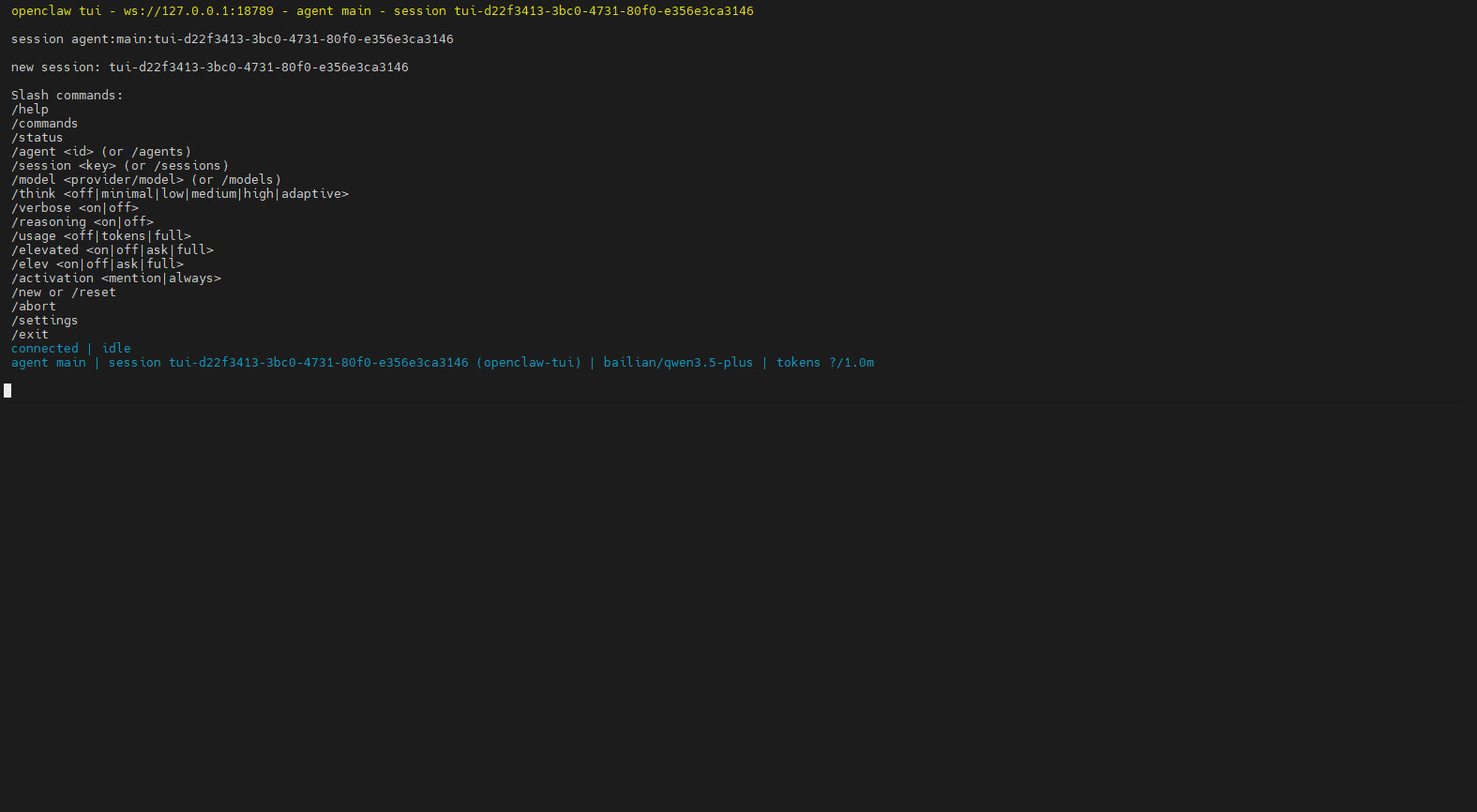
1. How to Enter TUI
Execute in terminal:
openclaw tuiIf you have already started openclaw gateway (e.g., gateway/server) in another terminal, you can directly execute openclaw tui to enter the interactive interface
2. What is the TUI Interface
You can understand TUI as a "chat box with commands":
- Top: Conversation history (your messages, model replies, tool/skill outputs)
- Bottom: Input box (enter questions or send slash commands)
- Send method: Press Enter after typing
Recommended first-time actions:
xxxxxxxxxx/status3. Slash Commands
Slash commands generally need to be sent as standalone messages starting with /, used to control sessions and run operations.
| Command | Function | When to Use | Example |
|---|---|---|---|
/help | View help and command list | When you don't know available commands | /help |
/status | Check current status | When suspecting disconnection, want to see context usage | /status |
/new | Start new conversation line (new session) | Topic switching, avoid context interference | /new |
/reset | Reset session (equivalent to restarting, same effect as new) | Conversation goes off track, want to clear context | /reset |
/model / /models list | View/switch models | When wanting faster or stronger models | /models list |
/think medium | Set thinking depth | Daily recommendation: use low or disable | /think medium |
/stop | Stop current task | When stuck, want to stop immediately | /stop |
/context detail | View currently injected context | Troubleshoot "why it remembers/forgets certain content" | /context detail |
/compact | Compress earlier history into summary | Conversation too long, context nearly full | /compact |
/skill <name> | Run a specific skill | When you know skill name and want to run directly | /skill web_search |
Two additional "daily usage" recommendations:
- Write only one slash command per message for best reliability
- To quickly browse all commands, use
/helpor/commands
4. Sessions and Memory
In OpenClaw, these two concepts have clear divisions:
- Session: Manages "where this conversation has progressed". When you use
/new,/resetin TUI, you're essentially switching/reopening sessions. - Memory: Manages "content that should be retained long-term across sessions". It writes to disk (Markdown) and retrieves back to current session when needed.
4.1 Where are Session Files
Sessions are saved to disk in JSONL format, common locations (actual installation path may vary):
- Index:
~/.openclaw/agents/<agentId>/sessions/sessions.json - Transcripts:
~/.openclaw/agents/<agentId>/sessions/<SessionId>.jsonl
A more convenient way for actual troubleshooting is to first execute:
xxxxxxxxxxopenclaw statusIt usually provides the store path and recent session information.
4.2 How to "Use" Memory
You can understand Memory as "letting the robot take notes":
memory/YYYY-MM-DD.md: Daily process records, suitable for recording progress, temporary decisionsMEMORY.md: Long-term stable information (preferences, fixed rules, project constraints, etc.)
Practical recommendations:
- To make a conclusion available across sessions: directly tell the robot "write this to MEMORY.md"
- Before
/newto switch to new topic: first use/compactor write key decisions to Memory, then switch sessions
5. Quick Start Workflow
- Enter TUI:
openclaw tui - Confirm status:
/status - Select model:
/models list→/model <number or name> - Daily conversation: directly enter questions and press Enter
- Topic switching:
/new - Context too long:
/compact - Key conclusions need long-term retention: have robot write to Memory
6. Common Troubleshooting
6.1 No Response After Entering Commands
- Confirm commands are sent as standalone lines (don't mix with regular text)
- First use
/helpto see which commands are supported in current version
6.2 Feeling "It's Starting to Talk Nonsense or Can't Understand" or Being Interfered by History
- Start new session:
/newor/reset - Check what context was injected:
/context detail
6.3 Responses Getting Slower
- Reduce thinking depth:
/think lowor/think minimal - Compress history:
/compact