亚博智能
首页课程中心
产品中心
解决方案
动态分享
在线商城
关于我们
EN/中文
Store
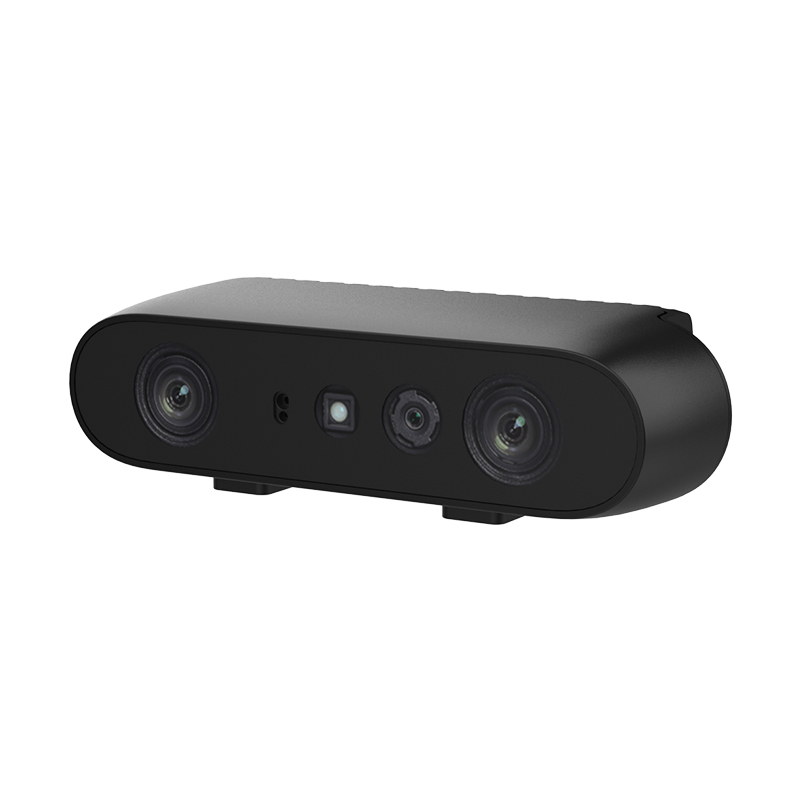
Gemini2 Camera📖
ROS1 Tutorial
1.Depth camera usage course
  • 10.Gesture recognition
  • 13.Grayscale processing
  • 2.Environment setup
  • 3. Camera recording video
  • 1. Instructions for using camera
2.ROS+Opencv application
  • 1.Camera calibration
  • 2.QR code
  • 3. Human body pose estimation
  • 4. Target detection
  • 5.ROS+Opencv basics
  • 6.Opencv application--face recognition
  • 7.Opencv application--harris corner detection
  • 8.Opencv application--Target tracking algorithm
  • 9.Opencv application--contour moment
  • 10.Opencv application--polygon outline
  • 11.Opencv application--Discrete Fourier transform algorithm
  • 12.Opencv application--edge detection algorithm
  • 13. Face detection algorithm
  • 14.Opencv application--optical flow detection algorithm
  • 15.Opencv application--contour detection
  • 16.Opencv application--general contour detection
  • 17.Opencv application--feature point tracking
  • 18.Opencv application--HLS color filtering
  • 19.Opencv application--Hough circle detection
  • 20.Opencv application--Hough line detection
  • 21.Opencv application--HSV color filtering
  • 22.Opencv application--LK optical flow algorithm
  • 23.Opencv application-human body detection algorithm
  • 24.Opencv application--phase-related displacement detection
  • 25.Opencv application--image pyramid sampling algorithm
  • 26.Opencv application--RGB color filtering
  • 27.Opencv application--clear background detection algorithm
  • 28.Opencv application--simplified optical flow algorithm
  • 29.Opencv application--simple filter
  • 30.Opencv application--threshold image processing
  • 31.Opencv application--watershed segmentation algorithm
  • 32. View point cloud data
  • 33.AR vision
  • 34.AR QR code tracking
  • 35. Color tracking
  • 36. Object tracking
3.ROS1 Mediapipe course
  • 1.Hand detection
  • 2.Posture detection
  • 3.Overall detection
  • 4.Face detection
  • 5.Face recognition
  • 6.Face effects
  • 7. 3D object recognition
  • 8.Brush
  • 9.Finger control
4.Linux basic course
  • 1.Introduction to Linux system
  • 2.Ubuntu file system
  • 3.Ubuntu common commands
  • 4.Ubuntu common editors
  • 5.Ubuntu software operation commands
  • 6.Virtual machine installation
  • 7.SSH remote control
  • 8.VNC remote control
  • 10.Driver library and communication
  • 9.Transfer files remotely
  • 11.Static IP and hotspot mode
  • 12.Bind device ID
  • 13.Capacity expansion and resource allocation
  • 14.Update system software sources
  • 15.Set root user password
  • 16.sudo free password
  • 17.Connect to WiFi network
  • 18.View system version
  • 19.Customized service management
  • 20.Back up system image
5.OpenCV course
  • 1.Introduction to Open Source CV
  • 2.Image reading and display
  • 3.Picture writing
  • 4.Image Quality
  • 5.Pixel operations
  • 6.Image zoom
  • 7.Picture cut
  • 8.Picture pan
  • 9.Picture mirroring
  • 10.Affine transformation
  • 11.Picture rotation
  • 12.perspective transformation
  • 13.Grayscale processing
  • 14.Binary image
  • 15.Edge green detection
  • 16.Line segment drawing
  • 17.Rectangular circle drawing
  • 18.Text and picture drawing
6.ROS1 basic course
  • 1.ROS introduction
  • 2.ROS installation
  • 3.ROS common command tools
  • 4.ROS workspace
  • 5.ROS function package
  • 6.ROS node
  • 7.ROS topic publisher
  • 8.ROS topic subscribers
  • 9.ROS service client
  • 10.ROS service server
  • 11.ROS action client
  • 12.ROS action server
  • 13.ROS custom message reception
  • 14.ROS-launch file
  • 15.ROS-TF transformation
  • 16.ROS parameter service
  • 17.ROS-rviz use
  • 18.ROS-rqt tool usage
  • 19.Topic message recording and playback
  • 20.urdf model introduction
  • 21.gazebo introduction
  • 22.ROS distributed communication
ROS2 Tutorial
1.ROS2 basic course
  • 5.ROS2 function package
  • 4.ROS2 workspace
  • 3.ROS2 development environment
  • 2.ROS2 install Foxy
  • 1. Introduction to ROS2
  • 6.ROS2 node
  • 7.ROS2 topic communication publisher
  • 8.ROS2 topic communication subscriber
  • 9.ROS2 service communication server
  • 10.ROS2 service communication client
  • 11.ROS2 action communication server
  • 12.ROS2 action communication client
  • 13.ROS2 custom interface message
  • 14.ROS2 parameter service case
  • 15.About ROS2 meta-function package
  • 16.ROS2 distributed communication
  • 17.ROS2 DDS
  • 18.ROS2 time related API
  • 19.ROS2 common command tools
  • 20.ROS2 rviz2 use
  • 21.ROS2 rqt toolbox
  • 22.Python implementation of ROS2 launch
  • 23.ROS2 launch xml.yaml implementation
  • 24.ROS2 recording and playback tool
  • 25.About ROS2URDF model
  • 26.About ROS2 Gazebo
  • 27.About ROS2 coordinate transformation TF2
  • 28.ROS2 coordinate transformation TF2 case
2. OpenCV series courses
  • 1. ROS+opencv application
  • 2. QR code creation and recognition
  • 3. AR vision
3. Mediapipe fun gameplay
  • 1.Hand detection
  • 2.Posture detection
  • 3.Overall detection
  • 4.Face detection
  • 5.Personal insurance identification
4. Depth camera series courses
  • 1. Use of depth camera
  • 2. Camera internal parameter calibration
  • 3. Color tracking
  • 4. KCF object tracking
  • 5.ORB_SLAM2 basics
  • 6. ORB_SLAM2 PCL mapping
  • 7. ORB_SLAM2 Octomap mapping
Instructions for using camera
  • Instructions for using camera
Download
  • ROS1 Source Code
  • ROS2- Source Code
  • VM File
  • General information
Download ZIP

Welcome to Gemini2 Camera repository

Gemini2 Camera

关于亚博

  • 关于我们
  • 公司动态
  • 办公地址
  • 人才招募
  • 合作伙伴
  • 发展历程
  • 企业风采

学习探索

  • 课程中心
  • 边缘AI硬件
  • 教育机器人
  • 嵌入式智能硬件

产品中心

  • 教育机器人
  • JETSON
  • 树莓派
  • 地瓜RDK
  • 嵌入式专区

服务与支持

  • 产品资料
  • 售后服务
  • 商务合作

购买渠道

  • 天猫官方旗舰店
  • 京东官方旗舰店
  • 海外商城
  • 阿里巴巴国内站
QR Code

版权信息:亚博智能科技有限公司 | 粤ICP备16058507号

Copyright © 2017-2026 Yahboom. All Rights Reserved.

本网站直接或间接向消费者推销商品或者服务的商业宣传均属于"广告"(包装及参数、售后保障等商品信息除外)

EN/中文