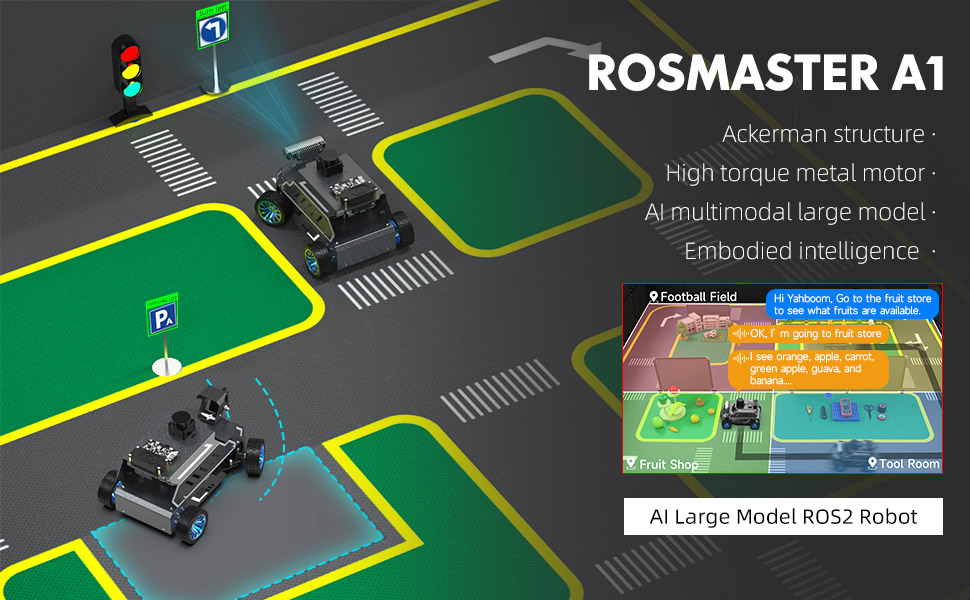
01.Robot Configuration and Operation Guide
02.AI Model Preparation
03.AI Model Basics
04.AI Model - Text Version
- 1.Semantic understand and command follow
- 2.Multimodal visual understand
- 3.Multimodal visual understand + PTZ tracking
- 4.Multimodal visual understand + visual following
- 5.Multimodal visual understand + visual line patroling
- 6.Multimodal visual understand + Depth Camera Distance Question Answering
- 7.Multimodal visual understand+SLAM navigation
- 8.Multimodal visual understand+SLAM navigation + visual line patroling
- 9.Intention estimation + Multimodal visual understand + SLAM navigation + visual functions
05.AI Model - Voice Version
- 1.Semantic understand and command follow
- 2.Multimodal visual understand
- 3.Multimodal visual understand + PTZ tracking
- 4.Multimodal visual understand + visual following
- 5.Multimodal visual understand + visual line patroling
- 6.Multimodal visual understand + Depth Camera Distance Question Answering
- 7.Multimodal visual understand+SLAM navigation
- 8.Multimodal visual understand+SLAM navigation + visual line patroling
- 9.Intention estimation + Multimodal visual understand + SLAM navigation + visual functions
06.Chassis Control Course
07.Mediapipe Visual Course
08.Advanced Visual Course
09.USB Camera Vision Course
- 01.Color tracking
- 02.Face Tracking
- 03.AprilTag machine code tracking
- 04.KCF Object Tracking
- 05.QR code tracking
- 06.Mediapipe gesture tracking
- 07.Meidpipe human posture tracking
- 08.Color Follow
- 09.Face Following
- 10.AprilTag machine code following
- 11.QR code follow
- 12.Mediapipe gesture recognition and following
- 13.Meidpipe human posture following
- 14.Visual tracking autonomous driving
- 15.QR code motion control
- 16.Gesture motion control
10.Depth Camera Vision Course
- 1.Basic use of depth camera
- 2.Deep pseudo-color image
- 3.Depth camera ranging
- 4.Color block volume measurement
- 5.Color Following
- 6.Face Following
- 7.QR code follow
- 8.Machine code following
- 9.KCF Object Following
- 10.Mediapipe gesture following
- 11.Mediapipe Posture Following
- 12.Visual tracking autonomous driving
- 13.Edge Detection
11.LiDAR Course
- 1.Basic use of Lidar
- 2.Lidar obstacle avoidance
- 3.Lidar following
- 4.Lidar patrol
- 5.Gmapping-SLAM mapping
- 6.Cartographer-SLAM mapping
- 7.slam_toolbox mapping
- 8.Navigation2 single-point navigation avoid
- 9.Navigation2 multi-point navigation avoid
- 10.Cartographer Repositioning navigation
- 11.RTAB-Map mapping
- 12.RTAB-Map navigation
- 13.APP mapping navigation
12.Multi-vehicle Course
13.Autonomous Driving expand(Need purchase track map)
- 1. Multimodal visual understand+SLAM navigation
- 1. Venue placement and precautions
- 2. Start testing
- 3. Identify and debug
- 4. Lane keeping
- 5. Road sign detection
- 6. Traffic light recognition
- 7. Fixed point parking
- 8. Steering decision
- 9. Horn sounding
- 10. Deceleration
- 11. Speed limit
- 12. Autonomous parking
- 13. Comprehensive application
- 14. Unmanned driving integrated AI large model
- 1. Venue placement and precautions
- 2. Start testing
- 3. Identify and debug
- 4. Lane keeping
- 5. Road sign detection
- 6. Traffic light recognition
- 7. Fixed point parking
- 8. Steering decision
- 9. Horn sounding
- 10. Deceleration
- 11. Speed limit
- 12. Autonomous parking
- 13. Comprehensive application
- 1. Introduction to Road Network Planning and Navigation
- 2. Constructing a Pose Map
- 3. Road Network Labelling
- 4. Road Network Planning Combined with Sand Table Map Case Study
- 5. Path Replanning
- 1. Data Collection
- 2. Dataset Annotation
- 3. YOLOv11 Model Training
- 4. Model Format Conversion
【Track Map】Multimodal visual understand+SLAM navigation
【Track Map】Autonomous driving (Orin)
【Track Map】Autonomous driving (Jetson Nano)
【Track Map】Road network planning
【Track Map】Model Training
14.YOLOv11 Development (ORIN)
15.YOLOv11 Development (Raspberry Pi & Jetson Nano)
16.Main Control Board Course
- 1. Introduction to the Jetson Nano B01 SUB Board
- 2. Burn the system image
- 3. Re-read the memory card or USB drive that has been burned
- 4. Startup system
- 5. Jetson Nano B01 System and Desktop Introduction
- 6. Memory card or USB flash drive expansion
- 7. Network Configuration
- 8. SSH remote login & file transfer
- 9. VNC Remote Login
- 10. Jetson Nano B01 system backup
- 11. Jetson Nano Swap space increased
- 12. Installation and use of Jtop
- 13. Third-party board + USB drive to start the car
- 1.Jetson Orin board introduction
- 2.Restore the factory image system
- 3.Backup SSD system
- 4.SSD expansion
- 5.Network configuration
- 6.SSH remote login
- 7.VNC remote control
- 8.Remote file transfer
- 9.Jtop tool
- 10.Exchange space expansion
- 1. Introduction to Raspberry PI 5
- 2. Raspberry PI system installation and backup
- 3. Powering the Raspberry PI 5
- 4. Startup of Raspberry PI 5
- 5. Update and upgrade operating system
- 6. Introduction to raspi-config tool
- 7. config.txt file description
- 8. Network Configuration
- 9. remote access
- 10. Transfer files remotely
- 11. Set display resolution and rotation
- 12. Set screen to sleep
- 13. Play audio and video
- 14. Using USB camera
- 15. Using MIPI camera
- 16. Get real-time temperature of Raspberry Pi
Jetson Nano B01
Jetson Orin Nano_NX
Raspberry Pi
17.Linux Operating System
- 1.Introduction to Linux system
- 2.Ubuntu file system
- 3.Ubuntu common commands
- 4.Ubuntu common editors
- 5.Ubuntu software operation commands
- 6.Virtual machine installation
- 7.SSH remote control
- 8.VNC remote control
- 9.Transfer files remotely
- 10.Driver library and communication
- 11.Static IP and hotspot mode
- 12.Bind device ID
- 13.Capacity expansion and resource allocation
- 14.Update system software sources
- 15.Set root user password
- 16.sudo free password
- 17.Connect to WiFi network
- 18.View system version
- 19.Customized service management
- 20.Back up system image
18.Docker Course
19.ROS Basic Course
- 1.Introduction to ROS2
- 2.ROS2 install Humble
- 3.ROS2 development environment
- 4.ROS2 workspace
- 5.ROS2 function package
- 6.ROS2 node
- 7.ROS2 topic communication
- 8.ROS2 service communication
- 9.ROS2 action communication
- 10.ROS2 custom interface message
- 11.ROS2 parameter service case
- 12.ROS2 meta-function package
- 13.ROS2 distributed communication
- 14.ROS2 DDS
- 15.ROS2 time related API
- 16.ROS2 common command tools
- 17.ROS2 rviz2 use
- 18.ROS2 rqt toolbox
- 19.ROS2 Launch startup file configuration
- 20.ROS2 recording and playback tool
- 21.ROS2 URDF model
- 22.ROS2 Gazebo simulation platform
- 23.ROS2 TF2 coordinate transformation
20.Image Processing Basics Course
- 1. Introduction to Open Source CV
- 2. Image reading and display
- 3. Image writing
- 4. Image quality
- 5. Pixel Operation
- 6. Image zoom
- 7. Image cutting
- 8. Image translation
- 9. Image Mirroring
- 10. Affine Transformation
- 11. Image Rotation
- 12. Perspective Transformation
- 13. Grayscale processing
- 14. Image Binarization
- 15. Edge Detection
- 16. Line drawing
- 17. Rectangle and circle drawing
- 18. Drawing text and pictures
21.Control Board STM32 Driver Course
- 0. Notes (must read)
- 1. About expansion board
- 2. STM32 Development environment
- 3. Button control
- 4. FreeRTOS application
- 5. Serial communication
- 6. SBUS model aircraft remote control
- 7. CAN bus communication
- 8. RGB colorful light bar
- 9. Timer interrupt to control PWM servo
- 10. Control serial port servos
- 11. Nine-axis attitude sensor to obtain data
- 12. Control motor
- 13. Timer captures the encoder data
- 14. Robot kinematics analysis theory
- 15. PID control robot movement
22.Control Board Main Control Communication Course
Download