Welcome to Hailo-10H AI HAT +2 repository
4. Instance segmentation
4. Instance segmentation
Instance segmentation refers to the process of identifying and segmenting individual objects within a video frame. It combines object detection (locating objects and drawing bounding boxes) with semantic segmentation (assigning pixel-level labels to image regions). The goal is not only to detect objects but also to generate a mask for each detected object, distinguishing it from other objects and the background.
1. Detecting Objects in Video
Terminal input,
cd hailo-apps
Then enter the command to enter the virtual environment.
xxxxxxxxxxsource setup_env.sh
Enter the command. Run the video inspection.
xxxxxxxxxxhailo-seg
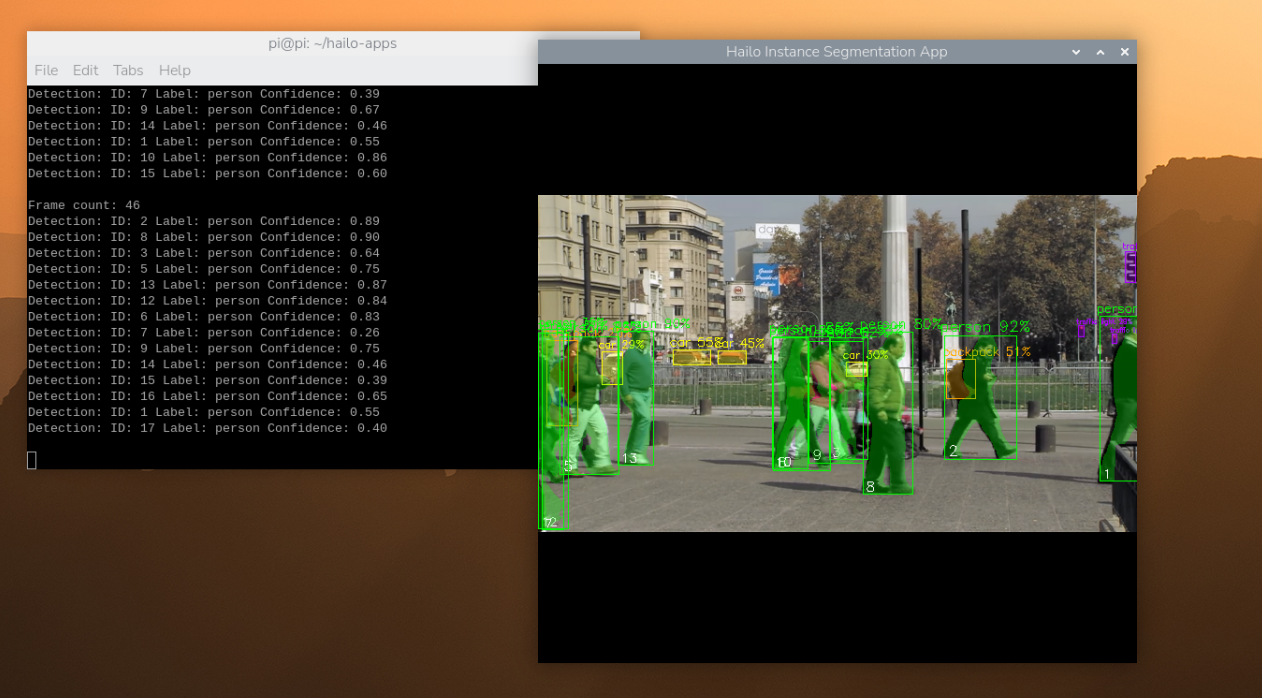
To close the window, press Ctrl+C.
2. Real-time Camera Detection
In the virtual terminal environment, enter the following command. By default, it will automatically detect available USB cameras (if multiple cameras are connected, it will use the first one detected). You can change the input source using the --input flag, for example, videox, then the input source would be:
--input /dev/videox (replace x with the actual device number).
xxxxxxxxxxhailo-seg --input usb #USB camerahailo-seg --input rpi #CSI camera
If the camera is not displaying correctly, you can check which video devices are available by running the following command:
xxxxxxxxxxls /dev/video*You can test if the camera is working properly by running the following command:
xxxxxxxxxxffplay -f v4l2 /dev/video0If you encounter an error, try a different device, such as /dev/video2.
For more information, please refer to:hailo-apps/hailo_apps/python/pipeline_apps/instance_segmentation/README.md at main · hailo-ai/hailo-apps · GitHub