Welcome to Aurora repository
2. Introduction of SLAMTEC Aurora
Introduction to SLAMTEC Aurora
1. Product Overview
Aurora is a newly developed integrated positioning and mapping sensor by SLAMTEC that integrates laser, vision, inertial navigation and deep learning technologies. The sensor does not require external dependencies and can achieve high-precision indoor and outdoor three-dimensional mapping as soon as it is turned on, and has six-degree-of-freedom positioning capabilities. At the same time, the product is also equipped with a complete development tool chain, including graphical interactive software RoboStudio, SDK for secondary development, etc., to help users quickly build personalized applications and accelerate the implementation of downstream products. This product has the following features:
Fusion of laser + binocular vision + IMU multi-source fusion algorithm, supports external expansion (GPS/RTK, odometer, etc.)
Provides indoor and outdoor 3D mapping and positioning functions
Fusion of AI technology to enhance 3D perception capabilities
Has a complete tool chain to support client application expansion
Industry-leading system stability
Aurora products provide customers with 3D mapping and positioning capabilities in an integrated form. It uses Silan's unique laser-vision-IMU fusion SLAM algorithm, combined with vision and laser characteristics, and can perform map data fusion more than 10 times per second and map data drawing of up to one million square meters. Silan provides a tool chain for secondary development, including the visual interactive tool RoboStudio, C++ SDK, JAVA SDK, Restful API SDK, ROS SDK, etc.
2. Appearance Introduction
2.1 Indicator Light
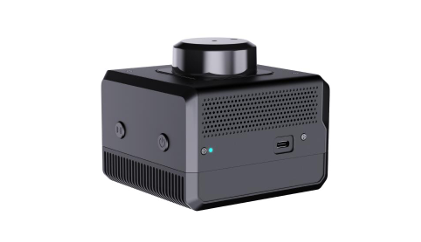
The indicator light status is as follows
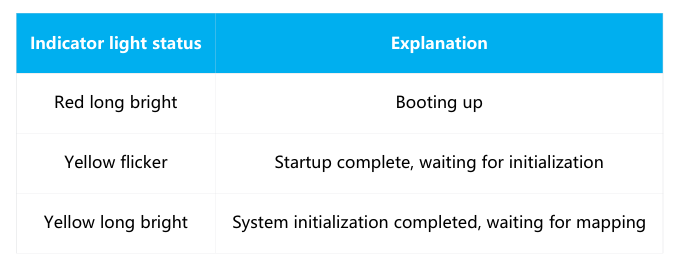
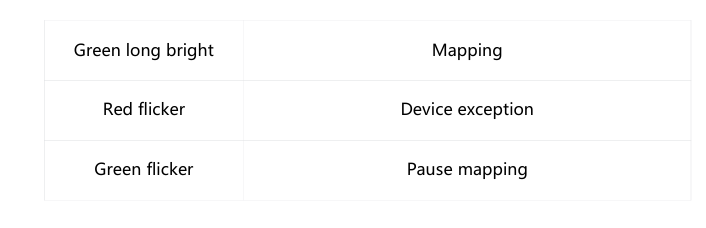
2.2 Button
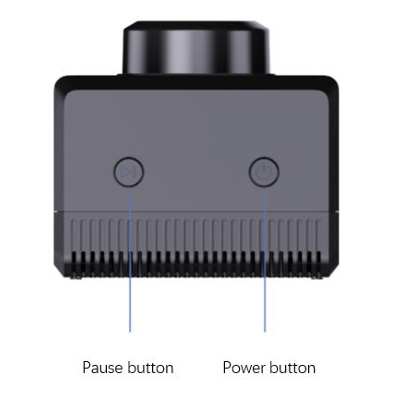
Power Button
Press and hold the power button for eight seconds and the device will enter standby mode
In standby mode, short press the power button to turn on the device
Pause button
Short press the power button to pause the device from building a map
2.3 Ethernet
The default configuration mode of Aurora Ethernet is static IP mode, and the IP address is 192.168.11.1. Connect the computer to Ethernet and access 192.168.11.1 through the browser to obtain the device information of Aurora and perform a simple configuration of Aurora
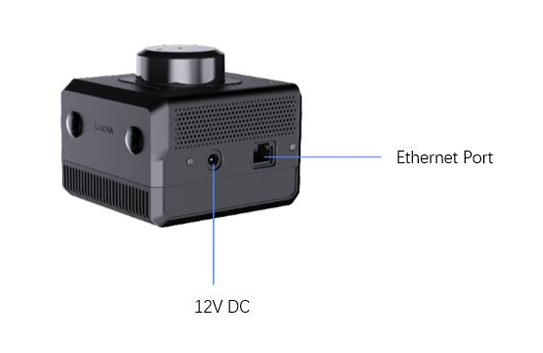
2.4 WIF
Aurora has a 2.4G/5G dual-band WiFi chip onboard, and the default configuration is AP mode. After Aurora is turned on, a hotspot named "SLAMWARE-Aurora-xxxxxx" is automatically generated. The specific hotspot name can be found on the body label.
3. Technical parameters
Core performance indicators
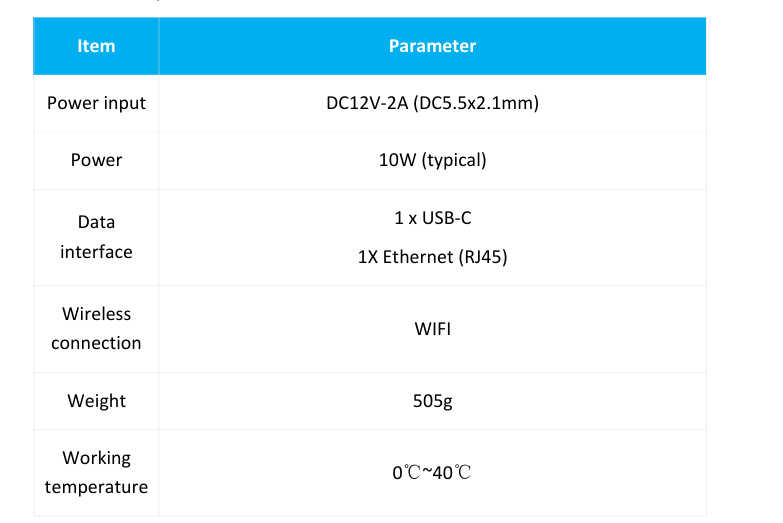
Core parameter indicators
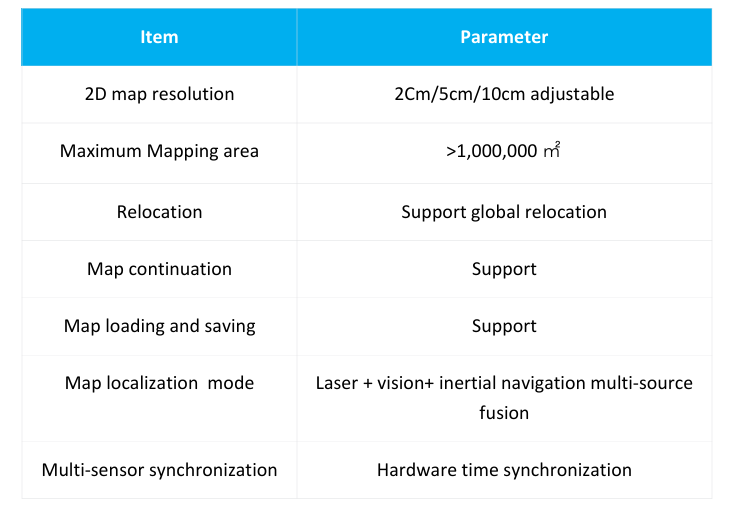
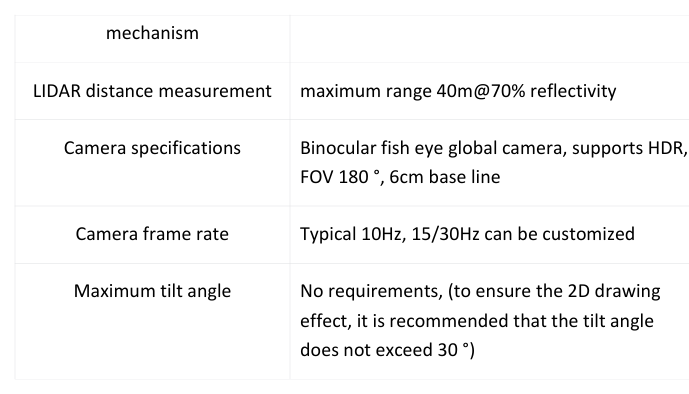
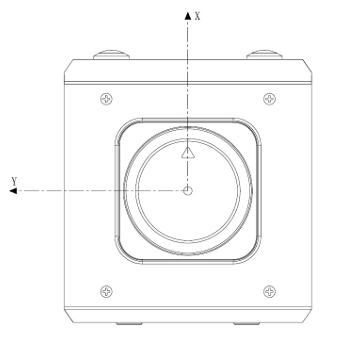
Scanning data coordinate system definition
SLAMTEC Aurora adopts a coordinate system that follows the right-hand rule, using the front of the laser sensor as the x-axis of the coordinate system, and the origin of the coordinate system is the rotation center of the ranging core. The specific coordinate system definition is shown in the figure below:
4. Notes
Do not impact. Dropping or collision may cause damage to the device, resulting in abnormal operation or even complete damage to the device.
Keep the radar and lens parts clean and tidy, and do not touch them directly with your hands. You can use a cleaning cloth to clean the device.
Ensure the heat dissipation of the device. Please use a tripod during use and do not cover the heat dissipation part of the fuselage.