yahboom
HomeLearn
Solution
Blog
Online Store
About Us
EN/中文
HD USB Camera📖
01.Basic course
  • 1.Camera parameters
  • 2.Camera detect
  • 3.Camera preview screen
02.Docker course
  • 1.Docker overview and docker installation
  • 2.Common commands for docker image containers
  • 3.Docker images deeply understand and publish images
  • 4.Docker hardware interaction and data processing
  • 5.Enter the bot's docker container
  • 6.Robot development environment construction in Docker
  • 7.How customers can update docker images in the future
03.ROS vision course
  • 0.Camera preview screen
  • 1.QR code
  • 2.Human pose estimation
  • 3.Target Detection
  • 4.AR vision
  • 5.ROS+Opencv basics
  • 6.Face recognition
  • 7.harris corner detection
  • 8.Target tracking algorithm
  • 9.Contour moment
  • 10.Polygon outline
  • 11.Discrete fourier transform algorithm
  • 12.Edge detection algorithm
  • 13.Face detection algorithm
  • 14.Optical flow detection algorithm
  • 15.Contour detection
  • 16.General contour detection
  • 17.Feature point tracking
  • 18.HLS color filtering
  • 19.Hough circle detection
  • 20.Hough linear detection
  • 21.HSV color filtering
  • 22.LK optical flow algorithm
  • 23.Detection algorithm
  • 24.Phase dependent displacement detection
  • 25.Image pyramid sampling algorithm
  • 26.RGB color filtering
  • 27.Clear background detection algorithm
  • 28.Simplified optical flow algorithm
  • 29.Simple filter
  • 30.Threshold image processing
  • 31.Watershed segmentation algorithm
04.Mediapipe course
  • 1.Hand detection
  • 2.Attitude detection
  • 3.Overall inspection
  • 4.Face detection
  • 5.Face recognition
  • 6.Face effects
  • 7.3D object recognition
  • 8.Brush
  • 9.Finger control
  • 10.Gesture recognition
05.Robot Vision course
  • Tracking color line
06.Camera preview and frame rate test
  • Camera preview and frame rate test
Download
  • PC_Test_Software
  • Docker_Image
Download ZIP

Welcome to HD USB Camera repository

5.ROS+Opencv basics

ROS+Opencv basics

1. Overview

ROS has already integrated Opencv3.0 and above during the installation process, so there is almost no need to think too much about the installation configuration.ROS transmits images in its own sensor_msgs/Image message format and cannot directly perform image processing, but the provided [CvBridge] can perfectly convert and be converted image data formats. [CvBridge] is a ROS library, equivalent to the bridge between ROS and Opencv.

Opencv and ROS image data conversion is shown in the figure below:
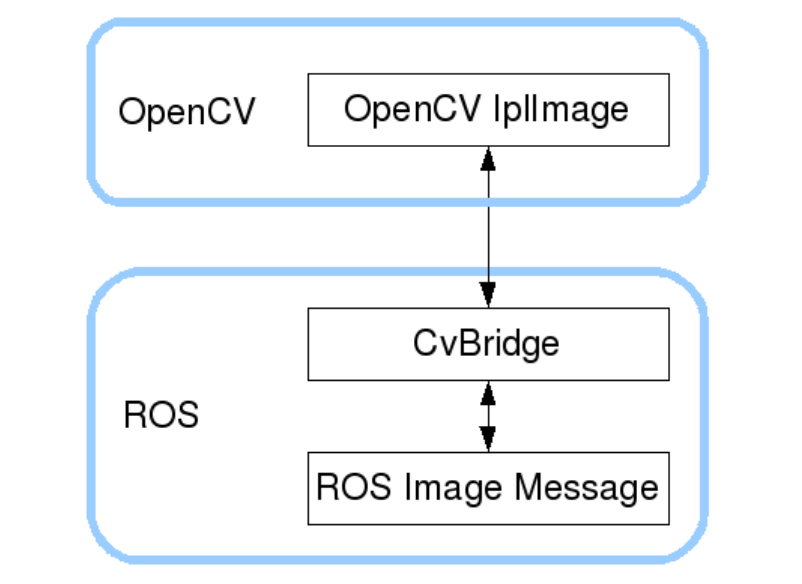
image-20231016181447397

Although the installation configuration does not require too much consideration, the usage environment still needs to be configured, mainly the two files [package.xml] and [CMakeLists.txt]. This function package not only uses [CvBridge], but also requires [Opencv] and [PCL], so they are configured together.

  • package.xml

    Add the following:

    <build_depend>sensor_msgs</build_depend>
    <build_export_depend>sensor_msgs</build_export_depend>
    <exec_depend>sensor_msgs</exec_depend>
    <build_depend>std_msgs</build_depend>
    <build_export_depend>std_msgs</build_export_depend>
    <exec_depend>std_msgs</exec_depend>
    <build_depend>cv_bridge</build_depend>
    <build_export_depend>cv_bridge</build_export_depend>
    <exec_depend>cv_bridge</exec_depend>
    <exec_depend>image_transport</exec_depend>

    【cv_bridge】:Image conversion dependency package.

  • CMakeLists.txt

    This file has a lot of configuration content. Please check the source file for specific content.


2. Start USB camera

Terminal input,

xxxxxxxxxx
roslaunch usb_cam usb_cam-test.launch

View topics

xxxxxxxxxx
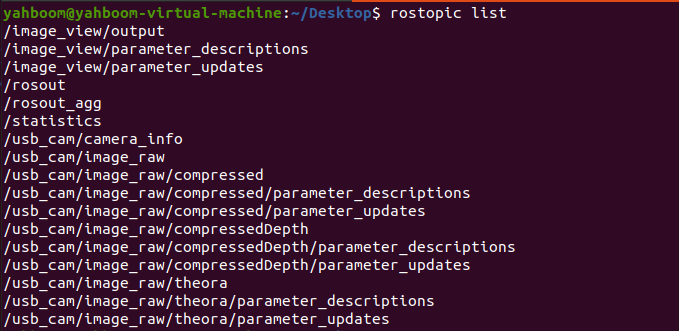
rostopic list

image-20231016181841522

Commonly used ones are /usb_cam/image_raw and /usb_cam/image_raw/compressed. The former is a normal image, and the latter is a compressed image.

Check the encoding format of the topic: rostopic echo +[topic]+encoding, for example,

xxxxxxxxxx
rostopic echo /usb_cam/image_raw/encoding
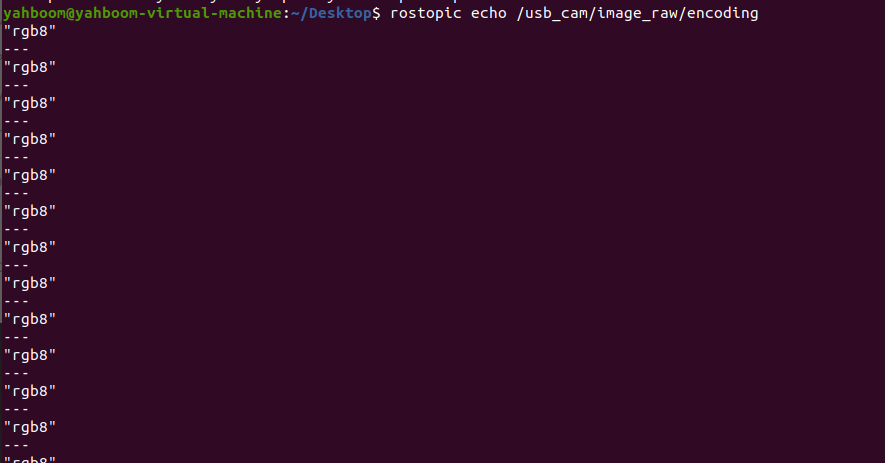
image-20231016182212833

3. Start the color picture subscription node

xxxxxxxxxx
roslaunch usb_cam usb_cam-test.launch
rosrun yahboomcar_visual usb_cam_image.py

4. View the node graph

Terminal input,

xxxxxxxxxx
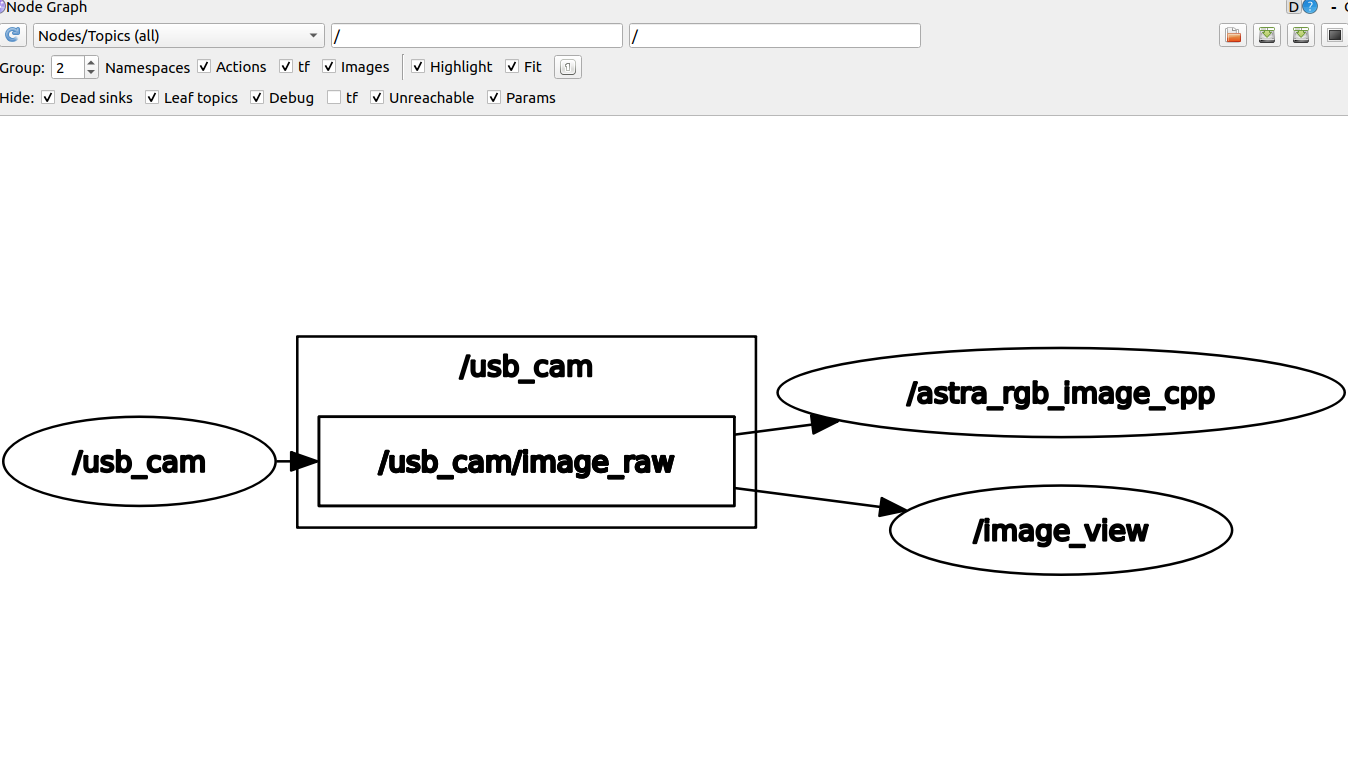
rqt_graph

image-20231016182814425

AR vision
Face recognition

COMPANY

  • About us
  • Team Style
  • Blog

LEARNING & EXPLORATION

  • Tutorials
  • Edge AI hardware
  • Educational robots
  • Embedded intelligent hardware

WHERE TO BUY

  • Yahboom Online Store
  • Amazon
  • Alibaba
  • AliExpress
  • Mercado

TECHNOLOGY SUPPORT

  • Email: support@yahboom.com

BE A DISTRIBUTOR

  • Email: sales@yahboom.com
QR Code

Copyright © 2017-2026 Yahboom. All Rights Reserved.

EN/中文