Welcome to HD USB Camera repository
8.Target tracking algorithm
Target tracking algorithm
Locating objects in consecutive frames of a video is called tracking. In OpenCV, you can use traditional target tracking algorithms (such as mean tracking, Kalman filtering, etc.)Or target trackers based on deep learning (such as MOSSE, CSRT, etc.) for target tracking. Deep learning object trackers generally perform better in accuracy and robustness
1. Use
Code path: ~/yahboomcar_ws/src/opencv_apps/launch
- Start the camera
roslaunch yahboomcar_visual opencv_apps.launch img_flip:=false
- img_flip parameter: whether the image needs to be flipped horizontally, the default is false.
The [usb_cam-test.launch] file opens the [web_video_server] node by default, and you can directly use the [IP:8080] web page to view images in real time.
- Start the corner detection function of Opencv_apps
xroslaunch opencv_apps camshift.launch # target tracking algorithm
The debug_view for some functions is disabled, and there is no screen appearing. You can view the effect in the following two ways.
xThe reason for closing debug_view is that it will generate errors on the terminal, but the actual effect has not been affected
- Local View Screen
Enter the following command to select the corresponding topic
xxxxxxxxxxrqt_image_view
- LAN viewing screen
Enter IP+port in the browser, for example:
xxxxxxxxxx192.168.2.150:8080 # IP是宿主机的IP
2. LAN viewing screen
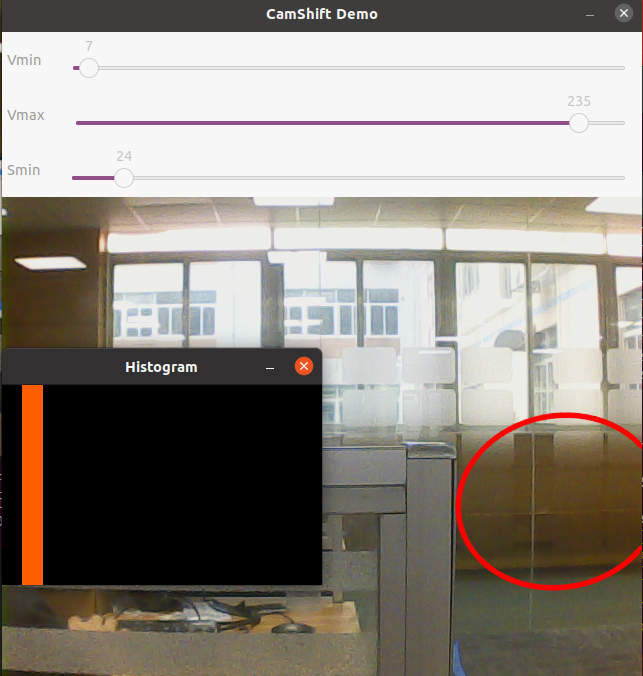
You can see an adjustable window appear on the screen, followed by a red frame.