Welcome to 4-Channel Motor Drive Module repository
1.3 How to Update the Firmware
How to Update the Firmware
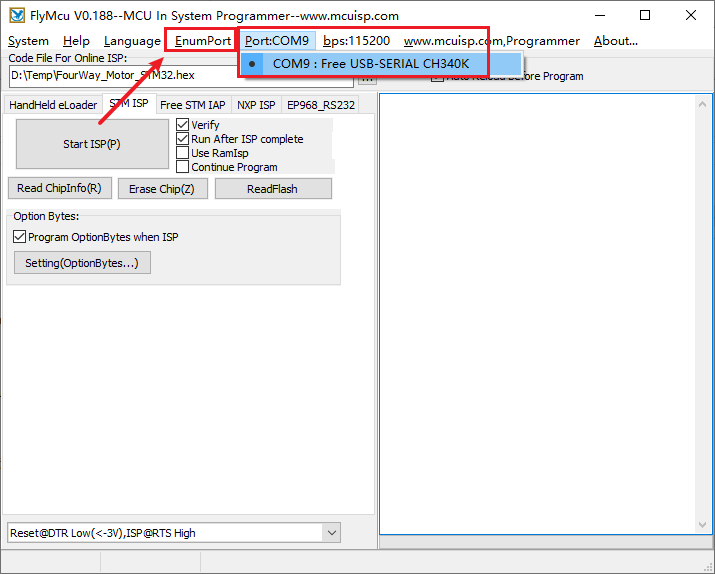
Open the burning software FlyMcu provided in the attachment, connect the typec port of the four-way motor driver board to the computer, and then click the Enumport in the software. And select the serial port used by your driver board.
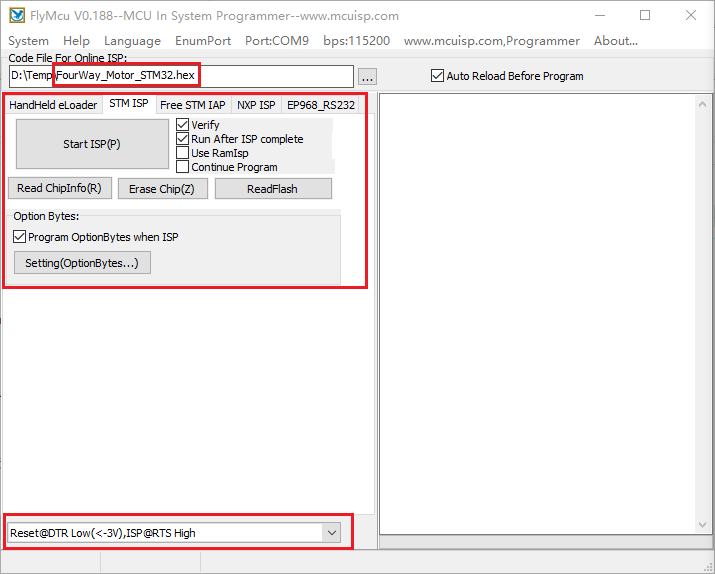
In the program file, select the downloaded firmware file, and then pay attention that the other settings in the red box should be the same as those in the picture.
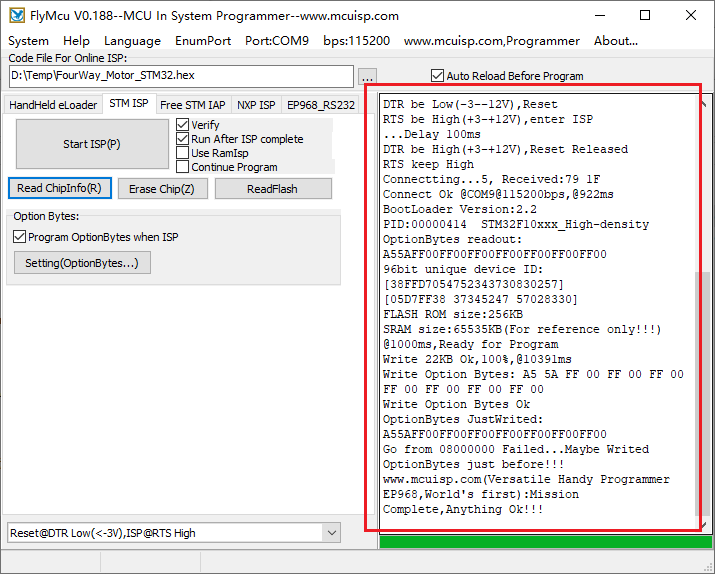
Finally, just click Start Programming. No other operations are required and the firmware will start burning. The following figure shows the information displayed after the burning is successful:
Finally, unplug and plug the type-c cable again to restart the driver board. If the red light is always on and the green light flashes twice every 3 seconds, then the burning is successful.