Welcome to Realsense Depth Camera repository
2.4 ROS+Opencv basic course
4、 ROS+Opencv basic course
4、 ROS+Opencv basic course4.1、Overview4.2、Astra4.2.1、Start up Astra camera4.2.2、Start the color map subscription node4.2.3、Start the depth map subscription node4.2.4、Start color image inversion4.2.5、Publish image
This lesson takes the Astra camera as an example, the ordinary camera is similar.
4.1、Overview
Wiki:http://wiki.ros.org/cv_bridge/
Tutorials:http://wiki.ros.org/cv_bridge/Tutorials
Source code:https://github.com/ros-perception/vision_opencv.git
Function package path:~/transbot_ws/src/transbot_visual
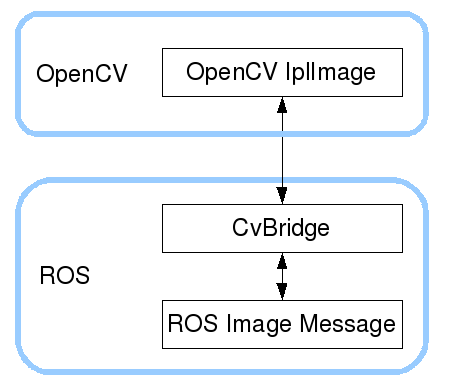
【CvBridge】is a ROS library, equivalent to a bridge between ROS and Opencv. It can perfectly convert and be converted image data format.
Opencv and ROS image data conversion is shown below:
This function package not only needs to use [CvBridge], but also needs [Opencv] and [PCL], so we need to perform the following configuration.
- package.xml
Add following content.
x <build_depend>sensor_msgs</build_depend> <build_export_depend>sensor_msgs</build_export_depend> <exec_depend>sensor_msgs</exec_depend>
<build_depend>std_msgs</build_depend> <build_export_depend>std_msgs</build_export_depend> <exec_depend>std_msgs</exec_depend>
<build_depend>cv_bridge</build_depend> <build_export_depend>cv_bridge</build_export_depend> <exec_depend>cv_bridge</exec_depend>
<build_depend>transbot_msgs</build_depend> <build_export_depend>transbot_msgs</build_export_depend> <exec_depend>transbot_msgs</exec_depend>
<exec_depend>image_transport</exec_depend>【cv_bridge】:Image conversion dependent package.
【transbot_msgs】:Custom message dependency package.
- CMakeLists.txt
This file has a lot of configuration content, please check the source file for specific content.
4.2、Astra
4.2.1、Start up Astra camera
xxxxxxxxxxroslaunch astra_camera astrapro.launch
View topic
xxxxxxxxxxrostopic list
Common topics are as follows
| Topic name | Data type |
|---|---|
| /camera/depth/image_raw | sensor_msgs/Image |
| /camera/depth/image | sensor_msgs/Image |
| /camera/rgb/image_raw | sensor_msgs/Image |
| /camera/depth/image_raw/compressedDepth | sensor_msgs/CompressedImage |
| /camera/rgb/image_raw/compressed | sensor_msgs/CompressedImage |
View the encoding format of the topic: rostopic echo +【topic】+encoding, for example
xxxxxxxxxxrostopic echo /camera/rgb/image_raw/encodingrostopic echo /camera/depth/image_raw/encoding

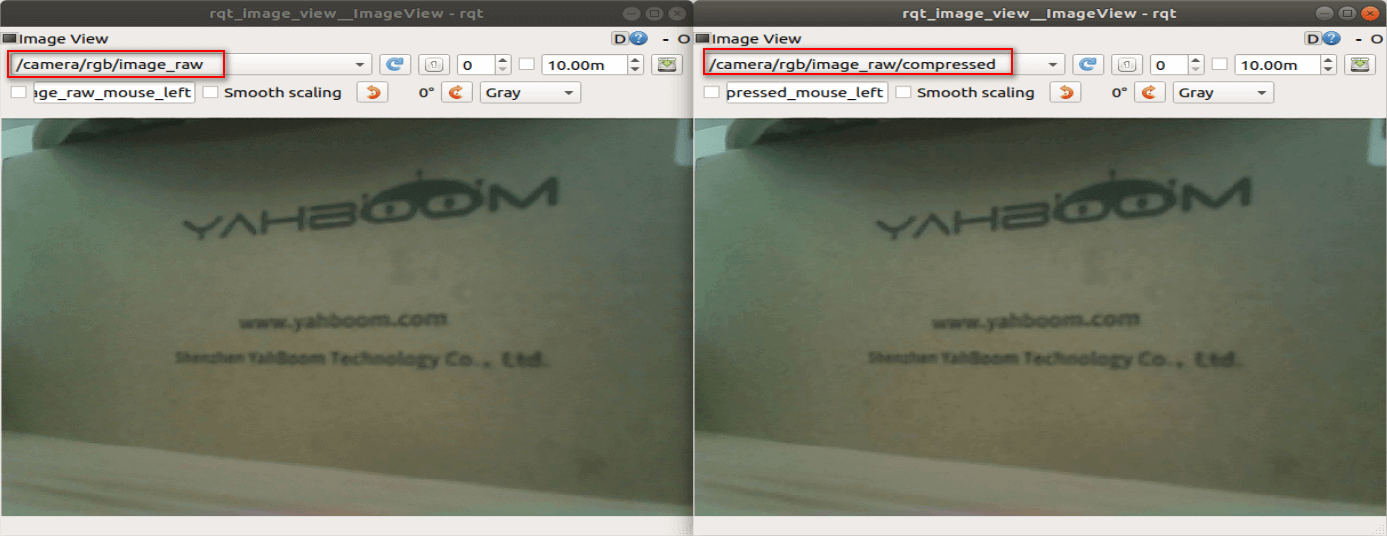
The topic with 【compressed】or 【compressedDepth】 at the end of the topic is a compressed topic. During image transmission, ROS may cause data packet loss due to factors such as the network, main control running speed, main control running memory, and huge video stream data. Unable to get topics, so we recommend users to use compressed topics.
4.2.2、Start the color map subscription node
xxxxxxxxxxroslaunch transbot_visual astra_get_rgb.launch # launchrosrun transbot_visual astra_rgb_image.py # py rosrun transbot_visual astra_rgb_image # C++View node graph
xxxxxxxxxxrqt_graph
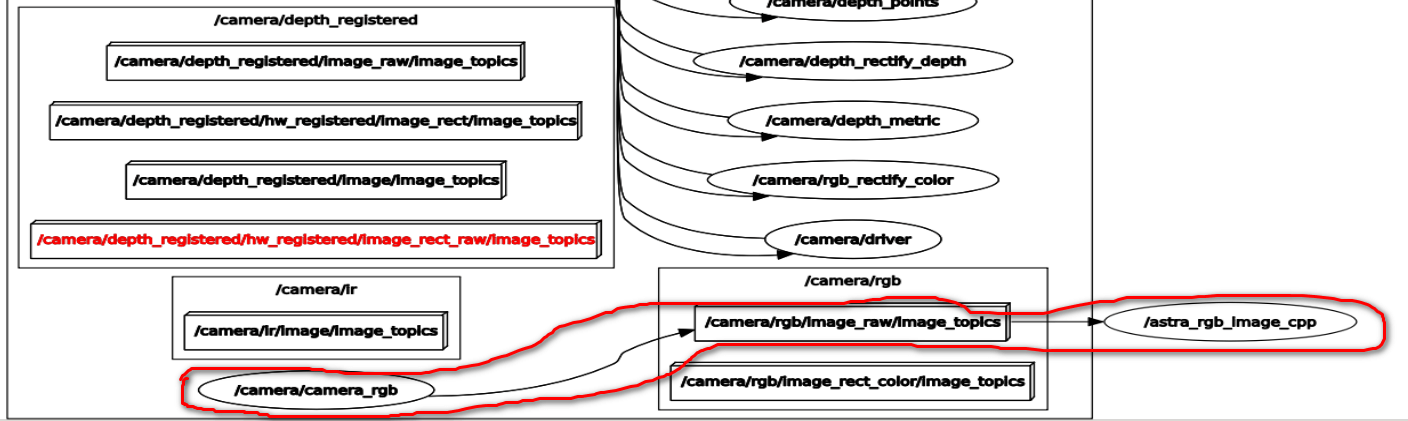
【/astra_rgb_Image_cpp】is the node we wrote.
- py code analysis
Create subscribers: The subscribed topic is 【"/camera/rgb/image_raw"】, the data type is 【Image】, and the callback function is 【topic()】
xxxxxxxxxxsub = rospy.Subscriber("/camera/rgb/image_raw", Image, topic)Use 【CvBridge】 for data conversion to ensure that the encoding format is correct.
xxxxxxxxxxframe = bridge.imgmsg_to_cv2(msg, "bgr8")- c++ code analysis
xxxxxxxxxx//Create a receiver.ros::Subscriber subscriber = n.subscribe<sensor_msgs::Image>("/camera/rgb/image_raw", 10, RGB_Callback);//Create cv_bridge examplecv_bridge::CvImagePtr cv_ptr;//Data conversioncv_ptr = cv_bridge::toCvCopy(msg, sensor_msgs::image_encodings::BGR8);4.2.3、Start the depth map subscription node
xxxxxxxxxxroslaunch transbot_visual astra_get_depth.launch # launchrosrun transbot_visual astra_depth_image.py # pyrosrun transbot_visual astra_depth_image # C++View node graph
xxxxxxxxxxrqt_graph
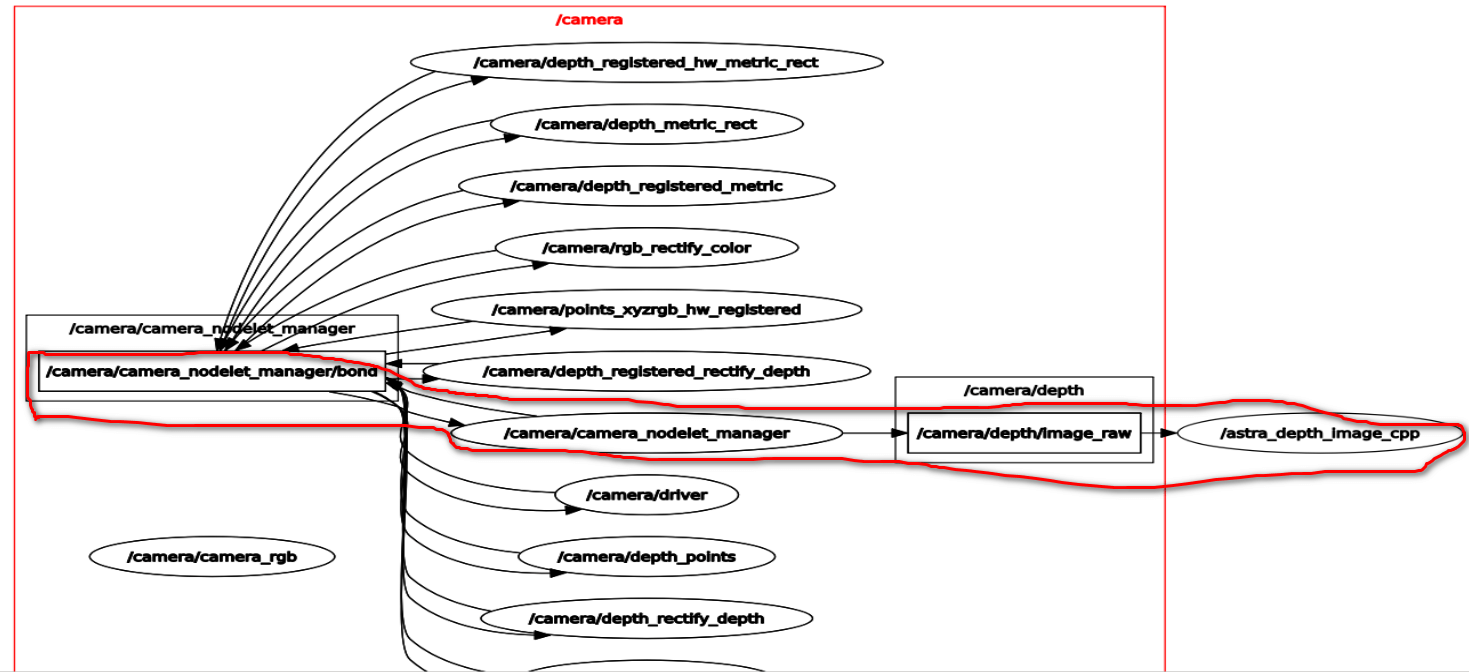
- py code analysis
Create subscribers: The subscribed topic is ["/camera/depth/image_raw"], the data type is [Image], and the callback function is [topic()]
xxxxxxxxxxsub = rospy.Subscriber("/camera/depth/image_raw", Image, topic)Use 【CvBridge】 for data conversion to ensure that the encoding format is correct.
xxxxxxxxxx# Encoding formatencoding = ['16UC1', '32FC1']# Can switch different encoding formats to test the effectframe = bridge.imgmsg_to_cv2(msg, encoding[1])- c++ code analysis
xxxxxxxxxx//Create a receiver.ros::Subscriber subscriber = n.subscribe<sensor_msgs::Image>("/camera/depth/image_raw", 10, depth_Callback);//Create cv_bridge examplecv_bridge::CvImagePtr cv_ptr;//Data conversioncv_ptr = cv_bridge::toCvCopy(msg, sensor_msgs::image_encodings::TYPE_16UC1);4.2.4、Start color image inversion
xxxxxxxxxxroslaunch transbot_visual astra_image_flip.launch # launchrosrun transbot_visual astra_image_flip.py # pyView node graph
xxxxxxxxxxrqt_image_view
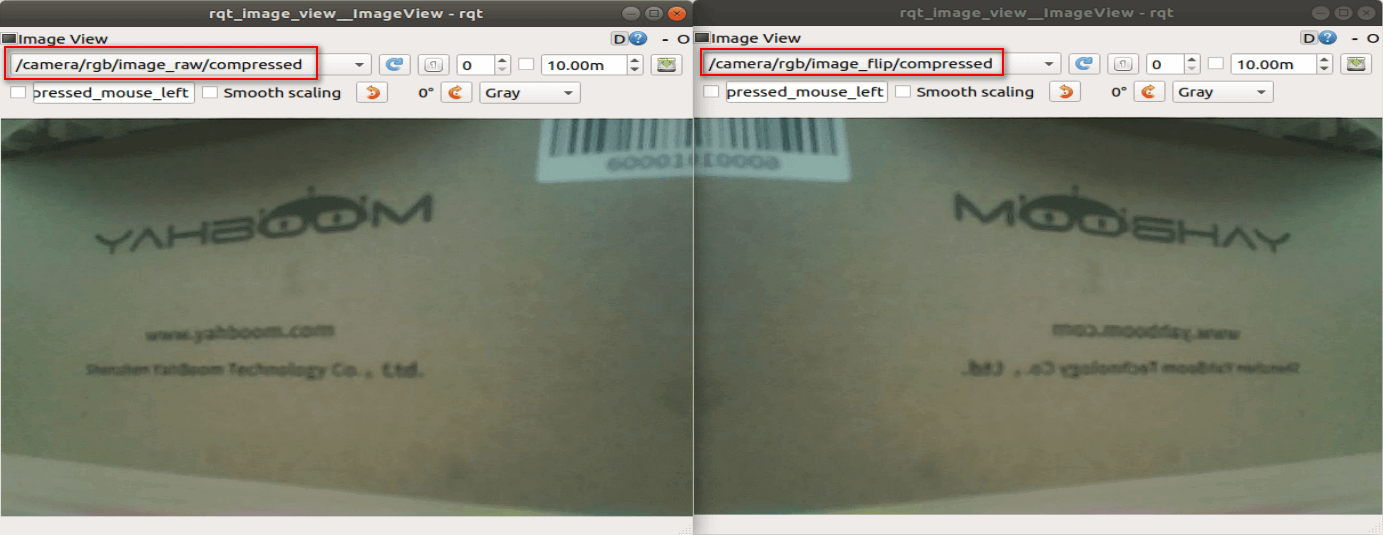
- py code analysis
Two subscribers and two publishers are created here, one for processing general image data and one for processing compressed image data.
1)Create subscriber
The subscribed topic is【"/camera/rgb/image_raw"】,the data type is【Image】,and the callback function is【topic()】。
The subscribed topic is【"/camera/rgb/image_raw/compressed"】,the data type is【CompressedImage】,and the callback function is【compressed_topic()】。
2)Create publisher
The published topic is【"/camera/rgb/image_flip"】,the data type is【Image】,Queue size【10】。
The published topic is【"/camera/rgb/image_flip/compressed"】,the data type is【CompressedImage】,Queue size【10】。
xxxxxxxxxxsub_img = rospy.Subscriber("/camera/rgb/image_raw", Image, topic)pub_img = rospy.Publisher("/camera/rgb/image_flip", Image, queue_size=10)sub_comimg = rospy.Subscriber("/camera/rgb/image_raw/compressed", CompressedImage, compressed_topic)pub_comimg = rospy.Publisher("/camera/rgb/image_flip/compressed", CompressedImage, queue_size=10)3)Callback function
xxxxxxxxxx# Normally image transmission processingdef topic(msg): if not isinstance(msg, Image): return bridge = CvBridge() frame = bridge.imgmsg_to_cv2(msg, "bgr8") # Opencv processing image frame = cv.resize(frame, (640, 480)) frame = cv.flip(frame, 1) # opencv mat -> ros msg msg = bridge.cv2_to_imgmsg(frame, "bgr8") # The image is processed and released directly pub_img.publish(msg) # Compressed image transmission processingdef compressed_topic(msg): if not isinstance(msg, CompressedImage): return bridge = CvBridge() frame = bridge.compressed_imgmsg_to_cv2(msg, "bgr8") # Opencv processing image frame = cv.resize(frame, (640, 480)) frame = cv.flip(frame, 1) # Create CompressedIamge msg = CompressedImage() msg.header.stamp = rospy.Time.now() # Image data conversion msg.data = np.array(cv.imencode('.jpg', frame)[1]).tostring() # The image is processed and released directly pub_comimg.publish(msg)4.2.5、Publish image
Start up command as following content:
xxxxxxxxxxroslaunch transbot_visual astra_to_image.launch # launchrosrun transbot_visual astra_to_image.py # py