Welcome to 24-channel Servo Drive Board repository
2.4 Arduino
Arduino control servo board
1. Learning objectives
In this course, we mainly learn to use Arduino and 24 channel steering gear control board to control the servo through serial port.
2. Preparation before class
The 24 channel steering gear control board of this routine adopts serial communication, and connects the RXD and TXD of the module to the TXD and RXD pins of the Arduino UNO board respectively. VCC and GND are connected to 5V and GND of Arduino UNO respectively. The wiring diagram is as follows:
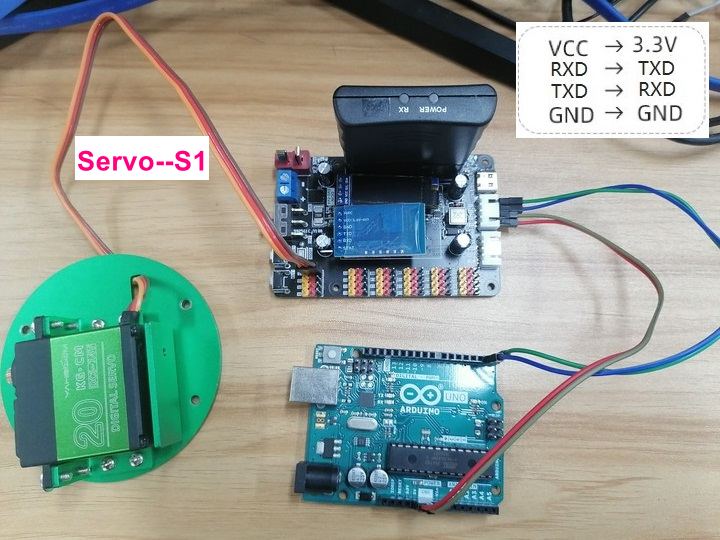
3.Code
Servo control function. According to the protocol, 0x24 and 0x23 are the header and trailer of data packets respectively.
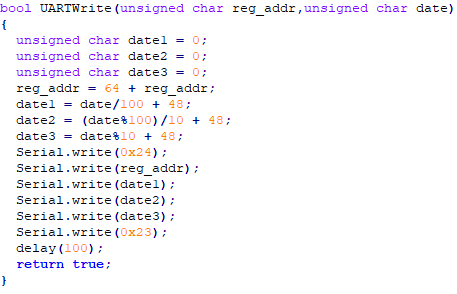 Initialize serial communication
 Set steering gear S1 angle 0°

4.Compile and download code
4.1 We need the general Arduino IDE software to open the file, click "√" in the menu bar to compile the program, and wait for the word "Compiled successfully" to appear in the lower left corner.
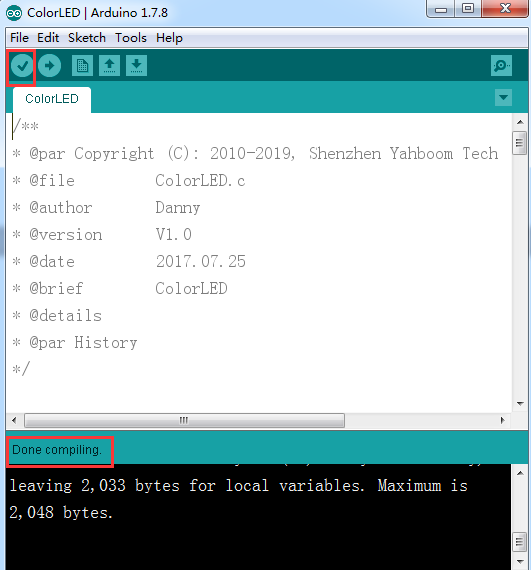
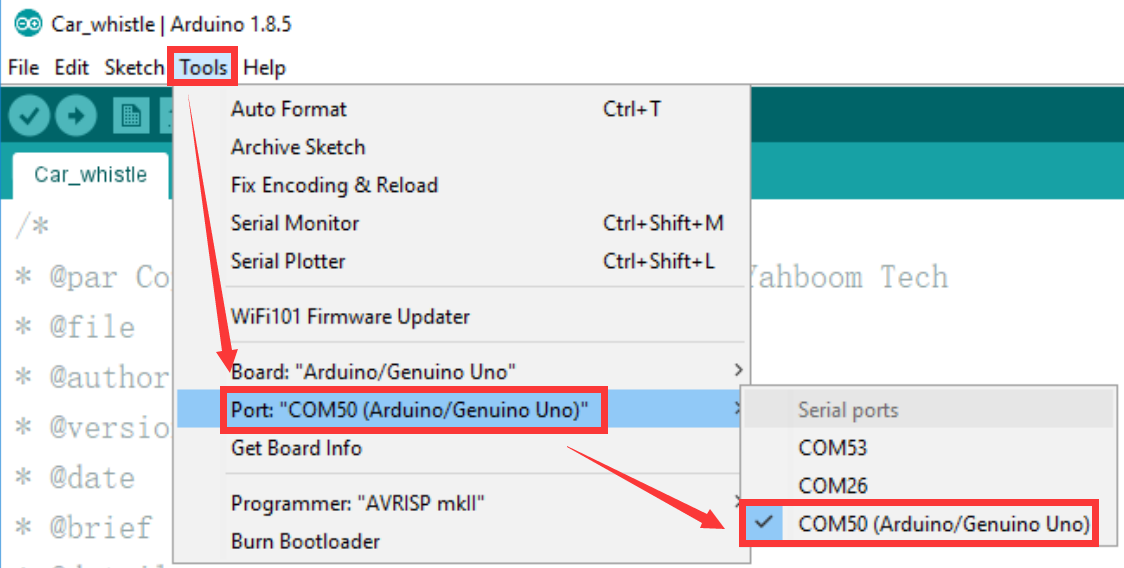
4.2 In the menu bar of the Arduino IDE, we need to select [Tool] - [Port] - [Port] -] and select the port number just displayed in the device manager, as shown in the following figure.
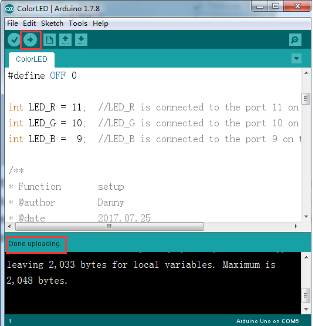
4.3 After selection, click "→" under the menu bar to upload the code to the UNO board. When the word "upload completed" appears in the lower left corner, it indicates that the program has been successfully uploaded to the UNO board, as shown in the following figure.
5.Experimental phenomenon
After the program is downloaded successfully, the steering gear will first turn to 0 °, then turn to 180 ° after 2s, and then turn to 0 ° after 2s.