Welcome to Aurora S repository
2. Introduction of SLAMTEC Aurora S
SLAMTEC Aurora S Introduction
1. Product Overview
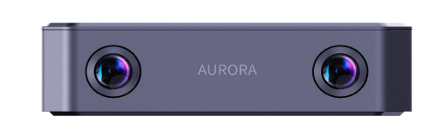
The Slamtec Aurora S is a next-generation, compact, integrated AI spatial perception system from SLAMTEC. Combining visual perception, inertial navigation, and SLAMTEC's proprietary AI deep learning vSLAM technology, it offers a highly integrated, plug-and-play experience. It is suitable for high-precision 3D mapping, perception, and spatial positioning in multiple indoor and outdoor scenarios. It can be widely used in fields such as embodied intelligence, industrial automation, digital twins, and low-speed autonomous driving.
Core Features
- SLAMTEC AI Deep Learning Engine
- Provides real-time 3D mapping and positioning for both indoor and outdoor use.
- 6DOF Spatial Positioning: Provides high-precision position and attitude information in real time.
- End-to-end Stereo Depth Estimation: Generates dense depth data in real time.
- AI Object Recognition and Segmentation: Generates object segmentation maps in real time
- Scalable LiDAR: Provides higher-precision 2D maps
Supplementary Software
- Paired with the Aurora Remote UI customizable interactive software, it enables scene reconstruction and digital twins
- Provides a comprehensive Aurora Remote SDK, supporting C++, ROS1/ROS2, and Python, enabling rapid secondary development, building customized applications, and accelerating downstream product launches
Feature Overview
- AI deep learning vSLAM engine
- All-in-one design, compact size
- Ready-to-use, no external dependencies required
- Suitable for indoor and outdoor use, with strong environmental adaptability
2. Appearance
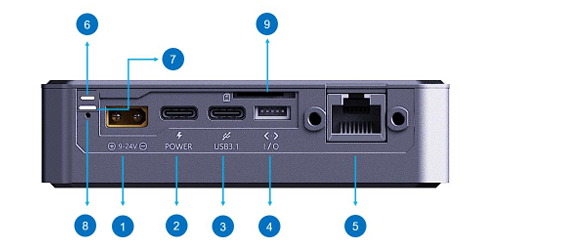
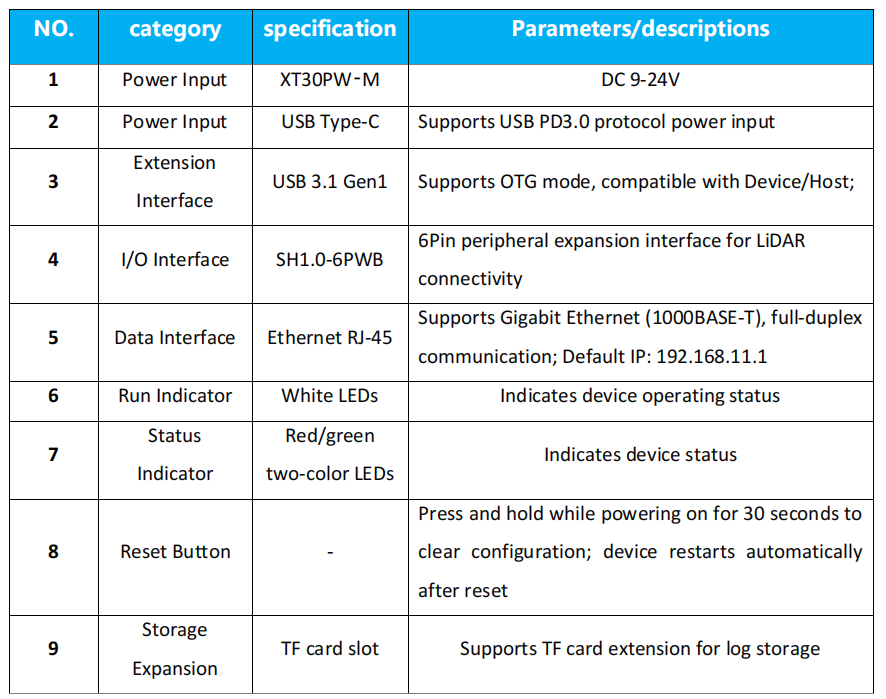
2.1 Interface Parameters
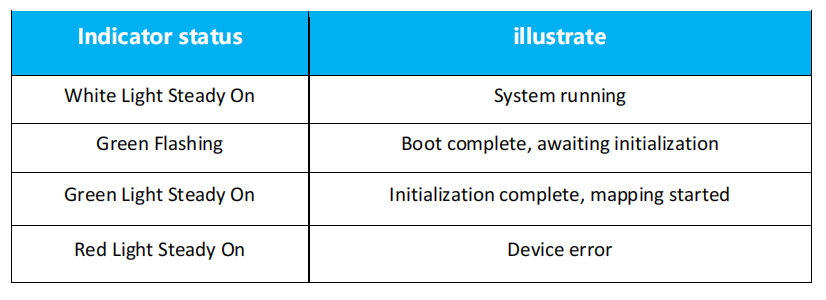
Status Indicator:
2.2 Technical Parameters
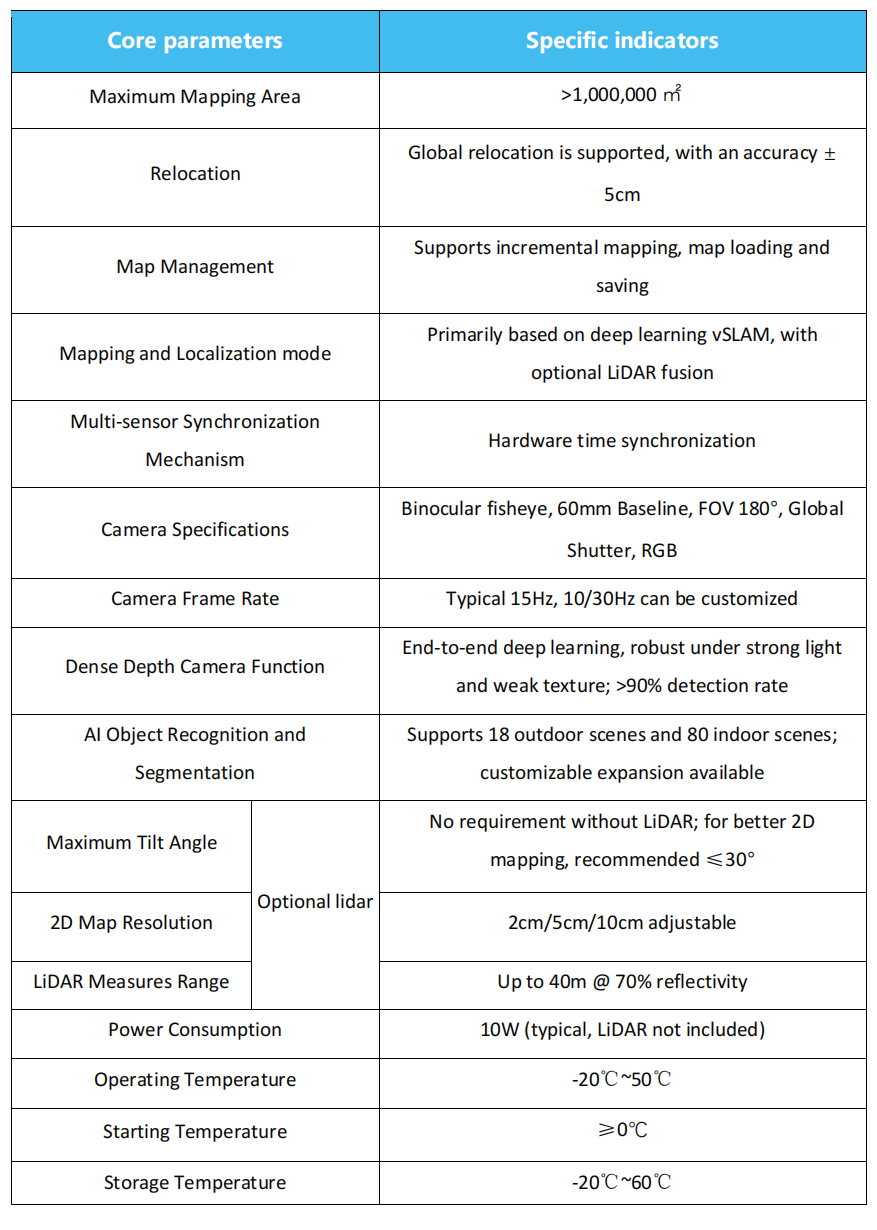
3. System Configuration
The SLAMTEC Aurora S product consists of a binocular fisheye camera, an IMU, a LiDAR (optional), and an internal computing board. This integrated system provides customers with 3D point cloud maps, 6DoF spatial positioning, dense depth maps, object segmentation maps, and other data. The Aurora Remote SDK allows users to stably obtain real-time data and quickly develop applications such as dense mapping/scene reconstruction, semantic mapping, path planning and navigation, and 3DGS. The Aurora Remote UI, a visual interactive development software, allows for rapid product evaluation and scene reconstruction.
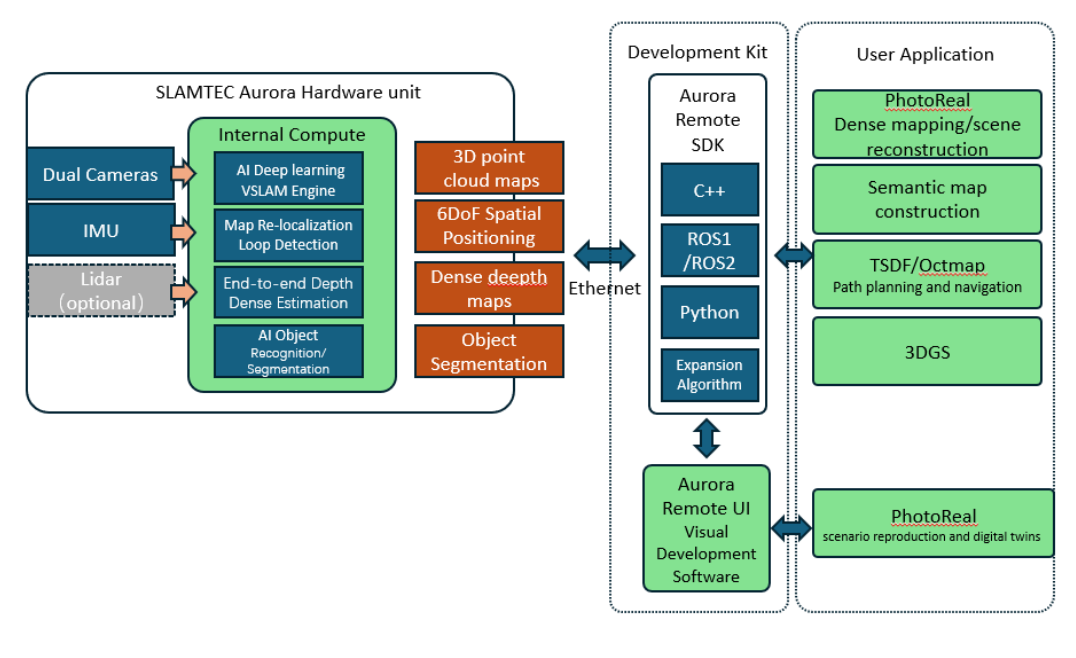
The Aurora's Ethernet default configuration mode is static IP mode, with the IP address 192.168.11.1. Connect a computer to the Ethernet network and access 192.168.11.1 via a browser to obtain Aurora device information and perform simple configuration.
4. Precautions
- Avoid impact. Dropping or collisions can damage the device, resulting in malfunction or even complete destruction.
- Keep the radar and lens clean and avoid direct contact with bare hands. Use a cleaning cloth to clean the device.
- Ensure proper heat dissipation. Use a tripod during use and avoid covering any heat dissipation areas.