yahboom
HomeLearn
Solution
Blog
Online Store
About Us
EN/中文
Aurora S📖
1.Basic course
  • 1. Aurora SLAMTEC Official Learning Website
  • 2. Introduction of SLAMTEC Aurora S
  • 3. AuroraCore-remote Visualizer host computer usage tutorial
  • 4. Power supply instructions
2.ROS course
  • 1. ROS1 Use Cases
  • 2. ROS2 Use Cases
Download
  • Code
  • 3D_Model_File
  • Camera_Firmware
  • PC_Host
  • VM_File
  • System_File
  • Product_Brochure
Download ZIP

Welcome to Aurora S repository

4. Power supply instructions

Power Supply Instructions

1. Using the Official Adapter

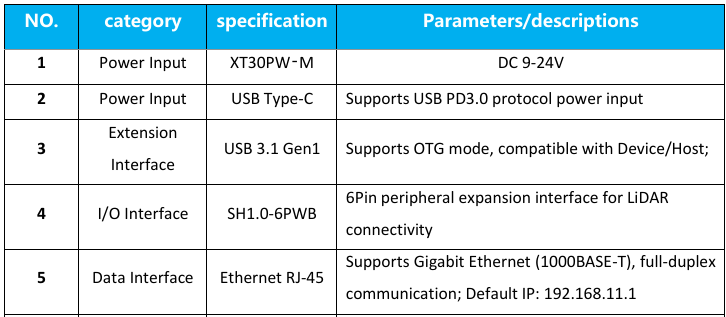
  • Official Power Input Specifications

image-20251011102611386

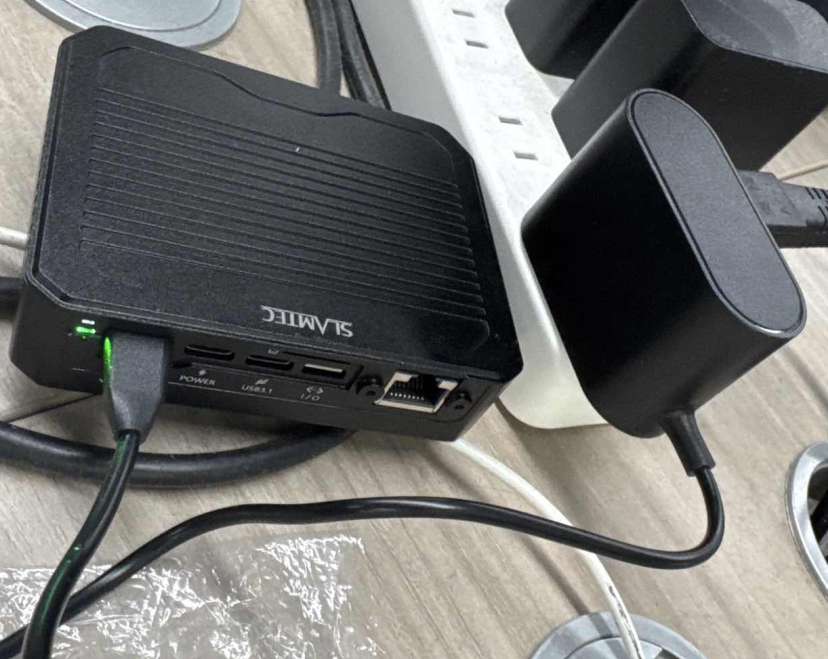
  • Official Adapter Wiring Diagram

image-20251011102839897

Then check the indicator light. Wait for it to turn solid white before you can start building the image.
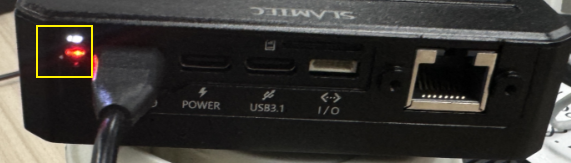
image-20251011102854082

2. Using the Official PD Protocol Cable

Use a USB-compatible The Type-C data cable for PD 3.0 must be powered by a 12V PD cable.
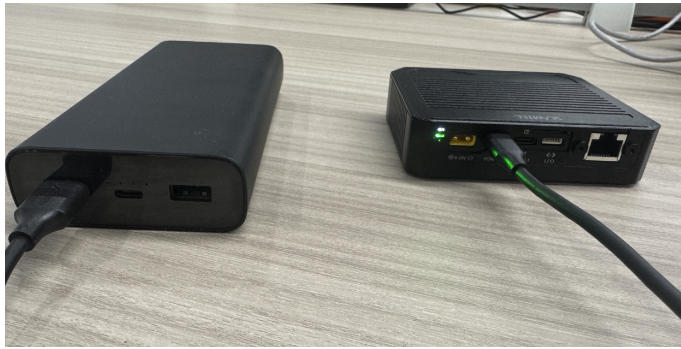
image-20251011103019266

You'll also need a power adapter or power bank that can provide a stable 12V power supply to the Type-C cable and complies with the PD protocol. The following diagram shows a wiring diagram for using a 12V PD-compliant charger to power the Aurora radar.
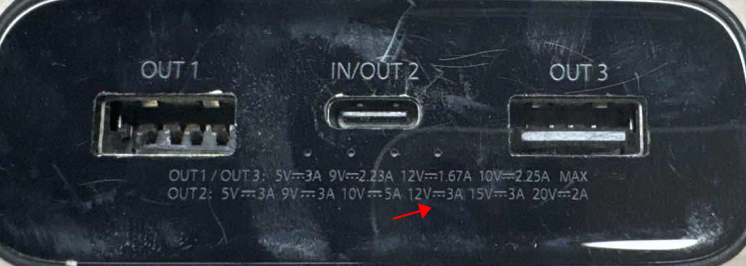
image-20250107174947220

Then check the indicator light and wait for it to turn solid white.
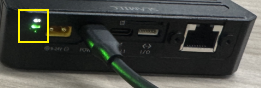
image-20251011103039206

This allows for portable mapping.

AuroraCore-remote Visualizer host computer usage tutorial
ROS1 Use Cases

COMPANY

  • About us
  • Team Style
  • Blog

LEARNING & EXPLORATION

  • Tutorials
  • Edge AI hardware
  • Educational robots
  • Embedded intelligent hardware

WHERE TO BUY

  • Yahboom Online Store
  • Amazon
  • Alibaba
  • AliExpress
  • Mercado

TECHNOLOGY SUPPORT

  • Email: support@yahboom.com

BE A DISTRIBUTOR

  • Email: sales@yahboom.com
QR Code

Copyright © 2017-2026 Yahboom. All Rights Reserved.

EN/中文