Welcome to SDM18 Laser Ranging Module repository
Preparation before use
1. Preparation before use
1、Install SDK
Unzip the YDLidar-SDK-master.zip file in the folder,Get a file YDLidar-SDK-master,Copy this file to your own file directory,Here, taking the installation in the/home directory as an example, and then entering it one by one,
cd YDLidar-SDK-mastermkdir buildcd buildcmake ..makesudo make install2.Compile ROS feature package
ROS1
Unzip the ydlidar_ros_ws.rar file in the folder,get a file ydlidar_ros_ws,Copy this feature package to the root directory of your own environment, then open the terminal in the workspace and enter the following command to compile,
xxxxxxxxxxcd ydlidar_ros_wscatkin_make -DCATKIN_WHITELIST_PACKAGES=ydlidar_ros_driversource install/setup.bash #激活工作空间
ROS2
Extract the ydlidar_ros2_ws.rar file from the folder and obtain a file ydlidar_ros2_ws. Copy this feature package to the root directory of your own environment, then open the terminal in the workspace and enter the following command to compile,
xxxxxxxxxxcd ydlidar_ros2_wscolcon build --symlink-install
3. Create a serial port alias
To prevent recognition errors when multiple USB devices are connected, we create a module serial port alias.
xxxxxxxxxxsudo chmod 0777 ~/catkin_ws/src/ydlidar_ros_driver/startup/*sudo sh ~/catkin_ws/src/ydlidar_ros_driver/startup/initenv.sh
The ~/catkin_ws/src/ydlidar_ros_driver here is the location for installing the feature pack and needs to be modified according to the actual situation. Take care:
After completing the previous operation, please reinsert the module again。
Enter the following command to check if the recognition was successfully created,
xxxxxxxxxxll /dev/ydlidar
If the following screen appears, it indicates success,

Note: This may not necessarily be ttyUSB0, the assigned serial number based on system identification shall prevail.
4. Running programs
Terminal input,
ROS1,
xxxxxxxxxxroslaunch ydlidar_ros_driver SDM18.launch
The screenshot of successful operation is as follows,
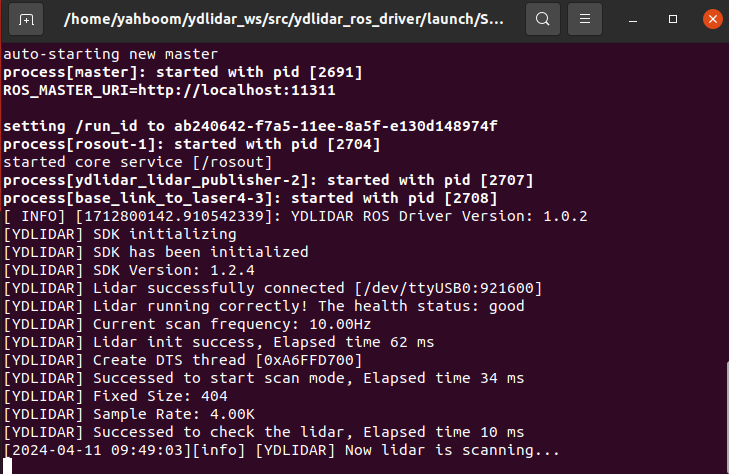
You can enter the following command to view specific data,
xxxxxxxxxxrostopic echo /scan
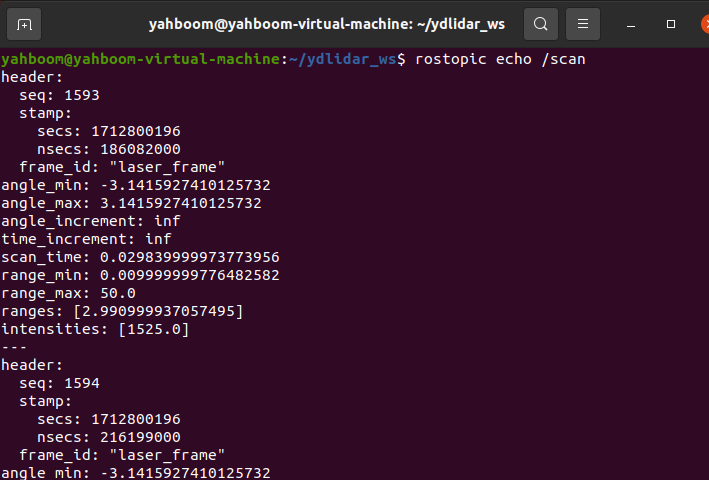
The data in ranges is the actual measured distance, measured in meters.
ROS2
xxxxxxxxxxros2 launch ydlidar_ros2_driver ydlidar_launch.py
The following screenshot appears when running successfully,
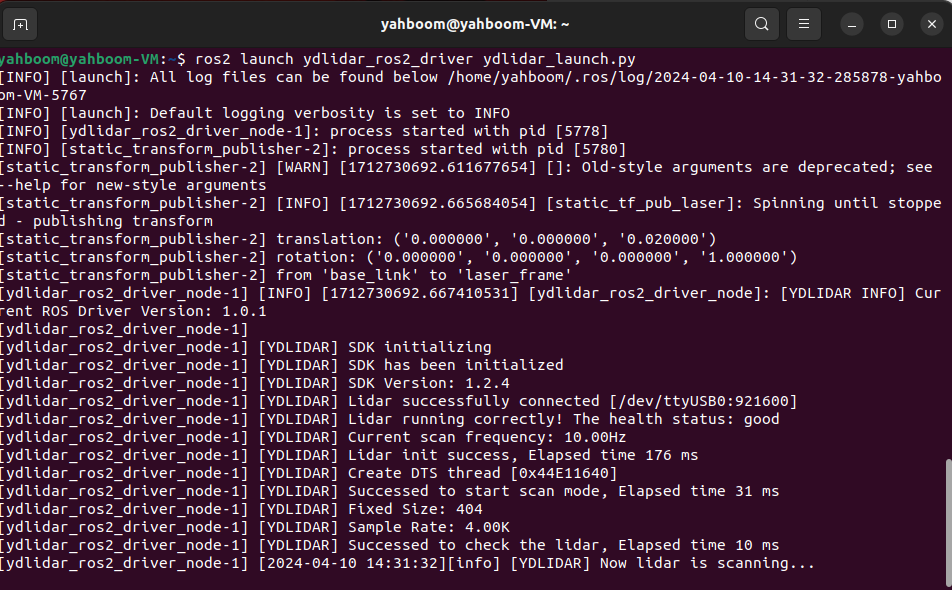
You can enter the following command to view specific data,
xxxxxxxxxxros2 topic echo /scan
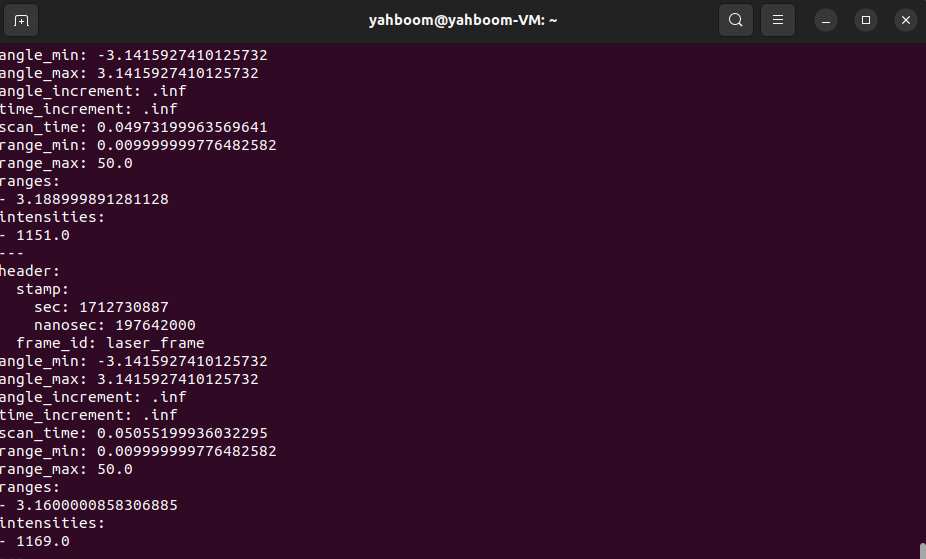
The data in ranges is the actual measured distance, measured in meters.