yahboom
HomeLearn
Solution
Blog
Online Store
About Us
EN/中文
AI Vision USB Camera📖
01.Basic course
  • 1.Camera parameters
  • 2.Camera detect
  • 3.Camera preview screen
02.Docker
  • 1.Docker overview and docker installation
  • 2.Common commands for docker image containers
  • 3.Docker images deeply understand and publish images
  • 4.Docker hardware interaction and data processing
  • 5.Enter the bot's docker container
  • 6.Robot development environment construction in Docker
  • 7.How customers can update docker images in the future
03.ROS vision course
  • 0.Camera preview screen
  • 1.QR code
  • 2.Human pose estimation
  • 3.Target Detection
  • 4.AR vision
  • 5.ROS+Opencv basics
  • 6.Face recognition
  • 7.harris corner detection
  • 8.Target tracking algorithm
  • 9.Contour moment
  • 10.Polygon outline
  • 11.Discrete fourier transform algorithm
  • 12.Edge detection algorithm
  • 13.Face detection algorithm
  • 14.Optical flow detection algorithm
  • 15.Contour detection
  • 16.General contour detection
  • 17.Feature point tracking
  • 18.HLS color filtering
  • 19.Hough circle detection
  • 20.Hough linear detection
  • 21.HSV color filtering
  • 22.LK optical flow algorithm
  • 23.Detection algorithm
  • 24.Phase dependent displacement detection
  • 25.Image pyramid sampling algorithm
  • 26.RGB color filtering
  • 27.Clear background detection algorithm
  • 28.Simplified optical flow algorithm
  • 29.Simple filter
  • 30.Threshold image processing
  • 31.Watershed segmentation algorithm
04.Mediapipe course
  • 1.Hand detection
  • 2.Attitude detection
  • 3.Overall inspection
  • 4.Face detection
  • 5.Face recognition
  • 6.Face effects
  • 7.3D object recognition
  • 8.Brush
  • 9.Finger control
  • 10.Gesture recognition
05.Robot Vision course
  • Tracking color line
06.Camera preview and frame rate test
  • Camera preview and frame rate test
Download
  • Docker Image
  • PC_Software
Download ZIP

Welcome to AI Vision USB Camera repository

3.Camera preview screen

Camera preview screen

Camera preview screenFor Raspberry PiFor Jetson

For Raspberry Pi

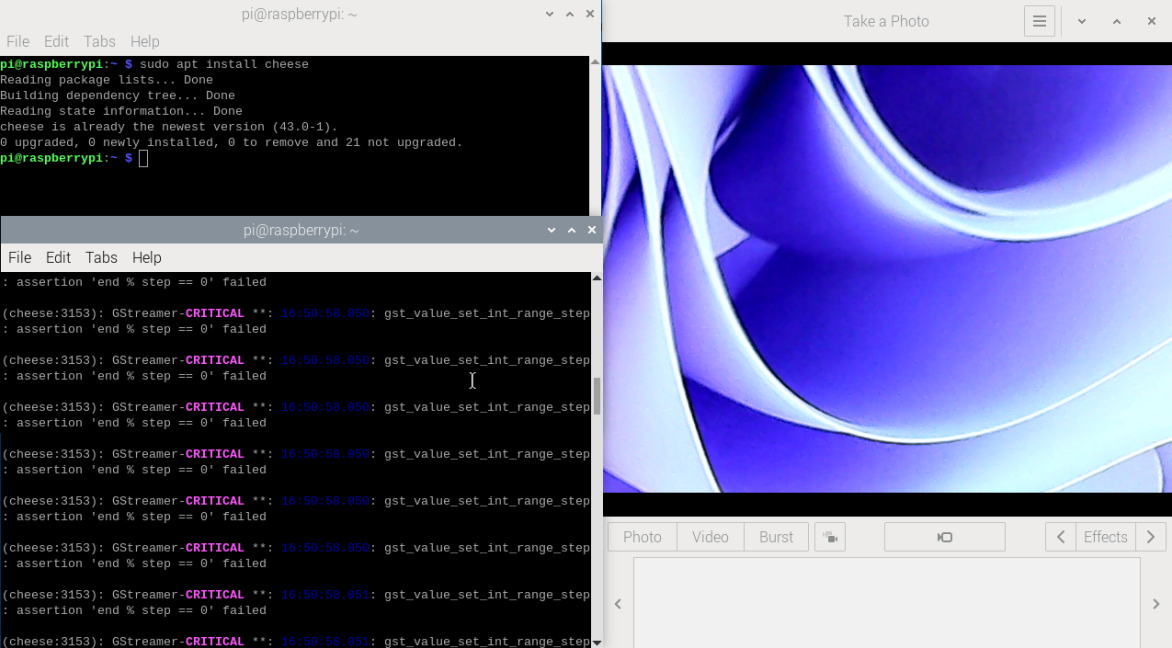
Input following command to install cheese software:

sudo apt install cheese

Input following command to open cheese software:

xxxxxxxxxx
cheese

image-20240307165254251

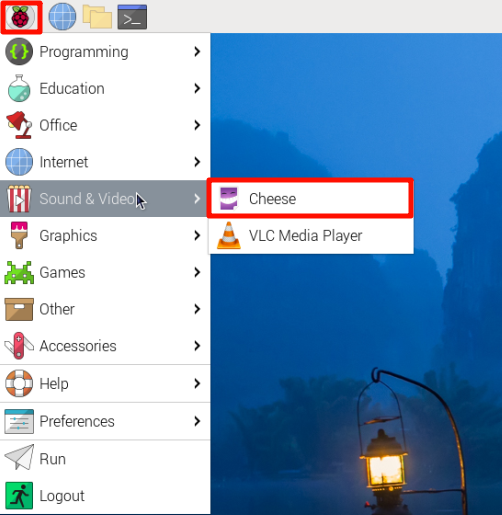
You can also open software:

image-20240307170908420

If the Raspberry Pi cannot install cheese, you can update to the latest image and update the software package list.

For Jetson


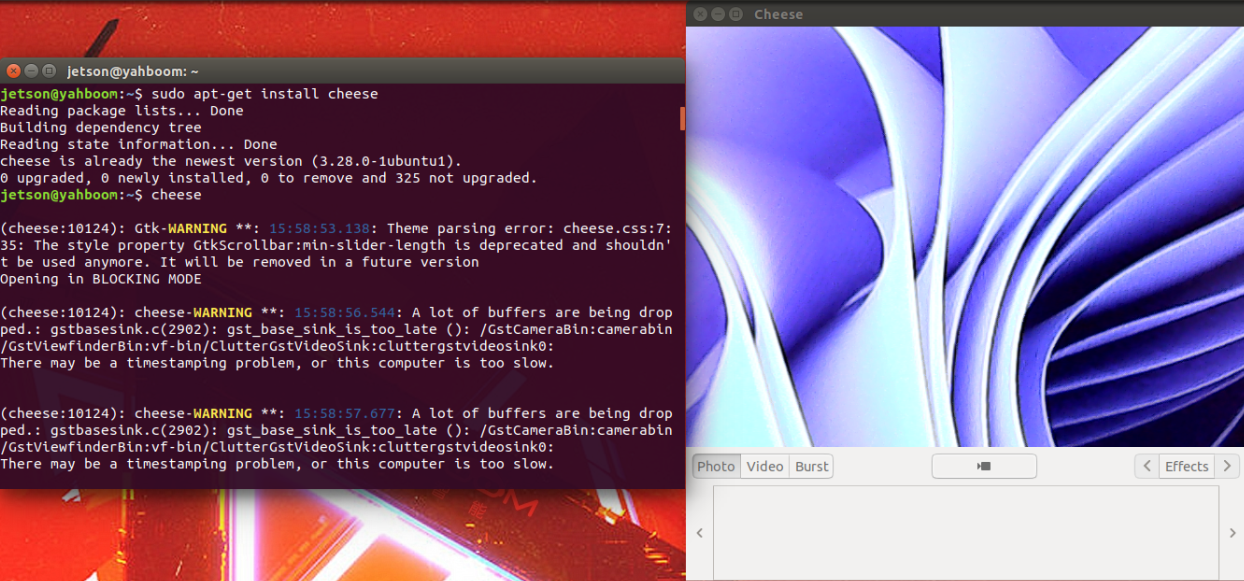
Input following command to install cheese software:

xxxxxxxxxx
sudo apt-get install cheese

Input following command to open cheese software:

xxxxxxxxxx
cheese

image-20240307160030251


Camera detect
Docker overview and docker installation

COMPANY

  • About us
  • Team Style
  • Blog

LEARNING & EXPLORATION

  • Tutorials
  • Edge AI hardware
  • Educational robots
  • Embedded intelligent hardware

WHERE TO BUY

  • Yahboom Online Store
  • Amazon
  • Alibaba
  • AliExpress
  • Mercado

TECHNOLOGY SUPPORT

  • Email: support@yahboom.com

BE A DISTRIBUTOR

  • Email: sales@yahboom.com
QR Code

Copyright © 2017-2026 Yahboom. All Rights Reserved.

EN/中文