Welcome to AT8236 2-Channel Motor Driver Module repository
2.3 For RaspberryPi
RaspberryPi
1. Preparation
Connect the motor drive board and Raspberry Pi according to the wiring diagram, connect the battery to the power input interface on motor drive module.
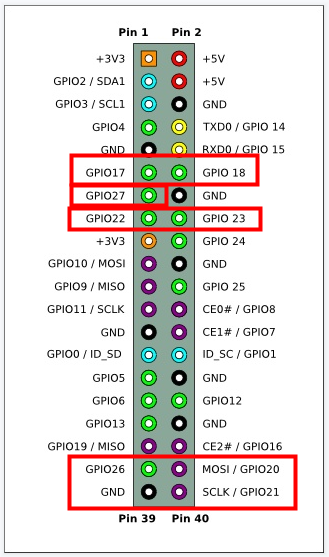
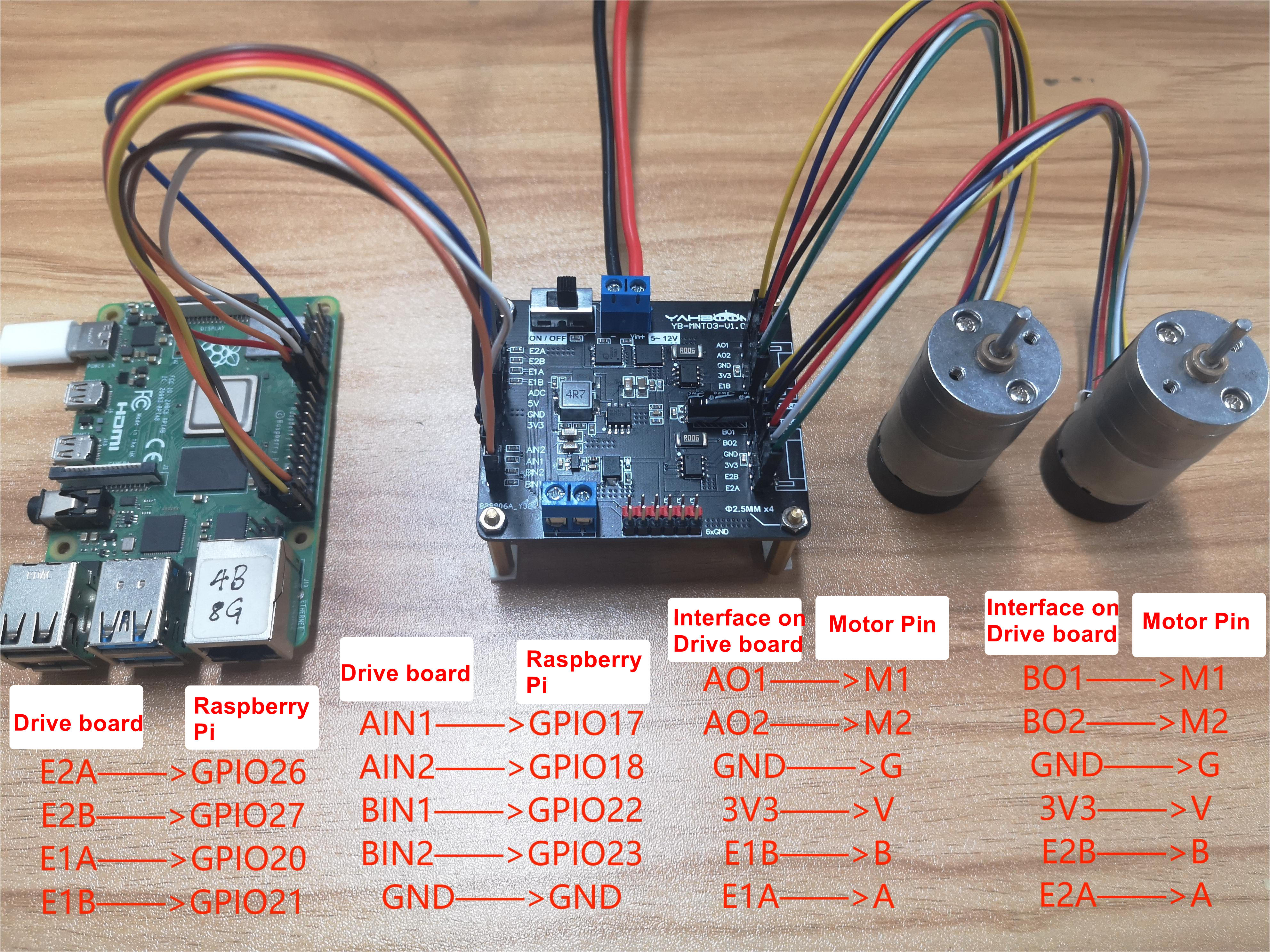
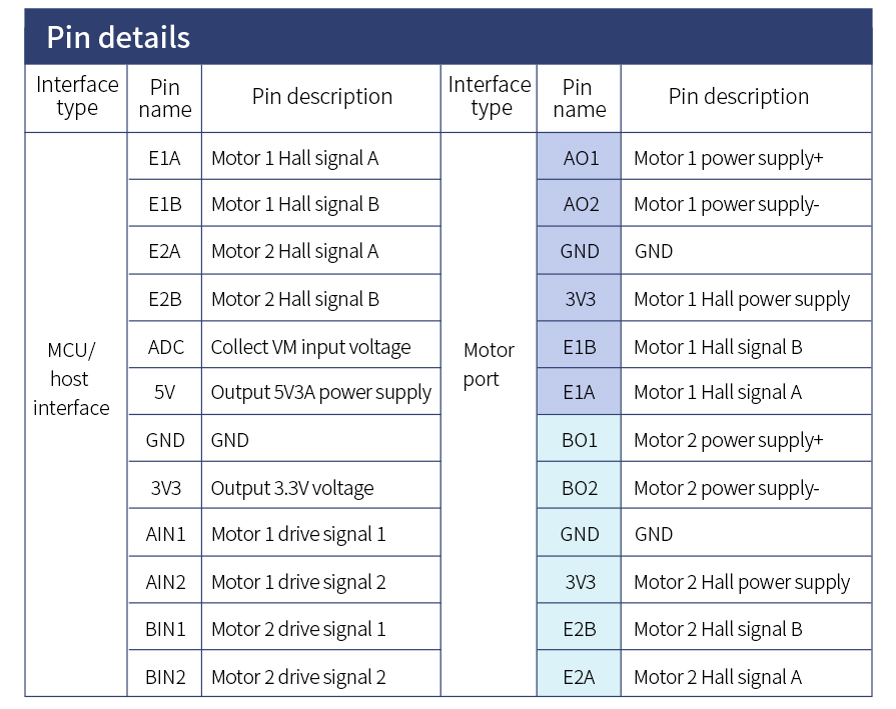
Note: The motor interface wire sequence of the dual motor drive board should correspond to the motor pin! Otherwise, the motor drive plate will be damaged.
Note: The motor interface wire sequence of the dual motor drive board.
2. Code
ximport RPi.GPIO as GPIO #Import Libraryimport time
GPIO.setmode(GPIO.BCM) #Set pinAIN1 = 17AIN2 = 18BIN1 = 22BIN2 = 23
GPIO.setwarnings(False) #Remove warningGPIO.setup(AIN1, GPIO.OUT) #Pin set to outputp1 = GPIO.PWM(AIN1, 50) #50 is the frequency of 50 Hzp1.start(0)
GPIO.setup(AIN2, GPIO.OUT)p2 = GPIO.PWM(AIN2, 50)p2.start(0)
GPIO.setup(BIN1, GPIO.OUT)p3 = GPIO.PWM(BIN1, 50)p3.start(0)
GPIO.setup(BIN2, GPIO.OUT)p4 = GPIO.PWM(BIN2, 50)p4.start(0)
# The rotation speed of the motor can be changed by changing the value in the brackets. The value range is 0~100def forward(time_sleep): #Forward for a few seconds p1.start(0) p2.start(50) p3.start(0) p4.start(50) time.sleep(time_sleep) def stop(): #Stop it p1.start(0) p2.start(0) p3.start(0) p4.start(0)
spin_count = 0spin_count2 = 0E1A = 20 #Set pinE1B = 21E2A=26E2B=27GPIO.setmode(GPIO.BCM)GPIO.setup(E1B, GPIO.IN, pull_up_down=GPIO.PUD_UP)GPIO.setup(E1A, GPIO.IN, pull_up_down=GPIO.PUD_UP)GPIO.setup(E2B, GPIO.IN, pull_up_down=GPIO.PUD_UP)GPIO.setup(E2A, GPIO.IN, pull_up_down=GPIO.PUD_UP)
def my_callback(channel): #Callback function global spin_count if GPIO.input(E1A): if not GPIO.input(E1B): spin_count += 1 elif GPIO.input(E1B): spin_count -= 1 print(spin_count) def my_callback2(channel): global spin_count2 if GPIO.input(E2A): &