Welcome to Motor with Encoder repository
1.AT8236 drive tutorials
AT8236 drive tutorials
1. Learning objectives
Use AT8236 motor driver module to drive the motor.
2. Hardware connection
Connect the pins of MSPM0G3507 and AT8236
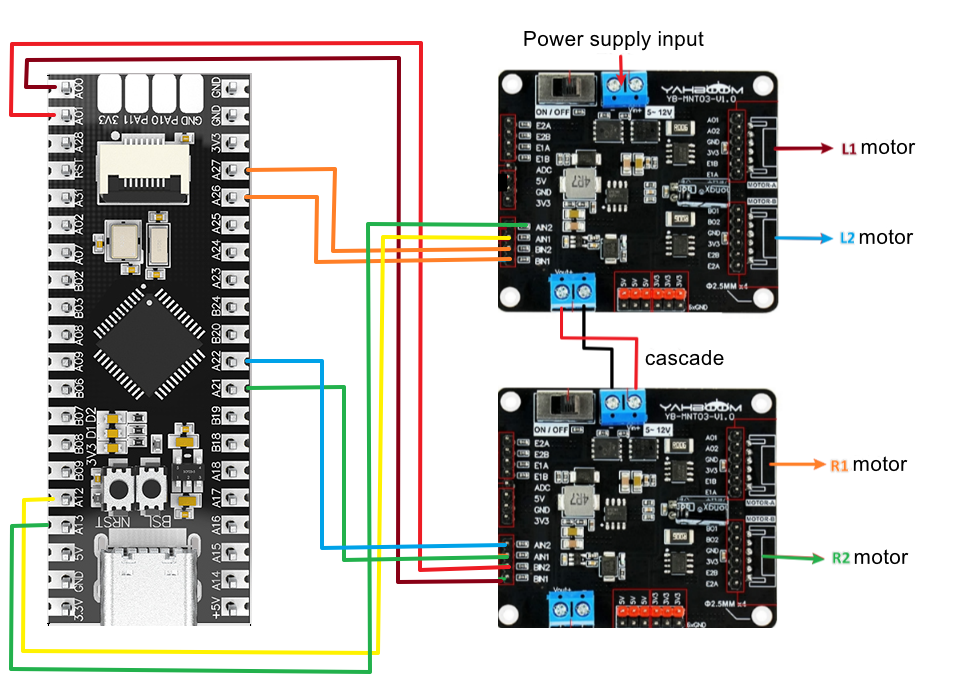
L1 motor:
| MSPM0G3507 | AT8236 |
|---|---|
| PA12 | AIN1 |
| PA13 | AIN2 |
L2 motor:
| MSPM0G3507 | AT8236 |
|---|---|
| PA26 | BIN1 |
| PA27 | BIN2 |
R1 motor:
| MSPM0G3507 | AT8236 |
|---|---|
| PA21 | AIN1 |
| PA22 | AIN2 |
R2 motor:
| MSPM0G3507 | AT8236 |
|---|---|
| PA0 | BIN1 |
| PA1 | BIN2 |
Motor and voltage regulator board pin connection.
| AT8236 | Motor |
|---|---|
| AO1 | Motor+ |
| AO2 | Motor- |
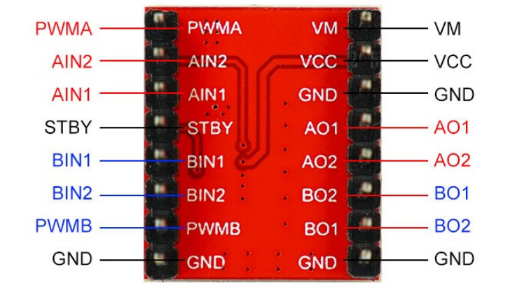
AT8236 motor driver module voltage standard version pin description.
3. Code analysis
- bsp_at8236.h
x#ifndef __BSP_TB6612_H_#define __BSP_TB6612_H_#include "ti_msp_dl_config.h"void init_motor(void);void L1_control(uint16_t motor_speed,uint8_t dir);void L2_control(uint16_t motor_speed,uint8_t dir);void R1_control(uint16_t motor_speed,uint8_t dir);void R2_control(uint16_t motor_speed,uint8_t dir);#endif
Define four motor control functions.
- bsp_at8236.c
xxxxxxxxxxvoid L1_control(uint16_t motor_speed,uint8_t dir){if(dir){DL_TimerA_setCaptureCompareValue(PWM_L1_INST, motor_speed, DL_TIMER_CC_0_INDEX);DL_TimerA_setCaptureCompareValue(PWM_L1_INST, 0, DL_TIMER_CC_1_INDEX);}else{DL_TimerA_setCaptureCompareValue(PWM_L1_INST, 0, DL_TIMER_CC_0_INDEX);DL_TimerA_setCaptureCompareValue(PWM_L1_INST, motor_speed, DL_TIMER_CC_1_INDEX);}}
The L1_control function is used to control the speed and direction of the L1 motor by adjusting the duty cycle of the PWM signal.
motor_speed and dir represent the motor speed and motor direction of the motor respectively.
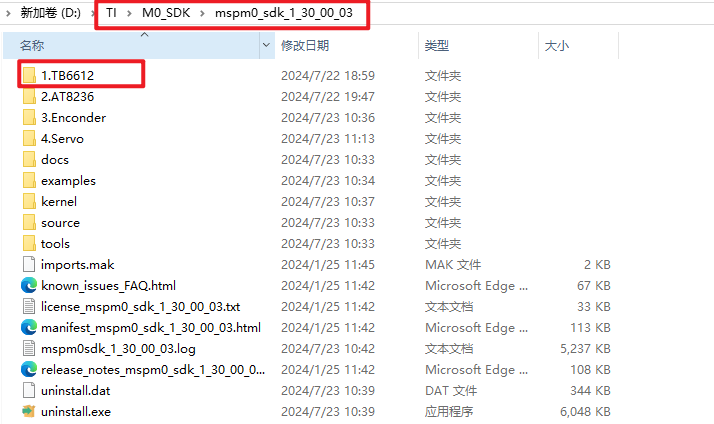
Note: The project source code must be placed in the SDK path for compilation,
For example, path: D:\TI\M0_SDK\mspm0_sdk_1_30_00_03\TB6612