Welcome to GPS Module repository
2.Parse course
Parse of GPS location information
1. Learning Objectives
In this course, we mainly learn to use arduino and GPS module to realize the function of location information analysis and printing.
2. Preparation before class
The GPS module uses UART and USB communication. Here, the UART port of the Arduino UNO is used to read the information, and the TX of the module is connected to the D0 pin of the Arduino UNO board. VCC and GND are connected to 5V and GND respectively.
3. Procedure
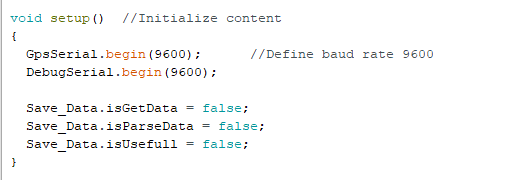
Initialize the serial port.
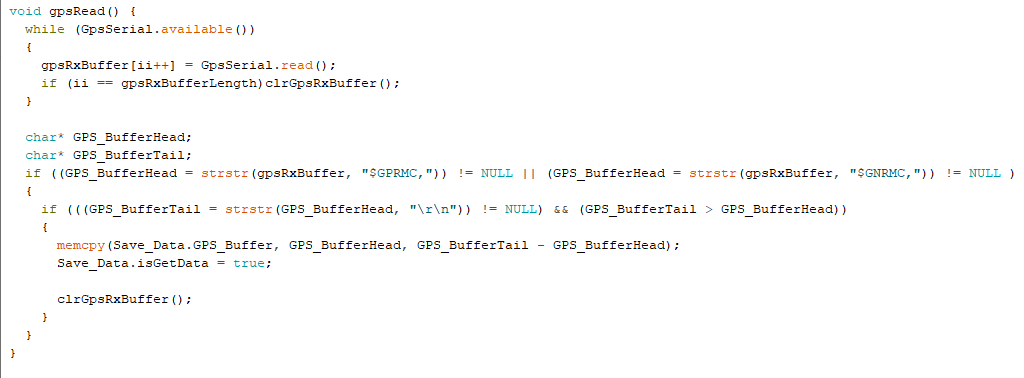
Read serial port data
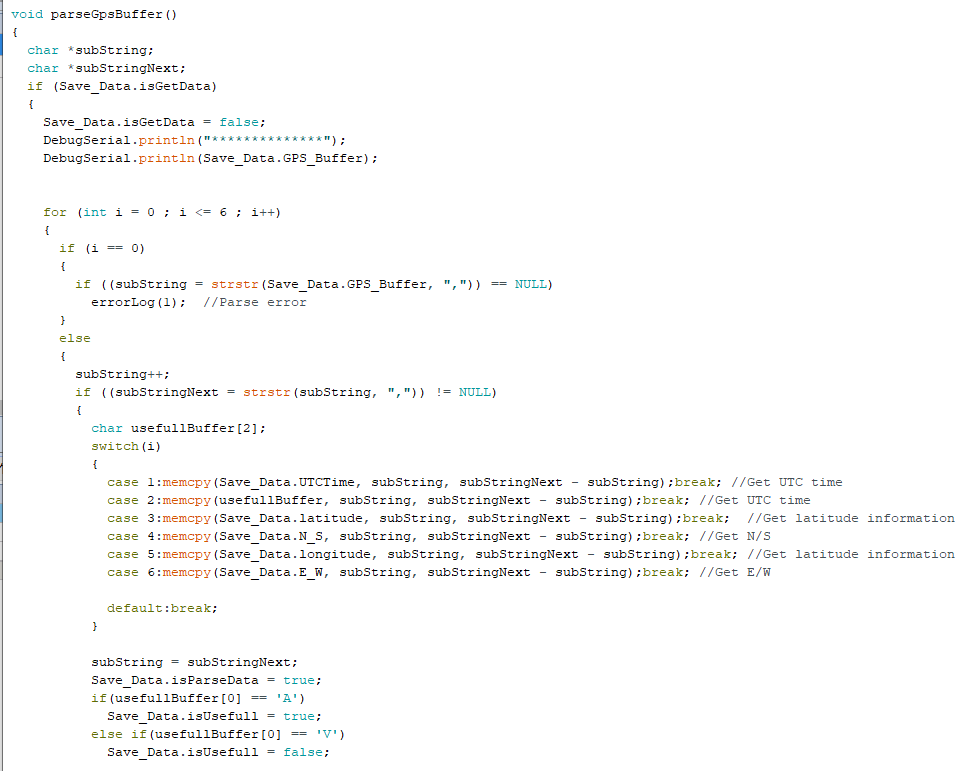
Parse serial port data.
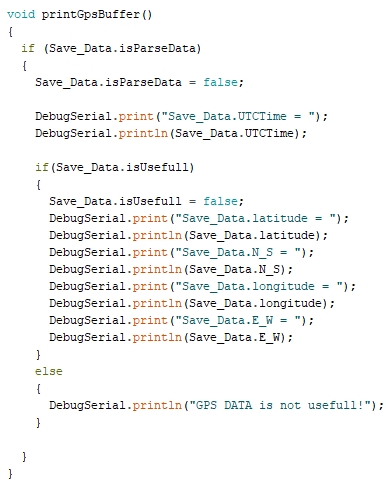
Print the parsed location information.
4. Compile and download the program
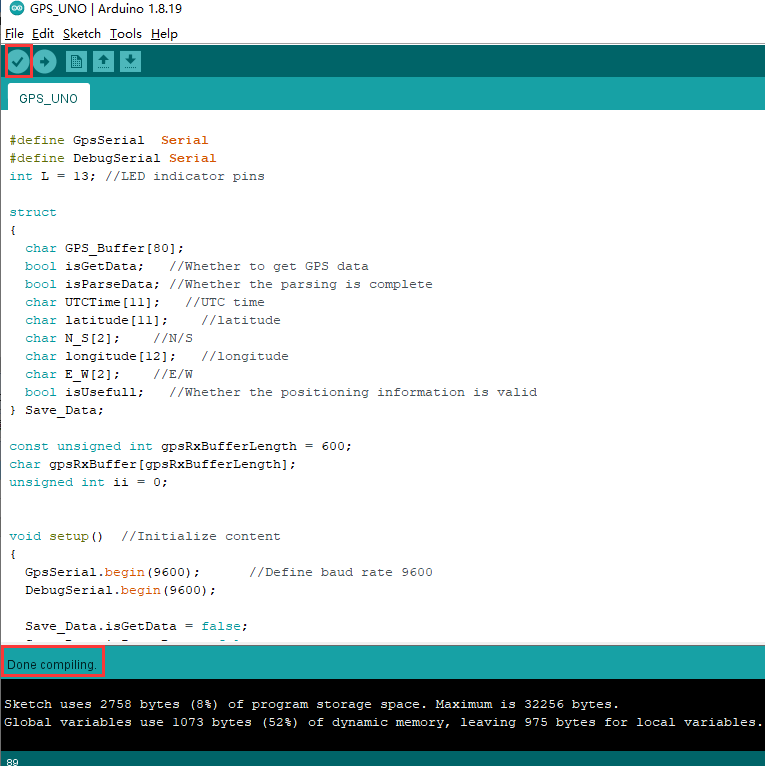
4.1 We need the general Arduino IDE software to open the file, then click "√" in the menu bar to compile the program, and wait for the words "Done compiling" to appear in the lower left corner.
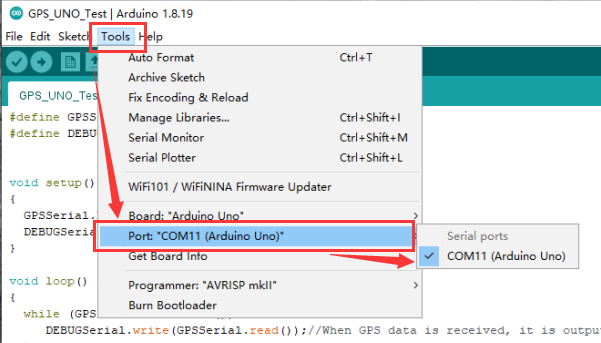
4.2 In the menu bar of Arduino IDE, we need to select [Tools]---[Port]---select the port number just displayed in the device manager, as shown in the figure below.
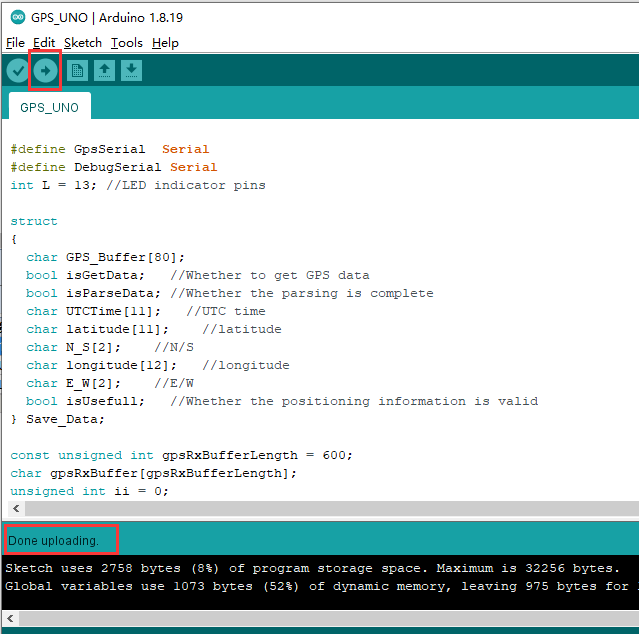
4.3 After the selection is complete, click "→" under the menu bar to upload the code to the UNO board. When the word "Done uploading" appears in the lower left corner, it means that the program has been successfully uploaded to the UNO board, as shown in the figure below.
5. Experimental phenomenon
After the module is powered on, it takes about 32s to start, and then the serial port print status light on the module will continue to flash, and data can be received normally at this time.
After the program is downloaded and run, open the serial port monitoring window, open the serial port software, set the baud rate to 9600, and the serial port will cyclically print the parsed real-time location information.
Note that the module antenna needs to be outdoors, otherwise the GPS signal may not be searched.