Welcome to SLAM LiDAR repository
9.ROS2 action communication
9.ROS2 action communication
1. Introduction to Action Communication
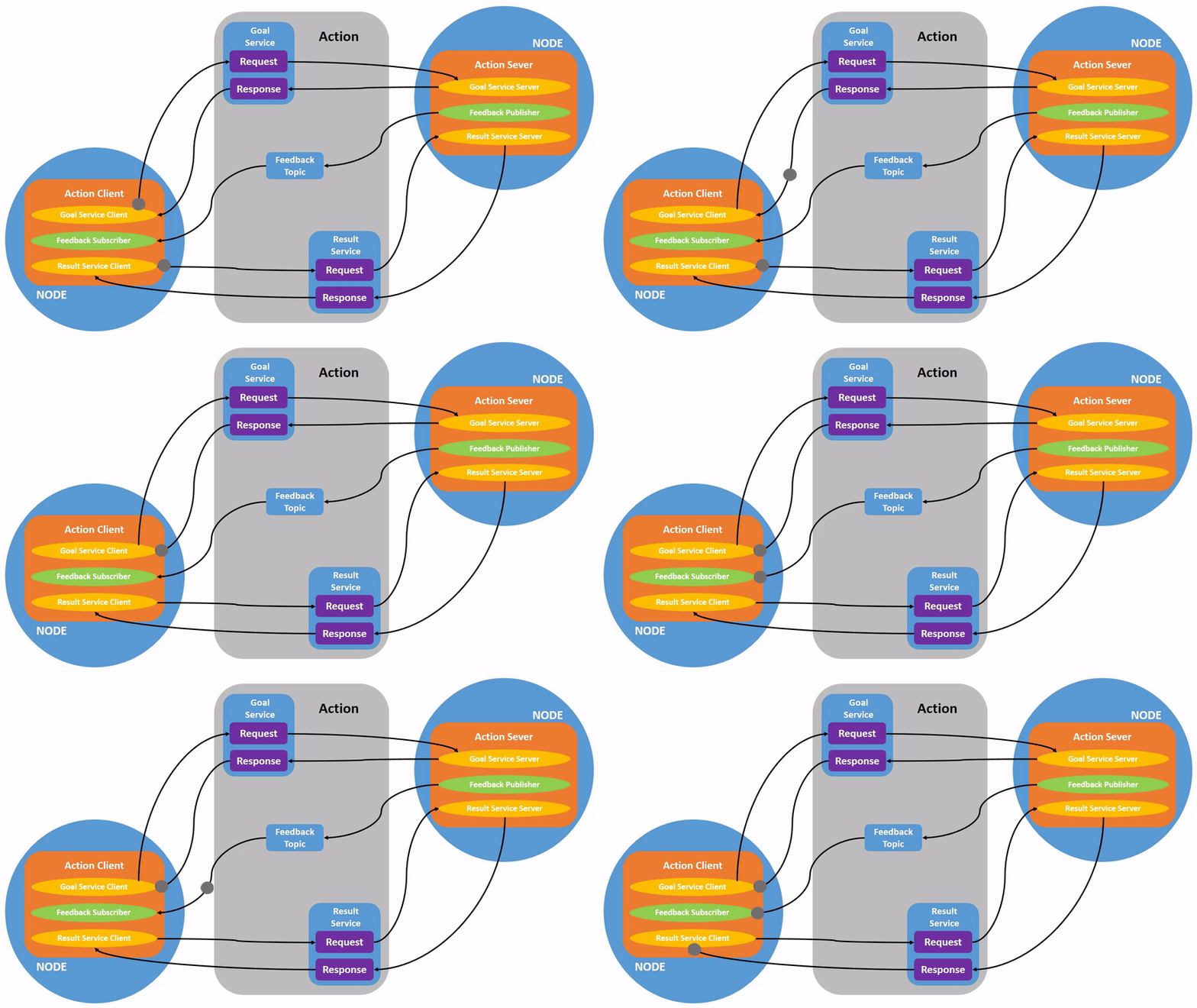
Action communication is a communication model with continuous feedback. Between the two communicating parties, the client sends request data to the server, and the server responds to the client. However, from the time the server receives the request to the time it generates the final response, it sends continuous feedback to the client.
The action communication client/server model is as follows:
2. Example Introduction
The action client submits an integer data type N. The action server receives the request data and accumulates all integers between 1 and N, returning the final result to the action client. Each addition calculates the current computation progress and provides feedback to the action client.
3. Create a new function package
3.1. Create an action communication interface function package
- Action communication requires creating the action communication interface first.
- Create a new pkg_interfaces function package in the src directory of the workspace.
xxxxxxxxxxros2 pkg create --build-type ament_cmake pkg_interfaces
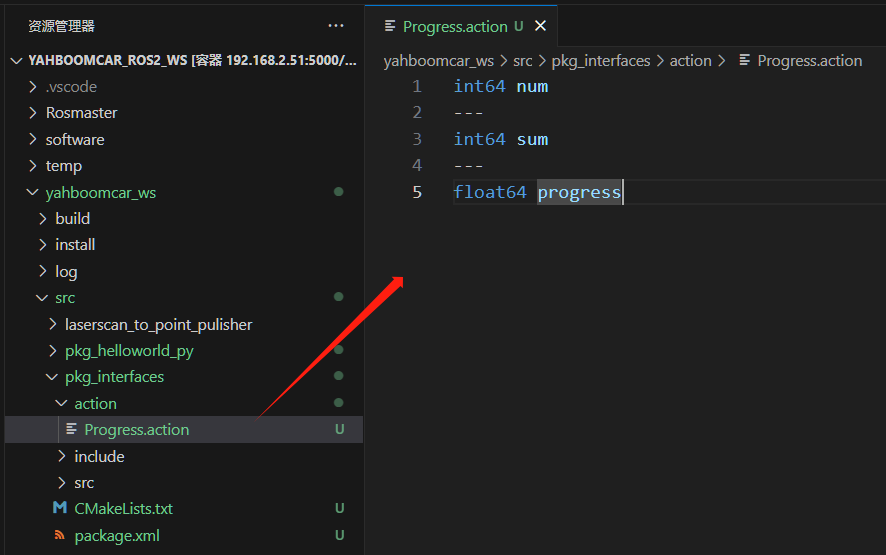
- Next, create an action folder under the pkg_interfaces function package and create a new file called [Progress.action] within the action folder. The file contents are as follows:
xxxxxxxxxxint64 num---int64 sum---float64 progress
- Add some dependency packages to package.xml. The specific content is as follows:
xxxxxxxxxx<buildtool_depend>rosidl_default_generators</buildtool_depend><exec_depend>rosidl_default_runtime</exec_depend><depend>action_msgs</depend><member_of_group>rosidl_interface_packages</member_of_group>- Add the following configuration to CMakeLists.txt:
xxxxxxxxxxfind_package(rosidl_default_generators REQUIRED)rosidl_generate_interfaces(${PROJECT_NAME} "action/Progress.action")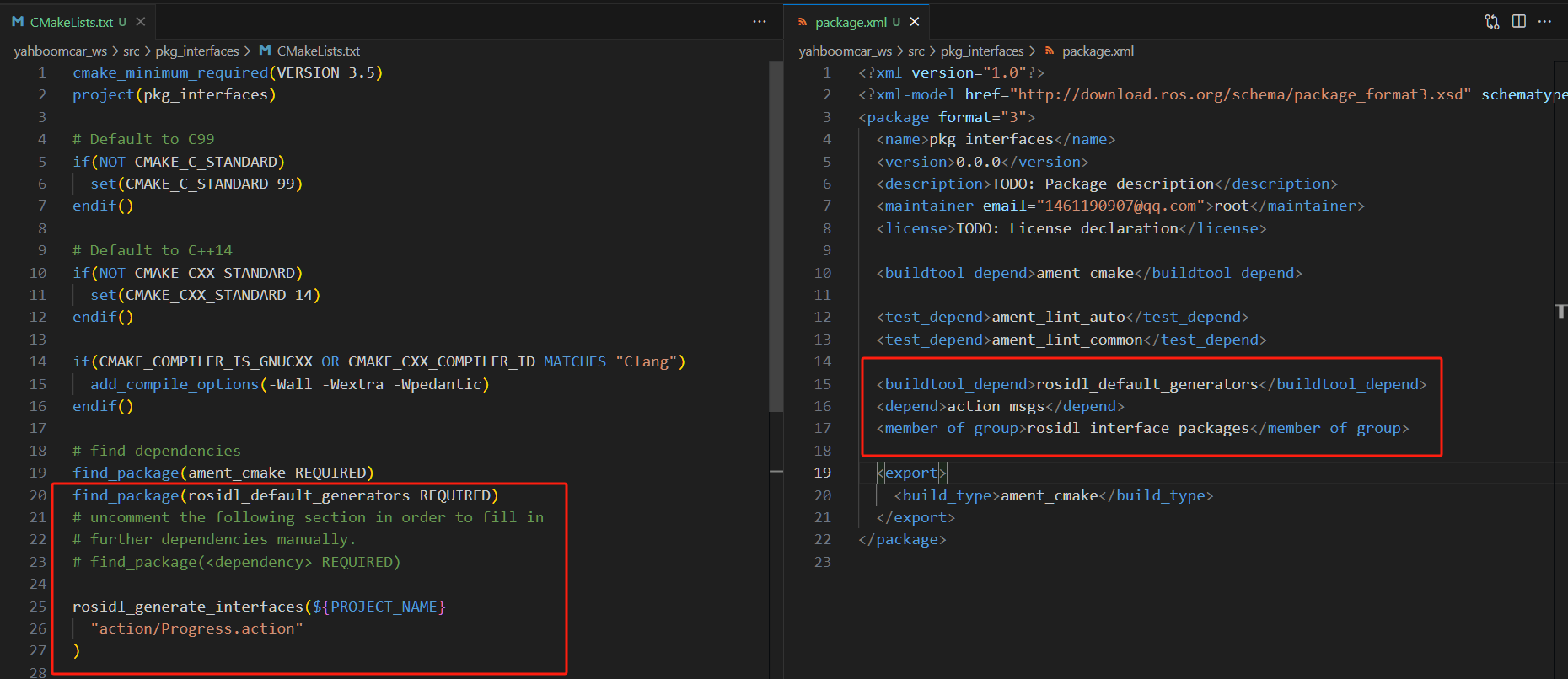
- Compile the package:
xxxxxxxxxxcolcon build --packages-select pkg_interfaces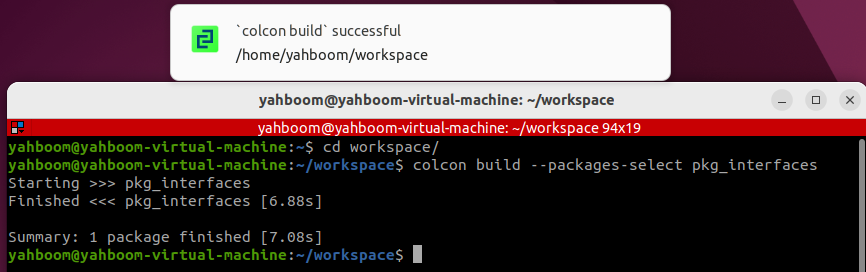
- After compilation is complete, the C++ and Python files corresponding to the
Progress.actionfile will be generated in theinstalldirectory of the workspace. You can also access the workspace in a terminal and verify the file definitions and compilation by running the following command:
xxxxxxxxxxsource install/setup.bashros2 interface show pkg_interfaces/action/ProgressUnder normal circumstances, the terminal will output the same content as the Progress.action file.

3.2. Creating the Action Communication Function Package
Create a new package called pkg_action in the src directory of the workspace.
xxxxxxxxxxros2 pkg create pkg_action --build-type ament_python --dependencies rclpy pkg_interfaces --node-name action_server_demoAfter executing the above command, the pkg_action function package will be created, along with an action_server_demo node and the relevant configuration files.
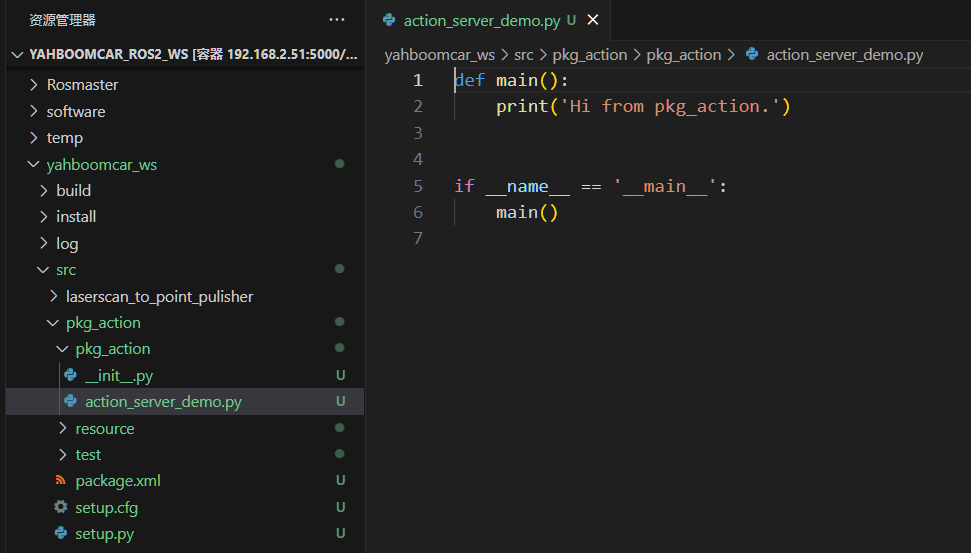
4. Server Implementation
4.1 Creating the Server
Next, edit [action_server_demo.py] to implement the server functionality and add the following code:
xxxxxxxxxximport timeimport rclpyfrom rclpy.action import ActionServerfrom rclpy.node import Nodefrom pkg_interfaces.action import Progressclass Action_Server(Node): def __init__(self): super().__init__('progress_action_server') # Creating an action server self._action_server = ActionServer( self, Progress, 'get_sum', self.execute_callback) self.get_logger().info('动作服务已经启动!') def execute_callback(self, goal_handle): self.get_logger().info('开始执行任务....') # Generate continuous feedback; feedback_msg = Progress.Feedback() sum = 0 for i in range(1, goal_handle.request.num + 1): sum += i feedback_msg.progress = i / goal_handle.request.num self.get_logger().info('连续反馈: %.2f' % feedback_msg.progress) goal_handle.publish_feedback(feedback_msg) time.sleep(1) # Generate the final response. goal_handle.succeed() result = Progress.Result() result.sum = sum self.get_logger().info('任务完成!') return resultdef main(args=None): rclpy.init(args=args) # Call the spin function and pass in the node object Progress_action_server = Action_Server() rclpy.spin(Progress_action_server) Progress_action_server.destroy_node() # Release resources rclpy.shutdown()
4.2 Edit the Configuration File
- Open setup.py and add the following line to the console_scripts list:
xxxxxxxxxx'action_server_demo = pkg_action.action_server_demo:main',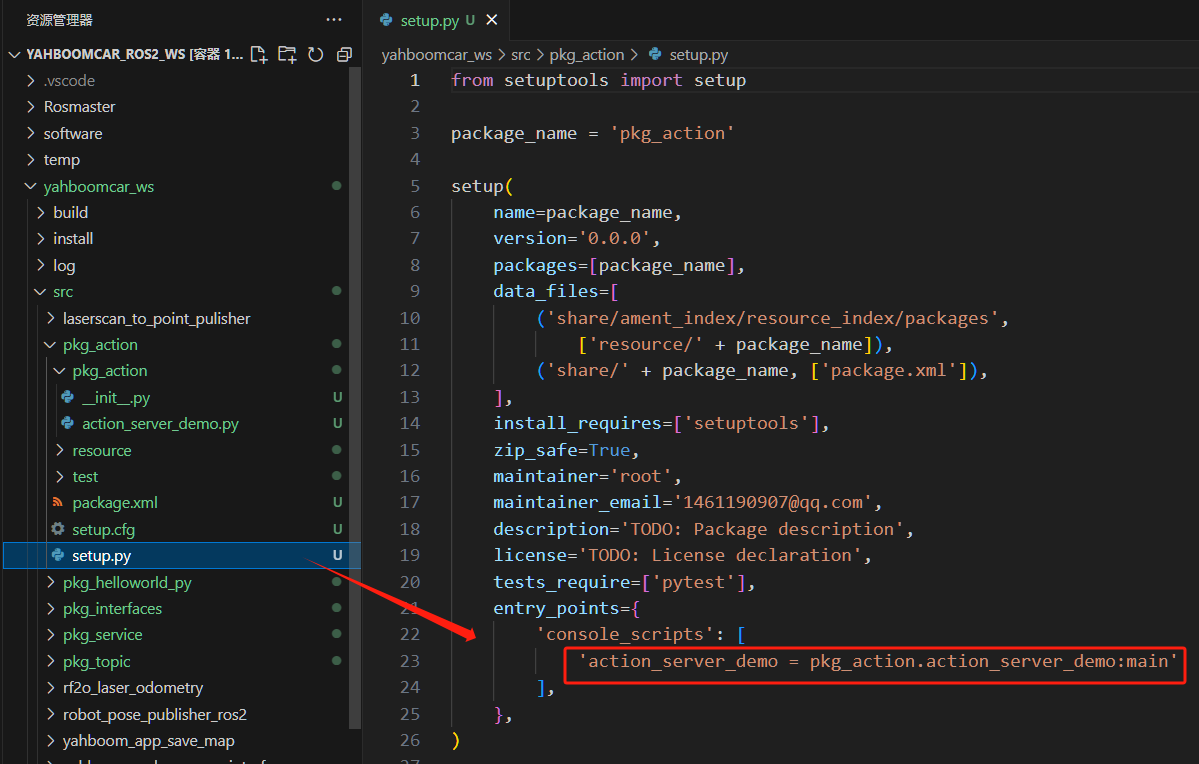
4.3 Compile the Package
xxxxxxxxxxcolcon build --packages-select pkg_action4.4 Run the Program
xxxxxxxxxxros2 run pkg_action action_server_demo

In another terminal, enter:
xxxxxxxxxxros2 action list
/get_sum is the action we need to call. To do so, enter the following command in the terminal:
xxxxxxxxxxros2 action send_goal /get_sum pkg_interfaces/action/Progress "{num: 10}"Here we calculate the sum of the values from 1 to 10:
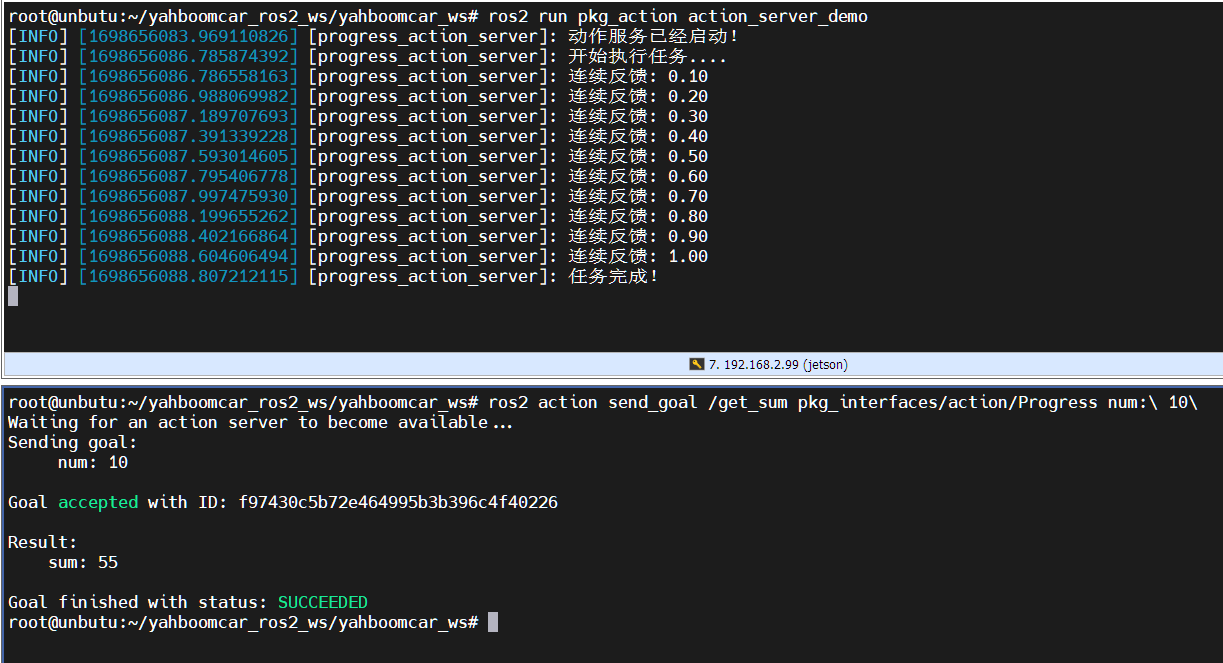
The upper part of the image above shows the server, and the lower part shows the client. You can see that the server continuously reports progress while calculating the sum from 1 to 10. Finally, the task is completed, and the client receives feedback that the sum is 55.
5. Client Implementation
5.1 Creating the Client
Create a new file, action_client_demo.py, in the same directory as action_server_demo.py.
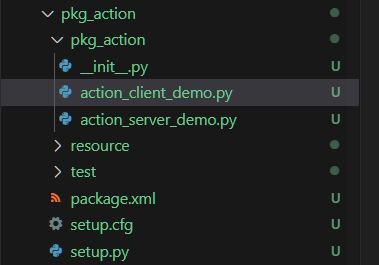
Next, edit action_client_demo.py to implement the server functionality and add the following code:
xxxxxxxxxximport rclpyfrom rclpy.action import ActionClientfrom rclpy.node import Nodefrom pkg_interfaces.action import Progressclass Action_Client(Node): def __init__(self): super().__init__('progress_action_client') # Create an action client; self._action_client = ActionClient(self, Progress, 'get_sum') def send_goal(self, num): # Send a request; goal_msg = Progress.Goal() goal_msg.num = num self._action_client.wait_for_server() self._send_goal_future = self._action_client.send_goal_async(goal_msg, feedback_callback=self.feedback_callback) self._send_goal_future.add_done_callback(self.goal_response_callback) def goal_response_callback(self, future): # Process the feedback after the target sends it; goal_handle = future.result() if not goal_handle.accepted: self.get_logger().info('请求被拒绝') return self.get_logger().info('请求被接收,开始执行任务!') self._get_result_future = goal_handle.get_result_async() self._get_result_future.add_done_callback(self.get_result_callback) #Process the final response. def get_result_callback(self, future): result = future.result().result self.get_logger().info('最终计算结果:sum = %d' % result.sum) # 5. Release resources. rclpy.shutdown() # Processing continuous feedback; def feedback_callback(self, feedback_msg): feedback = (int)(feedback_msg.feedback.progress * 100) self.get_logger().info('当前进度: %d%%' % feedback)def main(args=None): rclpy.init(args=args) action_client = Action_Client() action_client.send_goal(10) rclpy.spin(action_client)
5.2 Edit the Configuration File
- Open setup.py and add the following line to the console_scripts list:
xxxxxxxxxx'action_client_demo = pkg_action.action_client_demo:main'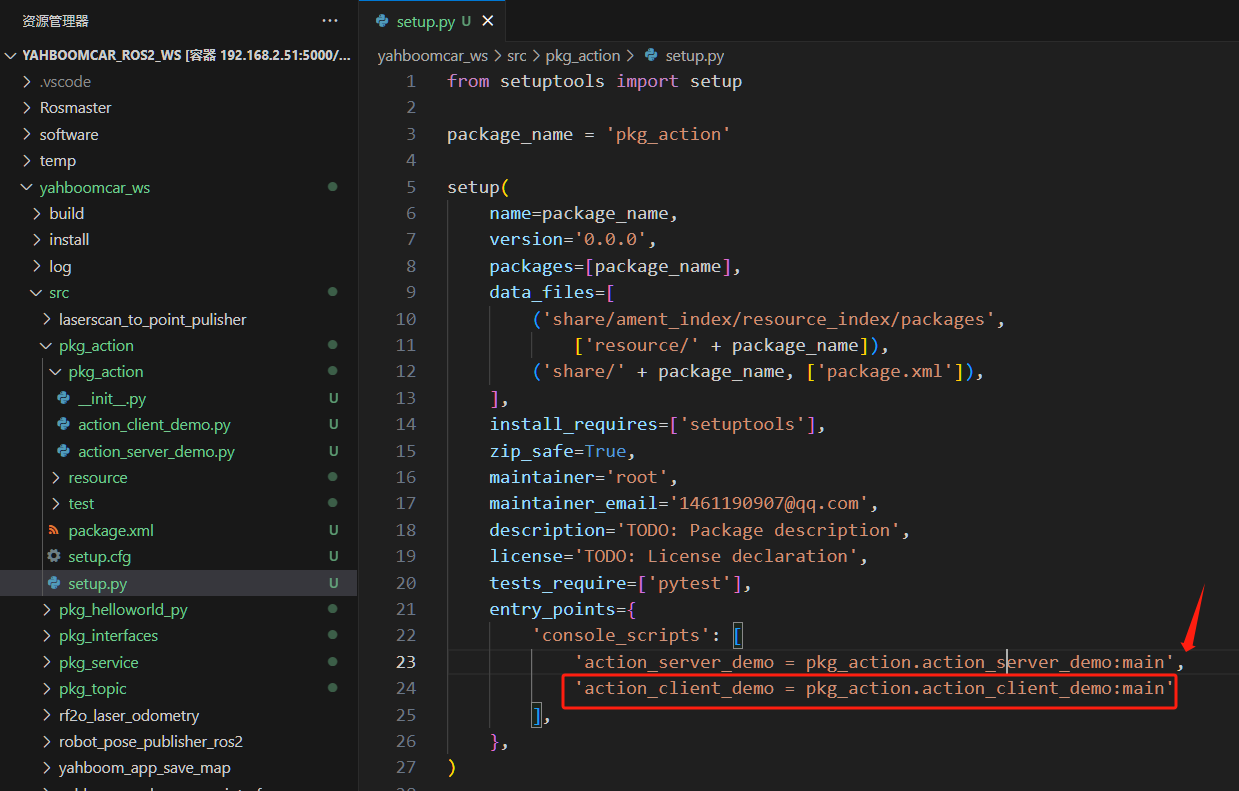
5.3 Compile the Package
xxxxxxxxxxcolcon build --packages-select pkg_action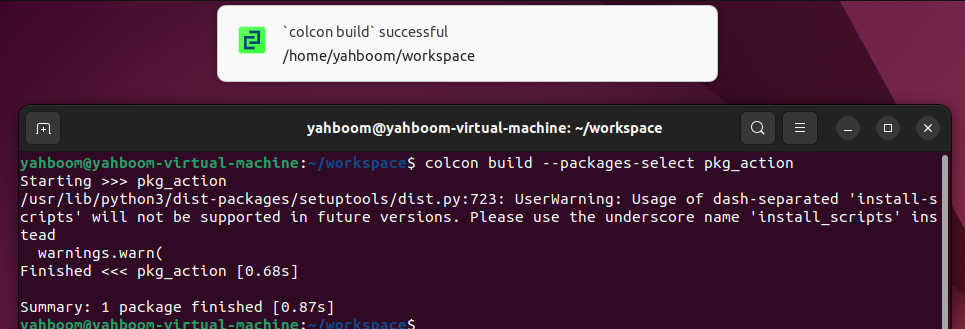
5.4 Run the Program
Execute the following command in a separate terminal:
xxxxxxxxxx# Start the server noderos2 run pkg_action action_server_demo# Start the client noderos2 run pkg_action action_client_demo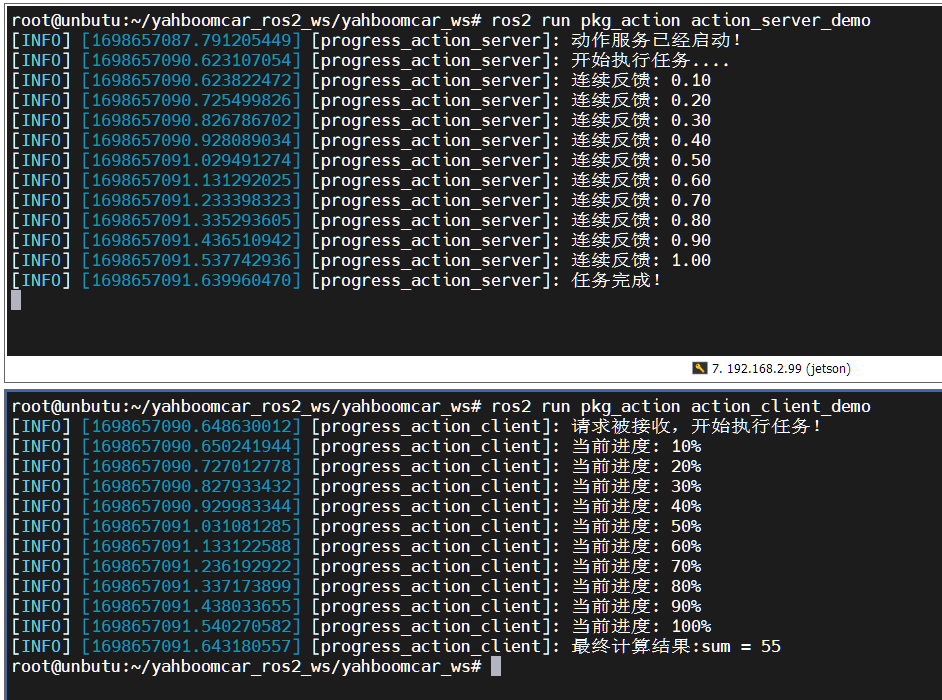
The image above shows the server on the top and the client on the bottom. Here, we're calculating the sum of 1 to 10. You can see that the server continuously reports progress during the calculation. Finally, the task is completed, and the client receives feedback that the sum is 55.