Welcome to Pico Robot Car repository
5.2 Car movement
5.2 Car movement
Note: Motor speed is affected by battery power. For this course, when the battery power is high (the power value is above 26000), if the battery power is not enough, we need to charge battery in time or modify the motor speed in the code.
1. Learning Objectives
In this course, we will learn how to drive motors in different directions on Pico robot.
2. About Hardware
We need use the motor on Pico robot.
Note: The effect of the following code is that the car advances, backward, turn left and turn right. Before running this code, please make sure the wheels are off the ground or table to avoid impact damage to the car.
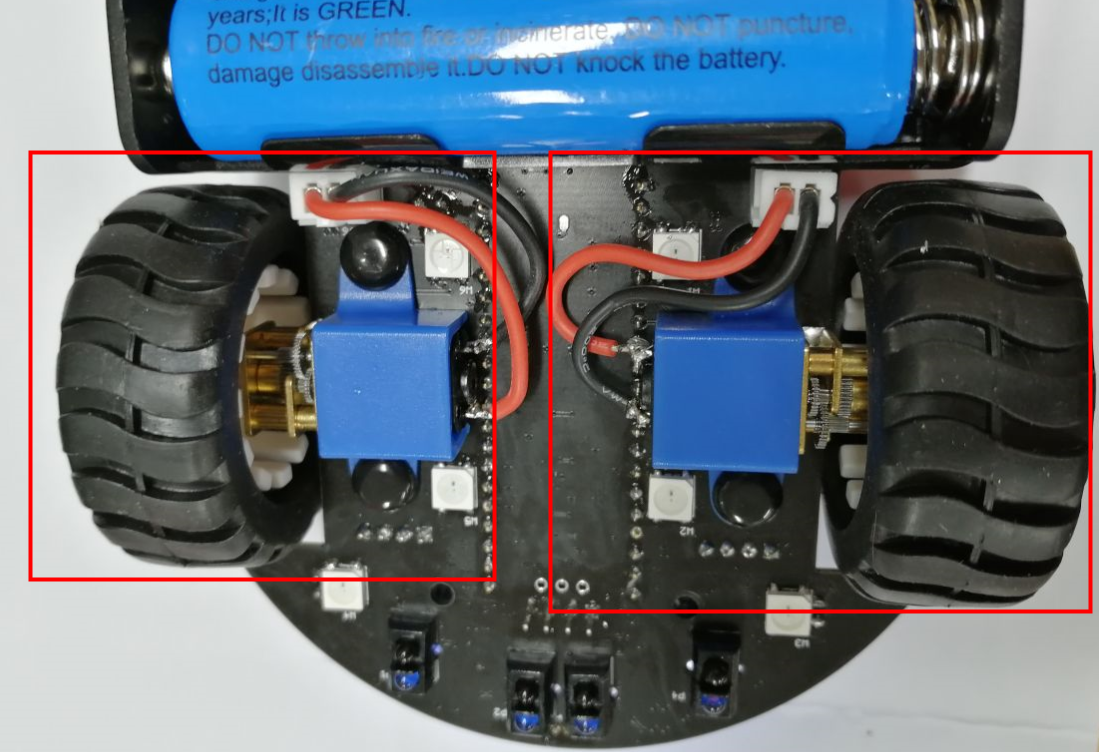
On the expansion board of the car, we integrate the motor drive circuit, and only need to use PWM to control the direction and speed of the motor. By adjusting the duty cycle of the PWM, the longer the high level time, the faster the motor speed. Inside the motor, the current is turned into a magnetic field through the coil, and the rotation of the motor is realized under the action of the magnet.
3. About code
Code path: Code -> 3.Robotics course -> 2.Car movement.py
xfrom pico_car import pico_carimport time
Motor = pico_car()#Car forward,parameter(Left motor speed,Right motor speed),speed 0-255Motor.Car_Run(255,255)time.sleep(1)#Car backMotor.Car_Back(255,255)time.sleep(1)#leftMotor.Car_Run(0,255)time.sleep(1)#rightMotor.Car_Run(255,0)time.sleep(1)#Turn leftMotor.Car_Left(255,255)time.sleep(1)#Turn rightMotor.Car_Right(255,255)time.sleep(1)#Car stopMotor.Car_Stop()
from pico_car import pico_car
Use pico_car of pico_car, which is our packaged motor driver library.
import time
The "time" library. This library handles everything time related, from measuring it to inserting delays into programs. The unit is seconds.
Motor = pico_car()
Initialize the motor drive.
Motor.Car_Run(255,255)
To control the car to move forward, the speed is set to 255, the parameters are (left motor speed, right motor speed), and the speed range is 0-255.
Motor.Car_Stop()
Control the car to stop.
Motor.Car_Back(255,255)
Control the car to back up.
Motor.Car_Run(0,255)
Control the car to turn left.
Motor.Car_Run(255,0)
Control the car to turn right.
Motor.Car_Left(255,255)
Control the car to turn left.
Motor.Car_Right(255,255)
Control the car to rotate right.
4. Experimental Phenomenon
After the code is downloaded, the car will move forward at the maximum speed for 1s, then backwards for 1s, turn left for 1s, turn right for 1s, rotate left for 1s, rotate right for 1s, and finally stop.