Welcome to Pico Robot Car repository
5.4 Car tracking
5.4 Car tracking
Note: The tracking sensor will be affected by light, please run the program in an indoor environment without sunlight to reduce the interference of sunlight on the tracking sensor. And keep the indoor light enough when tacking.
Note: Motor speed is affected by battery power. For this course, when the battery power is high (the power value is above 26000), if the battery power is not enough, we need to charge battery in time or modify the motor speed in the code.
1. Learning Objectives
In this course, we will learn that how to make Pico robot realize tracking line function.
2. About Hardware
We need use tracking sensor, OLED, RGB light on Pico robot, and tracking map.

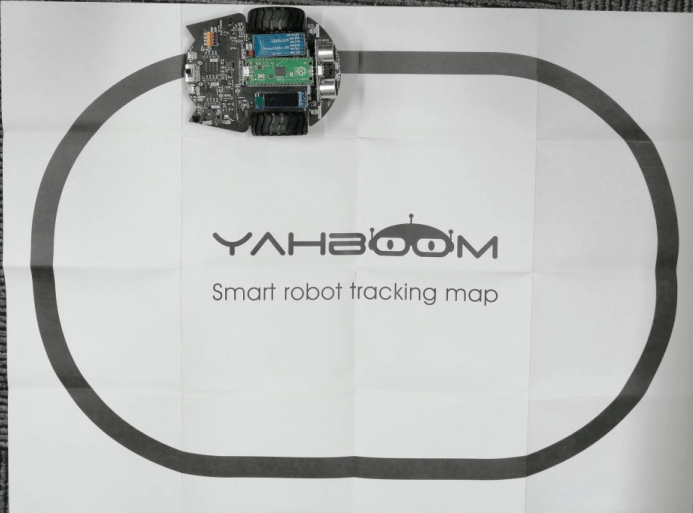
The basic principle of infrared sensors is to take advantage of the reflective properties of the object. This experiment is traveling on the black line. When the infrared emission is on the black line, it will be absorbed by the black line, and the materials emitted to the other colors will be reflected on the infrared receiver. When the car's patrol module detects the black line, the indicator light is on. When the white object is detected, the indicator lights go out. We write the corresponding code according to this difference to complete the car patrol line function.

3. program analysis
Code path: Code -> 3.Robotics course -> 4.Car tracking.py
x
from machine import Pin, I2Cfrom pico_car import pico_car, ws2812b, SSD1306_I2Cimport time
Motor = pico_car()num_leds = 8 # Number of NeoPixels# Pin where NeoPixels are connectedpixels = ws2812b(num_leds, 0)# Set all led offpixels.fill(0,0,0)pixels.show()#initialization oledi2c=I2C(1, scl=Pin(15),sda=Pin(14), freq=100000)oled = SSD1306_I2C(128, 32, i2c)#Define the tracking sensor, 1-4 from left to right#recognize that black is 0 and white is 1#Tracing_1 Tracing_2 Tracing_3 Tracing_4# 2 3 4 5 Tracing_1 = machine.Pin(2, machine.Pin.IN)Tracing_2 = machine.Pin(3, machine.Pin.IN)Tracing_3 = machine.Pin(4, machine.Pin.IN)Tracing_4 = machine.Pin(5, machine.Pin.IN)
while True: #Four channel tracking pin level status # 0 0 X 0 # 1 0 X 0 # 0 1 X 0 #Handle the rotation of right acute angle and right right right angle if (Tracing_1.value() == 0 or Tracing_2.value() == 0) and Tracing_4.value() == 0: Motor.Car_Right(120,120) for i in range(num_leds): pixels.set_pixel(i,0,255,0) oled.text('Turn Right', 0, 0) #time.sleep(0.08) #Four channel tracking pin level status # 0 X 0 0 # 0 X 0 1 # 0 X 1 0 #Handle the rotation of left sharp angle and left right angle elif Tracing_1.value() == 0 and (Tracing_3.value() == 0 or Tracing_4.value() == 0): Motor.Car_Left(120,120) for i in range(num_leds): pixels.set_pixel(i,0,0,255) oled.text('Turn Left', 0, 0) #time.sleep(0.08) # 0 X X X #Leftmost detected elif Tracing_1.value() == 0: Motor.Car_Left(100,100) for i in range(num_leds): pixels.set_pixel(i,0,0,255) oled.text('Turn Left', 0, 0) # X X X 0 #Rightmost detected elif Tracing_4.value() == 0: Motor.Car_Right(100,100) for i in range(num_leds): pixels.set_pixel(i,0,255,0) oled.text('Turn Right', 0, 0)
# X 0 1 X #Deal with small left bend elif Tracing_2.value() == 0 and Tracing_3.value() == 1: Motor.Car_Run(0,100) for i in range(num_leds): pixels.set_pixel(i,0,0,255) oled.text('Left', 0, 0)
# X 1 0 X #Handle small right bend elif Tracing_2.value() == 1 and Tracing_3.value() == 0: Motor.Car_Run(100,0) for i in range(num_leds): pixels.set_pixel(i,0,255,0) oled.text('Right', 0, 0)
# X 0 0 X #Processing line elif Tracing_2.value() == 0 and Tracing_3.value() == 0: Motor.Car_Run(200,200) for i in range(num_leds): pixels.set_pixel(i,255,255,255) oled.text('Run', 0, 0) pixels.show() oled.show() oled.fill(0)#In other cases, the trolley keeps the previous trolley running
from pico_car import pico_car, ws2812b, SSD1306_I2C
Use pico_car, ws2812b, SSD1306_I2C of pico_car to encapsulate the motor driver, RGB light, and OLED library.
import time
The "time" library. This library handles everything time related, from measuring it to inserting delays into programs. The unit is seconds.
from machine import Pin, I2C
The machine library contains all the instructions that MicroPython needs to communicate with Pico and other MicroPython-compatible devices, extending the language of physical computing, using the Pin and I2C libraries here.
Motor = pico_car()
Initialize the motor drive.
pixels = ws2812b(num_leds, 0)
Initialize RGB lights, we have 8 RGB lights, here num_leds is set to 8.
pixels.fill(0,0,0)
Set all lights to 0,0,0, that is, turn off all lights, the parameters are (red, green, blue), and the color brightness is 0-255.
pixels.show()
Display the set lights.
pixels.set_pixel(i,0,255,0)
Use a for loop to set all lights to green.
i2c=I2C(1, scl=Pin(15),sda=Pin(14), freq=100000)
Set the IIC 1 pin to SCL 15, SDA 14, and the frequency to 100000.
oled = SSD1306_I2C (128, 32, i2c)
Initialize the size of the OLED to 128*32, and pass in the IIC parameters set earlier.
oled.text ('Turn Right', 0, 0)
Set the OLED to display 'Turn Right' at the 0,0 position.
oled.show ()
Display the set OLED content.
oled.fill (0)
Clear the settings and prepare for the next display.
Motor.Car_Run(200,200)
Control the car to move forward, the speed is set to 200, the parameters are (left motor speed, right motor speed), and the speed range is 0-255.
Motor.Car_Run(0,100)
Control the car to turn left.
Motor.Car_Run(100,0)
Control the car to turn right.
Motor.Car_Left(100,100)
Control the car to turn left.
Motor.Car_Right(100,100)
Control the car to rotate right.
Tracing_1 = machine.Pin(2, machine.Pin.IN)
Initialize pin 2 as the pin of line tracking sensor 1 and set it as input.
Tracing_1.value()
The Tracing_1.value() function is used to detect the level of the corresponding port.
4. Experimental Phenomenon
After the code is downloaded, the car will move along the black line.
When car need spin right, RGB light become green light, OLED will display 'Turn Right'.
When car need spin left, RGB light become blue light, OLED will display 'Turn Left'.
When car need turn right, RGB light become green light, OLED will display 'Right'.
When car need turn left, RGB light become blue light, OLED will display 'Left'.
When car keep run, RGB light become white light, OLED will display 'Run'.
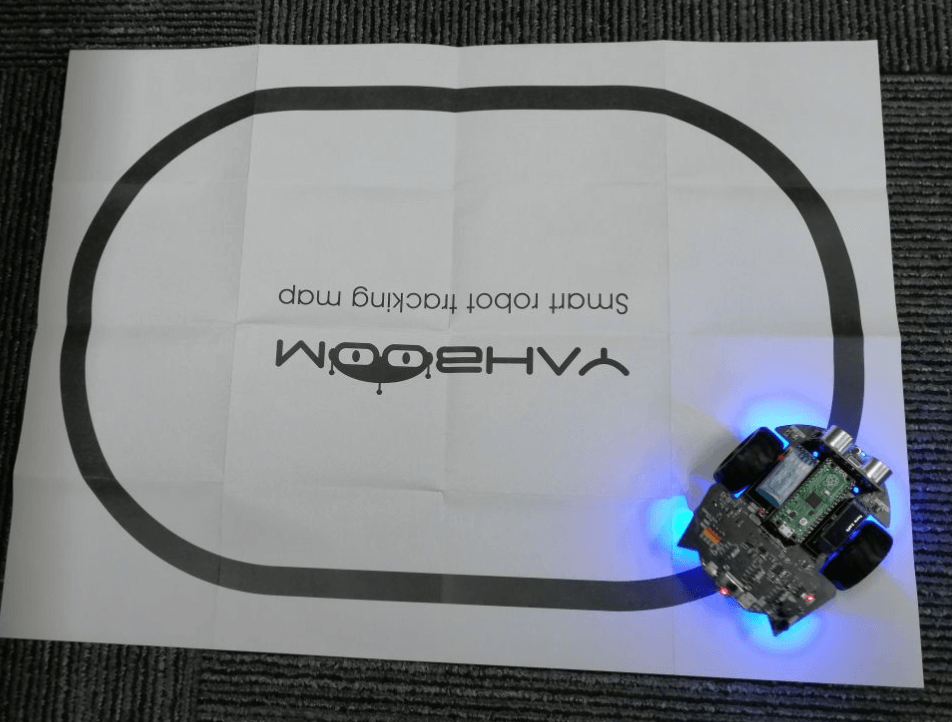
If there is a deviation from the black line when running, you can adjust the speed of the car and the delay in turning to improve the stability of the car tracking.