Welcome to Building:bit Superkit repository
1.Music carousel
Music carousel
Music carousel1. Learning objectives2. Building blocks3. Motor wiring4. Programming4.1 Add expansion package4.2 Blocks used4.3 Combining blocks5. Experimental phenomenon
! Note: Due to the structure of the building blocks, Carousel only supports clockwise rotation. That is, the speed needs to be set to -255 during programming, and cannot be set to a positive number.
1. Learning objectives
In this course, we mainly learn how to use MakeCode graphical programming to make Carousel rotate while playing music.
2. Building blocks
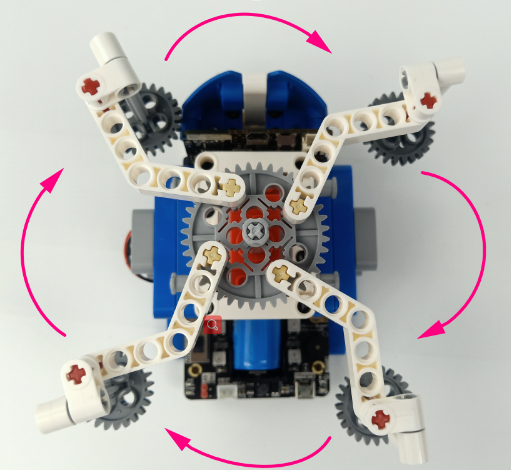
For detailed steps of building blocks, please refer to the installation drawings of [Assembly Course]--[Carousel] in the materials or the building blocks installation album.
Please make sure that the direction of the L-shaped hole arm of the building block is as shown in the figure below.
3. Motor wiring
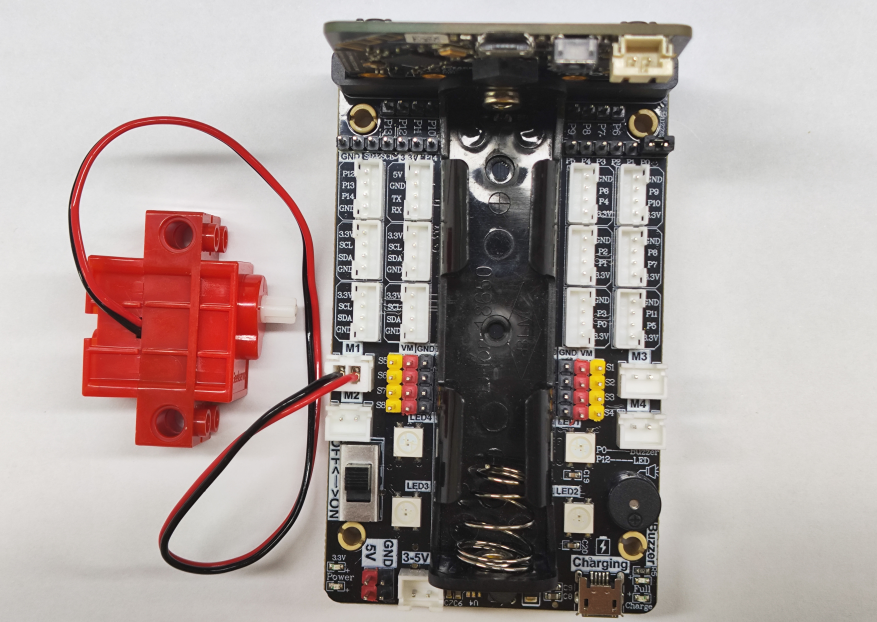
Insert the motor wiring on the left side of the car into the M1 interface of the Super:bit expansion board, with the black line close to the battery side;
As shown below:
4. Programming
Method 1 Online programming:
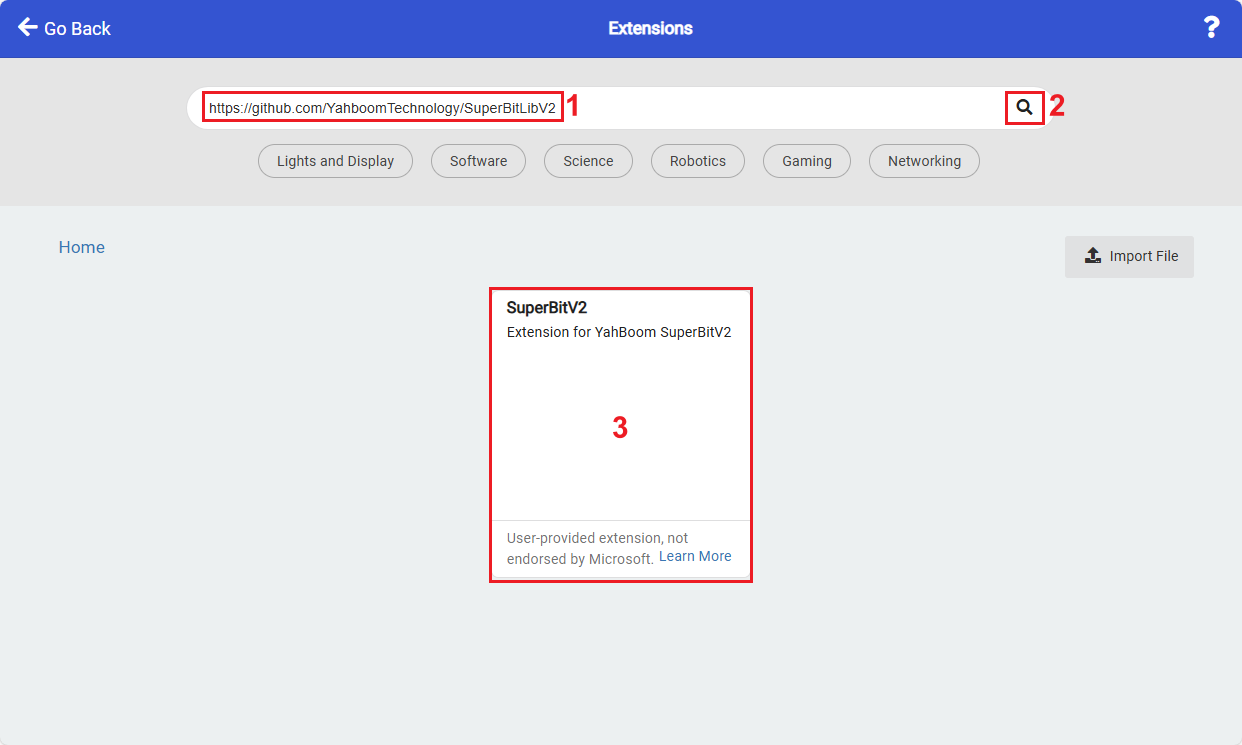
First, connect micro:bit to the computer via a USB data cable. The computer will pop up a U disk. Click the URL in the U disk: https://makecode.microbit.org/ to enter the programming interface. Then, add the Yahboom software package https://github.com/YahboomTechnology/SuperBitLibV2 to start programming.
Method 2 Offline programming:
Open the offline programming software MakeCode and enter the programming interface. Click [New] and add the Yahboom software package https://github.com/YahboomTechnology/SuperBitLibV2 to start programming.
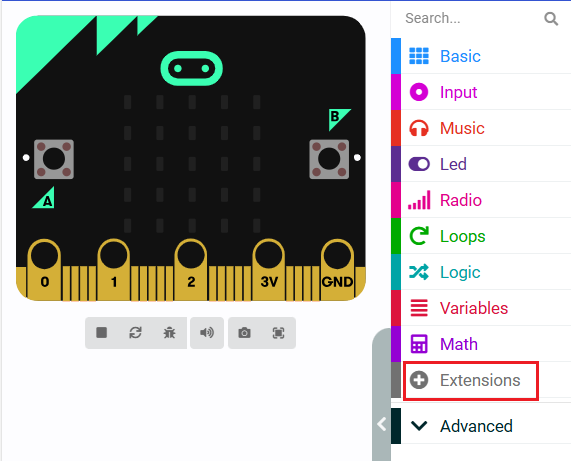
4.1 Add expansion package
4.2 Blocks used
The location of the blocks required for this programming is shown in the figure below.
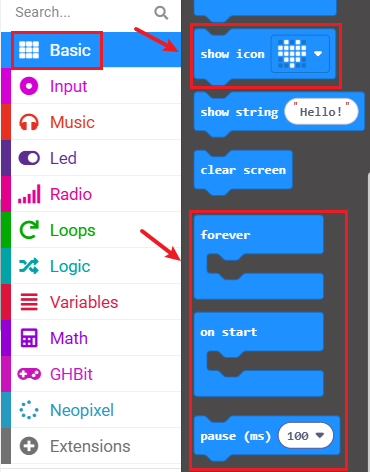
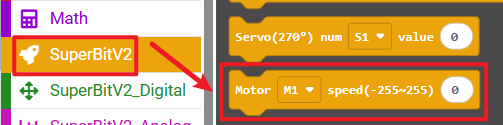
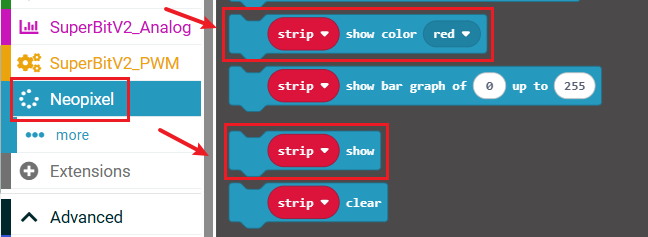
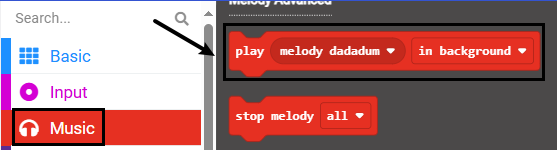
4.3 Combining blocks
The summary program is shown in the figure below.
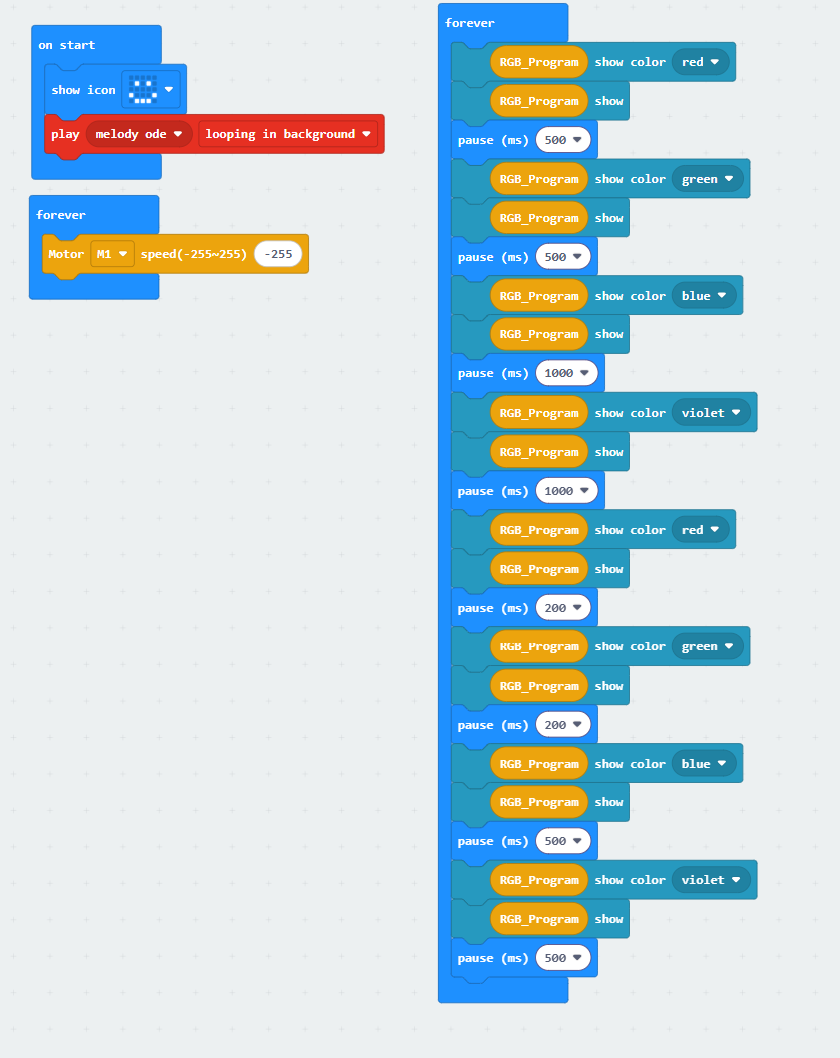
You can also directly open the microbit-Music-carousel.hex file provided in this experiment and drag it into the browser that opens the URL, and the program diagram of this project source code will be automatically opened
5. Experimental phenomenon
After the program is successfully downloaded, turn on the power switch, and a smiley face pattern will be displayed on the micro:bit dot matrix, as shown in the figure below. Then the Carousel rotates clockwise, the buzzer starts playing the music "Ode to Joy", and RGB will also switch to different colors.