Welcome to Building:bit Superkit repository
2.Summer cooling artifact
Summer cooling artifact
Summer cooling artifact1. Learning Objectives2. Building Blocks3. Motor Wiring4. Code Analysis5. Write and download the program6. Experimental phenomenon
1. Learning Objectives
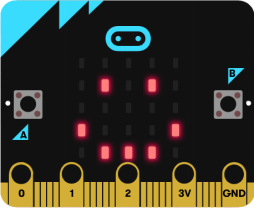
In this course, we mainly learn how to use Python programming to make the oscillating fan rotate while displaying the dynamic picture of the windmill rotating on the micro:bit dot matrix.
2. Building Blocks
For the building block steps, please refer to the installation drawings of [Assembly course]-[Oscillating fan] in the materials or the building block installation album.
3. Motor Wiring
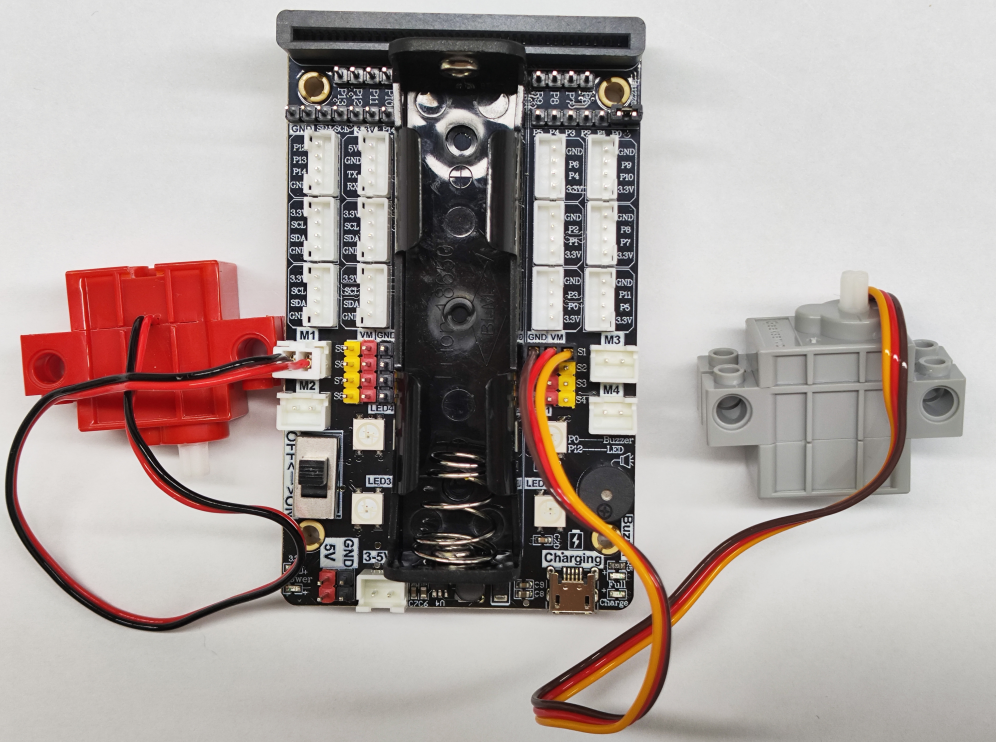
Insert the building block motor wiring into the M1 interface of the Super:bit expansion board, and the black wiring into the side close to the battery.
Insert the building block servo wiring into the S1 interface of the Super:bit expansion board, and the orange servo wiring into the yellow pin of S1.
As shown in the figure below:
4. Code Analysis
For the program of this course, please see the Summer cooling artifact.py file.
from microbit import *import superbitimport microbitimport neopixelFirst, import the libraries needed for this lesson from microbit: the superbit library is dedicated to the superbit expansion board; neopixel is used to control the RGB light.
xxxxxxxxxxnp = neopixel.NeoPixel(pin12, 4)fan = Image("00990:90900:99999:00909:09900")display.show(fan)np = neopixel.NeoPixel(pin12, 4): RGB light initialization settings, there are 4 RGB lights, connected to the P12 pin of the microbit motherboard (check the hardware interface manual);
fan = Image("00990:90900:99999:00909:09900"): custom fan pattern;
display.show(fan): display fan pattern.
xxxxxxxxxxglobal a, b, angleangle = 135b = 0superbit.servo270(superbit.S1, angle)microbit.sleep(1000)global a, b, angle: define variables a, b, angle
angle = 135: initialize variable angle to 135
b = 0: initialize variable b to 0
superbit.servo270(superbit.S1, angle): initialize servo to 135 degrees
microbit.sleep(1000): delay 1000 milliseconds
xxxxxxxxxxwhile True:superbit.motor_control(superbit.M1, 225, 0)if b == 0:superbit.servo270(superbit.S1, angle)angle = angle + 1if angle > 270:angle = 270b = 1elif b == 1:superbit.servo270(superbit.S1, angle)angle = angle - 1if angle < 0:angle = 0b = 0while True: infinite loop
While the motor continues to rotate forward at a speed of 225, the servo starts from 0 degrees and increases by 1 degree each time, gradually swinging to a maximum of 270 degrees; when the angle reaches 270 degrees, the program switches direction, decreasing by 1 degree each time until it returns to 0 degrees, and then swings in the opposite direction again, and so on and so forth, achieving the effect of the servo swinging back and forth between 0 and 270 degrees. The variable angle records the current servo angle, and the variable b is used to determine whether the current angle is increasing or decreasing.
5. Write and download the program
- Open the Mu software and enter the code in the editing window. Note! All English and symbols should be entered in English mode, use the Tab key for indentation, and the last line ends with a blank program.
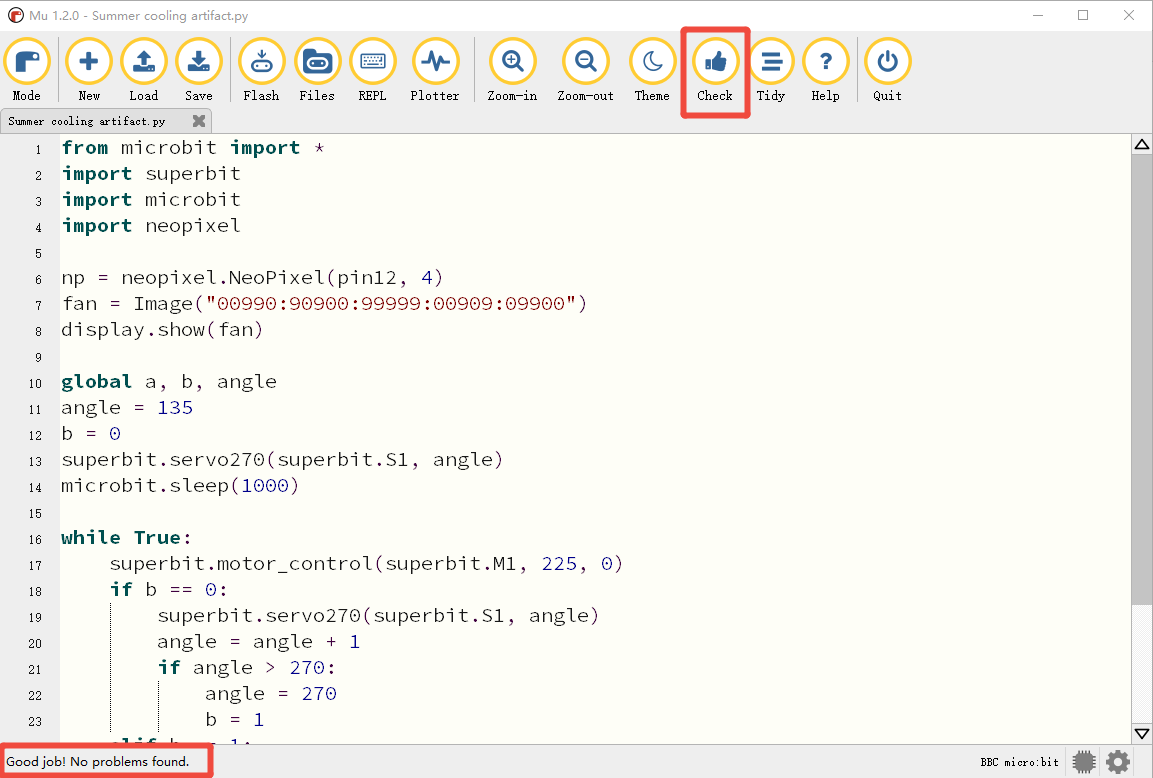
- Click the thumb 'Check' button to check if there are any errors in our code. If a cursor or underline appears in a line, it means a syntax error. Please check and modify it. If there is no error, the lower left corner will prompt that there is no problem with the detection.
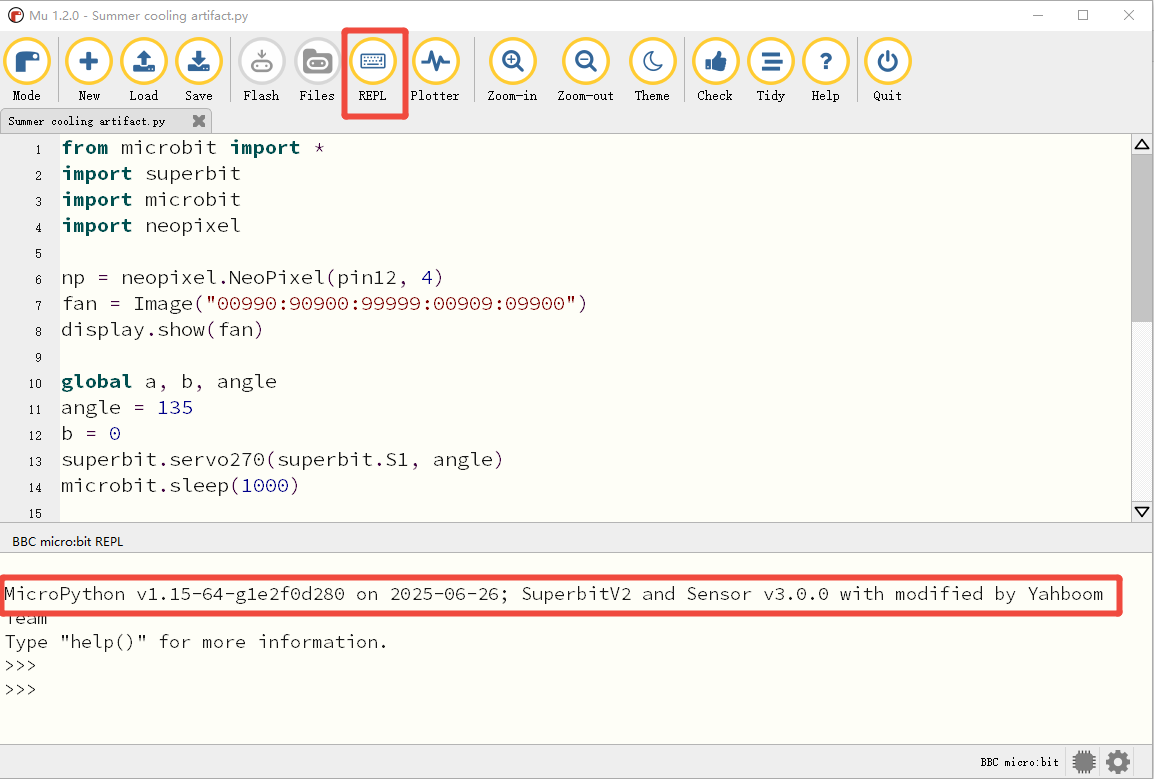
- Click the 'REPL' button to check if the Superbit library has been downloaded. If not, please refer to [Preparation before class] --> [2.4 Python Programming Guide].
- After the program is written, connect the computer and the microbit mainboard with a microUSB data cable. Please click the 'Flash' button to download the program to the micro:bit mainboard. (You need to click the 'REPL' button again to turn off the import library file function before you can download the program normally).
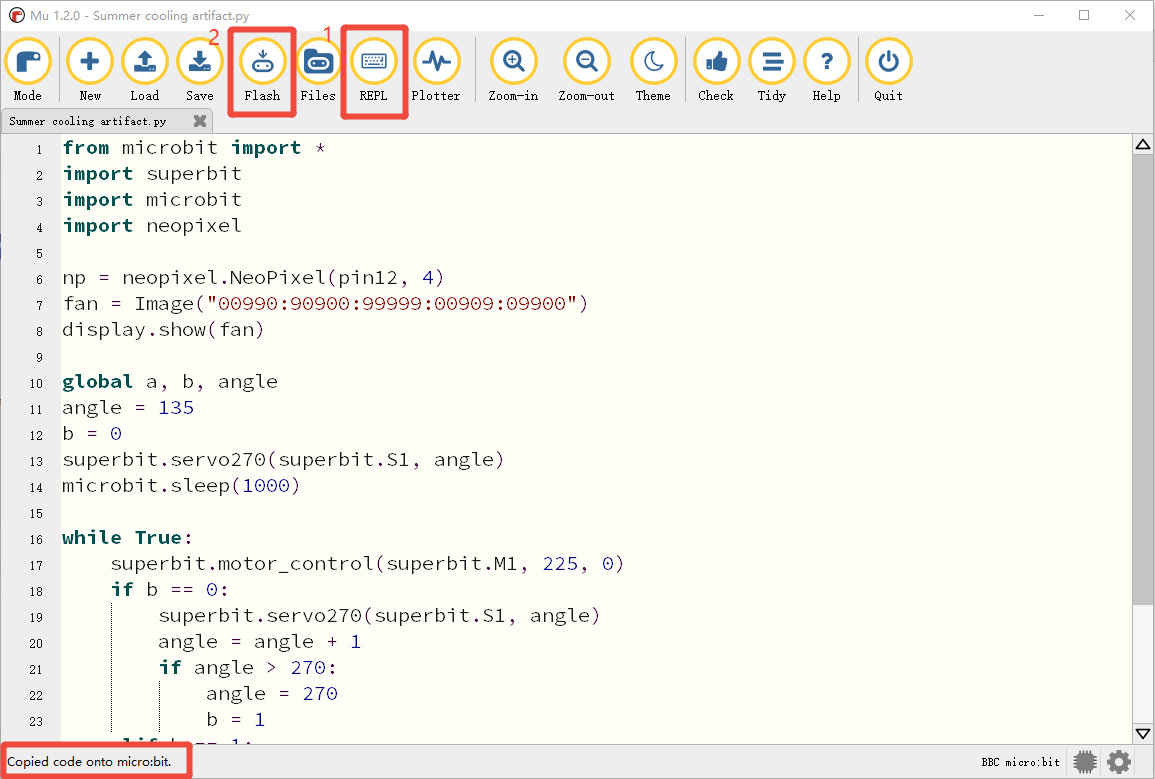
- If the download fails, please confirm whether the microbit is properly connected to the computer via the microUSB data cable and the Superbit Python library has been imported.
6. Experimental phenomenon
After the program is successfully downloaded, turn on the power switch, and the fan pattern will be displayed on the micro:bit dot matrix. Then the shaking fan starts to rotate at the maximum speed of 255, shaking from left to right, and keeps circulating in this state.
If you need to restart, press the reset button on the back of the micro:bit motherboard.