yahboom
HomeLearn
Solution
Blog
Online Store
About Us
EN/中文
IMX 415 Camera Module📖
1. Jetson Orin Nano‑NX Usage Course
  • 1. Camera Driver Course
  • 2.1 Advanced AI Vision-Traffic Detection—DeepStream environment
  • 2.2 Advanced AI Vision-Traffic Detection—Four types of detection(traffic)
  • 3. YOLO11 Object Detection
  • 4. YOLO26 Object Detection
  • 5. Mediapipe Environment
  • 6. Mediapipe Hand Detection
  • 7. MediaPipe Face Detection
  • 8. MediaPipe Face Effects
  • 9. MediaPipe 3D Object Recognition
  • 10. MediaPipe Virtual Brush
  • 11. MediaPipe Gesture Recognition
  • 12. MediaPipe Finger Control
  • 13. MediaPipe Posture Estimation
  • 14. MediaPipe Face Mask
  • 15. MediaPipe Overall Detection
  • 16. MediaPipe Green Scene Rremoval(Human)
  • 17. QR code recognition
2. Raspberry Pi 5 Usage Course
  • 1. Camera Driver Course
  • 2. Advanced AI Vision-Human Pose Estimation
  • 3. Target Detection
  • 4. QR Code
  • 5. Face Detection
  • 6. Color Recognition
  • 7. YOLO11 Object Detection
  • 8. YOLO26 Object Detection
  • 9. MediaPipe Face Effects
  • 10. MediaPipe Face Detection
  • 11. MediaPipe 3D Object Recognition
  • 12. MediaPipe Virtual Brush
  • 13. MediaPipe Finger Control
  • 14. MediaPipe Gesture Recognition
3. RDK X5 Usage Course
  • 1. Camera Driver Course
  • 2. Target Detection Algorithm-FCOS
  • 3. Target Detection Algorithm-YOLOv5s
  • 4. YOLO26 Object Detection
4. Camera Bracket Installation (Optional Video)
  • Installation Video
Download
  • Code
  • SystemFile
  • 3D_Model_File
  • Hardware_Info
Download ZIP

Welcome to IMX 415 Camera Module repository

9. MediaPipe 3D Object Recognition

3D Object Recognition

3D Object Recognition1. 3D Object Recognition2. Effect Preview2.1 USB Camera2.2 CSI CameraFAQPermission denied

MediaPipe is a cross-platform machine learning framework that can process keypoint detection of hands, faces, poses, etc. in videos and images in real time.

1. 3D Object Recognition

MediaPipe 3D object recognition can recognize four types of objects: shoes, chairs, cameras, and cups.
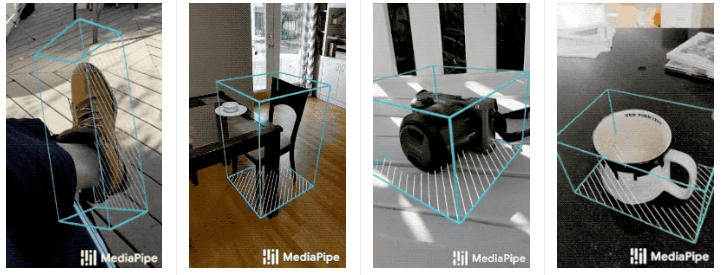
image-20250115111213926

2. Effect Preview

Click on the preview window and press f to switch the recognized 3D object model.

2.1 USB Camera

cd ~/mediapipe
xxxxxxxxxx
python3 04.objectron_usb.py

Note: Click on the camera window and press q to exit the program!
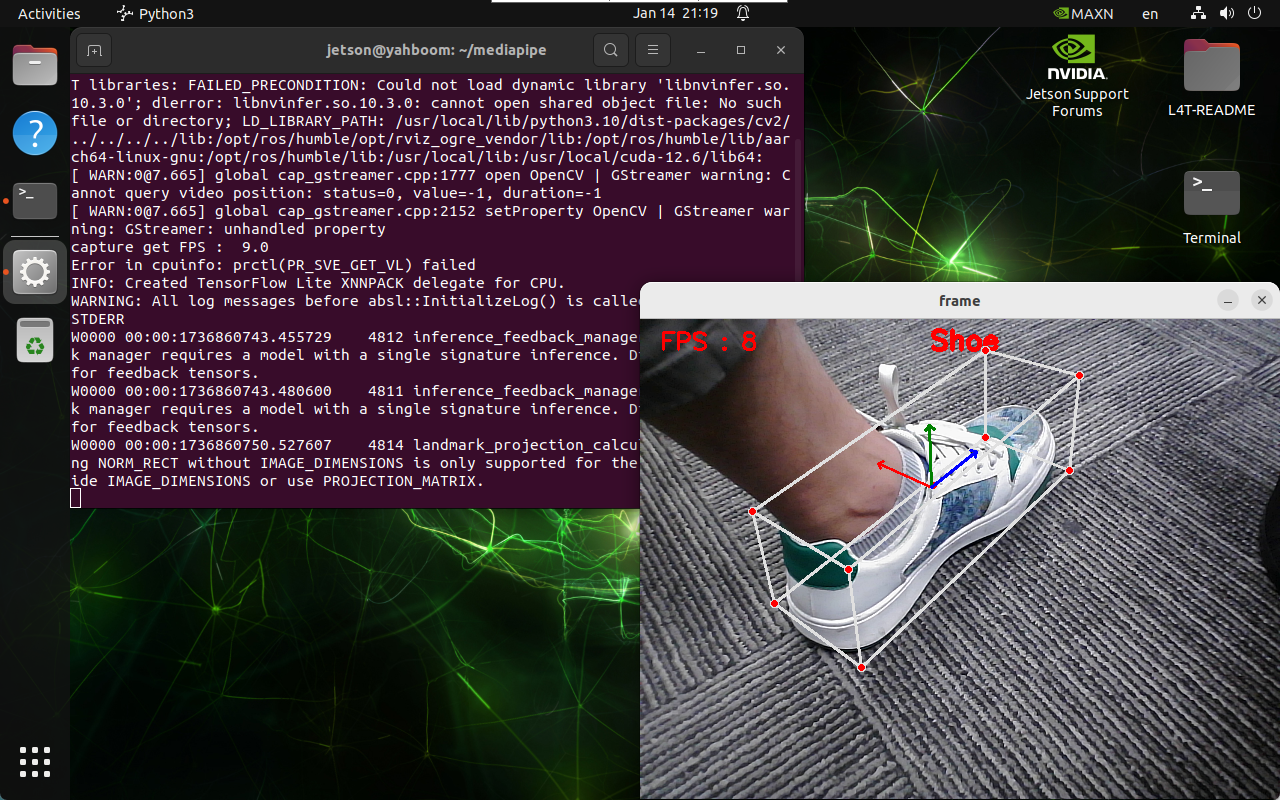
image-20250114211930389

2.2 CSI Camera

xxxxxxxxxx
cd ~/mediapipe
xxxxxxxxxx
python3 04.objectron_csi.py

Note: Click on the camera window and press q to exit the program!
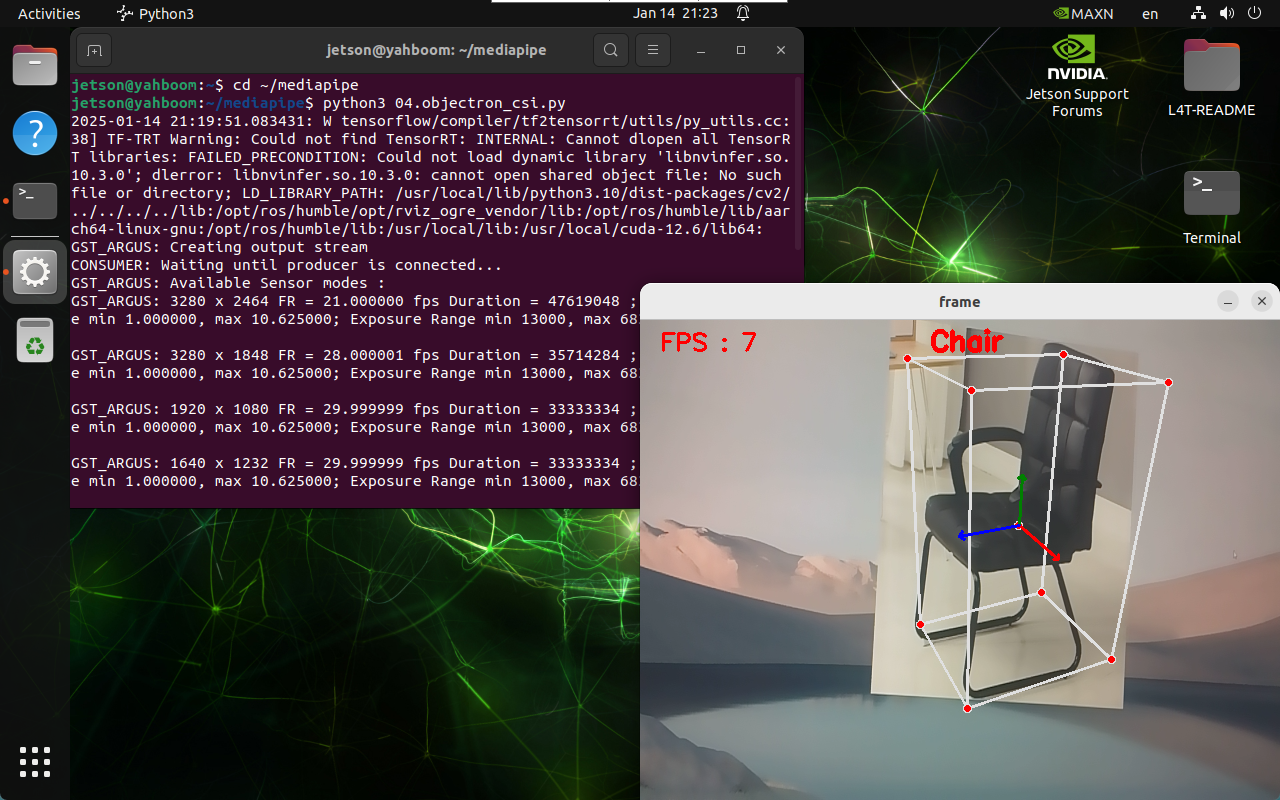
image-20250114212402681

FAQ

Permission denied

PermissionError: [Errno 13] Permission denied: '/usr/local/lib/python3.10/dist-packages/mediapipe/modules/objectron/**.tflite'

Solution: Run the Python file with the sudo command so that the program automatically downloads the required models first.

MediaPipe Face Effects
MediaPipe Virtual Brush

COMPANY

  • About us
  • Team Style
  • Blog

LEARNING & EXPLORATION

  • Tutorials
  • Edge AI hardware
  • Educational robots
  • Embedded intelligent hardware

WHERE TO BUY

  • Yahboom Online Store
  • Amazon
  • Alibaba
  • AliExpress
  • Mercado

TECHNOLOGY SUPPORT

  • Email: support@yahboom.com

BE A DISTRIBUTOR

  • Email: sales@yahboom.com
QR Code

Copyright © 2017-2026 Yahboom. All Rights Reserved.

EN/中文