Welcome to 8-Channel Tracking Module repository
I2C method
arduino-Serial port method
arduino-Serial port methodExperimental preparationExperimental purposeExperimental wiringExperimental steps and phenomenaExperimental source code
Experimental preparation
Arduino mainboard
8-channel line patrol module
Several Dupont cables
The Arduino board needs to download the serial communication source code provided in the document
Experimental purpose
The content of this experiment is mainly to use the Arduino master to receive the data of the 8-way line patrol module through the serial port.
Experimental wiring
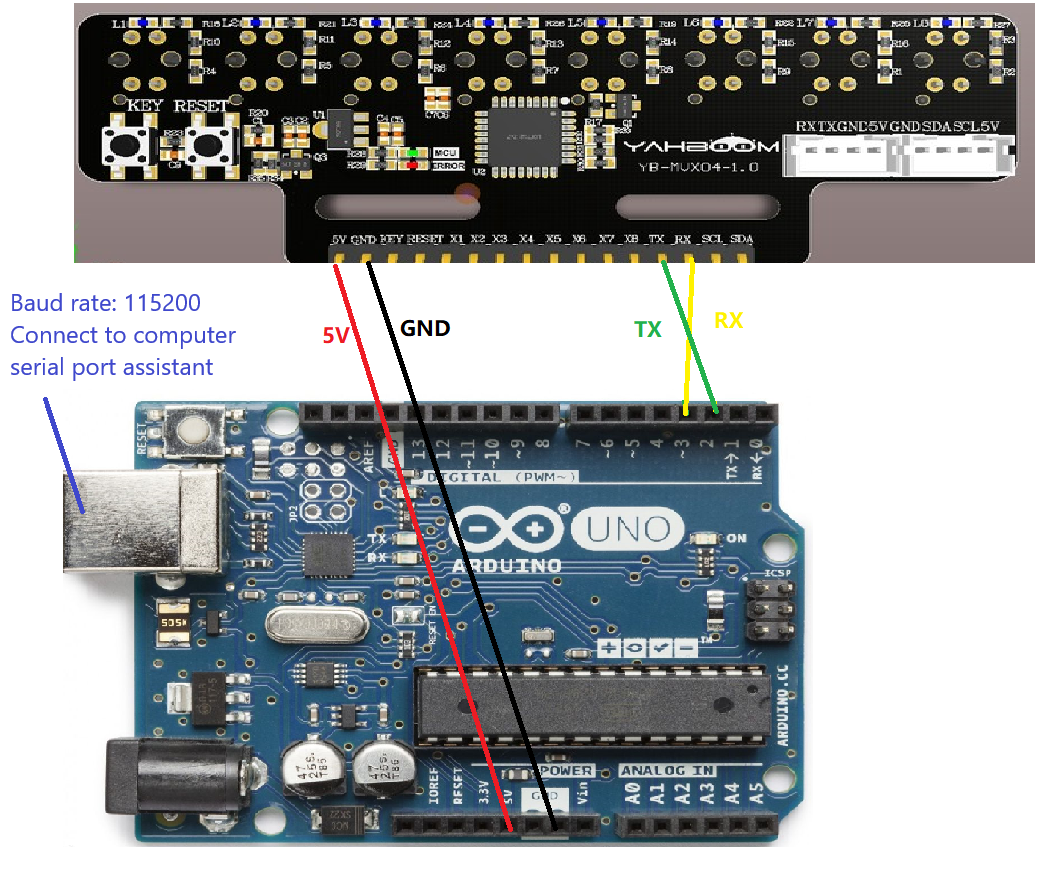
Adruino connected to the serial port assistant can be directly connected using the program download port
| adruino | 8-channel line patrol module |
|---|---|
| 2 | TX |
| 3 | RX |
| 5V | 5V |
| GND | GND |
As shown in the figure:
Experimental steps and phenomena
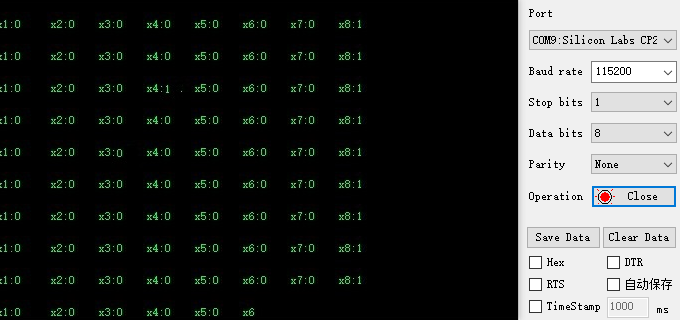
After connecting the wires, open the serial port assistant and you can see the numerical data of the infrared module. Set the baud rate to 115200. As shown below:
Experimental source code
x
extern uint8_t g_new_package_flag ;void setup(){ serial_init();//Serial port initialization //Waiting for the module to be normal SET_Eight_Mode(0,0,1);//Set to receive only numeric data
}
void loop() { //Mainly handle serial port interrupt recv_data(); //take over if(g_new_package_flag ==1) { g_new_package_flag = 0; Deal_Usart_Data();//Data analysis numerical type }}SET_Eight_Mode(0,0,1);:The first parameter of this function is the calibration mode (0: exit calibration mode 1: enter calibration mode) The second parameter is whether to receive analog data The third parameter is whether to receive numerical data. This routine only provides parsing of numerical data. If you need to parse analog data, you can parse it yourself according to the protocol. The serial port parsing file of this project also has a function for parsing analog values. You can refer to it and call the Deal_Usart_AData function.